
A
licenseNot graded
qualityD
maintenanceA simple Model Context Protocol (MCP) server that integrates with Notion's API to manage my personal todo list through Claude.
209
MIT

Integrates with Notion's API to manage personal todo lists, providing functions to show all tasks, add new tasks, and update existing tasks in a Notion workspace.
This server does not currently have a deployable release on Glama. Follow the repository's setup instructions to install and configure it for your MCP client, including any required credentials and local dependencies.

A simple Model Context Protocol (MCP) server that integrates with Notion's API to manage my personal todo list.
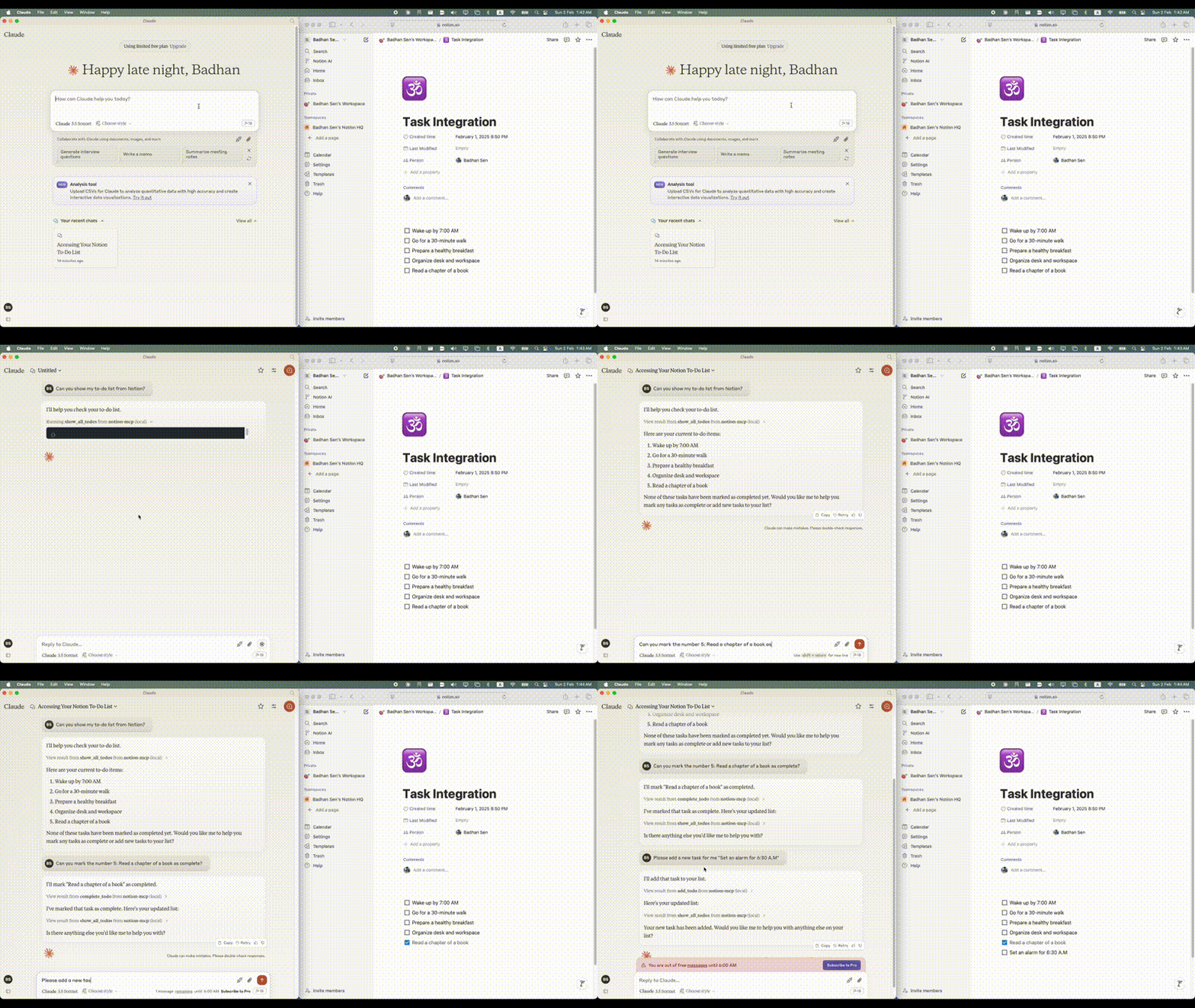
Related MCP server: Notion MCP Server
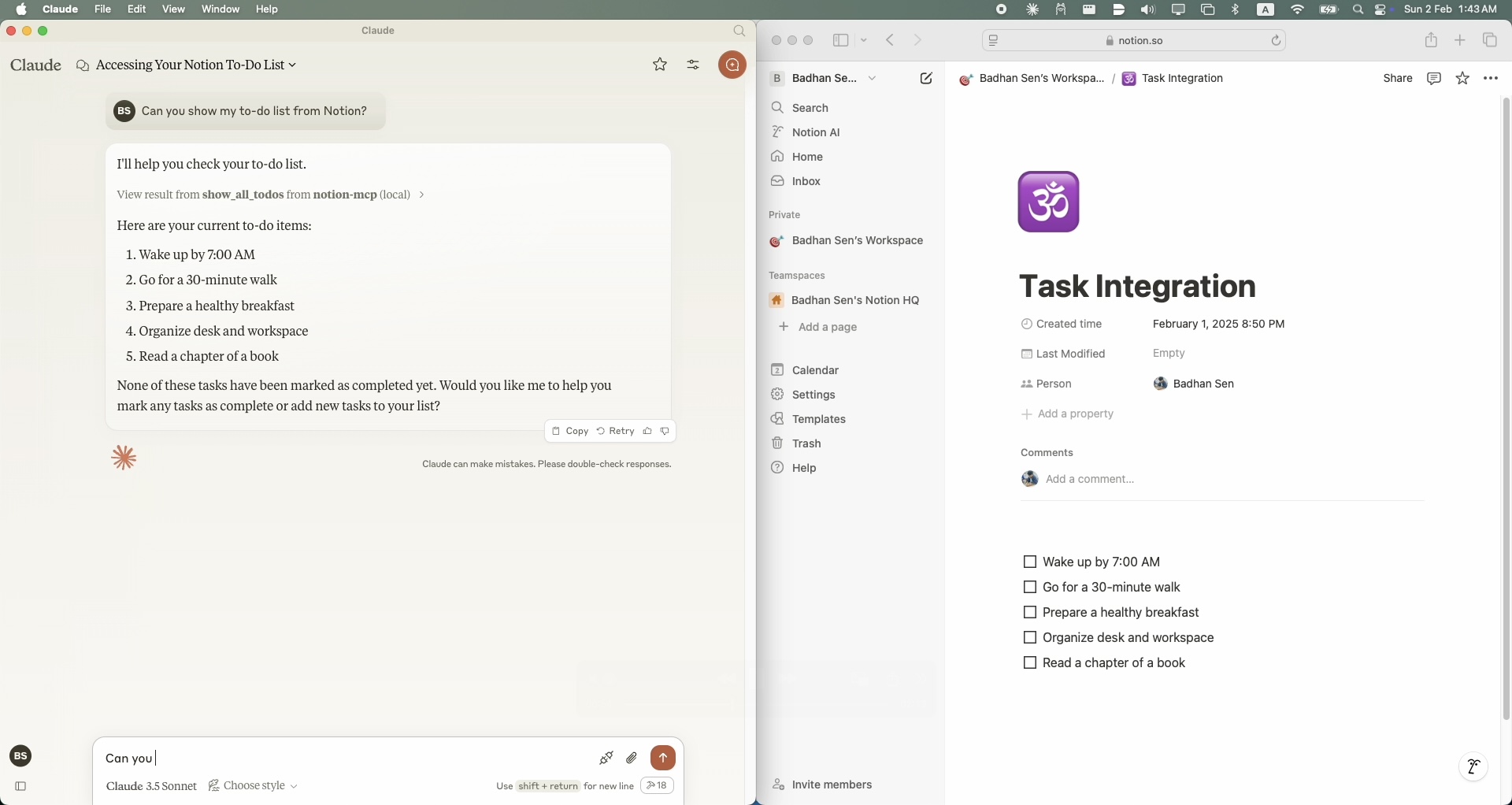
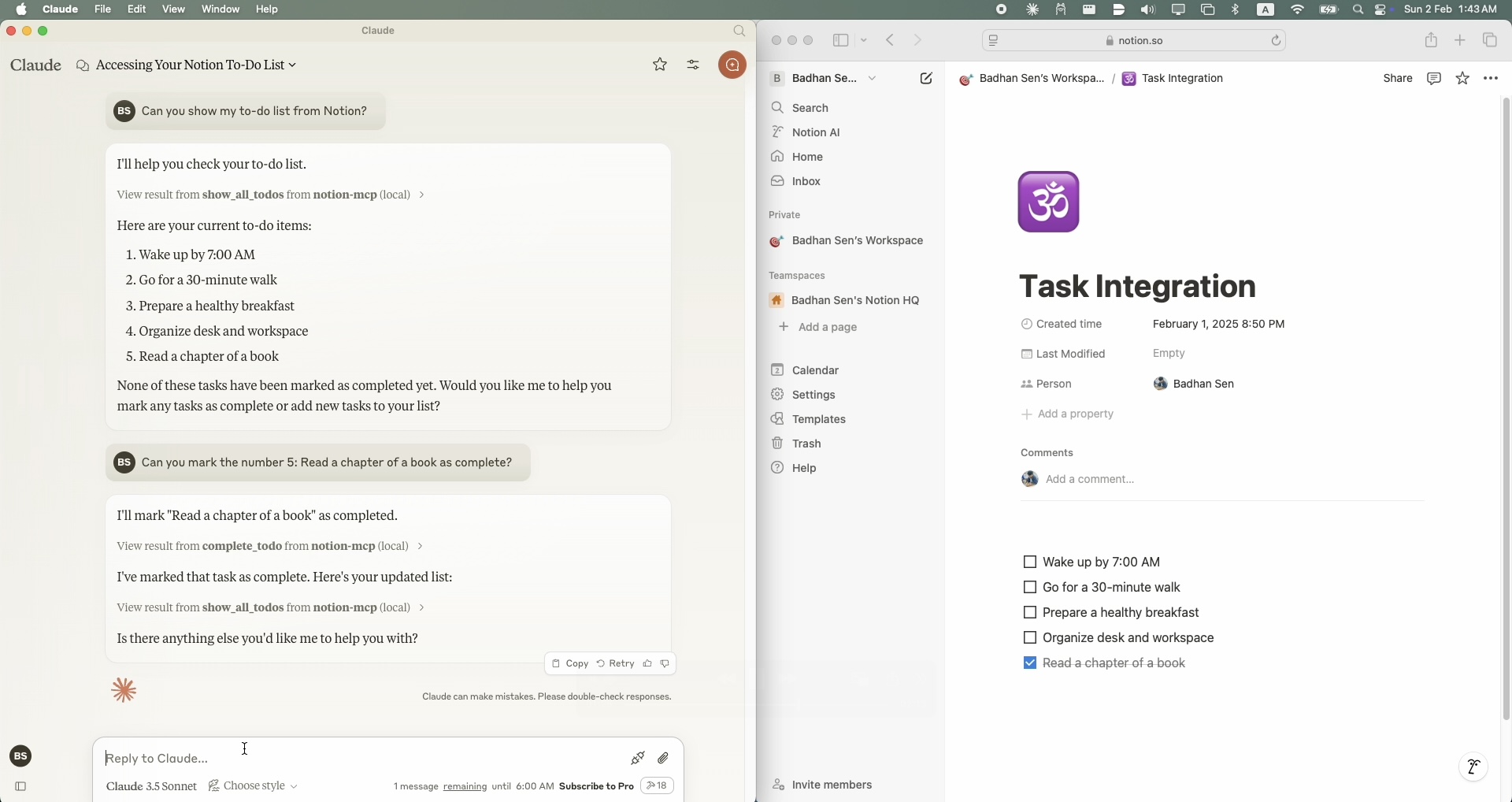
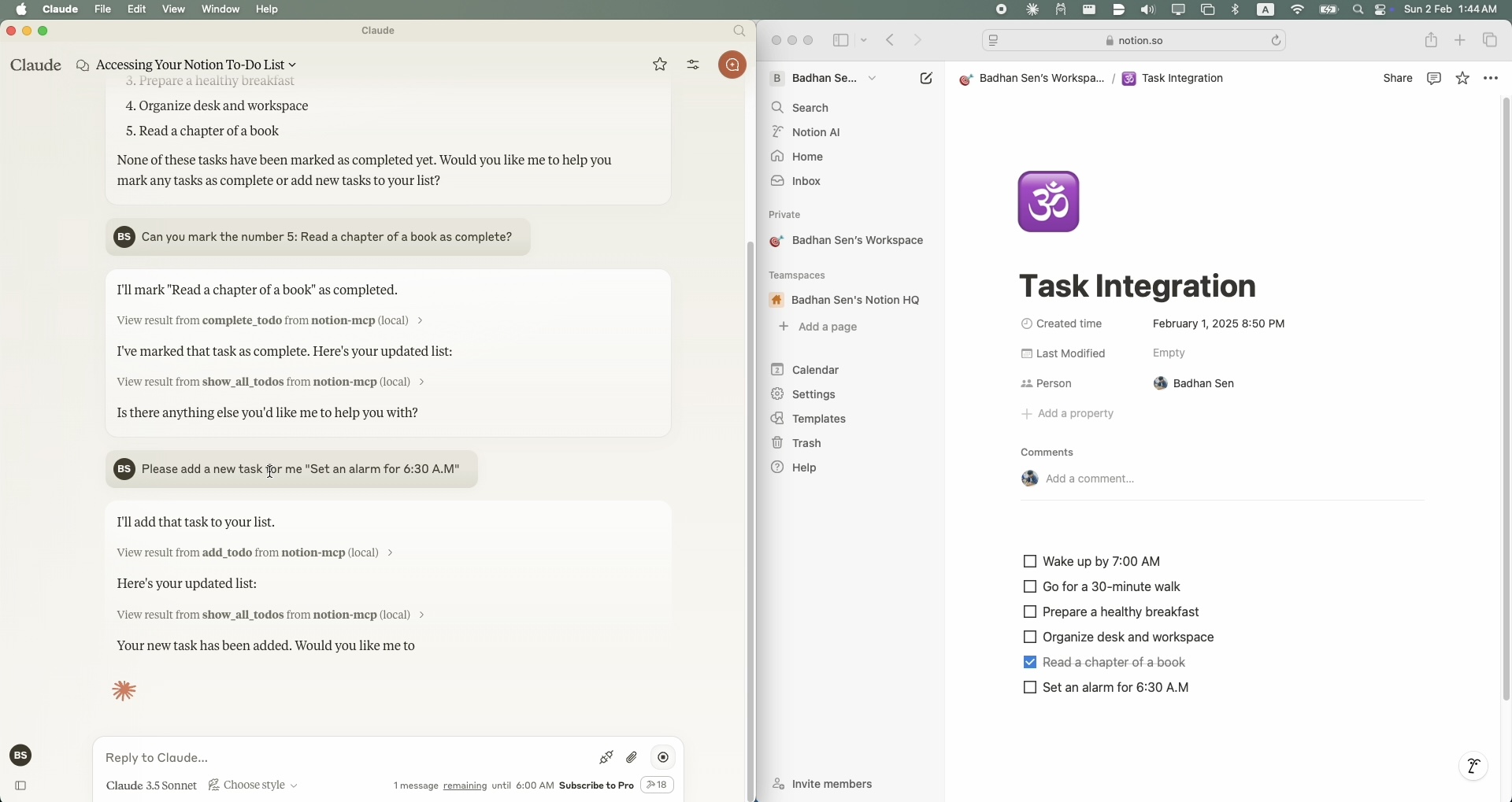
Python 3.11 or higher
A Notion account with API access
A Notion integration token
A Notion page where you want to manage your todo list
Claude Desktop clint
To install Notion MCP for Claude Desktop automatically via Smithery:
npx -y @smithery/cli install @Badhansen/notion-mcp --client claudeClone the repository:
git clone https://github.com/Badhansen/notion-mcp.git
cd notion-mcp
Set up Python environment:
uv venv
source .venv/bin/activate
uv pip install -e .
Create a Notion integration:
Create new integration
Copy the API key
Share your database/page with the integration:
Open your notion workspace with a database/table present or a page.
Click "..." menu → "Add connections"
Select your integration (Search by name)
Create .env file:
cp .env.example .envConfigure Notion credentials in .env:
NOTION_TOKEN=<your-notion-api-token>
PAGE_ID=<your-notion-page-id>
NOTION_VERSION="2022-06-28"
NOTION_BASE_URL="https://api.notion.com/v1"
To use it with Claude Desktop as intended you need to adjust your claude_desktop_config.json file.
Go to Claude Desktop -> Settings -> Developer -> Edit Config. Now add the Notion server configuration.
{
    "mcpServers": {
        "notion-mcp": {
            "command": "uv",
            "args": [
                "--directory",
                "/Users/username/Projects/Python/notion-mcp/src" /* Path to your project */,
                "run",
                "server.py"
            ]
        }
    }
}Project structure:
notion-mcp/
├── docs/
├── src/
│ └── server.py
├── .env
├── .python-version
├── README.md
├── pyproject.toml
└── uv.lockTo show all tasks from your Notion workspace, use the show_all_todos function:
{
    "name": "show_all_todos",
    "arguments": {}
}To add a new task to your Notion workspace, use the add_todo function:
{
    "name": "add_todo",
    "arguments": {
        "task": "Your task description"
    }
}To update an existing task in your Notion workspace, use the complete_todo function:
{
    "name": "complete_todo",
    "arguments": {
        "task_id": "your-task-id"
    }
}Fork the repository
Create feature branch
Submit pull request
MIT License. See LICENSE file for details.
This server cannot be deployed
Official Todoist MCP server for AI assistants to manage tasks, projects, and workflows.
Hosted Notion MCP server for Claude, ChatGPT and Cursor, with each action switched per account.
A comprehensive Model Context Protocol (MCP) server that enables AI assistants to interact with yo…
Simple, fast todo app: manage tasks, projects and tags from Claude and other MCP clients.