

A
licenseNot graded
qualityD
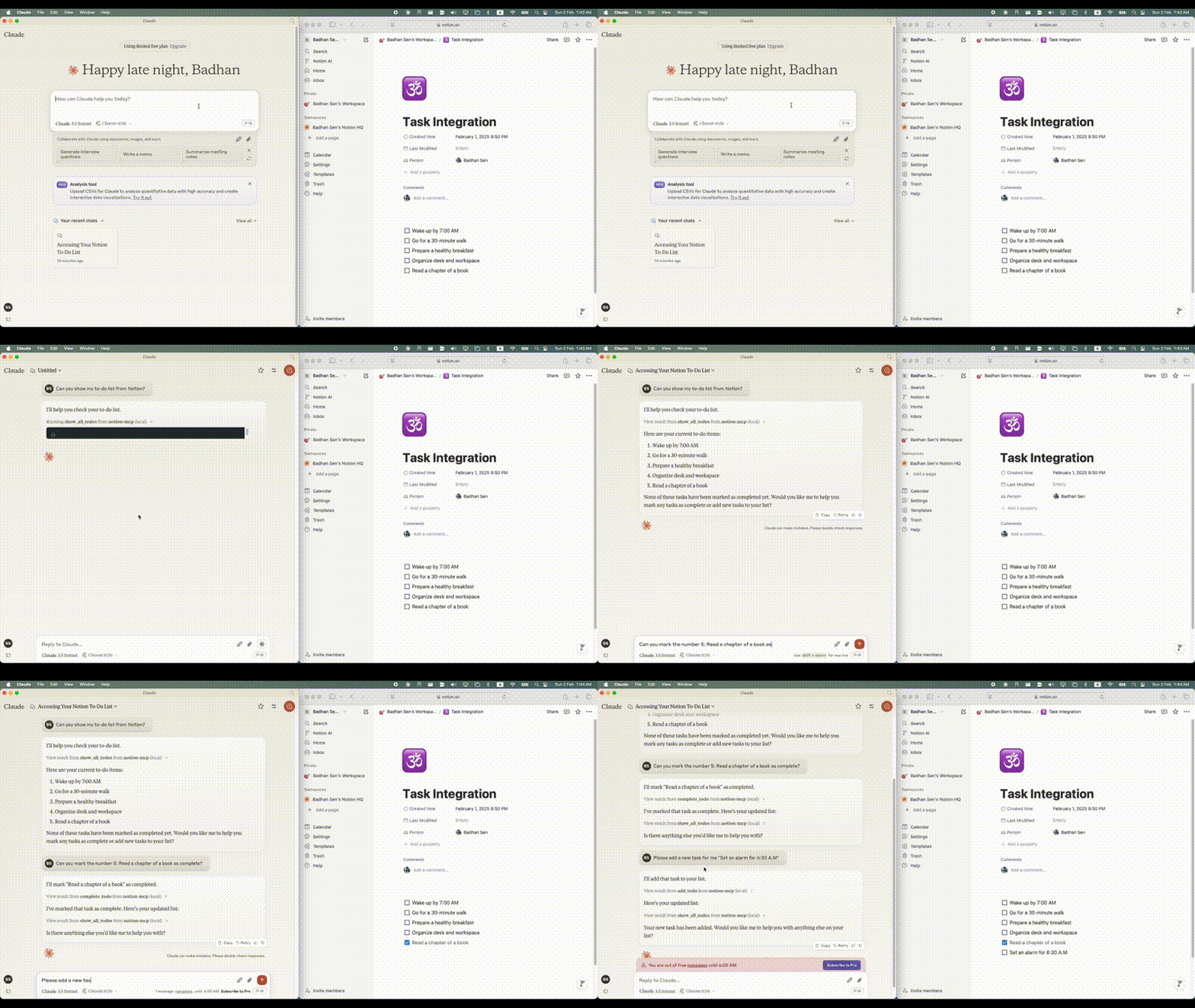
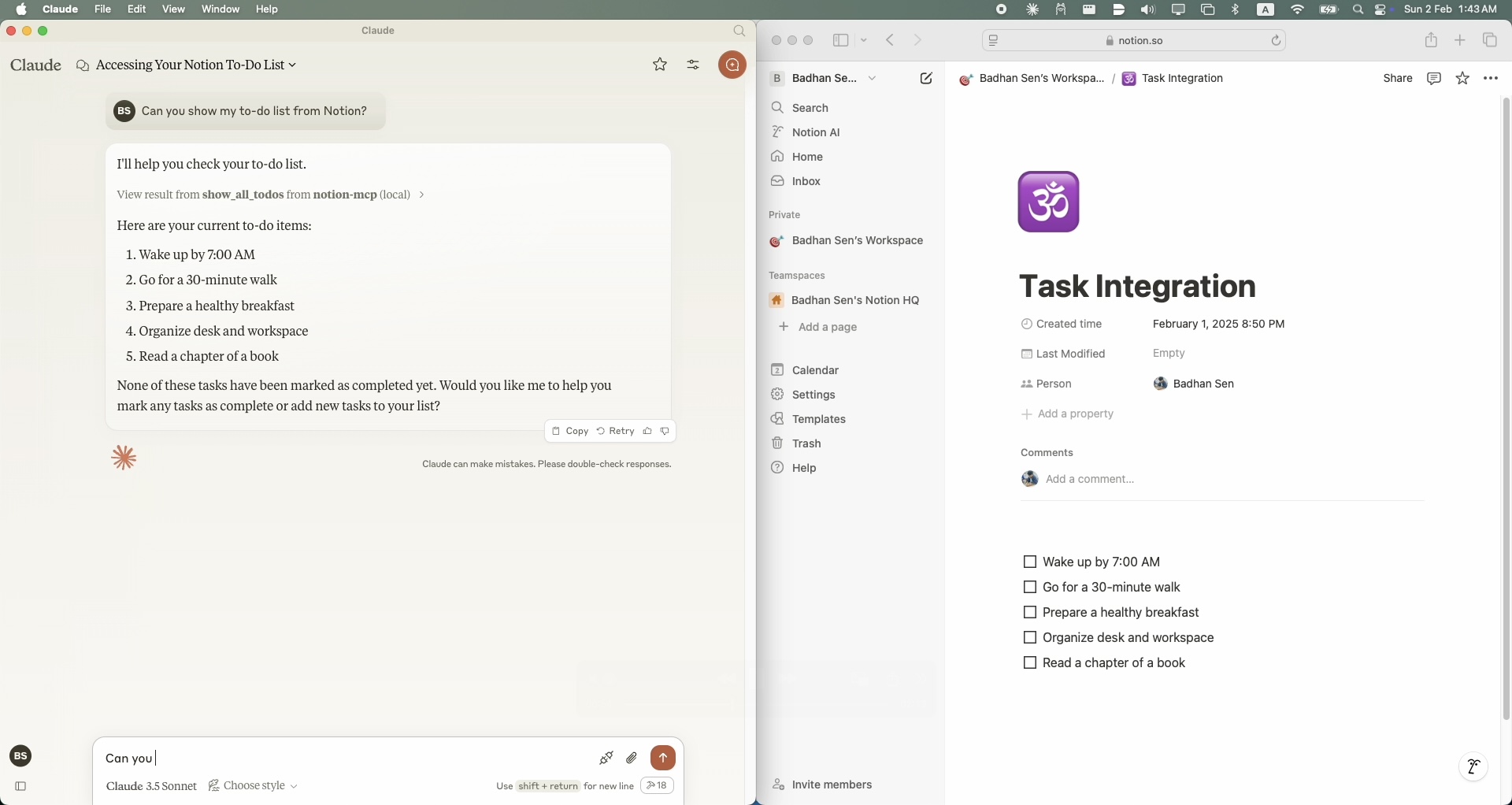
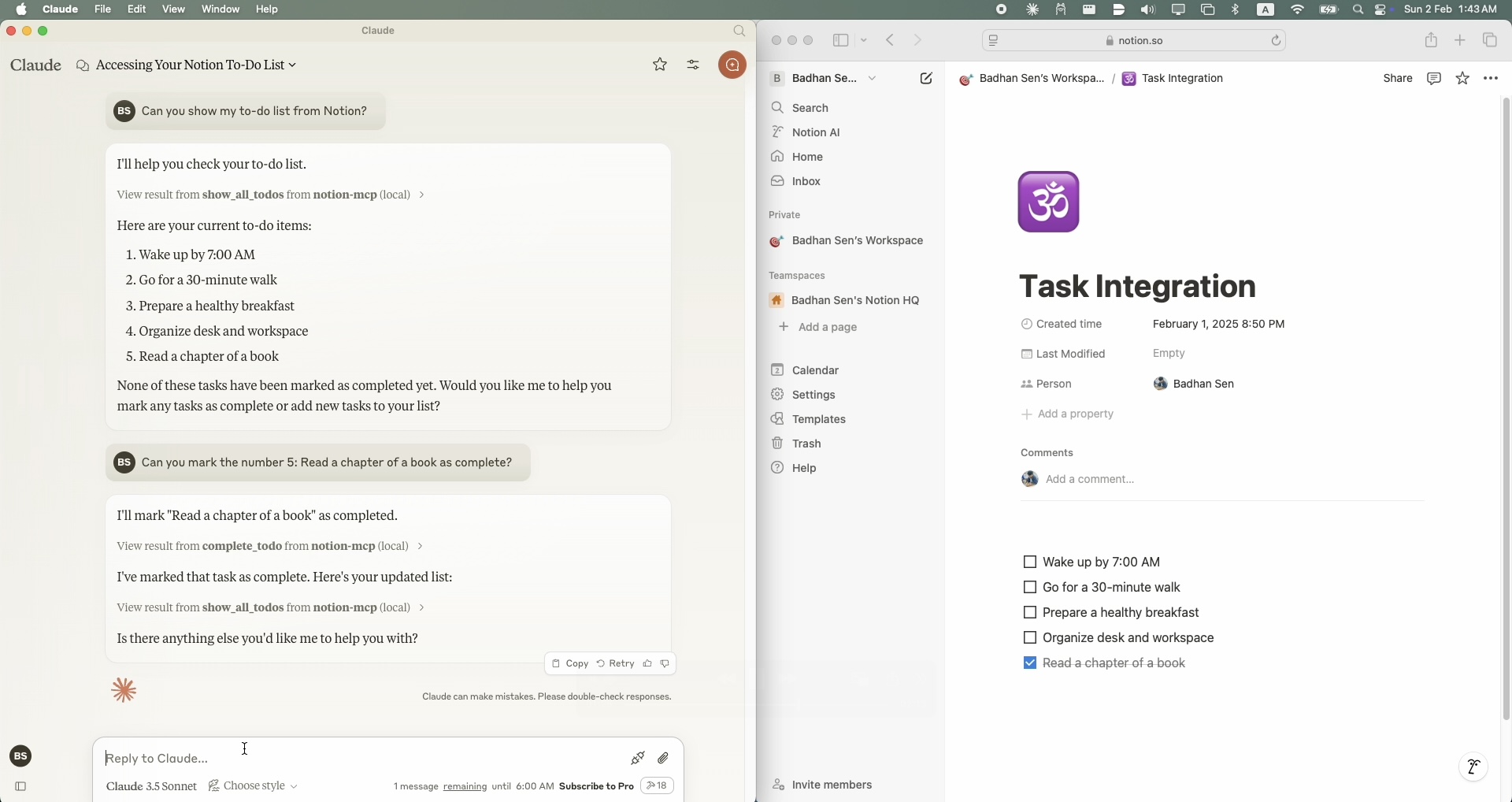
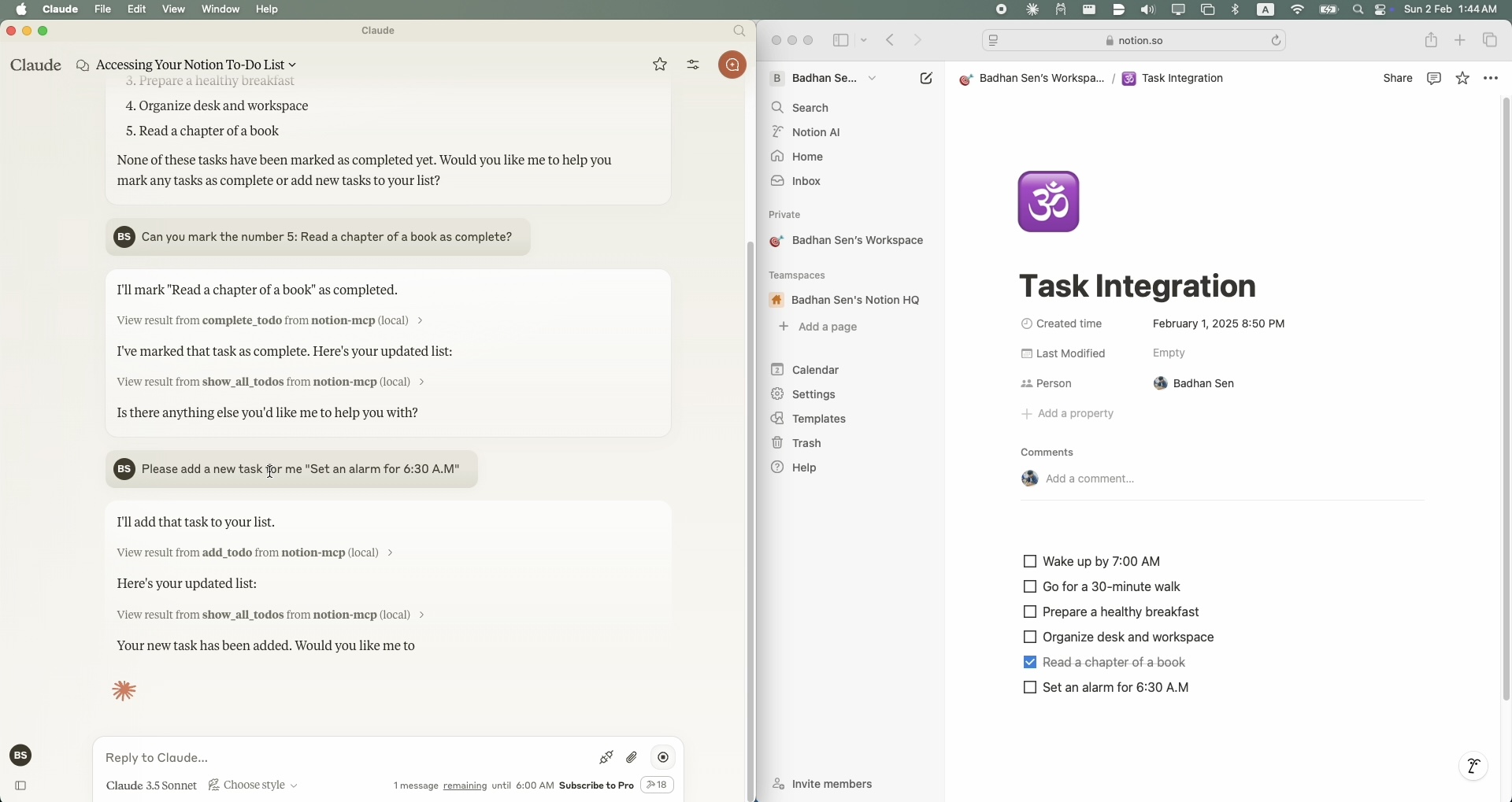
maintenanceA simple Model Context Protocol (MCP) server that integrates with Notion's API to manage my personal todo list through Claude.
208
MIT

Notion の API と統合して個人の ToDo リストを管理するシンプルな Model Context Protocol (MCP) サーバー。
Related MCP server: Notion MCP Server
Python 3.11以上
APIアクセス可能なNotionアカウント
Notion統合トークン
ToDoリストを管理したいNotionページ
クロード・デスクトップ・クリント
Smithery経由で Claude Desktop 用の Notion MCP を自動的にインストールするには:
npx -y @smithery/cli install @Badhansen/notion-mcp --client claudeリポジトリをクローンします。
git clone https://github.com/Badhansen/notion-mcp.git
cd notion-mcp
Python 環境をセットアップします。
uv venv
source .venv/bin/activate
uv pip install -e .
Notion 統合を作成します。
https://www.notion.so/my-integrationsにアクセスしてください。
新しい統合を作成する
APIキーをコピーする
統合によりデータベース/ページを共有します:
データベース/テーブルまたはページが存在する Notion ワークスペースを開きます。
「…」メニュー→「接続を追加」をクリック
統合を選択してください(名前で検索)
.envファイルを作成します:
cp .env.example .env.envで Notion の資格情報を設定します。
NOTION_TOKEN=<your-notion-api-token>
PAGE_ID=<your-notion-page-id>
NOTION_VERSION="2022-06-28"
NOTION_BASE_URL="https://api.notion.com/v1"
Claude Desktopで意図したとおりに使用するには、 claude_desktop_config.jsonファイルを調整する必要があります。Claude Claude Desktop -> Settings -> Developer -> Edit Configにアクセスし、 Notionサーバーの設定を追加してください。
{
    "mcpServers": {
        "notion-mcp": {
            "command": "uv",
            "args": [
                "--directory",
                "/Users/username/Projects/Python/notion-mcp/src" /* Path to your project */,
                "run",
                "server.py"
            ]
        }
    }
}プロジェクト構造:
notion-mcp/
├── docs/
├── src/
│ └── server.py
├── .env
├── .python-version
├── README.md
├── pyproject.toml
└── uv.lockNotion ワークスペースのすべてのタスクを表示するには、 show_all_todos関数を使用します。
{
    "name": "show_all_todos",
    "arguments": {}
}Notion ワークスペースに新しいタスクを追加するには、 add_todo関数を使用します。
{
    "name": "add_todo",
    "arguments": {
        "task": "Your task description"
    }
}Notion ワークスペース内の既存のタスクを更新するには、 complete_todo関数を使用します。
{
    "name": "complete_todo",
    "arguments": {
        "task_id": "your-task-id"
    }
}リポジトリをフォークする
機能ブランチを作成する
プルリクエストを送信する
MITライセンス。詳細はLICENSEファイルを参照してください。
This server cannot be deployed
Official Todoist MCP server for AI assistants to manage tasks, projects, and workflows.
A comprehensive Model Context Protocol (MCP) server that enables AI assistants to interact with yo…
Nifty's MCP server — exposes tasks, projects, messages, and files as tools for AI agents.