

A
licenseNot graded
qualityD
maintenanceA simple Model Context Protocol (MCP) server that integrates with Notion's API to manage my personal todo list through Claude.
208
MIT

Integrates with Notion's API to manage personal todo lists, providing functions to show all tasks, add new tasks, and update existing tasks in a Notion workspace.
Click on "Deploy Server".
Wait a few minutes for the server to deploy. Once ready, it will show a "Started" state.
In the chat, type @ followed by the MCP server name and your instructions, e.g., "@Notion MCP add a task to call the dentist tomorrow at 2 PM"
That's it! The server will respond to your query, and you can continue using it as needed.
Here is a step-by-step guide with screenshots.

A simple Model Context Protocol (MCP) server that integrates with Notion's API to manage my personal todo list.
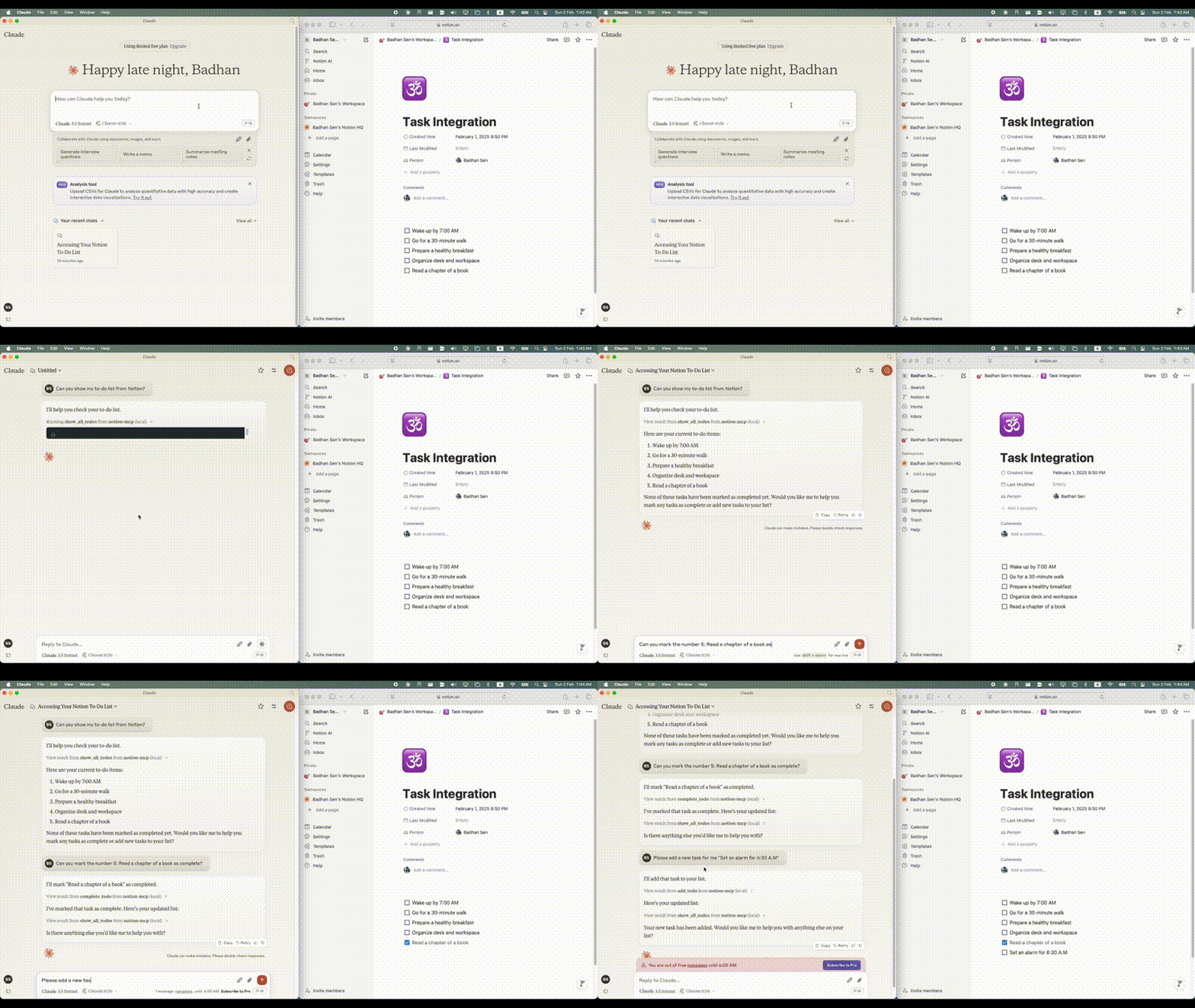
Related MCP server: Notion MCP Server
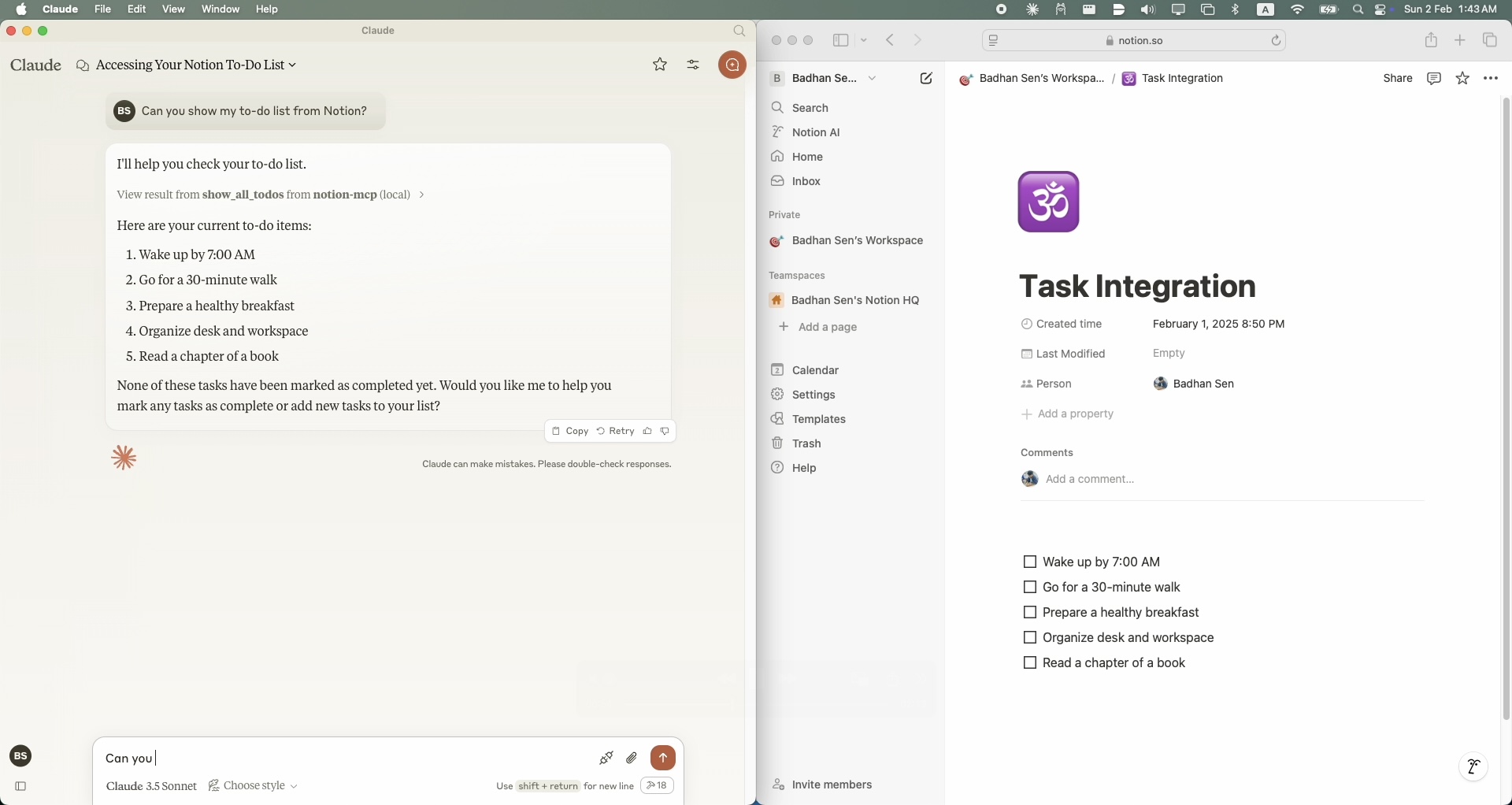
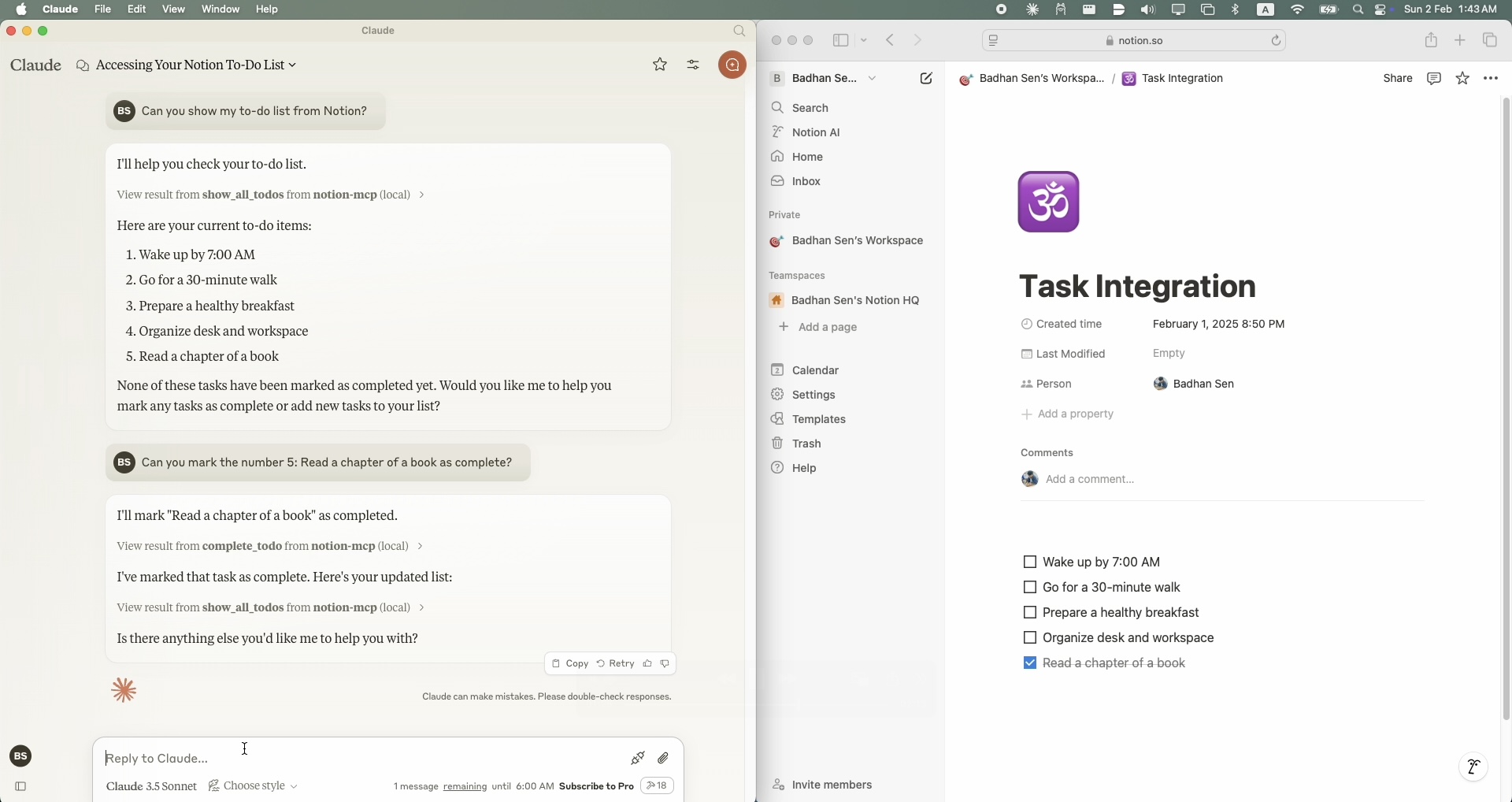
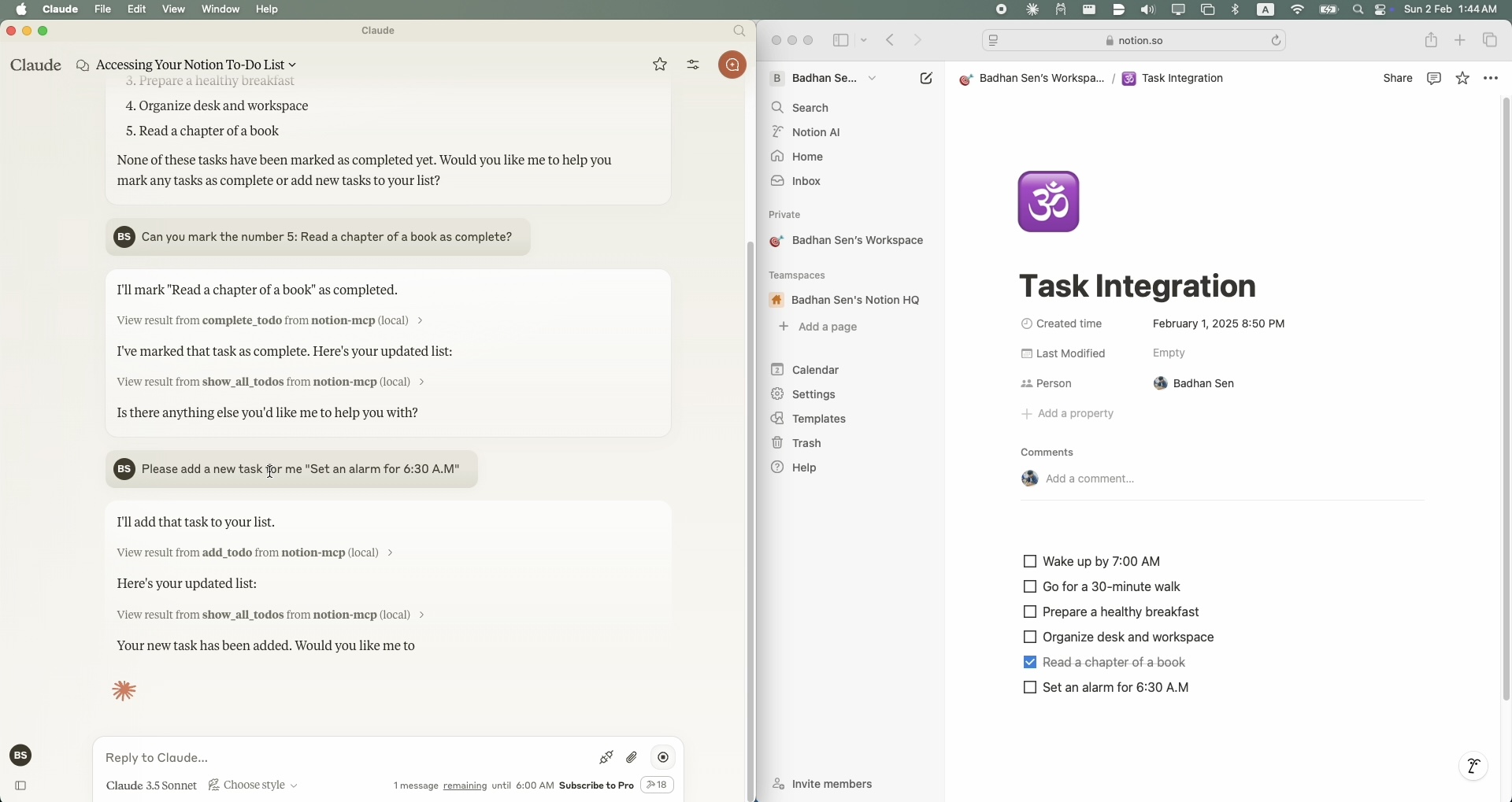
Python 3.11 or higher
A Notion account with API access
A Notion integration token
A Notion page where you want to manage your todo list
Claude Desktop clint
To install Notion MCP for Claude Desktop automatically via Smithery:
npx -y @smithery/cli install @Badhansen/notion-mcp --client claudeClone the repository:
git clone https://github.com/Badhansen/notion-mcp.git
cd notion-mcp
Set up Python environment:
uv venv
source .venv/bin/activate
uv pip install -e .
Create a Notion integration:
Create new integration
Copy the API key
Share your database/page with the integration:
Open your notion workspace with a database/table present or a page.
Click "..." menu → "Add connections"
Select your integration (Search by name)
Create .env file:
cp .env.example .envConfigure Notion credentials in .env:
NOTION_TOKEN=<your-notion-api-token>
PAGE_ID=<your-notion-page-id>
NOTION_VERSION="2022-06-28"
NOTION_BASE_URL="https://api.notion.com/v1"
To use it with Claude Desktop as intended you need to adjust your claude_desktop_config.json file.
Go to Claude Desktop -> Settings -> Developer -> Edit Config. Now add the Notion server configuration.
{
    "mcpServers": {
        "notion-mcp": {
            "command": "uv",
            "args": [
                "--directory",
                "/Users/username/Projects/Python/notion-mcp/src" /* Path to your project */,
                "run",
                "server.py"
            ]
        }
    }
}Project structure:
notion-mcp/
├── docs/
├── src/
│ └── server.py
├── .env
├── .python-version
├── README.md
├── pyproject.toml
└── uv.lockTo show all tasks from your Notion workspace, use the show_all_todos function:
{
    "name": "show_all_todos",
    "arguments": {}
}To add a new task to your Notion workspace, use the add_todo function:
{
    "name": "add_todo",
    "arguments": {
        "task": "Your task description"
    }
}To update an existing task in your Notion workspace, use the complete_todo function:
{
    "name": "complete_todo",
    "arguments": {
        "task_id": "your-task-id"
    }
}Fork the repository
Create feature branch
Submit pull request
MIT License. See LICENSE file for details.
This server cannot be deployed
Official Todoist MCP server for AI assistants to manage tasks, projects, and workflows.
A comprehensive Model Context Protocol (MCP) server that enables AI assistants to interact with yo…
Nifty's MCP server — exposes tasks, projects, messages, and files as tools for AI agents.