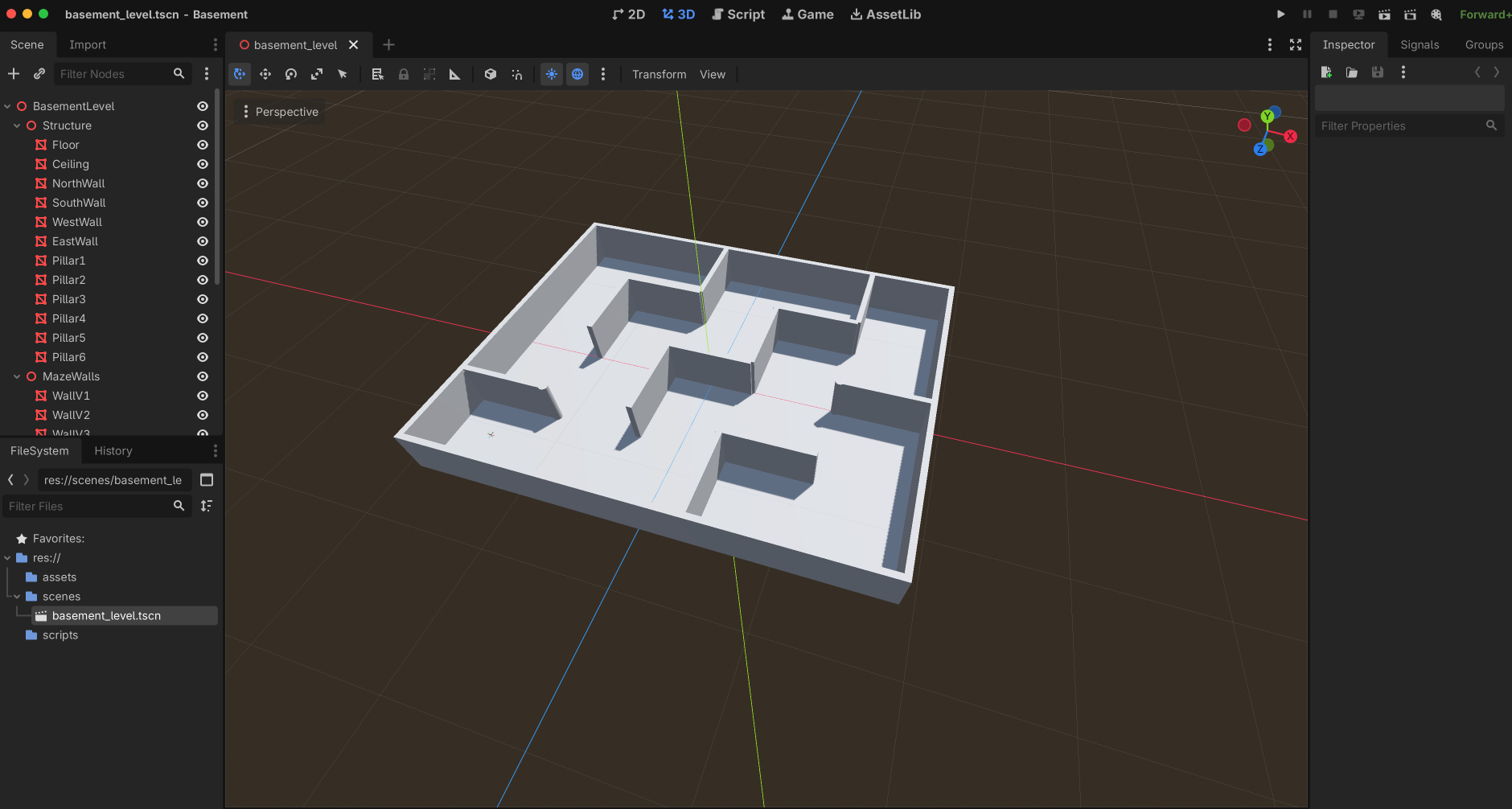
Godot MCP
The Godot MCP server lets AI agents create, edit, and run full Godot 4.5+ games entirely through MCP tool calls.
Project Management
Detect and validate the Godot executable
Create new projects, scaffold folders, and inspect project structure (nested/tree view)
List and group resources (scripts, shaders, scenes, textures)
Update project settings (app name, window size, etc.)
Scene & Node Editing
Create and save new
.tscnscenes with normalized filenamesInspect scene trees, validate scenes (dry-run parse), and add nodes of any instantiable Godot type
Edit nodes: rename, reparent, delete, or adjust transforms
Get and update node properties and transforms (position, rotation, scale) for
Node2D,Node3D, andControlnodesAdd/update
WorldEnvironmentnodes and theirEnvironmentsettings
Mesh & Shader Tools
Add and edit 3D primitive meshes (
BoxMesh,SphereMesh,CylinderMesh, etc.) with initial transforms and parametersCreate
.gdshaderfiles from a starter template or custom shader code
Scripting
Attach existing
.gdscripts to nodes, or auto-generate a starter script and attach it
Running, Testing & Debugging
Open the Godot editor, run the main scene or a specific scene as a detached process
Run with capture: collect stdout, stderr, log excerpts, and parsed warnings/errors
Take screenshots (last rendered frame after a short run)
Profile rendering performance (FPS, frame time, draw calls, memory) and detailed CPU/physics/audio metrics
Record video (AVI/MP4) with optional camera waypoints (requires FFmpeg for MP4)
Documentation
Search local Godot API docs (generated from your installed binary) for classes, methods, properties, signals, and constants
Works with Claude, Codex, LMStudio, OpenCode, and other MCP-compatible clients. Supports per-tool or global Godot executable specification.
Optional integration enabling video recording and encoding capabilities. When available, the server uses FFmpeg to encode captured gameplay footage to MP4 format via the godot_record_video tool, complementing the default AVI output.
Click on "Install Server".
Wait a few minutes for the server to deploy. Once ready, it will show a "Started" state.
In the chat, type
@followed by the MCP server name and your instructions, e.g., "@Godot MCPcreate a new 2D project named 'Platformer' and add a player scene"
That's it! The server will respond to your query, and you can continue using it as needed.
Here is a step-by-step guide with screenshots.
Godot MCP
godot-mcp is a dependency-free MCP server for Godot 4.5+. It lets AI agents create, edit, and run full Godot games entirely through MCP tool calls.
Tested with Codex and Claude. Should also work with LMStudio, OpenCode, and any other MCP-compatible client.


Features
Detect Godot (
godot_detect_executable) : Locates and validates the Godot executable so every subsequent tool knows which engine binary to use.Create Project (
godot_create_project) : Scaffolds a brand-new Godot project with the chosen name and parent directory, delegating to Godot itself so the output stays compatible with newer 4.x releases.Create Folder (
godot_create_folder) : Creates project-relative folders with safesnake_casenaming for organizing assets, scenes, and scripts.Inspect Project Structure (
godot_get_project_structure) : Returns both nested structured entries and a human-readable tree string of all files and folders in the project.List Resources (
godot_list_resources) : Provides a fast grouped overview of scripts, shaders, scenes, and textures with counts, without manually globbing the project.Start Editor (
godot_start_project) : Opens the Godot editor for the project and returns a PID plus a log file path.Create Scene (
godot_create_scene) : Creates and saves a new scene with a Godot-stylesnake_case.tscnfilename andPascalCaseroot node name.Create Shader (
godot_create_shader) : Generates a.gdshaderfile from a starter template or explicit shader source code.Update Project Settings (
godot_update_project_settings) : Edits one or moreProjectSettingsparameters (app name, window size, etc.) through Godot itself. Accepts JSON-compatible values plus optional raw Godot expressions viavalue_godot.Attach Script (
godot_attach_script) : Attaches an existing.gdfile or creates a starter script that extends the target node's type before attaching it.Get Scene Tree (
godot_get_scene_tree) : Inspects a saved scene's node tree and parent/child structure using Godot's ownPackedScene.get_state().Validate Scene (
godot_validate_scene) : Dry-run parses a scene resource with a lightweight headless load so problems surface before a full run.Add Node (
godot_add_node) : Adds a new node of any instantiable Godot node type to an existing scene.Add Primitive Mesh (
godot_add_primitive_mesh) : Drops in aBoxMesh,CylinderMesh,SphereMesh, or other built-in primitive on aMeshInstance3Dnode for fast level blockout.Edit Primitive Mesh (
godot_edit_primitive_mesh) : Swaps the primitive type or changes parameters like size, height, radius, and segment counts.Edit Scene (
godot_edit_scene) : Renames a node, reparents it, deletes it, or combines those edits with transform changes in one save. Uses Godot to repack the scene.Get Node Properties (
godot_get_node_properties) : Returns the property list with serialized current values so object and vector values stay JSON-friendly.Get Node Transform (
godot_get_node_transform) : Inspects the root or a child node's transform section forNode2D,Node3D, andControlnodes.Update Node Transform (
godot_update_node_transform) : Adjusts position, rotation, scale, or other supported transform fields using JSON-friendly vector objects like{ "x": 10, "y": 20 }.Run Project (
godot_run_project) : Launches the project's main scene as a detached process, returning a PID plus a log file path.Run Scene (
godot_run_scene) : Launches a specific scene directly as a detached process.Run with Capture (
godot_run_with_capture) : Runs for a short capture window, then returns stdout, stderr, the Godot log file excerpt, and parsed debug lines for warnings and errors.Screenshot (
godot_screenshot) : Uses Godot's built-in movie writer to capture the last rendered PNG frame after running for a short duration.Search Docs (
godot_search_docs) : Searches a cached API dump generated from the selected Godot executable, so results stay aligned with the installed engine version.Add WorldEnvironment (
godot_add_world_environment) : Adds a WorldEnvironment node and applies Environment and node-level parameter updates in one call.Update WorldEnvironment (
godot_update_world_environment) : Updates an existing WorldEnvironment node's Environment settings (fog, tonemap, ambient light, background, etc.) and selected node properties.Run with Visual Profile (
godot_run_with_visual_profiler): Profiles a Godot project’s rendering and visual performance, reporting metrics such as fps, frame_time_ms, render_objects_in_frame, render_primitives_in_frame, render_draw_calls_in_frame, render_video_mem_bytes, navigation_process_ms, object_count, and node_count.Run with Profiler (
godot_run_with_profiler): Runs a Godot project or a specific scene with the built-in profiler to capture detailed performance data, including fps, frame_time_ms, process_time_ms, physics_time_ms, physics_frame_time_ms, navigation_process_ms, memory_static_bytes, object_count, resource_count, node_count, orphan_node_count, physics_2d_active_objects, physics_2d_collision_pairs, physics_2d_island_count, physics_3d_active_objects, physics_3d_collision_pairs, physics_3d_island_count, and audio_output_latency_ms.Record Video ( godot_record_video ): Runs a scene for a set duration, .avi by defualt or captures frames and audio and encodes the result to an .mp4 via ffmpeg if available. Accepts an camera_waypoints array (position, rotation, and FOV per keyframe).
The server also exposes MCP resource discovery over stdio, so clients can inspect a static tool catalog resource and a per-tool detail template without needing to call the tools first.
Related MCP server: Godot MCP Server
Requirements
Python 3.10+
Godot 4.5 or newer
FFmpeg (optional)
Godot can be supplied either:
per tool call with
godot_executableglobally with the
GODOT_EXECUTABLEenvironment variable
Examples:
/Applications/Godot.app/Contents/MacOS/Godot/Applications/Godot_mono.app/Contents/MacOS/Godot/usr/local/bin/godot4
Run It
From this repository:
PYTHONPATH=src python3 -m godot_mcpOr install it:
python3 -m pip install -e .
godot-mcpMCP Config Example
{
"mcpServers": {
"godot": {
"command": "python3",
"args": ["-m", "godot_mcp"],
"env": {
"PYTHONPATH": "/path/to/godot-mcp/src",
"GODOT_EXECUTABLE": "/path/to/godot"
},
"toolCallTimeoutMillis": 240000
}
}
}Adjust "toolCallTimeoutMillis" as needed. e.g. using video recording. If your recording exceeds the default timeout of 120000 milliseconds (2 minutes), increase this value accordingly to prevent the tool call from timing out.
Notes
Scene filenames are normalized to
snake_case.tscn.Project-relative folder inputs are normalized to safe
snake_casedirectory segments.Scene root node names are normalized to
PascalCase.Shader filenames are normalized to
snake_case.gdshader.Script filenames are normalized to
snake_case.gdwhen the MCP creates them.godot_get_project_structurereturns both nested structured entries and a human-readable tree string.godot_list_resourcesreturns grouped project resources with counts for scripts, shaders, scenes, and textures.Scene tree inspection uses Godot's own
PackedScene.get_state()rather than hand-parsing.tscnfiles.godot_validate_sceneuses a lightweight headless load of the scene resource so parse problems surface before a full run.godot_add_primitive_meshandgodot_edit_primitive_meshwork through Godot itself, so primitive resources stay valid and level greyboxing can be driven through MCP with mesh-specific parameters.MCP resource discovery is available through
resources/list,resources/templates/list, andresources/read, includinggodot://server/tools,godot://server/guide, andgodot://tool/{name}.godot_get_node_propertiesreturns the property list with serialized current values so object and vector values stay JSON-friendly.godot_edit_sceneuses Godot to repack the scene after node edits instead of rewriting.tscntext directly.Local doc search uses a cached API dump generated from the selected Godot executable, so the results stay aligned with the installed engine version.
Transform inspection and editing currently support
Node2D,Node3D, andControlnodes, using JSON-friendly vector objects like{ "x": 10, "y": 20 }.godot_attach_scriptcan either attach an existing.gdfile or create a starter script that extends the target node's type before attaching it.godot_run_projectandgodot_run_scenestart detached processes and return a PID plus a log file path.godot_run_with_captureruns for a short capture window, then returns stdout, stderr, the Godot log file excerpt, and parsed debug lines for warnings and errors.godot_screenshotuses Godot's built-in movie writer, then keeps the last rendered PNG frame as the screenshot and cleans up the intermediate frames.The run tools are non-headless by default, so a normal game window appears unless you explicitly pass
headless=true.godot_start_projectopens the editor and returns a PID plus a log file path.Logs are written into the target project under
.godot-mcp/logs/.
Local Verification
This repository includes unit tests that use a fake Godot executable so the MCP server can be validated even when Godot is not installed in the current environment.
Run them with:
python3 -m unittest discover -s testsContributing
Contributions are welcome! Feel free to open issues, submit pull requests, or suggest new features. All contributions are appreciated.
License
This project is licensed under the MIT License.
Available Tools
24 toolsgodot_add_nodeB
Add a new node of any instantiable Godot node type to an existing saved scene.
| Name | Required | Description | Default |
|---|---|---|---|
| project_path | Yes | Path to the Godot project directory or its project.godot file. | |
| scene_path | Yes | Path to the target .tscn file. Absolute, relative, and res:// paths are supported. | |
| node_type | Yes | Godot node class to instantiate, such as Sprite2D, Timer, Control, or AudioStreamPlayer2D. | |
| parent_path | No | Scene-relative node path where the new node should be attached. Use '.' for the root. | . |
| node_name | No | Optional explicit node name. Defaults to the chosen node type. | |
| godot_executable | No | Optional explicit path to the Godot executable or .app bundle. |
TDQS
Does the description disclose side effects, auth requirements, rate limits, or destructive behavior?
With no annotations provided, the description carries full burden for behavioral disclosure. While it indicates this is a write operation ('Add'), it doesn't mention important behavioral traits like whether this requires specific permissions, if changes are saved immediately, potential side effects on scene structure, or error conditions. The description is minimal and lacks operational context.
Agents need to know what a tool does to the world before calling it. Descriptions should go beyond structured annotations to explain consequences.
Is the description appropriately sized, front-loaded, and free of redundancy?
The description is a single, efficient sentence that communicates the core purpose without unnecessary words. It's appropriately sized for the tool's complexity and gets straight to the point with zero waste.
Shorter descriptions cost fewer tokens and are easier for agents to parse. Every sentence should earn its place.
Given the tool's complexity, does the description cover enough for an agent to succeed on first attempt?
For a mutation tool with no annotations and no output schema, the description is insufficient. It doesn't explain what happens after node addition, potential return values, error conditions, or important behavioral constraints. Given the tool modifies scene files and has 6 parameters, more operational context would be needed for an agent to use it effectively.
Complex tools with many parameters or behaviors need more documentation. Simple tools need less. This dimension scales expectations accordingly.
Does the description clarify parameter syntax, constraints, interactions, or defaults beyond what the schema provides?
Schema description coverage is 100%, so all parameters are documented in the schema. The description doesn't add any parameter-specific information beyond what's already in the schema descriptions. It mentions 'any instantiable Godot node type' which aligns with the node_type parameter but doesn't provide additional semantic context.
Input schemas describe structure but not intent. Descriptions should explain non-obvious parameter relationships and valid value ranges.
Does the description clearly state what the tool does and how it differs from similar tools?
The description clearly states the specific action ('Add a new node'), the resource type ('any instantiable Godot node type'), and the target location ('to an existing saved scene'). It distinguishes itself from siblings like godot_create_scene (creates new scenes) and godot_edit_scene (general scene editing).
Agents choose between tools based on descriptions. A clear purpose with a specific verb and resource helps agents select the right tool.
Does the description explain when to use this tool, when not to, or what alternatives exist?
The description implies usage context by specifying 'existing saved scene,' suggesting this tool is for modifying scenes rather than creating them. However, it doesn't explicitly state when to use this versus alternatives like godot_edit_scene or provide clear exclusions for when other tools would be more appropriate.
Agents often have multiple tools that could apply. Explicit usage guidance like "use X instead of Y when Z" prevents misuse.
godot_add_primitive_meshC
Add a MeshInstance3D with a built-in PrimitiveMesh resource such as BoxMesh, CylinderMesh, SphereMesh, CapsuleMesh, PlaneMesh, PrismMesh, QuadMesh, or TorusMesh.
| Name | Required | Description | Default |
|---|---|---|---|
| project_path | Yes | Path to the Godot project directory or its project.godot file. | |
| scene_path | Yes | Path to the target .tscn file. Absolute, relative, and res:// paths are supported. | |
| mesh_type | Yes | Primitive mesh class to instantiate, such as BoxMesh, CylinderMesh, SphereMesh, CapsuleMesh, PlaneMesh, PrismMesh, QuadMesh, or TorusMesh. | |
| parent_path | No | Scene-relative node path where the new mesh node should be attached. Use '.' for the root. | . |
| node_name | No | Optional explicit MeshInstance3D node name. Defaults to a PascalCase form of the mesh type without a trailing Mesh suffix. | |
| mesh_parameters | No | Optional primitive mesh property overrides such as size, radius, height, or segment counts. | |
| transform | No | Optional Node3D transform fields to apply to the new MeshInstance3D. Vector values can be passed as objects like {x, y, z}. | |
| godot_executable | No | Optional explicit path to the Godot executable or .app bundle. |
TDQS
Does the description disclose side effects, auth requirements, rate limits, or destructive behavior?
With no annotations provided, the description carries the full burden of behavioral disclosure. It states the tool 'Adds' a MeshInstance3D, implying a write operation that modifies a scene file, but doesn't cover critical aspects like whether it requires specific permissions, if changes are reversible, potential side effects (e.g., scene corruption), or error handling. For a mutation tool with zero annotation coverage, this is a significant gap in transparency.
Agents need to know what a tool does to the world before calling it. Descriptions should go beyond structured annotations to explain consequences.
Is the description appropriately sized, front-loaded, and free of redundancy?
The description is a single, efficient sentence that front-loads the core action ('Add a MeshInstance3D') and lists mesh types without unnecessary elaboration. It avoids redundancy but could be slightly more structured (e.g., separating purpose from mesh examples).
Shorter descriptions cost fewer tokens and are easier for agents to parse. Every sentence should earn its place.
Given the tool's complexity, does the description cover enough for an agent to succeed on first attempt?
Given the tool's complexity (8 parameters, mutation operation, no output schema, and no annotations), the description is incomplete. It lacks information on behavioral traits, error conditions, return values, or how it integrates with the Godot workflow. For a tool that modifies scene files, this leaves too many unknowns for reliable agent use.
Complex tools with many parameters or behaviors need more documentation. Simple tools need less. This dimension scales expectations accordingly.
Does the description clarify parameter syntax, constraints, interactions, or defaults beyond what the schema provides?
Schema description coverage is 100%, so the schema already documents all 8 parameters thoroughly. The description adds minimal value beyond the schema—it mentions 'built-in PrimitiveMesh resource' and lists mesh types, which the schema also covers for 'mesh_type'. No additional syntax, format details, or usage examples are provided. Baseline 3 is appropriate when the schema does the heavy lifting.
Input schemas describe structure but not intent. Descriptions should explain non-obvious parameter relationships and valid value ranges.
Does the description clearly state what the tool does and how it differs from similar tools?
The description clearly states the tool adds a MeshInstance3D with a built-in PrimitiveMesh resource, specifying the verb ('Add') and resource ('MeshInstance3D with a built-in PrimitiveMesh'). It lists specific mesh types, making the purpose concrete. However, it doesn't explicitly differentiate from sibling tools like 'godot_add_node' or 'godot_edit_primitive_mesh', which could handle similar operations.
Agents choose between tools based on descriptions. A clear purpose with a specific verb and resource helps agents select the right tool.
Does the description explain when to use this tool, when not to, or what alternatives exist?
No guidance is provided on when to use this tool versus alternatives. The description doesn't mention prerequisites, when not to use it, or how it compares to siblings like 'godot_add_node' (for generic nodes) or 'godot_edit_primitive_mesh' (for modifying existing meshes). This leaves the agent to infer usage from context alone.
Agents often have multiple tools that could apply. Explicit usage guidance like "use X instead of Y when Z" prevents misuse.
godot_attach_scriptA
Attach a GDScript file to a specific node in a saved scene, creating the script file first when needed.
| Name | Required | Description | Default |
|---|---|---|---|
| project_path | Yes | Path to the Godot project directory or its project.godot file. | |
| scene_path | Yes | Path to the target .tscn file. Absolute, relative, and res:// paths are supported. | |
| node_path | No | Scene-relative node path to receive the script. Use '.' for the root node. | . |
| script_path | No | Optional absolute, relative, or res:// path for the target `.gd` file inside the project. | |
| script_name | No | Optional human-friendly script name or filename when creating a new script, such as 'Hero Controller' or 'hero_controller.gd'. | |
| folder | No | Project-relative folder where a new script should be created when `script_path` is omitted. | scripts |
| script_code | No | Optional explicit GDScript source. When omitted and the script does not exist yet, a starter template is generated. | |
| overwrite | No | Whether to replace an existing script file when `script_code` is provided. | |
| godot_executable | No | Optional explicit path to the Godot executable or .app bundle. |
TDQS
Does the description disclose side effects, auth requirements, rate limits, or destructive behavior?
With no annotations provided, the description carries full burden. It discloses key behavioral traits: it can create scripts if missing and uses a starter template when no code is provided. However, it doesn't mention error conditions, permission requirements, or what happens when attaching to non-existent nodes, leaving gaps for a mutation tool.
Agents need to know what a tool does to the world before calling it. Descriptions should go beyond structured annotations to explain consequences.
Is the description appropriately sized, front-loaded, and free of redundancy?
The description is a single, well-structured sentence that front-loads the core purpose and includes essential conditional behavior. Every word earns its place with zero redundancy, making it highly efficient for an agent to parse.
Shorter descriptions cost fewer tokens and are easier for agents to parse. Every sentence should earn its place.
Given the tool's complexity, does the description cover enough for an agent to succeed on first attempt?
For a 9-parameter mutation tool with no annotations and no output schema, the description is adequate but incomplete. It covers the primary action and conditional creation, but lacks details on error handling, return values, or side effects, which are important given the tool's complexity.
Complex tools with many parameters or behaviors need more documentation. Simple tools need less. This dimension scales expectations accordingly.
Does the description clarify parameter syntax, constraints, interactions, or defaults beyond what the schema provides?
Schema description coverage is 100%, so the schema fully documents all 9 parameters. The description adds minimal value beyond the schema, only hinting at the conditional creation behavior related to script_path and script_code. It doesn't explain parameter interactions or provide additional semantics.
Input schemas describe structure but not intent. Descriptions should explain non-obvious parameter relationships and valid value ranges.
Does the description clearly state what the tool does and how it differs from similar tools?
The description clearly states the specific action ('Attach a GDScript file'), target resource ('to a specific node in a saved scene'), and conditional behavior ('creating the script file first when needed'). It distinguishes from sibling tools like godot_create_scene or godot_add_node by focusing on script attachment rather than scene/node creation.
Agents choose between tools based on descriptions. A clear purpose with a specific verb and resource helps agents select the right tool.
Does the description explain when to use this tool, when not to, or what alternatives exist?
The description implies usage context through 'when needed' phrasing, suggesting it handles both existing and new scripts. However, it doesn't explicitly state when to use this vs. alternatives like godot_create_shader or godot_edit_scene, nor does it mention prerequisites or exclusions.
Agents often have multiple tools that could apply. Explicit usage guidance like "use X instead of Y when Z" prevents misuse.
godot_create_folderB
Create a safe project-relative folder inside an existing Godot project.
| Name | Required | Description | Default |
|---|---|---|---|
| project_path | Yes | Path to the Godot project directory or its project.godot file. | |
| folder_path | Yes | Project-relative folder path to create, such as shaders, scenes/ui, or assets/enemies/boss. |
TDQS
Does the description disclose side effects, auth requirements, rate limits, or destructive behavior?
With no annotations provided, the description carries full burden but only states it creates a 'safe' folder without defining what 'safe' means (e.g., error handling for existing folders, permission requirements, or validation). It doesn't disclose behavioral traits like whether it creates parent directories, returns success/failure, or has any side effects.
Agents need to know what a tool does to the world before calling it. Descriptions should go beyond structured annotations to explain consequences.
Is the description appropriately sized, front-loaded, and free of redundancy?
Single sentence with zero waste - every word contributes essential information. Front-loaded with the core action ('Create a safe project-relative folder') followed by the critical constraint ('inside an existing Godot project').
Shorter descriptions cost fewer tokens and are easier for agents to parse. Every sentence should earn its place.
Given the tool's complexity, does the description cover enough for an agent to succeed on first attempt?
For a 2-parameter creation tool with no annotations and no output schema, the description is minimally adequate but lacks important context. It doesn't explain what 'safe' means operationally, what happens if the folder exists, what permissions are needed, or what the tool returns. The 100% schema coverage helps, but behavioral aspects are underspecified.
Complex tools with many parameters or behaviors need more documentation. Simple tools need less. This dimension scales expectations accordingly.
Does the description clarify parameter syntax, constraints, interactions, or defaults beyond what the schema provides?
Schema description coverage is 100%, so the schema already documents both parameters thoroughly. The description adds minimal value beyond schema by mentioning 'project-relative' for folder_path and 'existing Godot project' context, but doesn't provide additional syntax, format details, or constraints.
Input schemas describe structure but not intent. Descriptions should explain non-obvious parameter relationships and valid value ranges.
Does the description clearly state what the tool does and how it differs from similar tools?
The description clearly states the verb ('create') and resource ('safe project-relative folder'), specifying it must be inside an existing Godot project. It distinguishes from siblings like godot_create_project (creates entire project) and godot_create_scene (creates scene file), but doesn't explicitly contrast with other folder-related tools.
Agents choose between tools based on descriptions. A clear purpose with a specific verb and resource helps agents select the right tool.
Does the description explain when to use this tool, when not to, or what alternatives exist?
The description implies usage context ('inside an existing Godot project') but doesn't provide explicit when-to-use guidance versus alternatives. No mention of prerequisites like project structure requirements or when to use this versus other creation tools like godot_create_scene for file creation.
Agents often have multiple tools that could apply. Explicit usage guidance like "use X instead of Y when Z" prevents misuse.
godot_create_projectC
Create a new Godot project, create common folders, and set the project display name.
| Name | Required | Description | Default |
|---|---|---|---|
| project_name | Yes | Display name for the Godot project. | |
| parent_directory | Yes | Directory where the new project folder should be created. | |
| folder_name | No | Optional folder name override. Defaults to a snake_case form of project_name. | |
| godot_executable | No | Optional explicit path to the Godot executable or .app bundle. |
TDQS
Does the description disclose side effects, auth requirements, rate limits, or destructive behavior?
With no annotations provided, the description carries the full burden of behavioral disclosure. It mentions creating folders and setting a display name, but lacks details on permissions required, whether it overwrites existing projects, error handling, or what happens if Godot isn't installed. For a mutation tool with zero annotation coverage, this is a significant gap in transparency.
Agents need to know what a tool does to the world before calling it. Descriptions should go beyond structured annotations to explain consequences.
Is the description appropriately sized, front-loaded, and free of redundancy?
The description is a single, efficient sentence that front-loads the main action ('Create a new Godot project') and lists additional outcomes. It avoids unnecessary words, but could be slightly more structured by separating key actions for clarity.
Shorter descriptions cost fewer tokens and are easier for agents to parse. Every sentence should earn its place.
Given the tool's complexity, does the description cover enough for an agent to succeed on first attempt?
Given the complexity of creating a project (a mutation operation with no annotations and no output schema), the description is incomplete. It doesn't cover behavioral aspects like side effects, error cases, or what the tool returns, leaving gaps that could hinder an agent's ability to use it correctly.
Complex tools with many parameters or behaviors need more documentation. Simple tools need less. This dimension scales expectations accordingly.
Does the description clarify parameter syntax, constraints, interactions, or defaults beyond what the schema provides?
The input schema has 100% description coverage, so the schema already documents all parameters thoroughly. The description adds no additional meaning beyond what's in the schema, such as explaining interactions between parameters (e.g., how 'folder_name' relates to 'project_name'). Baseline 3 is appropriate when the schema does the heavy lifting.
Input schemas describe structure but not intent. Descriptions should explain non-obvious parameter relationships and valid value ranges.
Does the description clearly state what the tool does and how it differs from similar tools?
The description clearly states the action ('Create a new Godot project') and the resources involved ('common folders', 'project display name'), making the purpose evident. However, it doesn't explicitly differentiate from sibling tools like 'godot_create_folder' or 'godot_create_scene', which would require more specificity about what makes this tool unique for project creation versus folder/scene creation.
Agents choose between tools based on descriptions. A clear purpose with a specific verb and resource helps agents select the right tool.
Does the description explain when to use this tool, when not to, or what alternatives exist?
The description provides no guidance on when to use this tool versus alternatives. It doesn't mention prerequisites, such as needing Godot installed or when to choose this over other creation tools like 'godot_create_folder' or 'godot_create_scene', leaving the agent without context for tool selection.
Agents often have multiple tools that could apply. Explicit usage guidance like "use X instead of Y when Z" prevents misuse.
godot_create_sceneA
Create and save a new scene with a normalized Godot-style filename and root node name.
| Name | Required | Description | Default |
|---|---|---|---|
| project_path | Yes | Path to the Godot project directory or its project.godot file. | |
| scene_name | Yes | Human-friendly scene name, for example 'Main Menu'. | |
| root_type | No | Godot node type for the scene root, such as Node2D, Control, or Node3D. | Node2D |
| folder | No | Project-relative folder where the scene should be saved. | scenes |
| set_as_main_scene | No | Whether to update the project so this scene becomes the main scene. | |
| overwrite | No | Whether to replace an existing scene file with the same normalized name. | |
| godot_executable | No | Optional explicit path to the Godot executable or .app bundle. |
TDQS
Does the description disclose side effects, auth requirements, rate limits, or destructive behavior?
With no annotations provided, the description carries full burden but only states what the tool does, not how it behaves. It doesn't disclose important behavioral traits like whether this requires Godot installation, what happens with invalid inputs, whether it validates the project structure, or what happens when set_as_main_scene=true. The description doesn't contradict annotations (none exist), but provides minimal behavioral context.
Agents need to know what a tool does to the world before calling it. Descriptions should go beyond structured annotations to explain consequences.
Is the description appropriately sized, front-loaded, and free of redundancy?
Single sentence, front-loaded with the core action, zero waste. Every word earns its place by specifying creation, saving, and the two key characteristics (filename normalization and root node naming).
Shorter descriptions cost fewer tokens and are easier for agents to parse. Every sentence should earn its place.
Given the tool's complexity, does the description cover enough for an agent to succeed on first attempt?
For a 7-parameter creation tool with no annotations and no output schema, the description is minimally adequate. It states what the tool does but lacks important context about behavioral characteristics, error handling, and what constitutes successful execution. Given the complexity (scene creation with multiple configuration options), more completeness would be expected.
Complex tools with many parameters or behaviors need more documentation. Simple tools need less. This dimension scales expectations accordingly.
Does the description clarify parameter syntax, constraints, interactions, or defaults beyond what the schema provides?
Schema description coverage is 100%, so the schema already documents all 7 parameters thoroughly. The description adds minimal value beyond the schema - it mentions 'normalized Godot-style filename' which relates to scene_name parameter processing, but doesn't explain what 'normalized' means or provide additional parameter context. Baseline 3 is appropriate when schema does the heavy lifting.
Input schemas describe structure but not intent. Descriptions should explain non-obvious parameter relationships and valid value ranges.
Does the description clearly state what the tool does and how it differs from similar tools?
The description clearly states the specific action ('Create and save a new scene') and specifies key characteristics ('normalized Godot-style filename and root node name'). It distinguishes itself from siblings like godot_edit_scene (editing existing) and godot_create_project (project-level creation) by focusing on scene creation with specific formatting requirements.
Agents choose between tools based on descriptions. A clear purpose with a specific verb and resource helps agents select the right tool.
Does the description explain when to use this tool, when not to, or what alternatives exist?
The description implies usage when creating new Godot scenes with proper naming conventions, but doesn't explicitly state when to use this versus alternatives like godot_create_project for project creation or godot_edit_scene for modifying existing scenes. No explicit exclusions or prerequisites are mentioned.
Agents often have multiple tools that could apply. Explicit usage guidance like "use X instead of Y when Z" prevents misuse.
godot_create_shaderA
Create a .gdshader file inside the Godot project, either from a starter template or explicit shader code.
| Name | Required | Description | Default |
|---|---|---|---|
| project_path | Yes | Path to the Godot project directory or its project.godot file. | |
| shader_name | Yes | Human-friendly shader name or filename, for example 'Water Ripple' or 'water_ripple.gdshader'. | |
| folder | No | Project-relative folder where the shader should be saved. | shaders |
| shader_type | No | Shader type for the generated template, such as canvas_item, spatial, particles, sky, or fog. | canvas_item |
| shader_code | No | Optional explicit shader source. When omitted, a starter template is generated. | |
| overwrite | No | Whether to replace an existing shader file with the same normalized name. |
TDQS
Does the description disclose side effects, auth requirements, rate limits, or destructive behavior?
No annotations are provided, so the description carries full burden. It mentions creation behavior but doesn't disclose permissions needed, whether it modifies project files, error handling, or what happens on failure. The 'overwrite' parameter hints at file replacement, but the description doesn't elaborate on consequences like data loss or validation. For a file creation tool with zero annotation coverage, this leaves significant behavioral gaps.
Agents need to know what a tool does to the world before calling it. Descriptions should go beyond structured annotations to explain consequences.
Is the description appropriately sized, front-loaded, and free of redundancy?
The description is a single, efficient sentence that front-loads the core action and includes key details (file type, project context, creation methods). Every word earns its place with no redundancy or unnecessary elaboration.
Shorter descriptions cost fewer tokens and are easier for agents to parse. Every sentence should earn its place.
Given the tool's complexity, does the description cover enough for an agent to succeed on first attempt?
Given the tool's complexity (6 parameters, file creation operation) and lack of annotations/output schema, the description is minimally adequate. It covers the what and how but misses behavioral aspects like error conditions, permissions, or output details. For a creation tool without structured safety hints, more completeness would be beneficial.
Complex tools with many parameters or behaviors need more documentation. Simple tools need less. This dimension scales expectations accordingly.
Does the description clarify parameter syntax, constraints, interactions, or defaults beyond what the schema provides?
Schema description coverage is 100%, so the schema already documents all 6 parameters thoroughly. The description adds marginal value by mentioning 'starter template or explicit shader code', which relates to the 'shader_code' parameter, but doesn't provide additional syntax, format details, or examples beyond what the schema provides. Baseline 3 is appropriate when schema does the heavy lifting.
Input schemas describe structure but not intent. Descriptions should explain non-obvious parameter relationships and valid value ranges.
Does the description clearly state what the tool does and how it differs from similar tools?
The description clearly states the action ('Create'), the resource ('.gdshader' file), and the context (inside Godot project). It distinguishes from siblings by specifying shader creation rather than nodes, meshes, scripts, or other project operations. The mention of 'starter template or explicit shader code' adds specificity.
Agents choose between tools based on descriptions. A clear purpose with a specific verb and resource helps agents select the right tool.
Does the description explain when to use this tool, when not to, or what alternatives exist?
The description implies usage when a shader file needs to be created, but doesn't explicitly state when to use this tool versus alternatives like 'godot_attach_script' or 'godot_add_node'. It mentions the two creation methods (template vs. explicit code), which provides some context, but lacks explicit guidance on prerequisites or comparisons to sibling tools.
Agents often have multiple tools that could apply. Explicit usage guidance like "use X instead of Y when Z" prevents misuse.
godot_detect_executableB
Resolve the Godot 4.5+ executable that this MCP server will use.
| Name | Required | Description | Default |
|---|---|---|---|
| godot_executable | No | Optional explicit path to the Godot executable or .app bundle. |
TDQS
Does the description disclose side effects, auth requirements, rate limits, or destructive behavior?
No annotations are provided, so the description carries full burden. It mentions the tool 'resolves' the executable, implying it might search system paths or validate the input, but doesn't disclose behavioral details like error handling (e.g., if no executable is found), side effects (e.g., caching the path), or performance considerations. More context on what 'resolve' entails is needed.
Agents need to know what a tool does to the world before calling it. Descriptions should go beyond structured annotations to explain consequences.
Is the description appropriately sized, front-loaded, and free of redundancy?
The description is a single, efficient sentence that directly states the tool's purpose without unnecessary words. It is front-loaded and appropriately sized, with every part contributing essential information.
Shorter descriptions cost fewer tokens and are easier for agents to parse. Every sentence should earn its place.
Given the tool's complexity, does the description cover enough for an agent to succeed on first attempt?
Given no annotations, no output schema, and a simple parameter schema, the description is minimally complete but lacks depth. It covers the basic purpose but misses details on behavior, error cases, and integration with sibling tools. For a tool that likely initializes the server environment, more context on its role would be beneficial.
Complex tools with many parameters or behaviors need more documentation. Simple tools need less. This dimension scales expectations accordingly.
Does the description clarify parameter syntax, constraints, interactions, or defaults beyond what the schema provides?
Schema description coverage is 100%, so the schema already documents the optional 'godot_executable' parameter. The description adds no additional meaning beyond the schema's description of an optional explicit path. Baseline 3 is appropriate as the schema handles parameter documentation adequately.
Input schemas describe structure but not intent. Descriptions should explain non-obvious parameter relationships and valid value ranges.
Does the description clearly state what the tool does and how it differs from similar tools?
The description clearly states the action ('Resolve') and the resource ('Godot 4.5+ executable'), specifying it's for the MCP server's use. It distinguishes from siblings by focusing on executable detection rather than project/scene operations, though it doesn't explicitly contrast with other tools.
Agents choose between tools based on descriptions. A clear purpose with a specific verb and resource helps agents select the right tool.
Does the description explain when to use this tool, when not to, or what alternatives exist?
No guidance is provided on when to use this tool versus alternatives. It doesn't mention prerequisites (e.g., whether Godot must be installed), or if it should be called before other tools. The description implies it sets up the executable for the server, but lacks explicit usage context.
Agents often have multiple tools that could apply. Explicit usage guidance like "use X instead of Y when Z" prevents misuse.
godot_edit_primitive_meshC
Modify the PrimitiveMesh resource attached to an existing MeshInstance3D by changing its mesh type and/or one or more mesh parameters.
| Name | Required | Description | Default |
|---|---|---|---|
| project_path | Yes | Path to the Godot project directory or its project.godot file. | |
| scene_path | Yes | Path to the target .tscn file. Absolute, relative, and res:// paths are supported. | |
| node_path | Yes | Scene-relative node path to the MeshInstance3D node that should be edited. | |
| mesh_type | No | Optional new PrimitiveMesh class such as BoxMesh, CylinderMesh, SphereMesh, CapsuleMesh, PlaneMesh, PrismMesh, QuadMesh, or TorusMesh. | |
| mesh_parameters | No | Primitive mesh property overrides such as size, radius, height, or segment counts. | |
| godot_executable | No | Optional explicit path to the Godot executable or .app bundle. |
TDQS
Does the description disclose side effects, auth requirements, rate limits, or destructive behavior?
With no annotations provided, the description carries the full burden of behavioral disclosure. It states the tool modifies an existing resource, implying mutation, but does not address critical aspects like whether changes are destructive, require specific permissions, have side effects on the scene, or provide error handling. For a mutation tool with zero annotation coverage, this leaves significant gaps in understanding its behavior and safety.
Agents need to know what a tool does to the world before calling it. Descriptions should go beyond structured annotations to explain consequences.
Is the description appropriately sized, front-loaded, and free of redundancy?
The description is a single, efficient sentence that front-loads the core action and target. It avoids redundancy and wastes no words, though it could be slightly more structured by separating usage context from parameter hints. Overall, it is appropriately concise for the tool's complexity.
Shorter descriptions cost fewer tokens and are easier for agents to parse. Every sentence should earn its place.
Given the tool's complexity, does the description cover enough for an agent to succeed on first attempt?
Given the tool's complexity (mutation with 6 parameters, nested objects, no output schema, and no annotations), the description is inadequate. It lacks information on behavioral traits, error handling, return values, and how it fits among siblings. While the schema covers parameters well, the description does not compensate for the missing annotations and output schema, leaving the agent under-informed for safe and effective use.
Complex tools with many parameters or behaviors need more documentation. Simple tools need less. This dimension scales expectations accordingly.
Does the description clarify parameter syntax, constraints, interactions, or defaults beyond what the schema provides?
Schema description coverage is 100%, so the schema already documents all parameters thoroughly. The description adds marginal value by implying that 'mesh_type' and 'mesh_parameters' are the primary editable fields, but does not provide additional syntax, format details, or examples beyond what the schema specifies. This meets the baseline for high schema coverage without enhancing parameter understanding.
Input schemas describe structure but not intent. Descriptions should explain non-obvious parameter relationships and valid value ranges.
Does the description clearly state what the tool does and how it differs from similar tools?
The description clearly states the action ('Modify'), the target resource ('PrimitiveMesh resource attached to an existing MeshInstance3D'), and the specific changes ('changing its mesh type and/or one or more mesh parameters'). It distinguishes from siblings like 'godot_add_primitive_mesh' (adds new) and 'godot_edit_scene' (broader edits), though not explicitly named. The purpose is specific but could be more explicit about sibling differentiation.
Agents choose between tools based on descriptions. A clear purpose with a specific verb and resource helps agents select the right tool.
Does the description explain when to use this tool, when not to, or what alternatives exist?
The description provides minimal guidance on when to use this tool. It implies usage for editing existing PrimitiveMesh resources, but does not specify when to choose this over alternatives like 'godot_edit_scene' for broader edits or 'godot_add_primitive_mesh' for adding new ones. No prerequisites, exclusions, or explicit alternatives are mentioned, leaving the agent with little contextual direction.
Agents often have multiple tools that could apply. Explicit usage guidance like "use X instead of Y when Z" prevents misuse.
godot_edit_sceneA
Modify an existing node in a saved scene by updating its transform, renaming it, reparenting it, or deleting it.
| Name | Required | Description | Default |
|---|---|---|---|
| project_path | Yes | Path to the Godot project directory or its project.godot file. | |
| scene_path | Yes | Path to the target .tscn file. Absolute, relative, and res:// paths are supported. | |
| node_path | No | Scene-relative node path to edit. Use '.' for the root node. | . |
| transform | No | Optional transform fields to update. Vector values can be passed as objects like {x, y} or {x, y, z}. | |
| new_name | No | Optional new name for the target node. | |
| new_parent_path | No | Optional new scene-relative parent path for the target node. Use '.' for the root. | |
| delete | No | Delete the target node. This cannot be combined with other edits. | |
| godot_executable | No | Optional explicit path to the Godot executable or .app bundle. |
TDQS
Does the description disclose side effects, auth requirements, rate limits, or destructive behavior?
With no annotations provided, the description carries the full burden of behavioral disclosure. It mentions the tool can 'delete' nodes, implying destructive behavior, but doesn't specify if changes are reversible, what permissions are needed, or how errors are handled. For a mutation tool with zero annotation coverage, this leaves significant gaps in understanding its behavior.
Agents need to know what a tool does to the world before calling it. Descriptions should go beyond structured annotations to explain consequences.
Is the description appropriately sized, front-loaded, and free of redundancy?
The description is a single, efficient sentence that front-loads the core purpose and enumerates the key actions without any wasted words. Every part of the sentence directly contributes to understanding the tool's functionality.
Shorter descriptions cost fewer tokens and are easier for agents to parse. Every sentence should earn its place.
Given the tool's complexity, does the description cover enough for an agent to succeed on first attempt?
Given the tool's complexity (8 parameters, mutation operations, no annotations, no output schema), the description is adequate but incomplete. It covers the purpose and scope well, but lacks details on behavioral traits like error handling, side effects, or return values, which are crucial for a tool that modifies scene data.
Complex tools with many parameters or behaviors need more documentation. Simple tools need less. This dimension scales expectations accordingly.
Does the description clarify parameter syntax, constraints, interactions, or defaults beyond what the schema provides?
The schema description coverage is 100%, so the schema already documents all 8 parameters thoroughly. The description adds minimal value beyond the schema by listing the types of modifications (transform, rename, reparent, delete), which loosely maps to some parameters, but doesn't provide additional syntax or format details. Baseline 3 is appropriate when the schema does the heavy lifting.
Input schemas describe structure but not intent. Descriptions should explain non-obvious parameter relationships and valid value ranges.
Does the description clearly state what the tool does and how it differs from similar tools?
The description clearly states the specific action ('Modify an existing node'), the resource ('in a saved scene'), and the scope of modifications ('updating its transform, renaming it, reparenting it, or deleting it'). It distinguishes itself from siblings like godot_add_node (adds new nodes) and godot_update_node_transform (only updates transform).
Agents choose between tools based on descriptions. A clear purpose with a specific verb and resource helps agents select the right tool.
Does the description explain when to use this tool, when not to, or what alternatives exist?
The description implies usage context by specifying it's for modifying 'an existing node in a saved scene,' which helps differentiate from creation tools. However, it doesn't explicitly state when NOT to use it or name specific alternatives like godot_update_node_transform for transform-only updates, leaving some ambiguity.
Agents often have multiple tools that could apply. Explicit usage guidance like "use X instead of Y when Z" prevents misuse.
godot_get_node_propertiesB
Return the current property list and serialized values for a specific node in a saved scene.
| Name | Required | Description | Default |
|---|---|---|---|
| project_path | Yes | Path to the Godot project directory or its project.godot file. | |
| scene_path | Yes | Path to the target .tscn file. Absolute, relative, and res:// paths are supported. | |
| node_path | No | Scene-relative node path to inspect. Use '.' for the root node. | . |
| godot_executable | No | Optional explicit path to the Godot executable or .app bundle. |
TDQS
Does the description disclose side effects, auth requirements, rate limits, or destructive behavior?
With no annotations provided, the description carries full burden but only states what the tool returns without disclosing behavioral traits like whether it's read-only, what format the property list uses, error conditions, or performance characteristics. It doesn't mention if it requires Godot to be running or if it modifies the scene file.
Agents need to know what a tool does to the world before calling it. Descriptions should go beyond structured annotations to explain consequences.
Is the description appropriately sized, front-loaded, and free of redundancy?
Single sentence that efficiently conveys the core purpose with zero wasted words. Front-loaded with the main action and resource, making it immediately understandable.
Shorter descriptions cost fewer tokens and are easier for agents to parse. Every sentence should earn its place.
Given the tool's complexity, does the description cover enough for an agent to succeed on first attempt?
For a tool with 4 parameters, no annotations, and no output schema, the description is insufficient. It doesn't explain the return format, error handling, or operational constraints. Given the complexity of interacting with Godot scenes and the lack of structured metadata, more context is needed about what 'property list and serialized values' actually means.
Complex tools with many parameters or behaviors need more documentation. Simple tools need less. This dimension scales expectations accordingly.
Does the description clarify parameter syntax, constraints, interactions, or defaults beyond what the schema provides?
Schema description coverage is 100%, so the schema already documents all 4 parameters thoroughly. The description doesn't add any parameter-specific information beyond what's in the schema, maintaining the baseline score of 3 for high schema coverage.
Input schemas describe structure but not intent. Descriptions should explain non-obvious parameter relationships and valid value ranges.
Does the description clearly state what the tool does and how it differs from similar tools?
The description clearly states the specific action ('Return'), resource ('property list and serialized values'), and scope ('for a specific node in a saved scene'). It distinguishes from siblings like godot_get_node_transform (which returns only transform properties) and godot_get_scene_tree (which returns node hierarchy).
Agents choose between tools based on descriptions. A clear purpose with a specific verb and resource helps agents select the right tool.
Does the description explain when to use this tool, when not to, or what alternatives exist?
The description implies usage for inspecting node properties in saved scenes, but doesn't explicitly state when to use this versus alternatives like godot_get_node_transform for transform data only or godot_edit_scene for editing. No exclusions or prerequisites are mentioned.
Agents often have multiple tools that could apply. Explicit usage guidance like "use X instead of Y when Z" prevents misuse.
godot_get_node_transformB
Read the transform section of a specific node in a saved scene. Currently supports Node2D, Node3D, and Control nodes.
| Name | Required | Description | Default |
|---|---|---|---|
| project_path | Yes | Path to the Godot project directory or its project.godot file. | |
| scene_path | Yes | Path to the target .tscn file. Absolute, relative, and res:// paths are supported. | |
| node_path | No | Scene-relative node path to inspect. Use '.' for the root node. | . |
| godot_executable | No | Optional explicit path to the Godot executable or .app bundle. |
TDQS
Does the description disclose side effects, auth requirements, rate limits, or destructive behavior?
With no annotations provided, the description carries the full burden of behavioral disclosure. It states the tool reads data (implying non-destructive, read-only behavior) and specifies supported node types, which adds some context. However, it lacks details on permissions, error handling, performance, or output format (e.g., what the transform data looks like), leaving gaps for a mutation-adjacent tool in a development context.
Agents need to know what a tool does to the world before calling it. Descriptions should go beyond structured annotations to explain consequences.
Is the description appropriately sized, front-loaded, and free of redundancy?
The description is two concise sentences with zero waste: the first states the core purpose and scope, and the second adds crucial constraint information (supported node types). It's front-loaded with the primary action and efficiently covers necessary details without redundancy.
Shorter descriptions cost fewer tokens and are easier for agents to parse. Every sentence should earn its place.
Given the tool's complexity, does the description cover enough for an agent to succeed on first attempt?
Given no annotations and no output schema, the description is moderately complete for a read operation: it specifies the action, target, and supported types. However, it lacks details on return values (critical without an output schema), error cases, or integration with sibling tools, leaving the agent to infer behavior in a complex toolset. This is adequate but has clear gaps.
Complex tools with many parameters or behaviors need more documentation. Simple tools need less. This dimension scales expectations accordingly.
Does the description clarify parameter syntax, constraints, interactions, or defaults beyond what the schema provides?
Schema description coverage is 100%, so the schema fully documents all four parameters (project_path, scene_path, node_path, godot_executable). The description adds no parameter-specific information beyond what's in the schema, such as examples or constraints on node_path for supported types. This meets the baseline for high schema coverage but doesn't enhance understanding.
Input schemas describe structure but not intent. Descriptions should explain non-obvious parameter relationships and valid value ranges.
Does the description clearly state what the tool does and how it differs from similar tools?
The description clearly states the action ('Read the transform section') and target ('a specific node in a saved scene'), with specificity about supported node types (Node2D, Node3D, Control). It distinguishes from siblings like 'godot_get_node_properties' (which reads properties generally) and 'godot_update_node_transform' (which modifies transforms). However, it doesn't explicitly contrast with these siblings in the text itself, preventing a perfect score.
Agents choose between tools based on descriptions. A clear purpose with a specific verb and resource helps agents select the right tool.
Does the description explain when to use this tool, when not to, or what alternatives exist?
Usage is implied by the description's focus on reading transforms for specific node types in saved scenes, suggesting it's for inspection rather than modification. However, there's no explicit guidance on when to use this versus alternatives like 'godot_get_node_properties' for other properties or 'godot_get_scene_tree' for broader scene data. No prerequisites or exclusions are mentioned.
Agents often have multiple tools that could apply. Explicit usage guidance like "use X instead of Y when Z" prevents misuse.
godot_get_project_structureC
Return a nested folder/file view of a Godot project or one of its subfolders.
| Name | Required | Description | Default |
|---|---|---|---|
| project_path | Yes | Path to the Godot project directory or its project.godot file. | |
| folder_path | No | Optional absolute, relative, or res:// path for the subfolder to inspect. Defaults to the project root. | |
| max_depth | No | Maximum folder depth to expand below the chosen root. | |
| include_hidden | No | Whether to include hidden files and folders such as `.godot` or `.godot-mcp`. |
TDQS
Does the description disclose side effects, auth requirements, rate limits, or destructive behavior?
No annotations are provided, so the description carries the full burden of behavioral disclosure. It mentions returning a 'nested folder/file view,' which implies a read-only operation, but does not specify output format, potential errors, performance considerations, or system interactions. This leaves gaps for a tool that interacts with file systems.
Agents need to know what a tool does to the world before calling it. Descriptions should go beyond structured annotations to explain consequences.
Is the description appropriately sized, front-loaded, and free of redundancy?
The description is a single, clear sentence that efficiently conveys the tool's purpose without unnecessary details. It is front-loaded and wastes no words, making it easy to understand at a glance.
Shorter descriptions cost fewer tokens and are easier for agents to parse. Every sentence should earn its place.
Given the tool's complexity, does the description cover enough for an agent to succeed on first attempt?
Given the complexity of file system interaction and lack of annotations and output schema, the description is insufficient. It does not explain the return format (e.g., JSON structure), error handling, or limitations like file size or permissions, which are critical for a tool that navigates project directories.
Complex tools with many parameters or behaviors need more documentation. Simple tools need less. This dimension scales expectations accordingly.
Does the description clarify parameter syntax, constraints, interactions, or defaults beyond what the schema provides?
Schema description coverage is 100%, so the schema fully documents all parameters. The description adds no additional parameter semantics beyond implying a hierarchical output structure. Baseline score of 3 is appropriate as the schema handles parameter documentation adequately.
Input schemas describe structure but not intent. Descriptions should explain non-obvious parameter relationships and valid value ranges.
Does the description clearly state what the tool does and how it differs from similar tools?
The description clearly states the tool's purpose: 'Return a nested folder/file view of a Godot project or one of its subfolders.' It specifies the verb ('return'), resource ('folder/file view'), and scope ('Godot project or subfolders'), but does not explicitly differentiate it from sibling tools like 'godot_list_resources' or 'godot_get_scene_tree', which might also provide structural information.
Agents choose between tools based on descriptions. A clear purpose with a specific verb and resource helps agents select the right tool.
Does the description explain when to use this tool, when not to, or what alternatives exist?
The description provides no guidance on when to use this tool versus alternatives. It does not mention sibling tools or contexts where this tool is preferred, such as for file system exploration versus resource listing or scene tree inspection. Usage is implied by the purpose but not explicitly stated.
Agents often have multiple tools that could apply. Explicit usage guidance like "use X instead of Y when Z" prevents misuse.
godot_get_scene_treeB
Inspect a saved scene and return its node hierarchy plus parent/child relationships.
| Name | Required | Description | Default |
|---|---|---|---|
| project_path | Yes | Path to the Godot project directory or its project.godot file. | |
| scene_path | Yes | Path to the target .tscn file. Absolute, relative, and res:// paths are supported. | |
| godot_executable | No | Optional explicit path to the Godot executable or .app bundle. |
TDQS
Does the description disclose side effects, auth requirements, rate limits, or destructive behavior?
With no annotations provided, the description carries the full burden but offers minimal behavioral insight. It doesn't disclose whether this is a read-only operation, potential errors (e.g., invalid paths), performance implications, or output format details beyond hierarchy relationships.
Agents need to know what a tool does to the world before calling it. Descriptions should go beyond structured annotations to explain consequences.
Is the description appropriately sized, front-loaded, and free of redundancy?
The description is a single, efficient sentence that front-loads the core purpose ('Inspect a saved scene') and outcome. There is no wasted verbiage or redundant information.
Shorter descriptions cost fewer tokens and are easier for agents to parse. Every sentence should earn its place.
Given the tool's complexity, does the description cover enough for an agent to succeed on first attempt?
For a tool with no annotations and no output schema, the description is minimal but covers the basic purpose. However, it lacks details on behavioral traits, error handling, or output structure, leaving gaps in understanding how the tool operates in practice.
Complex tools with many parameters or behaviors need more documentation. Simple tools need less. This dimension scales expectations accordingly.
Does the description clarify parameter syntax, constraints, interactions, or defaults beyond what the schema provides?
The schema description coverage is 100%, so the schema already documents all parameters thoroughly. The description adds no additional meaning about parameters beyond implying scene inspection, maintaining the baseline score of 3.
Input schemas describe structure but not intent. Descriptions should explain non-obvious parameter relationships and valid value ranges.
Does the description clearly state what the tool does and how it differs from similar tools?
The description clearly states the specific action ('Inspect a saved scene') and the outcome ('return its node hierarchy plus parent/child relationships'), distinguishing it from siblings like godot_get_node_properties or godot_get_project_structure that focus on different aspects of Godot projects.
Agents choose between tools based on descriptions. A clear purpose with a specific verb and resource helps agents select the right tool.
Does the description explain when to use this tool, when not to, or what alternatives exist?
No guidance is provided on when to use this tool versus alternatives. It doesn't mention prerequisites (e.g., needing a valid Godot project) or compare it to siblings like godot_get_project_structure for broader project analysis.
Agents often have multiple tools that could apply. Explicit usage guidance like "use X instead of Y when Z" prevents misuse.
godot_list_resourcesB
List saved scripts, shaders, scenes, and textures in a Godot project or one of its subfolders.
| Name | Required | Description | Default |
|---|---|---|---|
| project_path | Yes | Path to the Godot project directory or its project.godot file. | |
| folder_path | No | Optional absolute, relative, or res:// path for the subfolder to scan. Defaults to the project root. |
TDQS
Does the description disclose side effects, auth requirements, rate limits, or destructive behavior?
No annotations are provided, so the description carries the full burden. It states the tool lists resources but does not disclose behavioral traits such as whether it requires read permissions, how it handles large projects (e.g., pagination or performance limits), what format the output takes, or if it's a safe read-only operation. The description is minimal and lacks critical operational context.
Agents need to know what a tool does to the world before calling it. Descriptions should go beyond structured annotations to explain consequences.
Is the description appropriately sized, front-loaded, and free of redundancy?
The description is a single, efficient sentence that front-loads the core purpose without unnecessary words. Every part of the sentence contributes directly to understanding the tool's function, making it highly concise and well-structured.
Shorter descriptions cost fewer tokens and are easier for agents to parse. Every sentence should earn its place.
Given the tool's complexity, does the description cover enough for an agent to succeed on first attempt?
Given the complexity of listing resources in a project (which could involve many file types and structures), no annotations, and no output schema, the description is incomplete. It lacks details on output format, error handling, or behavioral constraints, leaving significant gaps for an AI agent to understand how to use the tool effectively.
Complex tools with many parameters or behaviors need more documentation. Simple tools need less. This dimension scales expectations accordingly.
Does the description clarify parameter syntax, constraints, interactions, or defaults beyond what the schema provides?
The input schema has 100% description coverage, clearly documenting both parameters. The description adds no additional parameter semantics beyond what the schema provides, such as examples of valid paths or details on resource filtering. With high schema coverage, the baseline score of 3 is appropriate as the description does not compensate but also doesn't detract.
Input schemas describe structure but not intent. Descriptions should explain non-obvious parameter relationships and valid value ranges.
Does the description clearly state what the tool does and how it differs from similar tools?
The description clearly states the specific action ('List') and enumerates the exact resource types ('saved scripts, shaders, scenes, and textures') along with the scope ('in a Godot project or one of its subfolders'). It distinguishes itself from siblings like godot_get_project_structure or godot_get_scene_tree by focusing on resource listing rather than structural or hierarchical information.
Agents choose between tools based on descriptions. A clear purpose with a specific verb and resource helps agents select the right tool.
Does the description explain when to use this tool, when not to, or what alternatives exist?
The description implies usage for listing resources within a Godot project context, but it does not explicitly state when to use this tool versus alternatives like godot_get_project_structure (which might provide broader project metadata) or godot_search_docs (for documentation). No exclusions or prerequisites are mentioned.
Agents often have multiple tools that could apply. Explicit usage guidance like "use X instead of Y when Z" prevents misuse.
godot_run_projectC
Run a Godot project using its current main scene.
| Name | Required | Description | Default |
|---|---|---|---|
| project_path | Yes | Path to the Godot project directory or its project.godot file. | |
| headless | No | Whether to run the project in headless mode. | |
| godot_executable | No | Optional explicit path to the Godot executable or .app bundle. |
TDQS
Does the description disclose side effects, auth requirements, rate limits, or destructive behavior?
No annotations are provided, so the description carries full burden. It states the tool runs a project but doesn't disclose behavioral traits like whether it blocks until completion, what happens on errors, if it requires Godot installation, or what output/feedback is provided. 'Run' implies execution but lacks operational details.
Agents need to know what a tool does to the world before calling it. Descriptions should go beyond structured annotations to explain consequences.
Is the description appropriately sized, front-loaded, and free of redundancy?
Single sentence, zero waste. Front-loaded with the core action, appropriately sized for a straightforward tool. Every word earns its place without redundancy.
Shorter descriptions cost fewer tokens and are easier for agents to parse. Every sentence should earn its place.
Given the tool's complexity, does the description cover enough for an agent to succeed on first attempt?
For a tool that executes projects (potentially complex with runtime behavior), no annotations, no output schema, and minimal description leave significant gaps. It doesn't explain what 'run' entails operationally, success/failure indicators, or integration with other tools like 'godot_run_with_capture'. Incomplete for execution context.
Complex tools with many parameters or behaviors need more documentation. Simple tools need less. This dimension scales expectations accordingly.
Does the description clarify parameter syntax, constraints, interactions, or defaults beyond what the schema provides?
Schema description coverage is 100%, so the schema fully documents all parameters. The description adds no additional meaning about parameters beyond what's in the schema, such as explaining 'headless' mode implications or 'project_path' validation. Baseline 3 is appropriate when schema does the heavy lifting.
Input schemas describe structure but not intent. Descriptions should explain non-obvious parameter relationships and valid value ranges.
Does the description clearly state what the tool does and how it differs from similar tools?
The description clearly states the action ('Run') and target ('a Godot project'), specifying it uses the 'current main scene'. It distinguishes from 'godot_run_scene' which likely runs a specific scene file, but doesn't explicitly mention this sibling differentiation.
Agents choose between tools based on descriptions. A clear purpose with a specific verb and resource helps agents select the right tool.
Does the description explain when to use this tool, when not to, or what alternatives exist?
No guidance on when to use this tool versus alternatives like 'godot_run_scene' or 'godot_start_project'. The description implies usage for running projects with their configured main scene, but provides no explicit context, prerequisites, or exclusions.
Agents often have multiple tools that could apply. Explicit usage guidance like "use X instead of Y when Z" prevents misuse.
godot_run_sceneC
Run a specific Godot scene from an existing project.
| Name | Required | Description | Default |
|---|---|---|---|
| project_path | Yes | Path to the Godot project directory or its project.godot file. | |
| scene_path | Yes | Path to the target .tscn file. Absolute, relative, and res:// paths are supported. | |
| headless | No | Whether to run the scene in headless mode. | |
| godot_executable | No | Optional explicit path to the Godot executable or .app bundle. |
TDQS
Does the description disclose side effects, auth requirements, rate limits, or destructive behavior?
With no annotations provided, the description carries the full burden of behavioral disclosure. While 'Run' implies execution, it doesn't describe what 'running a scene' entails (e.g., launching the Godot editor? Starting a game instance?), whether it requires specific permissions, what happens to existing running instances, or what output/errors to expect. This leaves significant behavioral gaps for a tool that executes code.
Agents need to know what a tool does to the world before calling it. Descriptions should go beyond structured annotations to explain consequences.
Is the description appropriately sized, front-loaded, and free of redundancy?
The description is a single, focused sentence with zero wasted words. It front-loads the core purpose without unnecessary elaboration, making it immediately scannable and efficient.
Shorter descriptions cost fewer tokens and are easier for agents to parse. Every sentence should earn its place.
Given the tool's complexity, does the description cover enough for an agent to succeed on first attempt?
For a tool that executes scenes (a potentially complex operation with side effects), the description is inadequate. With no annotations, no output schema, and minimal behavioral context, it fails to address critical aspects like what 'running' entails, success/failure indicators, or how it differs from similar execution tools in the sibling set.
Complex tools with many parameters or behaviors need more documentation. Simple tools need less. This dimension scales expectations accordingly.
Does the description clarify parameter syntax, constraints, interactions, or defaults beyond what the schema provides?
The schema has 100% description coverage, so all parameters are documented in the structured fields. The description adds no additional parameter semantics beyond what's already in the schema (e.g., it doesn't explain path resolution precedence, headless mode implications, or executable version compatibility). This meets the baseline for high schema coverage.
Input schemas describe structure but not intent. Descriptions should explain non-obvious parameter relationships and valid value ranges.
Does the description clearly state what the tool does and how it differs from similar tools?
The description clearly states the action ('Run') and target resource ('a specific Godot scene from an existing project'), making the purpose immediately understandable. However, it doesn't explicitly differentiate from sibling tools like 'godot_run_project' or 'godot_run_with_capture', which would require more specific scope clarification.
Agents choose between tools based on descriptions. A clear purpose with a specific verb and resource helps agents select the right tool.
Does the description explain when to use this tool, when not to, or what alternatives exist?
The description provides no guidance on when to use this tool versus alternatives like 'godot_run_project' (which runs the main scene) or 'godot_run_with_capture' (which captures output). There's no mention of prerequisites, typical use cases, or exclusions, leaving the agent to infer usage from tool names alone.
Agents often have multiple tools that could apply. Explicit usage guidance like "use X instead of Y when Z" prevents misuse.
godot_run_with_captureA
Run a Godot project or a specific scene for a short capture window and return stdout, stderr, log output, plus parsed warnings and errors.
| Name | Required | Description | Default |
|---|---|---|---|
| project_path | Yes | Path to the Godot project directory or its project.godot file. | |
| scene_path | No | Optional scene to run instead of the project's configured main scene. | |
| headless | No | Whether to run in headless mode during capture. | |
| capture_seconds | No | How long to let the project or scene run before stopping it and collecting output. | |
| max_output_chars | No | Maximum number of characters to return for stdout, stderr, and log output excerpts. | |
| godot_executable | No | Optional explicit path to the Godot executable or .app bundle. |
TDQS
Does the description disclose side effects, auth requirements, rate limits, or destructive behavior?
With no annotations provided, the description carries the full burden of behavioral disclosure. It mentions the tool runs for a 'short capture window' and returns parsed outputs, which adds useful context beyond the input schema. However, it doesn't cover critical aspects like error handling, performance impacts, or system requirements, leaving gaps for a tool that executes external processes.
Agents need to know what a tool does to the world before calling it. Descriptions should go beyond structured annotations to explain consequences.
Is the description appropriately sized, front-loaded, and free of redundancy?
The description is a single, well-structured sentence that efficiently conveys the tool's purpose and key features without unnecessary words. It's front-loaded with the main action and outcome, making it easy to understand at a glance.
Shorter descriptions cost fewer tokens and are easier for agents to parse. Every sentence should earn its place.
Given the tool's complexity, does the description cover enough for an agent to succeed on first attempt?
Given the complexity of running an external Godot project with capture and parsing, and with no annotations or output schema provided, the description is somewhat incomplete. It mentions the return types but doesn't detail the structure or format of the parsed outputs, which could leave the agent uncertain about how to handle the results. However, it covers the core functionality adequately.
Complex tools with many parameters or behaviors need more documentation. Simple tools need less. This dimension scales expectations accordingly.
Does the description clarify parameter syntax, constraints, interactions, or defaults beyond what the schema provides?
Schema description coverage is 100%, so the input schema already documents all parameters thoroughly. The description doesn't add any additional meaning or clarification about the parameters beyond what's in the schema, such as explaining interactions between 'project_path' and 'scene_path'. This meets the baseline for high schema coverage.
Input schemas describe structure but not intent. Descriptions should explain non-obvious parameter relationships and valid value ranges.
Does the description clearly state what the tool does and how it differs from similar tools?
The description clearly states the specific action ('Run a Godot project or a specific scene'), the resource involved, and the outcome ('return stdout, stderr, log output, plus parsed warnings and errors'). It distinguishes this tool from siblings like 'godot_run_project' and 'godot_run_scene' by specifying the capture window and output parsing features.
Agents choose between tools based on descriptions. A clear purpose with a specific verb and resource helps agents select the right tool.
Does the description explain when to use this tool, when not to, or what alternatives exist?
The description implies usage for short-term execution with output capture, but it doesn't explicitly state when to use this tool versus alternatives like 'godot_run_project' or 'godot_run_scene'. No exclusions or prerequisites are mentioned, leaving the agent to infer context from the tool name and description.
Agents often have multiple tools that could apply. Explicit usage guidance like "use X instead of Y when Z" prevents misuse.
godot_screenshotA
Run a Godot project or specific scene for a short duration, keep the last rendered frame, and return the screenshot path.
| Name | Required | Description | Default |
|---|---|---|---|
| project_path | Yes | Path to the Godot project directory or its project.godot file. | |
| scene_path | No | Optional scene to run instead of the project's configured main scene. | |
| capture_seconds | No | How long to let the project run before selecting the last rendered frame as the screenshot. | |
| fps | No | Movie-capture framerate used to determine which frame to keep. | |
| godot_executable | No | Optional explicit path to the Godot executable or .app bundle. |
TDQS
Does the description disclose side effects, auth requirements, rate limits, or destructive behavior?
No annotations are provided, so the description carries the full burden. It discloses key behaviors: running a project/scene, capturing the last rendered frame after a duration, and returning a screenshot path. However, it lacks details on permissions, error handling, or what happens if the project fails to run. The description does not contradict any annotations.
Agents need to know what a tool does to the world before calling it. Descriptions should go beyond structured annotations to explain consequences.
Is the description appropriately sized, front-loaded, and free of redundancy?
The description is a single, efficient sentence that front-loads the core purpose and key actions. Every word earns its place with no redundancy or waste, making it easy to parse quickly.
Shorter descriptions cost fewer tokens and are easier for agents to parse. Every sentence should earn its place.
Given the tool's complexity, does the description cover enough for an agent to succeed on first attempt?
Given no annotations and no output schema, the description adequately covers the tool's purpose and basic behavior. However, for a tool that runs external projects and captures output, it lacks details on error conditions, output format (e.g., file path structure), or dependencies. It's minimal but functional.
Complex tools with many parameters or behaviors need more documentation. Simple tools need less. This dimension scales expectations accordingly.
Does the description clarify parameter syntax, constraints, interactions, or defaults beyond what the schema provides?
Schema description coverage is 100%, so the schema fully documents all 5 parameters. The description does not add meaning beyond what the schema provides (e.g., it doesn't explain parameter interactions or usage nuances). Baseline 3 is appropriate as the schema handles parameter documentation.
Input schemas describe structure but not intent. Descriptions should explain non-obvious parameter relationships and valid value ranges.
Does the description clearly state what the tool does and how it differs from similar tools?
The description clearly states the specific action: 'Run a Godot project or specific scene for a short duration, keep the last rendered frame, and return the screenshot path.' It distinguishes from siblings like 'godot_run_project' or 'godot_run_scene' by specifying the screenshot capture and return behavior.
Agents choose between tools based on descriptions. A clear purpose with a specific verb and resource helps agents select the right tool.
Does the description explain when to use this tool, when not to, or what alternatives exist?
The description implies usage for capturing screenshots from Godot projects, but does not explicitly state when to use this tool versus alternatives like 'godot_run_with_capture' or other run-related siblings. It provides some context (short duration, last frame) but lacks explicit exclusions or comparisons.
Agents often have multiple tools that could apply. Explicit usage guidance like "use X instead of Y when Z" prevents misuse.
godot_search_docsB
Search the exact local Godot docs for the installed engine version, including class, method, property, signal, and constant docs.
| Name | Required | Description | Default |
|---|---|---|---|
| query | No | Free-text query, such as 'add child node' or 'timer start one shot'. | |
| class_name | No | Optional class filter or exact class lookup, such as Node, Timer, Sprite2D, or CharacterBody3D. | |
| member_name | No | Optional member filter or exact member lookup, such as add_child, start, position, or ready. | |
| member_type | No | Optional result type filter: any, class, method, property, signal, or constant. | any |
| max_results | No | Maximum number of matches to return. | |
| refresh_cache | No | Whether to rebuild the local docs cache from the selected Godot executable. | |
| godot_executable | No | Optional explicit path to the Godot executable or .app bundle. |
TDQS
Does the description disclose side effects, auth requirements, rate limits, or destructive behavior?
With no annotations provided, the description carries full burden but only states what the tool searches, not how it behaves. It doesn't disclose whether this is a read-only operation, what happens when cache is refreshed, authentication requirements, rate limits, error conditions, or what the search results look like. The description adds minimal behavioral context beyond the basic function.
Agents need to know what a tool does to the world before calling it. Descriptions should go beyond structured annotations to explain consequences.
Is the description appropriately sized, front-loaded, and free of redundancy?
Single sentence with zero waste, front-loaded with the core action. Every word contributes essential information: the action (search), scope (exact local Godot docs), version context (installed engine), and content types covered. No redundant or verbose phrasing.
Shorter descriptions cost fewer tokens and are easier for agents to parse. Every sentence should earn its place.
Given the tool's complexity, does the description cover enough for an agent to succeed on first attempt?
For a 7-parameter search tool with no annotations and no output schema, the description is insufficient. It doesn't explain what the search returns, how results are ranked/formatted, error handling, or behavioral constraints. The description only covers the 'what' not the 'how' or 'what to expect,' leaving significant gaps for an agent to understand tool behavior.
Complex tools with many parameters or behaviors need more documentation. Simple tools need less. This dimension scales expectations accordingly.
Does the description clarify parameter syntax, constraints, interactions, or defaults beyond what the schema provides?
Schema description coverage is 100%, so the schema fully documents all 7 parameters. The description mentions searching 'class, method, property, signal, and constant docs' which aligns with the member_type parameter values, but adds no additional semantic context beyond what's already in the parameter descriptions. Baseline 3 is appropriate when schema does the heavy lifting.
Input schemas describe structure but not intent. Descriptions should explain non-obvious parameter relationships and valid value ranges.
Does the description clearly state what the tool does and how it differs from similar tools?
The description clearly states the specific action ('Search') and resource ('exact local Godot docs for the installed engine version'), with explicit scope including 'class, method, property, signal, and constant docs.' It distinguishes from all 22 sibling tools which involve project/scene operations, node manipulation, or execution tasks rather than documentation search.
Agents choose between tools based on descriptions. A clear purpose with a specific verb and resource helps agents select the right tool.
Does the description explain when to use this tool, when not to, or what alternatives exist?
The description implies usage context (searching Godot documentation) but provides no explicit guidance on when to use this tool versus alternatives. It doesn't mention prerequisites like needing Godot installed or compare with other documentation sources. Usage is implied by the tool's name and description scope rather than explicitly stated.
Agents often have multiple tools that could apply. Explicit usage guidance like "use X instead of Y when Z" prevents misuse.
godot_start_projectB
Start Godot's editor for an existing project, optionally opening a specific scene in the editor.
| Name | Required | Description | Default |
|---|---|---|---|
| project_path | Yes | Path to the Godot project directory or its project.godot file. | |
| scene_path | No | Optional .tscn path to open in the editor. | |
| godot_executable | No | Optional explicit path to the Godot executable or .app bundle. |
TDQS
Does the description disclose side effects, auth requirements, rate limits, or destructive behavior?
No annotations are provided, so the description carries full burden. It mentions starting the editor and optionally opening a scene, but omits critical behavioral details: whether this launches a GUI process, requires specific permissions, has side effects (like locking files), or how errors are handled (e.g., invalid paths). This is inadequate for a tool that likely interacts with external applications.
Agents need to know what a tool does to the world before calling it. Descriptions should go beyond structured annotations to explain consequences.
Is the description appropriately sized, front-loaded, and free of redundancy?
The description is a single, efficient sentence that front-loads the core purpose ('Start Godot's editor for an existing project') and adds optional detail without redundancy. Every word earns its place, making it easy to parse quickly.
Shorter descriptions cost fewer tokens and are easier for agents to parse. Every sentence should earn its place.
Given the tool's complexity, does the description cover enough for an agent to succeed on first attempt?
Given no annotations, no output schema, and a tool that likely launches an external application (complex behavior), the description is incomplete. It lacks information on expected outcomes (e.g., does it return a process ID?), error conditions, or dependencies (e.g., Godot installation). This leaves significant gaps for an agent to use it correctly.
Complex tools with many parameters or behaviors need more documentation. Simple tools need less. This dimension scales expectations accordingly.
Does the description clarify parameter syntax, constraints, interactions, or defaults beyond what the schema provides?
Schema description coverage is 100%, so parameters are well-documented in the schema. The description adds minimal value beyond the schema—it implies 'scene_path' is for opening scenes and contextually relates to the editor, but doesn't explain parameter interactions or provide additional semantic context. Baseline 3 is appropriate given high schema coverage.
Input schemas describe structure but not intent. Descriptions should explain non-obvious parameter relationships and valid value ranges.
Does the description clearly state what the tool does and how it differs from similar tools?
The description clearly states the action ('Start Godot's editor') and target ('for an existing project'), with an optional extension ('opening a specific scene'). It distinguishes from siblings like 'godot_create_project' (creation vs. starting) and 'godot_run_project' (editor vs. runtime), but doesn't explicitly contrast with all siblings like 'godot_edit_scene'.
Agents choose between tools based on descriptions. A clear purpose with a specific verb and resource helps agents select the right tool.
Does the description explain when to use this tool, when not to, or what alternatives exist?
Usage is implied by 'for an existing project' (vs. 'godot_create_project' for new ones) and 'optionally opening a specific scene' (vs. default editor launch). However, it lacks explicit when-not-to-use guidance or alternatives (e.g., when to use 'godot_edit_scene' instead for scene editing without starting the full editor).
Agents often have multiple tools that could apply. Explicit usage guidance like "use X instead of Y when Z" prevents misuse.
godot_update_node_transformB
Update the transform section of a specific node in a saved scene. Currently supports Node2D, Node3D, and Control nodes.
| Name | Required | Description | Default |
|---|---|---|---|
| project_path | Yes | Path to the Godot project directory or its project.godot file. | |
| scene_path | Yes | Path to the target .tscn file. Absolute, relative, and res:// paths are supported. | |
| node_path | No | Scene-relative node path to update. Use '.' for the root node. | . |
| transform | Yes | Transform fields to update. Vector values can be passed as objects like {x, y} or {x, y, z}. | |
| godot_executable | No | Optional explicit path to the Godot executable or .app bundle. |
TDQS
Does the description disclose side effects, auth requirements, rate limits, or destructive behavior?
No annotations are provided, so the description carries full burden. It states the tool updates transforms in saved scenes, implying mutation, but lacks critical behavioral details: whether it overwrites or merges transform fields, if it validates node types, what happens on errors (e.g., invalid node path), or if it saves changes automatically. This is inadequate for a mutation tool with zero annotation coverage.
Agents need to know what a tool does to the world before calling it. Descriptions should go beyond structured annotations to explain consequences.
Is the description appropriately sized, front-loaded, and free of redundancy?
Two concise sentences with zero waste: first states purpose and scope, second clarifies supported node types. It's front-loaded and appropriately sized for the tool's complexity.
Shorter descriptions cost fewer tokens and are easier for agents to parse. Every sentence should earn its place.
Given the tool's complexity, does the description cover enough for an agent to succeed on first attempt?
For a mutation tool with no annotations and no output schema, the description is incomplete. It lacks behavioral transparency (e.g., error handling, save behavior), doesn't explain return values, and offers minimal usage guidance. Given the complexity of updating scene files, more context is needed to be fully helpful.
Complex tools with many parameters or behaviors need more documentation. Simple tools need less. This dimension scales expectations accordingly.
Does the description clarify parameter syntax, constraints, interactions, or defaults beyond what the schema provides?
Schema description coverage is 100%, so the schema fully documents all 5 parameters. The description adds no parameter-specific semantics beyond implying 'transform' is for updates. Baseline 3 is appropriate as the schema does the heavy lifting, but the description doesn't compensate with extra context like format examples for 'transform'.
Input schemas describe structure but not intent. Descriptions should explain non-obvious parameter relationships and valid value ranges.
Does the description clearly state what the tool does and how it differs from similar tools?
The description clearly states the action ('Update the transform section') and target ('specific node in a saved scene'), with specificity about supported node types (Node2D, Node3D, Control). It distinguishes from siblings like 'godot_get_node_transform' (read vs. write) and 'godot_edit_scene' (general vs. transform-specific), but doesn't explicitly contrast with all siblings.
Agents choose between tools based on descriptions. A clear purpose with a specific verb and resource helps agents select the right tool.
Does the description explain when to use this tool, when not to, or what alternatives exist?
Usage is implied through context: it's for updating transforms in saved scenes, with sibling 'godot_get_node_transform' suggesting this is the write counterpart. However, no explicit guidance on when to use this vs. alternatives like 'godot_edit_scene' or prerequisites (e.g., scene must exist) is provided.
Agents often have multiple tools that could apply. Explicit usage guidance like "use X instead of Y when Z" prevents misuse.
godot_update_project_settingsC
Update one or more ProjectSettings values and save them back to the Godot project through Godot itself.
| Name | Required | Description | Default |
|---|---|---|---|
| project_path | Yes | Path to the Godot project directory or its project.godot file. | |
| settings | Yes | List of setting updates. Each item must include `name` plus exactly one of `value` or `value_godot`. | |
| godot_executable | No | Optional explicit path to the Godot executable or .app bundle. |
TDQS
Does the description disclose side effects, auth requirements, rate limits, or destructive behavior?
With no annotations provided, the description carries full burden for behavioral disclosure. It mentions 'save them back' indicating a write operation, but lacks critical details: whether this requires specific permissions, if changes are immediate or require project restart, potential side effects on existing settings, or error handling. For a mutation tool with zero annotation coverage, this is insufficient.
Agents need to know what a tool does to the world before calling it. Descriptions should go beyond structured annotations to explain consequences.
Is the description appropriately sized, front-loaded, and free of redundancy?
The description is a single, efficient sentence that front-loads the core action. Every word contributes to understanding the tool's purpose without redundancy. However, it could be slightly more structured by separating purpose from constraints.
Shorter descriptions cost fewer tokens and are easier for agents to parse. Every sentence should earn its place.
Given the tool's complexity, does the description cover enough for an agent to succeed on first attempt?
For a mutation tool with no annotations and no output schema, the description is incomplete. It doesn't address return values, error conditions, or the impact of saving changes (e.g., whether the project file is overwritten). Given the complexity of modifying ProjectSettings, more behavioral context is needed.
Complex tools with many parameters or behaviors need more documentation. Simple tools need less. This dimension scales expectations accordingly.
Does the description clarify parameter syntax, constraints, interactions, or defaults beyond what the schema provides?
Schema description coverage is 100%, so the schema already documents all three parameters thoroughly. The description adds no additional parameter semantics beyond what's in the schema (e.g., it doesn't explain ProjectSettings hierarchy or provide value format examples). Baseline 3 is appropriate when schema does the heavy lifting.
Input schemas describe structure but not intent. Descriptions should explain non-obvious parameter relationships and valid value ranges.
Does the description clearly state what the tool does and how it differs from similar tools?
The description clearly states the action ('update one or more ProjectSettings values and save them back') and identifies the resource ('Godot project through Godot itself'). It distinguishes from siblings like godot_update_node_transform (which modifies nodes) by focusing on ProjectSettings, but doesn't explicitly contrast with all sibling tools.
Agents choose between tools based on descriptions. A clear purpose with a specific verb and resource helps agents select the right tool.
Does the description explain when to use this tool, when not to, or what alternatives exist?
The description provides no guidance on when to use this tool versus alternatives. It doesn't mention prerequisites (e.g., whether the project must be closed), compare with manual editing, or indicate scenarios where other tools like godot_create_project might be more appropriate. Usage context is implied but not explicit.
Agents often have multiple tools that could apply. Explicit usage guidance like "use X instead of Y when Z" prevents misuse.
godot_validate_sceneA
Dry-run load a saved scene resource and report whether Godot can parse it successfully, without running the scene.
| Name | Required | Description | Default |
|---|---|---|---|
| project_path | Yes | Path to the Godot project directory or its project.godot file. | |
| scene_path | Yes | Path to the target .tscn file. Absolute, relative, and res:// paths are supported. | |
| godot_executable | No | Optional explicit path to the Godot executable or .app bundle. |
TDQS
Does the description disclose side effects, auth requirements, rate limits, or destructive behavior?
With no annotations provided, the description carries the full burden of behavioral disclosure. It effectively describes the tool's safe, read-only nature ('dry-run... without running') and validation purpose. However, it lacks details on error handling, output format, or performance implications like timeouts, which would be helpful for a tool with no output schema.
Agents need to know what a tool does to the world before calling it. Descriptions should go beyond structured annotations to explain consequences.
Is the description appropriately sized, front-loaded, and free of redundancy?
The description is a single, efficient sentence that front-loads the core purpose ('dry-run load a saved scene resource') and clearly states the outcome ('report whether Godot can parse it successfully') with no wasted words. Every part earns its place by clarifying the tool's non-executive nature.
Shorter descriptions cost fewer tokens and are easier for agents to parse. Every sentence should earn its place.
Given the tool's complexity, does the description cover enough for an agent to succeed on first attempt?
Given the tool's moderate complexity (validation without execution), no annotations, and no output schema, the description is adequate but has gaps. It covers the purpose and behavioral intent well, but lacks details on what the 'report' includes (e.g., success/failure, error messages) or how failures are handled, which would improve completeness for a validation tool.
Complex tools with many parameters or behaviors need more documentation. Simple tools need less. This dimension scales expectations accordingly.
Does the description clarify parameter syntax, constraints, interactions, or defaults beyond what the schema provides?
Schema description coverage is 100%, so the schema already documents all parameters thoroughly. The description doesn't add any additional meaning or context beyond what's in the schema (e.g., it doesn't explain parameter interactions or validation specifics). Baseline 3 is appropriate when the schema does the heavy lifting.
Input schemas describe structure but not intent. Descriptions should explain non-obvious parameter relationships and valid value ranges.
Does the description clearly state what the tool does and how it differs from similar tools?
The description clearly states the specific action ('dry-run load'), resource ('saved scene resource'), and purpose ('report whether Godot can parse it successfully') with explicit distinction from running the scene. It differentiates from siblings like godot_run_scene by emphasizing validation without execution.
Agents choose between tools based on descriptions. A clear purpose with a specific verb and resource helps agents select the right tool.
Does the description explain when to use this tool, when not to, or what alternatives exist?
The description provides clear context for when to use this tool ('dry-run load... without running the scene'), implying it's for validation before execution. However, it doesn't explicitly mention when not to use it or name specific alternatives among the many sibling tools, such as godot_run_scene for actual execution.
Agents often have multiple tools that could apply. Explicit usage guidance like "use X instead of Y when Z" prevents misuse.
Tool Schema Changelog
Recent tool additions, removals, and schema changes observed during successful MCP inspections. Dates show when Glama detected each change.
24 tool updates
v0.1.0- First observed
godot_add_node - First observed
godot_add_primitive_mesh - First observed
godot_attach_script - First observed
godot_create_folder - First observed
godot_create_project - First observed
godot_create_scene - First observed
godot_create_shader - First observed
godot_detect_executable - First observed
godot_edit_primitive_mesh - First observed
godot_edit_scene - First observed
godot_get_node_properties - First observed
godot_get_node_transform - First observed
godot_get_project_structure - First observed
godot_get_scene_tree - First observed
godot_list_resources - First observed
godot_run_project - First observed
godot_run_scene - First observed
godot_run_with_capture - First observed
godot_screenshot - First observed
godot_search_docs - First observed
godot_start_project - First observed
godot_update_node_transform - First observed
godot_update_project_settings - First observed
godot_validate_scene
TDQS
Most tools have clearly distinct purposes with minimal overlap, though some pairs like godot_run_project/godot_run_scene and godot_get_node_transform/godot_update_node_transform could potentially cause confusion if not carefully read. The descriptions generally clarify the differences, such as project-wide vs. scene-specific execution and read vs. write operations for transforms.
All tools follow a consistent 'godot_verb_noun' snake_case pattern throughout, making them predictable and easy to parse. The verb choices are appropriate and uniform across the set, such as 'create', 'get', 'update', 'run', and 'list'.
With 24 tools, the count feels heavy for a single domain like Godot project management, bordering on excessive. While many tools are justified for specific operations, the high number may overwhelm agents and could potentially be streamlined or grouped more efficiently.
The toolset provides comprehensive coverage for Godot project workflows, including project/scene creation, editing, inspection, execution, debugging, and documentation. It supports full CRUD/lifecycle operations for nodes, scenes, and resources, with no obvious gaps that would hinder agent tasks.
Maintenance
Resources
Unclaimed servers have limited discoverability.
Looking for Admin?
If you are the server author, to access and configure the admin panel.
Related MCP Connectors
Git-backed platform for skills, tools, and context for AI agents
- mcp-serverOAuthcom.make
Give your AI agents the tools to build, manage, and run automation workflows.
Shared control plane for AI coding agents — tasks, memory, decisions, file locks. 12 tools.
SEO & marketing toolkit for AI agents: GA4, Search Console, AdSense, GTM, PageSpeed, Trends.
Related MCP Servers
- AlicenseAqualityFmaintenanceEnables AI assistants to interact with the Godot game engine by launching the editor, running projects, capturing debug output, managing scenes and nodes, and controlling project execution through a standardized interface.1824811MIT
- AlicenseNot gradedqualityBmaintenanceEnables LLMs to create and modify Godot game engine projects by managing scenes, generating GDScript code, creating animations, and controlling the Godot editor through natural language commands.2481MIT
- AlicenseBqualityCmaintenanceEnables AI assistants to interact with the Godot game engine, including launching the editor, running projects, capturing debug output, and managing scenes.841MIT
- AlicenseCqualityDmaintenanceEnables AI assistants to interact with and manipulate Godot game engine projects, including creating projects, launching editor, managing scenes and nodes.121,7161MIT
Latest Blog Posts
- Who's Calling? MCP Hosts Are an Identity Blind Spot (And the Spec Knows It)By Om-Shree-0709 on .mcpAgent IdentityOAuth 2.1
- Your AI Chatbot Just Exposed Your CEO's Salary to an InternBy Om-Shree-0709 on .Agent IdentityMCP SecurityOAuth Delegation
- Why MCP Servers Need Execution Sandboxing (And Why Your Current Stack Isn't Enough)By Om-Shree-0709 on .Agentic AiPrompt InjectionWebAssembly
MCP directory API
We provide all the information about MCP servers via our MCP API.
curl -X GET 'https://glama.ai/api/mcp/v1/servers/MhrnMhrn/godot-mcp'
If you have feedback or need assistance with the MCP directory API, please join our Discord server