
Glama
Chandrahas455

PsMCP - MCP Server for Photoshop

PsMCP-MCP-Photoshop 服务器

观看下面的演示

观看演示视频

用法

安装要求

激活您的 Python 环境并安装依赖项:

pip install -r requirements.txt

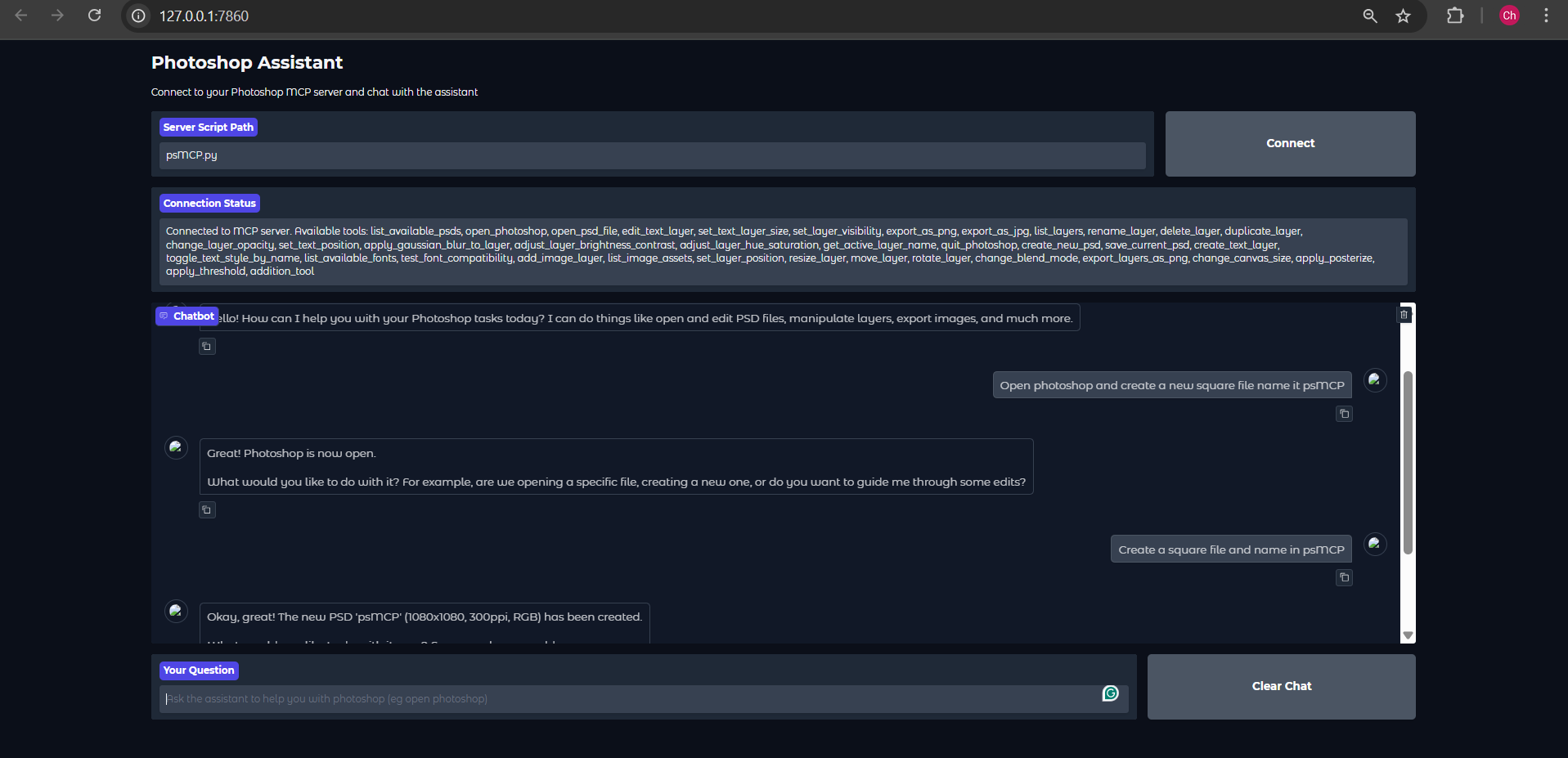
使用提供的 Gradio 客户端运行


注意:我提供的 Gemini Gradio 客户端由于某种原因,每个请求最多只调用一个工具,请仅使用此工具进行测试。实际使用时请使用 Claude 或 Cursor。


Gradio 示例在 .env 中设置 Gemini Key

GEMINI_API_KEY = PASTE_YOUR_KEY_HERE

设置 PSD、资产和导出的目录

PSD_DIRECTORY = "D:\\Photoshop Files"
EXPORT_DIRECTORY = "D:\\PsMCP-Exports"
ASSETS_DIR = "D:\\PsMCP-Assets"

运行应用程序并连接到服务器

python app.py

使用任何 MCP 客户端(Claude、Cursor 等)配置服务器

按如下方式将服务器添加到配置文件以访问工具

{
 "mcpServers": {
   "PhotoshopAdv": {
     "command": "uv",
     "args": [
       "--directory",
       "Path/To/Directory",
       "run",
       "psMCP.py"
     ],
     "timeout": 60000 
   }
 }
}

Related MCP server: MCP Flux Studio

用例

  • 自动执行重复的 Photoshop 任务(例如,插入文本、调整大小、导出)。

  • 构建自定义设计管道以进行批量 PSD 编辑。

  • 从模板快速生成营销创意。

  • 通过 Python 脚本切换图层或动态应用效果。

  • 简化创意资产版本控制和导出流程。

-
security - not tested
A
license - permissive license
-
quality - not tested

Resources

Looking for Admin?

Admins can modify the Dockerfile, update the server description, and track usage metrics. If you are the server author, to access the admin panel.

Latest Blog Posts

MCP directory API

We provide all the information about MCP servers via our MCP API.

curl -X GET 'https://glama.ai/api/mcp/v1/servers/Chandrahas455/PsMCP-MCP-Server-for-Photoshop'

If you have feedback or need assistance with the MCP directory API, please join our Discord server