PsMCP - MCP Server for Photoshop
Uses .env configuration for storing API keys and directory settings needed to connect the MCP server with Photoshop.
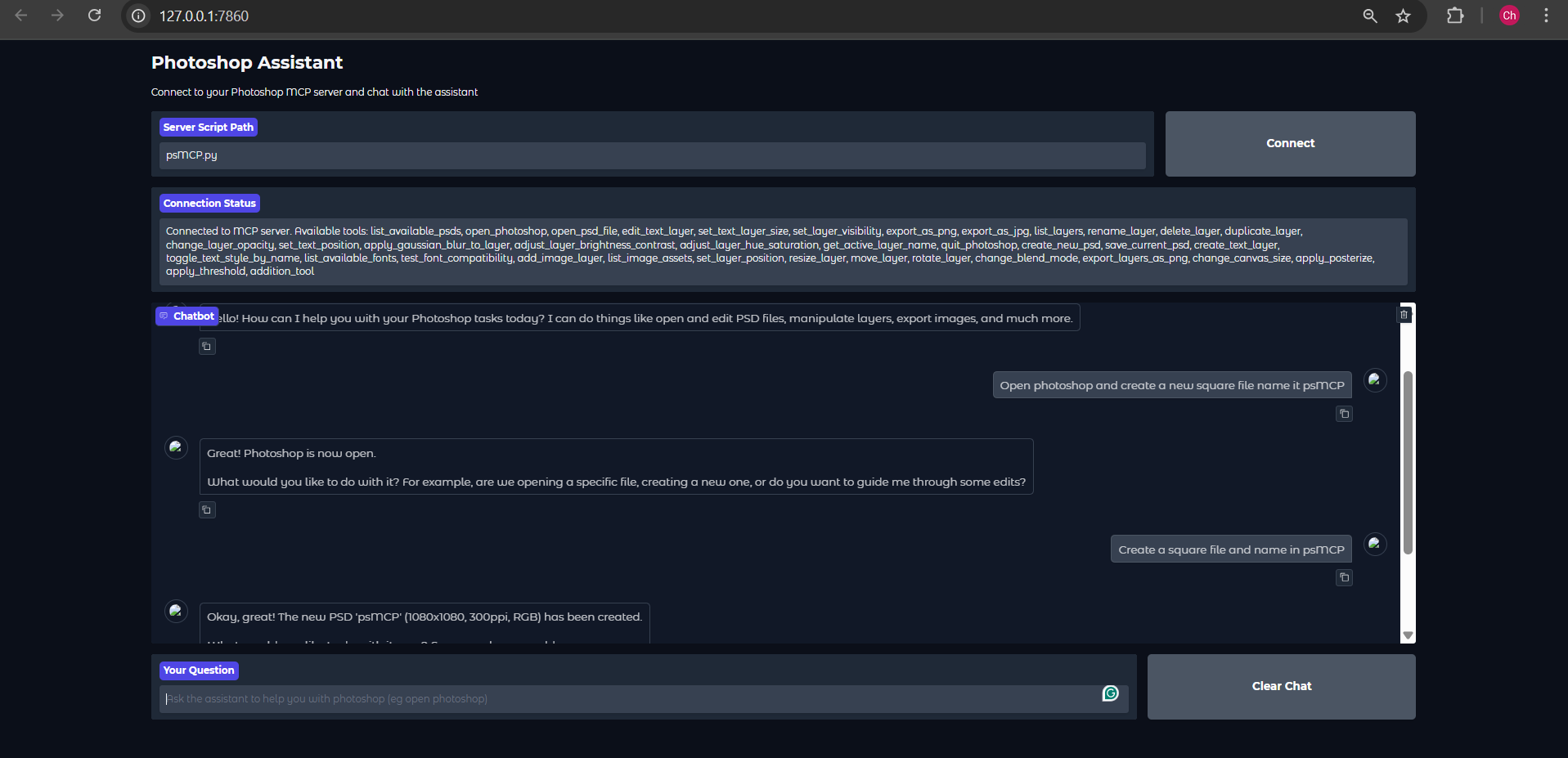
Offers a Gradio client interface for testing the Photoshop automation tools, though with limited tool call functionality compared to other clients.
Leverages Python for the implementation of the MCP server that connects to Photoshop, enabling programmatic control of PSD editing and creative workflows.
Click on "Install Server".
Wait a few minutes for the server to deploy. Once ready, it will show a "Started" state.
In the chat, type
@followed by the MCP server name and your instructions, e.g., "@PsMCP - MCP Server for Photoshopadd 'Limited Time Offer' text to the banner template and export as PNG"
That's it! The server will respond to your query, and you can continue using it as needed.
Here is a step-by-step guide with screenshots.
PsMCP-MCP-Server-for-Photoshop
Watch the Demo Below

Usage
Install Requirements
Activate your Python environment and install dependencies:
pip install -r requirements.txtRun Using the Gradio Client Provided
Heads Up: The Gemini Gradio client I've provided, for some reason does only a maximum of one tool call for any request, use this just to test the tool. For actual usage use Claude ot Cursor
Set Gemini Key in .env
GEMINI_API_KEY = PASTE_YOUR_KEY_HERESet Directories for PSDs, Assets and Exports
PSD_DIRECTORY = "D:\\Photoshop Files"
EXPORT_DIRECTORY = "D:\\PsMCP-Exports"
ASSETS_DIR = "D:\\PsMCP-Assets"Run the App and connect to the Server
python app.pyConfigure Server with Any MCP Client (Claude, Cursor, etc)
Add Server to Config file as follows to access the tools
{
"mcpServers": {
"PhotoshopAdv": {
"command": "uv",
"args": [
"--directory",
"Path/To/Directory",
"run",
"psMCP.py"
],
"timeout": 60000
}
}
}Related MCP server: Photoshop MCP Windows-First
Use Cases
Automate repetitive Photoshop tasks (e.g., inserting text, resizing, exporting).
Build custom design pipelines for batch PSD editing.
Rapidly generate marketing creatives from templates.
Toggle layers or apply effects dynamically through Python scripts.
Streamline creative asset versioning and export processes.
This server cannot be installed
Maintenance
Resources
Unclaimed servers have limited discoverability.
Looking for Admin?
If you are the server author, to access and configure the admin panel.
Related MCP Servers
- Flicense-qualityDmaintenanceAn AI-driven integration server that enables natural language control of Adobe Photoshop through the Model Context Protocol. It automates design workflows by facilitating smart asset slicing, layer analysis, and the future generation of UI code from design files.2
- Alicense-qualityDmaintenanceAn MCP server for controlling Adobe Photoshop from AI assistants, with Windows-first workflow, structured state, smoke-tested action playback, and a bundled Codex skill for image editing.2MIT
- AlicenseAqualityCmaintenanceA professional MCP server that lets AI assistants directly control Adobe Photoshop for document creation, layer management, filters, adjustments, shapes, text, and design intelligence like palette generation and font pairing.322MIT
- Alicense-qualityCmaintenanceEnables automation of Photoshop tasks such as PSD editing, layer toggling, text insertion, and exporting through MCP clients like Claude or Cursor.MIT
Related MCP Connectors
An MCP server that integrates with Discord to provide AI-powered features.
MCP server for Flux AI image generation
MCP server for NanoBanana AI image generation and editing
Latest Blog Posts
- Who's Calling? MCP Hosts Are an Identity Blind Spot (And the Spec Knows It)By Om-Shree-0709 on .mcpAgent IdentityOAuth 2.1
- Your AI Chatbot Just Exposed Your CEO's Salary to an InternBy Om-Shree-0709 on .Agent IdentityMCP SecurityOAuth Delegation
- Why MCP Servers Need Execution Sandboxing (And Why Your Current Stack Isn't Enough)By Om-Shree-0709 on .Agentic AiPrompt InjectionWebAssembly
MCP directory API
We provide all the information about MCP servers via our MCP API.
curl -X GET 'https://glama.ai/api/mcp/v1/servers/Chandrahas455/PsMCP-MCP-Server-for-Photoshop'
If you have feedback or need assistance with the MCP directory API, please join our Discord server