PsMCP - MCP Server for Photoshop
PsMCP - Servidor MCP para Photoshop
Mira la demostración a continuación
Uso
Requisitos de instalación
Active su entorno Python e instale las dependencias:
pip install -r requirements.txtEjecutar utilizando el cliente Gradio proporcionado
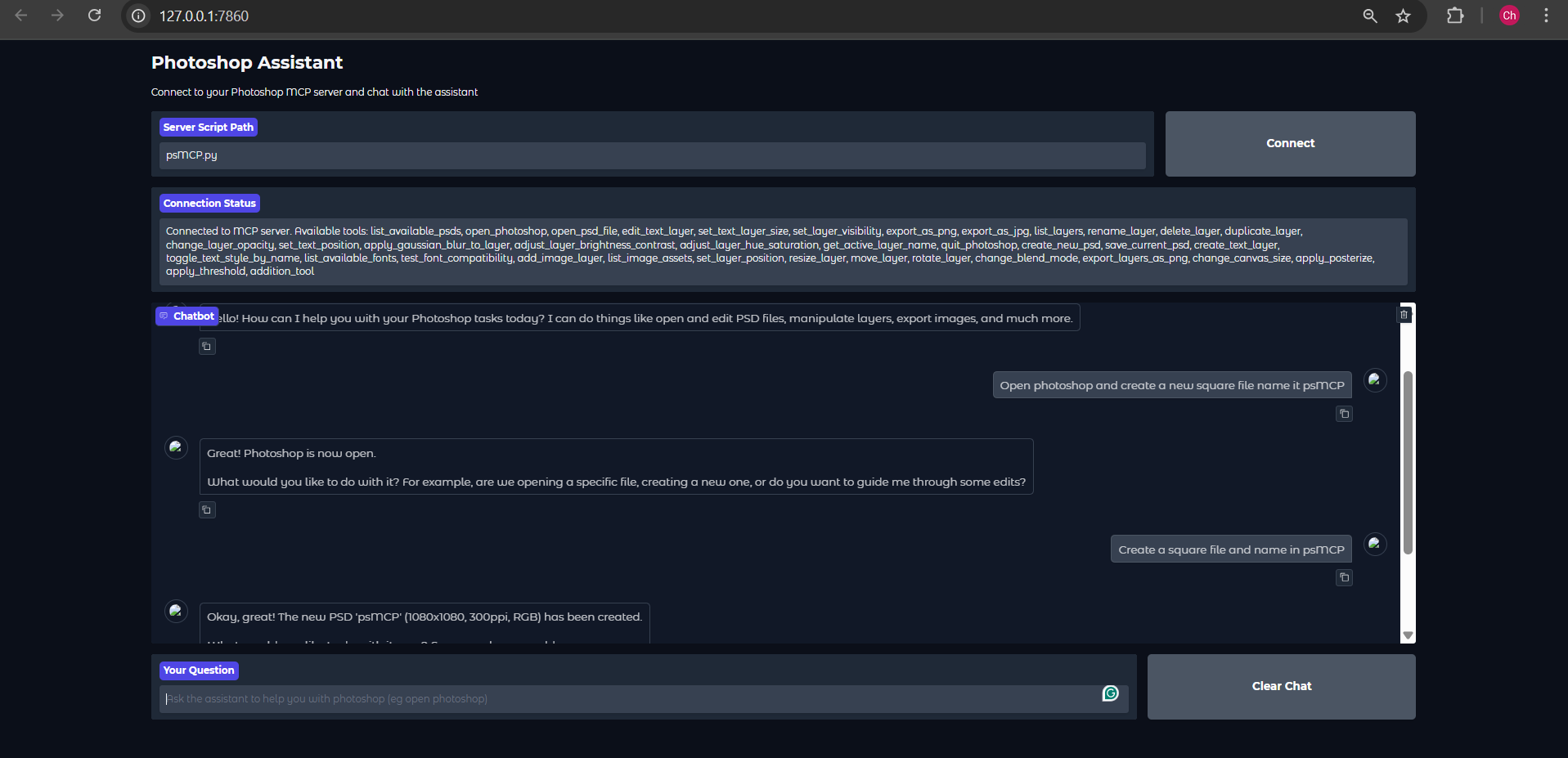
Atención : El cliente Gemini Gradio que proporcioné, por alguna razón, solo realiza una llamada a la herramienta por solicitud. Úselo solo para probar la herramienta. Para su uso real, utilice Claude ot Cursor.
Establecer la clave Gemini en .env
GEMINI_API_KEY = PASTE_YOUR_KEY_HEREEstablecer directorios para PSD, activos y exportaciones
PSD_DIRECTORY = "D:\\Photoshop Files"
EXPORT_DIRECTORY = "D:\\PsMCP-Exports"
ASSETS_DIR = "D:\\PsMCP-Assets"Ejecute la aplicación y conéctese al servidor
python app.pyConfigurar el servidor con cualquier cliente MCP (Claude, Cursor, etc.)
Agregue el servidor al archivo de configuración de la siguiente manera para acceder a las herramientas
{
"mcpServers": {
"PhotoshopAdv": {
"command": "uv",
"args": [
"--directory",
"Path/To/Directory",
"run",
"psMCP.py"
],
"timeout": 60000
}
}
}Related MCP server: Photoshop MCP Windows-First
Casos de uso
Automatice tareas repetitivas de Photoshop (por ejemplo, insertar texto, cambiar el tamaño, exportar).
Cree canales de diseño personalizados para la edición por lotes de PSD.
Genere rápidamente creatividades de marketing a partir de plantillas.
Alterne capas o aplique efectos dinámicamente a través de scripts de Python.
Optimice los procesos de creación de versiones y exportación de activos creativos.
This server cannot be installed
Maintenance
Resources
Unclaimed servers have limited discoverability.
Looking for Admin?
If you are the server author, to access and configure the admin panel.
Related MCP Servers
- FlicenseNot gradedqualityDmaintenanceAn AI-driven integration server that enables natural language control of Adobe Photoshop through the Model Context Protocol. It automates design workflows by facilitating smart asset slicing, layer analysis, and the future generation of UI code from design files.2
- AlicenseNot gradedqualityDmaintenanceAn MCP server for controlling Adobe Photoshop from AI assistants, with Windows-first workflow, structured state, smoke-tested action playback, and a bundled Codex skill for image editing.2MIT
- AlicenseAqualityCmaintenanceA professional MCP server that lets AI assistants directly control Adobe Photoshop for document creation, layer management, filters, adjustments, shapes, text, and design intelligence like palette generation and font pairing.322MIT
- AlicenseNot gradedqualityCmaintenanceEnables automation of Photoshop tasks such as PSD editing, layer toggling, text insertion, and exporting through MCP clients like Claude or Cursor.MIT
Related MCP Connectors
The Figma MCP server brings Figma design context directly into your AI workflow.
An MCP server that integrates with Discord to provide AI-powered features.
MCP server for Flux AI image generation
Latest Blog Posts
- Who's Calling? MCP Hosts Are an Identity Blind Spot (And the Spec Knows It)By Om-Shree-0709 on .mcpAgent IdentityOAuth 2.1
- Your AI Chatbot Just Exposed Your CEO's Salary to an InternBy Om-Shree-0709 on .Agent IdentityMCP SecurityOAuth Delegation
- Why MCP Servers Need Execution Sandboxing (And Why Your Current Stack Isn't Enough)By Om-Shree-0709 on .Agentic AiPrompt InjectionWebAssembly
MCP directory API
We provide all the information about MCP servers via our MCP API.
curl -X GET 'https://glama.ai/api/mcp/v1/servers/Chandrahas455/PsMCP-MCP-Server-for-Photoshop'
If you have feedback or need assistance with the MCP directory API, please join our Discord server