Context Sync
Local-first project memory for AI coding tools over MCP.
Context Sync gives an agent a persistent memory layer for a codebase:
project identity and tech stack
active work, decisions, constraints, and caveats
structured file exploration
git-aware context
optional read-only Notion lookup
What It Does
Context Sync is built for session continuity. Instead of relying on a model to remember earlier conversations, it stores the project context that matters and makes it retrievable through a small MCP tool surface.
The current core tools are:
set_project
remember
recall
read_file
search
structure
git
notion
Related MCP server: Doclea MCP
Install
Install globally:
npm install -g @context-sync/server
Auto-configuration runs during global install. After install, restart your AI tool.
If you install locally instead of globally, auto-config does not run. Use the manual config guide in docs/CONFIG.md.
Verify
Check that context-sync appears in your MCP tool list:
Claude Desktop: open the tools list
Cursor: open the tools list
VS Code / Copilot Chat Agent mode: check tools
Continue.dev: open the Continue panel
Codex CLI: codex mcp list
Claude Code: claude mcp list
If auto-config fails, use docs/TROUBLESHOOTING.md and docs/CONFIG.md.
Optional Notion Setup
Run the setup wizard if you want Notion integration:
or:
Notion support is intentionally read-only at the tool surface:
notion({ action: "search", query: "..." })
notion({ action: "read", pageId: "..." })
First-Time Workflow
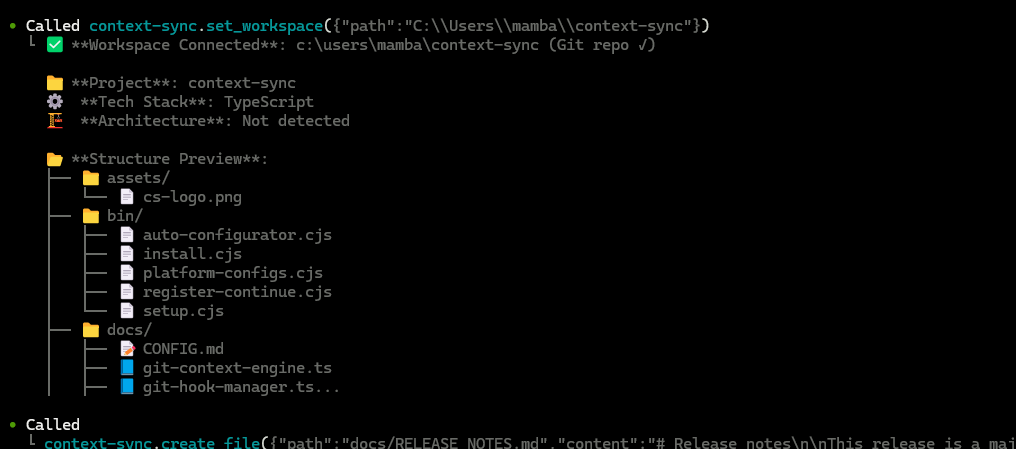
Start every new session by setting the project first:
1. set_project({ path: "/absolute/path/to/project" })
2. recall()
3. structure({ depth: 2 })
4. read_file({ path: "src/index.ts" })
5. remember({ type: "decision", content: "Use SQLite for local storage" })
Recommended pattern:
set_project once per project/session start
recall to recover context
structure and search to explore
read_file for focused inspection
remember when something should survive the current session
Git Integration
When you run set_project inside a git repository, Context Sync can install hooks for automatic context capture.
Installed hooks:
post-commit
pre-push
post-merge
post-checkout
Hooks are marked with Context Sync Auto-Hook, and existing hooks are backed up first.
The git tool supports:
status
context
hotspots
coupling
blame
analysis
Data And Config
Default locations:
Database: ~/.context-sync/data.db
Config: ~/.context-sync/config.json
Install status: ~/.context-sync/install-status.json
Custom database options:
See docs/DATA.md for storage details.
Supported Platforms
Claude Desktop
Cursor
VS Code + GitHub Copilot
Continue.dev
Zed
Windsurf
Codeium
TabNine
Codex CLI
Claude Code
Antigravity
Docs