Context Sync
基于 MCP 的 AI 编码工具本地优先项目内存。
Context Sync 为代理提供了一个代码库的持久内存层:
项目标识和技术栈
当前工作、决策、约束和注意事项
结构化文件探索
Git 感知上下文
可选的只读 Notion 查询
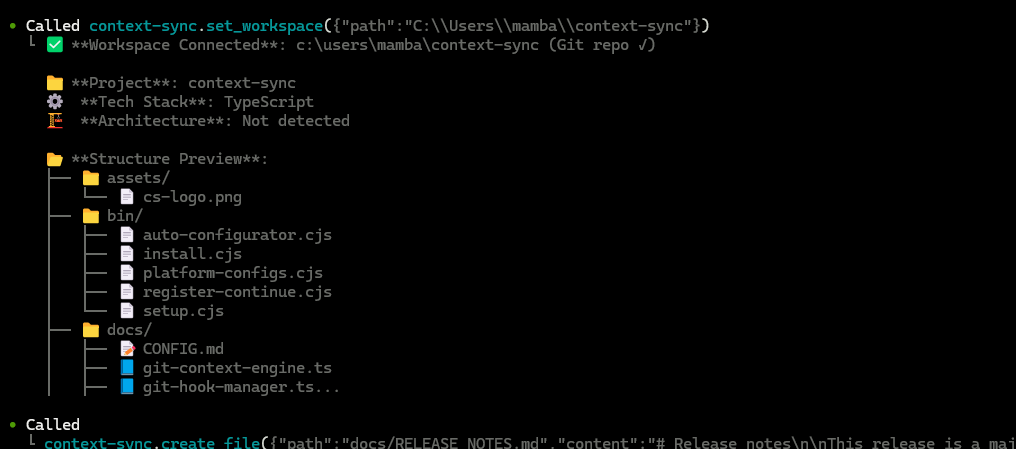
功能概述
Context Sync 专为会话连续性而构建。它不再依赖模型去记忆之前的对话,而是存储重要的项目上下文,并通过一套小型 MCP 工具接口使其可检索。
当前核心工具包括:
set_project
remember
recall
read_file
search
structure
git
notion
Related MCP server: Doclea MCP
安装
全局安装:
npm install -g @context-sync/server
自动配置会在全局安装期间运行。安装后,请重启您的 AI 工具。
如果您选择本地安装而非全局安装,自动配置将不会运行。请使用 docs/CONFIG.md 中的手动配置指南。
验证
检查 context-sync 是否出现在您的 MCP 工具列表中:
Claude Desktop:打开工具列表
Cursor:打开工具列表
VS Code / Copilot Chat Agent 模式:检查工具
Continue.dev:打开 Continue 面板
Codex CLI:codex mcp list
Claude Code:claude mcp list
如果自动配置失败,请参考 docs/TROUBLESHOOTING.md 和 docs/CONFIG.md。
可选的 Notion 设置
如果您需要 Notion 集成,请运行设置向导:
或者:
Notion 支持在工具层面被刻意设计为只读:
notion({ action: "search", query: "..." })
notion({ action: "read", pageId: "..." })
首次使用工作流
在开始每个新会话时,请先设置项目:
1. set_project({ path: "/absolute/path/to/project" })
2. recall()
3. structure({ depth: 2 })
4. read_file({ path: "src/index.ts" })
5. remember({ type: "decision", content: "Use SQLite for local storage" })
推荐模式:
Git 集成
当您在 Git 仓库中运行 set_project 时,Context Sync 可以安装钩子以自动捕获上下文。
已安装的钩子:
post-commit
pre-push
post-merge
post-checkout
钩子会被标记为 Context Sync Auto-Hook,且现有的钩子会先进行备份。
git 工具支持:
status
context
hotspots
coupling
blame
analysis
数据与配置
默认位置:
数据库:~/.context-sync/data.db
配置:~/.context-sync/config.json
安装状态:~/.context-sync/install-status.json
自定义数据库选项:
有关存储详情,请参阅 docs/DATA.md。
支持的平台
Claude Desktop
Cursor
VS Code + GitHub Copilot
Continue.dev
Zed
Windsurf
Codeium
TabNine
Codex CLI
Claude Code
Antigravity
文档