A
licenseA
qualityNot graded
maintenanceEnables interaction with MiniMax AI APIs for text-to-speech, voice cloning, video generation, image generation, and music creation through MCP clients like Claude Desktop and Cursor.
9
MIT

Hosts the MCP server repository and serves as the source for cloning and installing the server implementation.
Provides package management for installing the mmx CLI dependency and building the MCP server through npm commands.
Click on "Deploy Server".
Wait a few minutes for the server to deploy. Once ready, it will show a "Started" state.
In the chat, type @ followed by the MCP server name and your instructions, e.g., "@mmx-mcp-server generate an image of a futuristic city at night"
That's it! The server will respond to your query, and you can continue using it as needed.
Here is a step-by-step guide with screenshots.
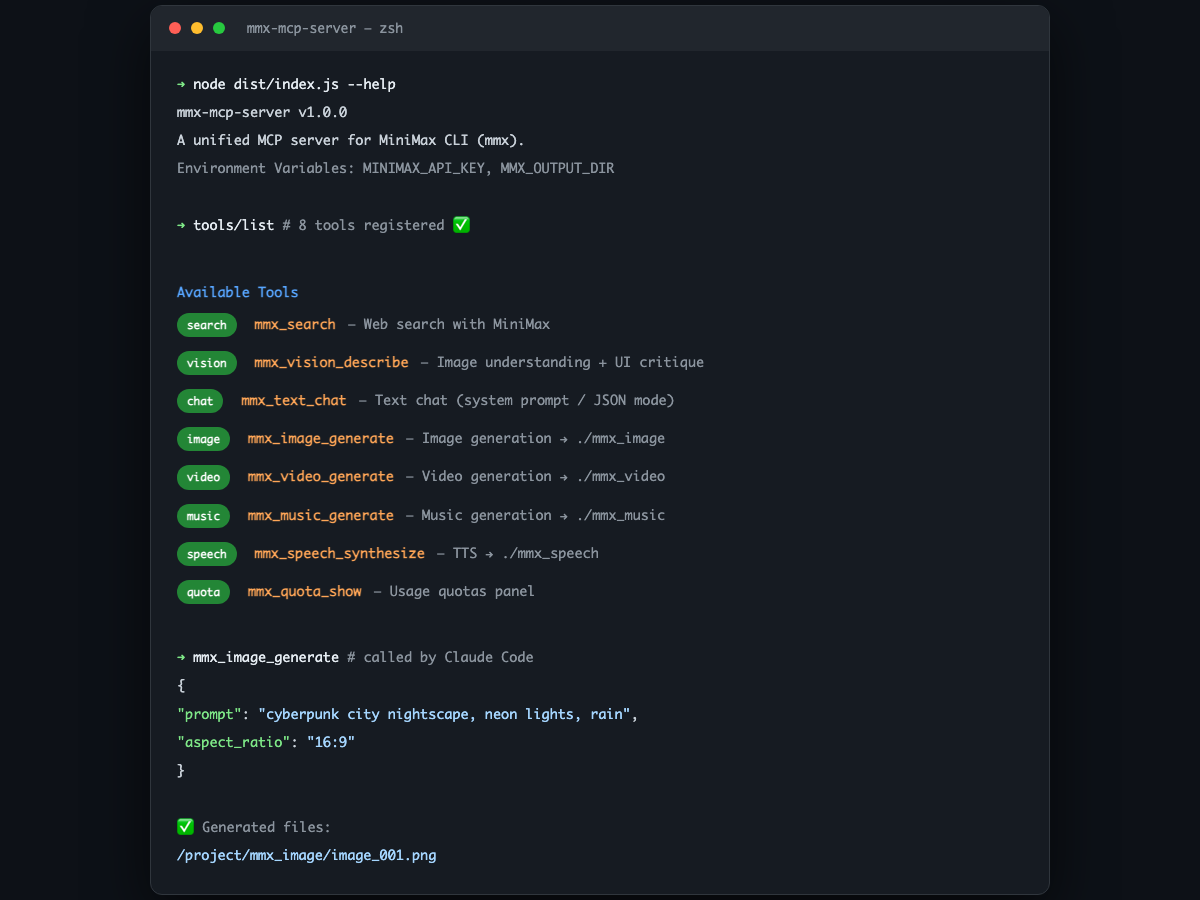
A unified MiniMax multimodal MCP Server, wrapped based on the mmx CLI, supporting text, search, image understanding, image generation, speech synthesis, video generation, music generation, and quota queries.
If you are using Claude Code, OpenCode, or other AI CLI tools that support MCP, simply provide the following prompt to the AI:
Help me install and configure mmx-mcp-server:
Globally install mmx-cli (
npm install -g mmx-cli)Clone https://github.com/zth0828/mmx-mcp-server to any directory, and run
npm install && npm run buildAdd the
mmxserver to my MCP configuration file (e.g.,~/.claude/settings.json), pointing to the build artifactdist/index.jsAsk me for my MiniMax API Key and inject it via
env.MINIMAX_API_KEYTell me the configuration result once finished
Related MCP server: MiniMax Unified MCP
npm install -g mmx-cliVerify the installation:
mmx --versiongit clone https://github.com/zth0828/mmx-mcp-server.git
cd mmx-mcp-server
npm install
npm run buildAdd the following to your MCP client configuration (e.g., ~/.claude/settings.json):
{
  "mcpServers": {
    "mmx": {
      "command": "node",
      "args": ["/path/to/mmx-mcp-server/dist/index.js"],
      "env": {
        "MINIMAX_API_KEY": "sk-xxxxx"
      }
    }
  }
}Suitable for MCP clients where setting env is inconvenient:
{
  "mcpServers": {
    "mmx": {
      "command": "node",
      "args": [
        "/path/to/mmx-mcp-server/dist/index.js",
        "--api-key",
        "sk-xxxxx"
      ]
    }
  }
}mmx CLI local loginIf neither of the first two methods is configured, the Server will automatically fall back to the authentication state of the mmx CLI itself (requires running mmx auth login --api-key sk-xxxxx beforehand). This method is only suitable for local machine use.
By default, generated images, videos, music, and speech are automatically saved to subfolders in the current working directory:
mmx_image/ — Images
mmx_video/ — Videos
mmx_music/ — Music
mmx_speech/ — Speech
If you wish to store them in a different location, you can modify it via the MMX_OUTPUT_DIR environment variable:
{
  "mcpServers": {
    "mmx": {
      "command": "node",
      "args": ["/path/to/mmx-mcp-server/dist/index.js"],
      "env": {
        "MINIMAX_API_KEY": "sk-xxxxx",
        "MMX_OUTPUT_DIR": "/Users/xxx/Downloads/mmx-output"
      }
    }
  }
}
Not configuring
MMX_OUTPUT_DIRwill not affect usage; files will simply be placed in the current project directory.
You can also specify the output path for individual files using the out parameter during each call.
Tool | Description |
| Web search |
| Image understanding (supports custom analysis instructions, e.g., UI critique) |
| Text chat (supports system prompt, JSON mode) |
| Image generation (supports |
| Speech synthesis TTS (supports |
| Video generation (supports |
| Music generation (supports |
| View quota |
Once configured, you can directly say in Claude Code:
"Help me search for the latest news about MiniMax" "Analyze this UI design and provide optimization suggestions" "Generate a cyberpunk-style city night view image" "Convert this text to speech"
This server cannot be deployed
MCP server for MiniMax H3 multimodal video generation
MCP server for Hailuo (MiniMax) AI video generation
Generate images, video, audio and short films with 140+ AI models from any MCP client.
MCP server for Wan AI video generation