
A
licenseB
qualityC
maintenanceA Model Context Protocol (MCP) server that lets you seamlessly use OpenAI's models right from Claude.
1
206 npm
76
MIT

Claude를 모든 OpenAI SDK 호환 채팅 완성 API(OpenAI, Perplexity, Groq, xAI, PyroPrompts 등)와 통합하세요.
이는 모델 컨텍스트 프로토콜 서버를 구현합니다. 자세한 내용은 https://modelcontextprotocol.io를 참조하세요.
이는 모든 OpenAI SDK 호환 채팅 완성 API에 구현을 구현하는 TypeScript 기반 MCP 서버입니다.
질문을 구성된 AI 채팅 제공자에게 전달하는 chat 가 하나 있습니다.
종속성 설치:
지엑스피1
서버를 빌드하세요:
npm run build자동 재빌드를 사용한 개발의 경우:
npm run watchRelated MCP server: Ultimate-MCP-Server
Claude Desktop에 OpenAI를 추가하려면 서버 구성을 추가하세요.
MacOS의 경우: ~/Library/Application Support/Claude/claude_desktop_config.json
Windows의 경우: %APPDATA%/Claude/claude_desktop_config.json
다음과 같이 Claude Desktop 구성에서 npx 를 통해 사용할 수 있습니다.
{
  "mcpServers": {
    "chat-openai": {
      "command": "npx",
      "args": [
        "@pyroprompts/any-chat-completions-mcp"
      ],
      "env": {
        "AI_CHAT_KEY": "OPENAI_KEY",
        "AI_CHAT_NAME": "OpenAI",
        "AI_CHAT_MODEL": "gpt-4o",
        "AI_CHAT_BASE_URL": "https://api.openai.com/v1"
      }
    }
  }
}
또는 저장소를 복제하면 다음과 같이 Claude Desktop 구성에서 빌드하고 사용할 수 있습니다.
{
  "mcpServers": {
    "chat-openai": {
      "command": "node",
      "args": [
        "/path/to/any-chat-completions-mcp/build/index.js"
      ],
      "env": {
        "AI_CHAT_KEY": "OPENAI_KEY",
        "AI_CHAT_NAME": "OpenAI",
        "AI_CHAT_MODEL": "gpt-4o",
        "AI_CHAT_BASE_URL": "https://api.openai.com/v1"
      }
    }
  }
}
동일한 MCP 서버를 여러 번 참조하면서 서로 다른 env 인수를 사용하여 여러 공급자를 추가할 수 있습니다.
{
  "mcpServers": {
    "chat-pyroprompts": {
      "command": "node",
      "args": [
        "/path/to/any-chat-completions-mcp/build/index.js"
      ],
      "env": {
        "AI_CHAT_KEY": "PYROPROMPTS_KEY",
        "AI_CHAT_NAME": "PyroPrompts",
        "AI_CHAT_MODEL": "ash",
        "AI_CHAT_BASE_URL": "https://api.pyroprompts.com/openaiv1"
      }
    },
    "chat-perplexity": {
      "command": "node",
      "args": [
        "/path/to/any-chat-completions-mcp/build/index.js"
      ],
      "env": {
        "AI_CHAT_KEY": "PERPLEXITY_KEY",
        "AI_CHAT_NAME": "Perplexity",
        "AI_CHAT_MODEL": "sonar",
        "AI_CHAT_BASE_URL": "https://api.perplexity.ai"
      }
    },
    "chat-openai": {
      "command": "node",
      "args": [
        "/path/to/any-chat-completions-mcp/build/index.js"
      ],
      "env": {
        "AI_CHAT_KEY": "OPENAI_KEY",
        "AI_CHAT_NAME": "OpenAI",
        "AI_CHAT_MODEL": "gpt-4o",
        "AI_CHAT_BASE_URL": "https://api.openai.com/v1"
      }
    }
  }
}
이 세 가지를 사용하면 Claude Desktop Home에서 각 도구가 표시됩니다.
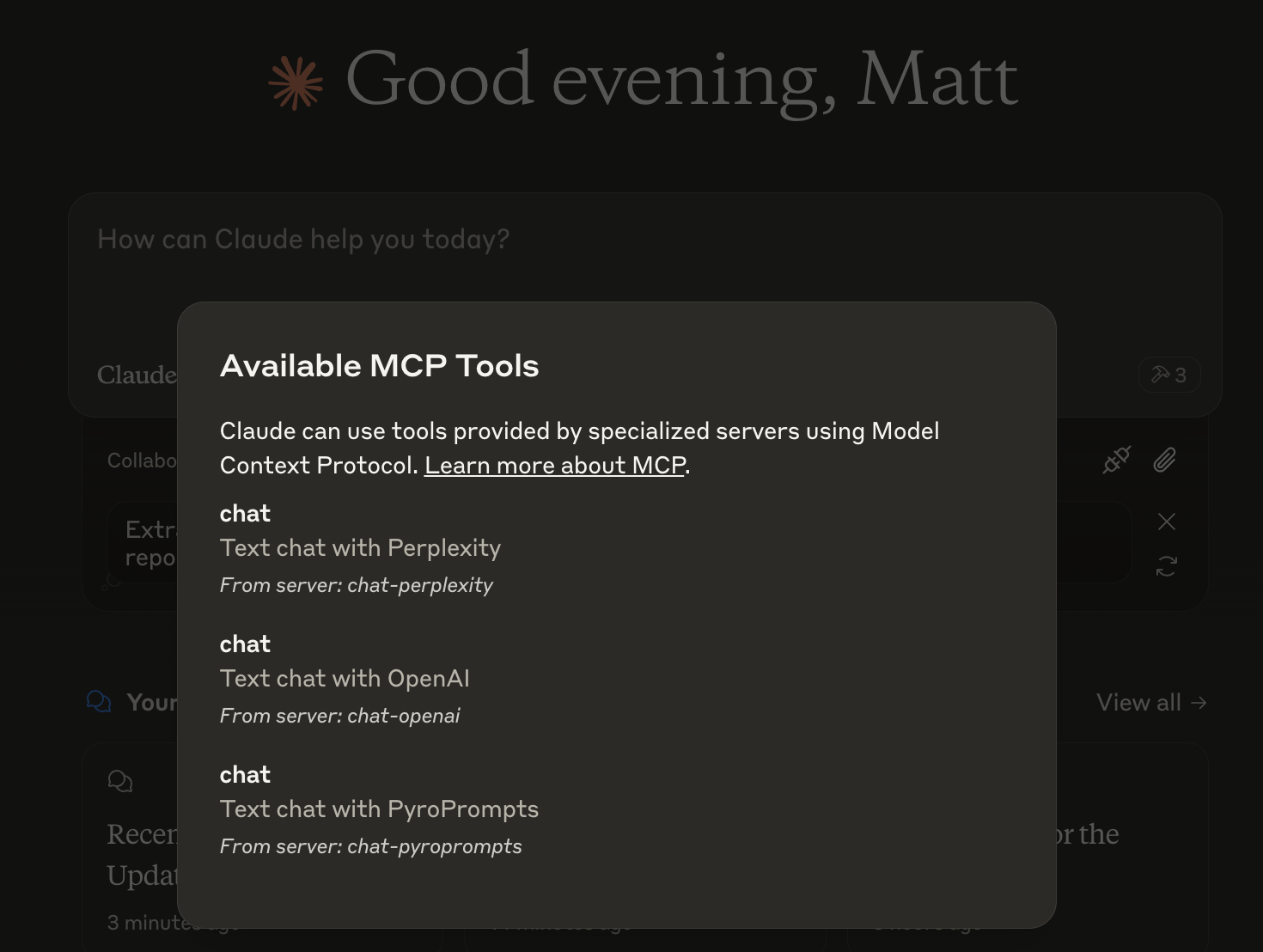
그러면 다른 LLM과 채팅을 할 수 있는데, 채팅창에 이렇게 표시됩니다.

또는 LibreChat 에서 다음과 같이 구성하세요.
  chat-perplexity:
    type: stdio
    command: npx
    args:
      - -y
      - @pyroprompts/any-chat-completions-mcp
    env:
      AI_CHAT_KEY: "pplx-012345679"
      AI_CHAT_NAME: Perplexity
      AI_CHAT_MODEL: sonar
      AI_CHAT_BASE_URL: "https://api.perplexity.ai"
      PATH: '/usr/local/bin:/usr/bin:/bin'
LibreChat에서도 확인할 수 있습니다.

Smithery를 통해 Claude Desktop용 OpenAI 호환 API 통합을 자동으로 설치하려면 다음을 수행합니다.
npx -y @smithery/cli install any-chat-completions-mcp-server --client claudeMCP 서버는 stdio를 통해 통신하므로 디버깅이 어려울 수 있습니다. 패키지 스크립트로 제공되는 MCP Inspector를 사용하는 것이 좋습니다.
npm run inspector검사기는 브라우저에서 디버깅 도구에 액세스할 수 있는 URL을 제공합니다.
MCP 사양을 개발하고 Claude Desktop에 통합한 modelcontextprotocol과 Anthropic 팀에 감사드립니다. https://modelcontextprotocol.io/introduction
이 프로젝트를 후원해 주신 PyroPrompts 에 감사드립니다. CLAUDEANYCHAT 코드를 사용하시면 PyroPrompts에서 20개의 무료 자동화 크레딧을 받으실 수 있습니다.
Text chat with OpenAI
| Name | Required | Description | Default |
|---|---|---|---|
| content | Yes | The content of the chat to send to OpenAI |
Does the description disclose side effects, auth requirements, rate limits, or destructive behavior?
No annotations are provided, and the description does not disclose any behavioral traits such as whether it is read-only, destructive, or requires authentication. The tool's side effects or limitations are unknown.
Agents need to know what a tool does to the world before calling it. Descriptions should go beyond structured annotations to explain consequences.
Is the description appropriately sized, front-loaded, and free of redundancy?
The description is a single, short sentence with no unnecessary words. It is concise, though it does not elaborate on details.
Shorter descriptions cost fewer tokens and are easier for agents to parse. Every sentence should earn its place.
Given the tool's complexity, does the description cover enough for an agent to succeed on first attempt?
Given the lack of annotations and output schema, the description fails to provide essential context such as expected output, potential side effects, or error conditions. A simple chat tool still benefits from minimal completeness.
Complex tools with many parameters or behaviors need more documentation. Simple tools need less. This dimension scales expectations accordingly.
Does the description clarify parameter syntax, constraints, interactions, or defaults beyond what the schema provides?
Schema coverage is 100%, so the schema already documents the lone parameter. The description adds no additional meaning beyond what the schema provides, meeting the baseline for high coverage.
Input schemas describe structure but not intent. Descriptions should explain non-obvious parameter relationships and valid value ranges.
Does the description clearly state what the tool does and how it differs from similar tools?
The description 'Text chat with OpenAI' clearly states the action (chat) and the resource (OpenAI). It is specific and distinct enough, though very brief.
Agents choose between tools based on descriptions. A clear purpose with a specific verb and resource helps agents select the right tool.
Does the description explain when to use this tool, when not to, or what alternatives exist?
The description provides no guidance on when to use this tool or any alternatives. No usage context or exclusions are given.
Agents often have multiple tools that could apply. Explicit usage guidance like "use X instead of Y when Z" prevents misuse.
Recent tool additions, removals, and schema changes observed during successful MCP inspections.
v1.0.0chat-with-openaiScored across 1 tool
Only one tool exists, so there is no possibility of confusion between tools.
With a single tool, naming inconsistency is not applicable; it follows a clear verb_noun pattern ('chat' + 'with-openai').
A chat completions server should typically offer multiple tools (e.g., streaming, model listing, conversation history). A single tool feels overly minimal for the domain.
The single tool only covers basic text chat, missing obvious needs like streaming, parameter customization, or model availability queries, making the surface severely incomplete.
One MCP endpoint for Claude, GPT & Gemini: 100+ tools + no-code connectors + agent workers.
AI routing, memory, guardrails, and governance. Routes across Claude, GPT, Gemini.
Agent personas for Claude. 16 tools, 13 personas, 3 workflows. Zero extra API cost. Free.
Real-time chat hub for AI agents — Claude Code, Cursor, Cline, Codex over MCP or REST.