Glama
nickgnd

Tmux MCP Server

by nickgnd

Tmux MCP 服务器

模型上下文协议服务器,使 Claude Desktop 能够与 tmux 会话内容交互并查看其内容。此集成允许 AI 助手读取、控制和观察您的终端会话。

特征

  • 列出并搜索 tmux 会话

  • 查看和导航 tmux 窗口和窗格

  • 从任何窗格捕获并显示终端内容

  • 在 tmux 窗格中执行命令并检索结果(使用风险自负⚠️)

  • 创建新的 tmux 会话和窗口

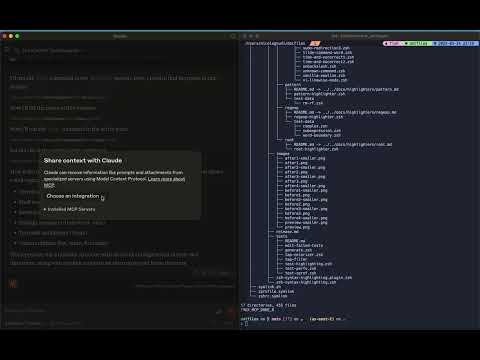
观看这段简短的视频,感受兴奋之情!

Youtube 视频

Related MCP server: TmuxControlLib MCP Server

先决条件

  • Node.js

  • tmux 已安装并正在运行

用法

配置 Claude 桌面

将此 MCP 服务器添加到您的 Claude Desktop 配置中:

"mcpServers": {
  "tmux": {
    "command": "npx",
    "args": ["-y", "tmux-mcp"]
  }
}

MCP 服务器选项

您可以选择指定正在使用的命令行 shell,如果未指定,则默认为bash

"mcpServers": {
  "tmux": {
    "command": "npx",
    "args": ["-y", "tmux-mcp", "--shell-type=fish"]
  }
}

MCP 服务器仅在执行命令时才需要知道 shell,以便正确读取其退出状态。

可用资源

  • tmux://sessions列出所有 tmux 会话

  • tmux://pane/{paneId} - 查看特定 tmux 窗格的内容

  • tmux://command/{commandId}/result - 执行命令的结果

可用工具

  • list-sessions - 列出所有活动的 tmux 会话

  • find-session - 通过名称查找 tmux 会话

  • list-windows - 列出 tmux 会话中的窗口

  • list-panes - 列出 tmux 窗口中的窗格

  • capture-pane - 从 tmux 窗格捕获内容

  • create-session - 创建一个新的 tmux 会话

  • create-window - 在 tmux 会话中创建一个新窗口

  • execute-command - 在 tmux 窗格中执行命令

  • get-command-result - 获取执行命令的结果

Install Server
A
license - permissive license
A
quality
F
maintenance

Maintenance

Maintainers
Response time
Release cycle
Releases (12mo)
Commit activity
Issues opened vs closed

Resources

Unclaimed servers have limited discoverability.

Looking for Admin?

If you are the server author, to access and configure the admin panel.

Related MCP Servers

  • F
    license
    Not graded
    quality
    D
    maintenance
    Enables Claude to execute commands and manage directory-aware panes within tmux sessions for a shared terminal experience. It features smart output capture, interactive prompt detection, and background task management.
    2
  • A
    license
    A
    quality
    D
    maintenance
    Allows AI assistants to create, manage, and interact with tmux sessions, windows, and panes programmatically.
    19
    MIT
  • F
    license
    Not graded
    quality
    D
    maintenance
    Enables interactive terminal sessions within Claude Code and Desktop, allowing users and AI to execute commands and manage multiple tabs.
    2

View all related MCP servers

Related MCP Connectors

  • Persistent context for Claude. Your AI always knows your projects and next actions across sessions.

  • Connect Claude to Fathom meeting recordings, transcripts, and summaries

  • Operate Linux, macOS and Windows from your LLM. Every action runs through an auditable allowlist.

View all MCP Connectors

Latest Blog Posts

MCP directory API

We provide all the information about MCP servers via our MCP API.

curl -X GET 'https://glama.ai/api/mcp/v1/servers/nickgnd/tmux-mcp'

If you have feedback or need assistance with the MCP directory API, please join our Discord server