Glama
nickgnd

Tmux MCP Server

by nickgnd

Tmux MCP Server

Model Context Protocol server that enables Claude Desktop to interact with and view tmux session content. This integration allows AI assistants to read from, control, and observe your terminal sessions.

Features

  • List and search tmux sessions

  • View and navigate tmux windows and panes

  • Capture and expose terminal content from any pane

  • Execute commands in tmux panes and retrieve results (use it at your own risk ⚠️)

  • Create new tmux sessions and windows

  • Split panes horizontally or vertically with customizable sizes

  • Kill tmux sessions, windows, and panes

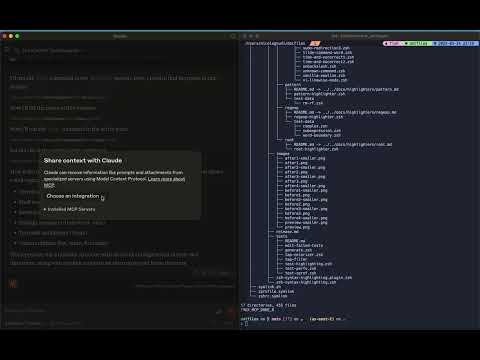
Check out this short video to get excited!

youtube video

Related MCP server: TmuxControlLib MCP Server

Prerequisites

  • Node.js

  • tmux installed and running

Usage

Configure Claude Desktop

Add this MCP server to your Claude Desktop configuration:

"mcpServers": {
  "tmux": {
    "command": "npx",
    "args": ["-y", "tmux-mcp"]
  }
}

MCP server options

You can optionally specify the command line shell you are using, if unspecified it defaults to bash

"mcpServers": {
  "tmux": {
    "command": "npx",
    "args": ["-y", "tmux-mcp", "--shell-type=fish"]
  }
}

The MCP server needs to know the shell only when executing commands, to properly read its exit status.

Available Resources

  • tmux://sessions - List all tmux sessions

  • tmux://pane/{paneId} - View content of a specific tmux pane

  • tmux://command/{commandId}/result - Results from executed commands

Available Tools

  • list-sessions - List all active tmux sessions

  • find-session - Find a tmux session by name

  • list-windows - List windows in a tmux session

  • list-panes - List panes in a tmux window

  • capture-pane - Capture content from a tmux pane

  • create-session - Create a new tmux session

  • create-window - Create a new window in a tmux session

  • split-pane - Split a tmux pane horizontally or vertically with optional size

  • kill-session - Kill a tmux session by ID

  • kill-window - Kill a tmux window by ID

  • kill-pane - Kill a tmux pane by ID

  • execute-command - Execute a command in a tmux pane

  • get-command-result - Get the result of an executed command

Available Tools

13 tools
capture-paneC

Capture content from a tmux pane with configurable lines count and optional color preservation

ParametersJSON Schema
NameRequiredDescriptionDefault
paneIdYesID of the tmux pane
linesNoNumber of lines to capture
colorsNoInclude color/escape sequences for text and background attributes in output

TDQS

C2.9/5.0
Behavior2/5

Does the description disclose side effects, auth requirements, rate limits, or destructive behavior?

With no annotations provided, the description carries the full burden of behavioral disclosure. It mentions 'configurable lines count and optional color preservation' which hints at output behavior, but lacks critical details such as error handling, format of captured content, whether it's read-only or modifies the pane, or any performance implications. This leaves significant gaps for an agent to understand the tool's behavior.

Agents need to know what a tool does to the world before calling it. Descriptions should go beyond structured annotations to explain consequences.

Conciseness5/5

Is the description appropriately sized, front-loaded, and free of redundancy?

The description is a single, well-structured sentence that efficiently conveys the core functionality and key parameters. It's front-loaded with the main purpose and wastes no words, making it easy for an agent to parse quickly.

Shorter descriptions cost fewer tokens and are easier for agents to parse. Every sentence should earn its place.

Completeness2/5

Given the tool's complexity, does the description cover enough for an agent to succeed on first attempt?

Given the tool has no annotations and no output schema, the description is insufficiently complete. It doesn't explain what the captured content looks like (e.g., plain text, formatted output), error conditions, or how it interacts with tmux sessions. For a tool with 3 parameters and no structured behavioral hints, more context is needed for reliable agent use.

Complex tools with many parameters or behaviors need more documentation. Simple tools need less. This dimension scales expectations accordingly.

Parameters3/5

Does the description clarify parameter syntax, constraints, interactions, or defaults beyond what the schema provides?

Schema description coverage is 100%, so the input schema already documents all parameters thoroughly. The description adds marginal value by framing 'lines' as 'configurable lines count' and 'colors' as 'optional color preservation', but doesn't provide additional semantic context beyond what the schema descriptions offer.

Input schemas describe structure but not intent. Descriptions should explain non-obvious parameter relationships and valid value ranges.

Purpose4/5

Does the description clearly state what the tool does and how it differs from similar tools?

The description clearly states the action ('capture content') and resource ('from a tmux pane'), making the purpose immediately understandable. However, it doesn't explicitly differentiate from sibling tools like 'list-panes' or 'execute-command' which might also retrieve pane information, though the specific capture functionality is distinct.

Agents choose between tools based on descriptions. A clear purpose with a specific verb and resource helps agents select the right tool.

Usage Guidelines2/5

Does the description explain when to use this tool, when not to, or what alternatives exist?

The description provides no guidance on when to use this tool versus alternatives. It mentions configurable lines and colors but doesn't explain scenarios where this is preferable over other pane-related tools like 'list-panes' or 'execute-command', nor does it mention prerequisites or exclusions.

Agents often have multiple tools that could apply. Explicit usage guidance like "use X instead of Y when Z" prevents misuse.

create-sessionC

Create a new tmux session

ParametersJSON Schema
NameRequiredDescriptionDefault
nameYesName for the new tmux session

TDQS

C2.9/5.0
Behavior2/5

Does the description disclose side effects, auth requirements, rate limits, or destructive behavior?

With no annotations provided, the description carries the full burden of behavioral disclosure. It states the action but doesn't describe what happens upon creation (e.g., does it attach to the session, what permissions are needed, is it persistent). For a mutation tool with zero annotation coverage, this is a significant gap in transparency.

Agents need to know what a tool does to the world before calling it. Descriptions should go beyond structured annotations to explain consequences.

Conciseness5/5

Is the description appropriately sized, front-loaded, and free of redundancy?

The description is a single, efficient sentence that directly states the tool's purpose without any wasted words. It's appropriately sized and front-loaded, making it easy to parse quickly.

Shorter descriptions cost fewer tokens and are easier for agents to parse. Every sentence should earn its place.

Completeness2/5

Given the tool's complexity, does the description cover enough for an agent to succeed on first attempt?

Given this is a mutation tool with no annotations and no output schema, the description is incomplete. It doesn't explain what the tool returns, what happens on success/failure, or any side effects. For a tool that creates resources, more context is needed for effective use.

Complex tools with many parameters or behaviors need more documentation. Simple tools need less. This dimension scales expectations accordingly.

Parameters3/5

Does the description clarify parameter syntax, constraints, interactions, or defaults beyond what the schema provides?

The schema description coverage is 100%, with the single parameter 'name' fully documented in the schema. The description doesn't add any additional meaning beyond what the schema provides (e.g., naming conventions, restrictions), so it meets the baseline for high schema coverage.

Input schemas describe structure but not intent. Descriptions should explain non-obvious parameter relationships and valid value ranges.

Purpose4/5

Does the description clearly state what the tool does and how it differs from similar tools?

The description clearly states the action ('create') and resource ('new tmux session'), making the purpose immediately understandable. However, it doesn't differentiate from sibling tools like 'create-window' or 'find-session' beyond the basic resource type, which prevents a perfect score.

Agents choose between tools based on descriptions. A clear purpose with a specific verb and resource helps agents select the right tool.

Usage Guidelines2/5

Does the description explain when to use this tool, when not to, or what alternatives exist?

No guidance is provided on when to use this tool versus alternatives like 'create-window' or 'find-session'. The description only states what it does, not when it's appropriate or what prerequisites might exist for creating a session.

Agents often have multiple tools that could apply. Explicit usage guidance like "use X instead of Y when Z" prevents misuse.

create-windowC

Create a new window in a tmux session

ParametersJSON Schema
NameRequiredDescriptionDefault
sessionIdYesID of the tmux session
nameYesName for the new window

TDQS

C2.9/5.0
Behavior2/5

Does the description disclose side effects, auth requirements, rate limits, or destructive behavior?

With no annotations provided, the description carries full burden for behavioral disclosure. While 'Create' implies a write/mutation operation, the description doesn't disclose important behavioral traits: whether this requires specific tmux permissions, what happens if a window with the same name already exists, whether the new window becomes active, what the return value might be, or any error conditions. For a mutation tool with zero annotation coverage, this leaves significant gaps.

Agents need to know what a tool does to the world before calling it. Descriptions should go beyond structured annotations to explain consequences.

Conciseness5/5

Is the description appropriately sized, front-loaded, and free of redundancy?

The description is a single, efficient sentence that gets straight to the point with zero wasted words. It's appropriately sized for a simple tool and front-loads the essential information. Every word earns its place in conveying the core functionality.

Shorter descriptions cost fewer tokens and are easier for agents to parse. Every sentence should earn its place.

Completeness2/5

Given the tool's complexity, does the description cover enough for an agent to succeed on first attempt?

For a mutation tool with no annotations and no output schema, the description is insufficiently complete. It doesn't explain what happens after creation (does it return the window ID? does it switch to the new window?), error conditions, or behavioral implications. Given the complexity of tmux window management and the lack of structured metadata, the description should provide more operational context.

Complex tools with many parameters or behaviors need more documentation. Simple tools need less. This dimension scales expectations accordingly.

Parameters3/5

Does the description clarify parameter syntax, constraints, interactions, or defaults beyond what the schema provides?

Schema description coverage is 100%, with both parameters (sessionId and name) well-documented in the schema. The description adds no additional parameter semantics beyond what the schema already provides - it doesn't explain format constraints, naming conventions, or provide examples. With complete schema coverage, the baseline score of 3 is appropriate.

Input schemas describe structure but not intent. Descriptions should explain non-obvious parameter relationships and valid value ranges.

Purpose4/5

Does the description clearly state what the tool does and how it differs from similar tools?

The description clearly states the action ('Create a new window') and the resource ('in a tmux session'), providing a specific verb+resource combination. However, it doesn't differentiate from sibling tools like 'split-pane' which also creates new panes/windows, or explain how this differs from 'create-session' which creates entire sessions rather than windows within sessions.

Agents choose between tools based on descriptions. A clear purpose with a specific verb and resource helps agents select the right tool.

Usage Guidelines2/5

Does the description explain when to use this tool, when not to, or what alternatives exist?

The description provides no guidance on when to use this tool versus alternatives. It doesn't mention when to choose create-window over split-pane (which creates a new pane that could become a window), or when to use it versus create-session for session-level creation. No prerequisites, exclusions, or contextual usage information is provided.

Agents often have multiple tools that could apply. Explicit usage guidance like "use X instead of Y when Z" prevents misuse.

execute-commandA

Execute a command in a tmux pane and get results. For interactive applications (REPLs, editors), use rawMode=true. IMPORTANT: When rawMode=false (default), avoid heredoc syntax (cat << EOF) and other multi-line constructs as they conflict with command wrapping. For file writing, prefer: printf 'content\n' > file, echo statements, or write to temp files instead

ParametersJSON Schema
NameRequiredDescriptionDefault
paneIdYesID of the tmux pane
commandYesCommand to execute
rawModeNoExecute command without wrapper markers for REPL/interactive compatibility. Disables get-command-result status tracking. Use capture-pane after execution to verify command outcome.
noEnterNoSend keystrokes without pressing Enter. For TUI navigation in apps like btop, vim, less. Supports special keys (Up, Down, Escape, Tab, etc.) and strings (sent char-by-char for proper filtering). Automatically applies rawMode. Use capture-pane after to see results.

TDQS

A4.4/5.0
Behavior4/5

Does the description disclose side effects, auth requirements, rate limits, or destructive behavior?

With no annotations provided, the description carries full burden and does well by disclosing key behavioral traits: the rawMode parameter's impact on wrapper markers and status tracking, the noEnter parameter's automatic rawMode application, and important constraints about multi-line construct conflicts. It doesn't mention rate limits or authentication needs, but covers most operational aspects.

Agents need to know what a tool does to the world before calling it. Descriptions should go beyond structured annotations to explain consequences.

Conciseness5/5

Is the description appropriately sized, front-loaded, and free of redundancy?

The description is perfectly front-loaded with the core purpose, followed by specific usage guidelines. Every sentence earns its place by providing essential operational guidance without redundancy. The structure moves from general to specific with clear imperative statements.

Shorter descriptions cost fewer tokens and are easier for agents to parse. Every sentence should earn its place.

Completeness4/5

Given the tool's complexity, does the description cover enough for an agent to succeed on first attempt?

For a 4-parameter tool with no annotations and no output schema, the description does well by covering execution behavior, parameter interactions, and sibling tool coordination. It could be more complete by explicitly mentioning error handling or return value expectations, but it provides sufficient context for safe tool invocation given the complexity.

Complex tools with many parameters or behaviors need more documentation. Simple tools need less. This dimension scales expectations accordingly.

Parameters3/5

Does the description clarify parameter syntax, constraints, interactions, or defaults beyond what the schema provides?

Schema description coverage is 100%, so the baseline is 3. The description adds some value by explaining rawMode's purpose ('for REPL/interactive compatibility') and noEnter's use cases ('For TUI navigation in apps like btop, vim, less'), but doesn't provide significant additional semantics beyond what's already in the schema descriptions.

Input schemas describe structure but not intent. Descriptions should explain non-obvious parameter relationships and valid value ranges.

Purpose5/5

Does the description clearly state what the tool does and how it differs from similar tools?

The description clearly states the verb ('Execute a command') and resource ('in a tmux pane') with specific scope ('and get results'). It distinguishes from sibling tools like 'capture-pane' (which only captures output) and 'get-command-result' (which retrieves results separately) by emphasizing the execution aspect.

Agents choose between tools based on descriptions. A clear purpose with a specific verb and resource helps agents select the right tool.

Usage Guidelines5/5

Does the description explain when to use this tool, when not to, or what alternatives exist?

The description provides explicit when-to-use guidance: 'For interactive applications (REPLs, editors), use `rawMode=true`' and 'When `rawMode=false` (default), avoid heredoc syntax...'. It also offers alternatives for file writing ('prefer: printf...') and references sibling tools ('Use capture-pane after execution to verify command outcome').

Agents often have multiple tools that could apply. Explicit usage guidance like "use X instead of Y when Z" prevents misuse.

find-sessionC

Find a tmux session by name

ParametersJSON Schema
NameRequiredDescriptionDefault
nameYesName of the tmux session to find

TDQS

C2.9/5.0
Behavior2/5

Does the description disclose side effects, auth requirements, rate limits, or destructive behavior?

With no annotations provided, the description carries the full burden of behavioral disclosure. It states what the tool does ('find a tmux session by name') but doesn't describe how it behaves—e.g., whether it returns session details, an error if not found, or requires specific permissions. This leaves critical behavioral traits unspecified for a tool that likely queries system state.

Agents need to know what a tool does to the world before calling it. Descriptions should go beyond structured annotations to explain consequences.

Conciseness5/5

Is the description appropriately sized, front-loaded, and free of redundancy?

The description is a single, efficient sentence that directly states the tool's purpose without any fluff. It's appropriately sized for a simple tool and front-loaded with the essential information, making it easy to parse quickly.

Shorter descriptions cost fewer tokens and are easier for agents to parse. Every sentence should earn its place.

Completeness2/5

Given the tool's complexity, does the description cover enough for an agent to succeed on first attempt?

Given the lack of annotations and output schema, the description is incomplete for a tool that interacts with system sessions. It doesn't explain what 'find' entails—e.g., whether it returns session properties, a boolean existence check, or requires tmux to be running. For a tool with potential complexity in system interactions, this leaves significant gaps in understanding.

Complex tools with many parameters or behaviors need more documentation. Simple tools need less. This dimension scales expectations accordingly.

Parameters3/5

Does the description clarify parameter syntax, constraints, interactions, or defaults beyond what the schema provides?

The input schema has 100% description coverage, with the 'name' parameter clearly documented. The description adds no additional parameter semantics beyond what the schema provides, such as format constraints or examples. This meets the baseline of 3 since the schema does the heavy lifting, but the description doesn't enhance understanding.

Input schemas describe structure but not intent. Descriptions should explain non-obvious parameter relationships and valid value ranges.

Purpose4/5

Does the description clearly state what the tool does and how it differs from similar tools?

The description clearly states the verb ('find') and resource ('tmux session by name'), making the purpose immediately understandable. However, it doesn't explicitly differentiate from sibling tools like 'list-sessions', which also deals with tmux sessions, leaving room for potential confusion about when to use one versus the other.

Agents choose between tools based on descriptions. A clear purpose with a specific verb and resource helps agents select the right tool.

Usage Guidelines2/5

Does the description explain when to use this tool, when not to, or what alternatives exist?

The description provides no guidance on when to use this tool versus alternatives like 'list-sessions'. It doesn't specify whether this is for checking existence, retrieving details, or filtering results, nor does it mention any prerequisites or exclusions. The agent must infer usage from the tool name alone.

Agents often have multiple tools that could apply. Explicit usage guidance like "use X instead of Y when Z" prevents misuse.

get-command-resultC

Get the result of an executed command

ParametersJSON Schema
NameRequiredDescriptionDefault
commandIdYesID of the executed command

TDQS

C2.9/5.0
Behavior2/5

Does the description disclose side effects, auth requirements, rate limits, or destructive behavior?

With no annotations provided, the description carries full burden but offers minimal behavioral context. It doesn't disclose whether this is a read-only operation, whether it requires specific permissions, if it works for both completed and ongoing commands, or what format the result returns. The description is too vague about the actual behavior beyond the basic action.

Agents need to know what a tool does to the world before calling it. Descriptions should go beyond structured annotations to explain consequences.

Conciseness5/5

Is the description appropriately sized, front-loaded, and free of redundancy?

The description is extremely concise at just 6 words, front-loading the essential information with zero wasted text. Every word earns its place, making it easy to parse while conveying the core functionality.

Shorter descriptions cost fewer tokens and are easier for agents to parse. Every sentence should earn its place.

Completeness2/5

Given the tool's complexity, does the description cover enough for an agent to succeed on first attempt?

For a tool that presumably retrieves command execution results, the description is insufficient given the lack of annotations and output schema. It doesn't explain what constitutes a 'result' (output, exit code, status), whether it works for synchronous or asynchronous commands, or how it relates to sibling tools. The minimal description leaves too many contextual gaps.

Complex tools with many parameters or behaviors need more documentation. Simple tools need less. This dimension scales expectations accordingly.

Parameters3/5

Does the description clarify parameter syntax, constraints, interactions, or defaults beyond what the schema provides?

The input schema has 100% description coverage, with the single parameter 'commandId' clearly documented. The description doesn't add any meaningful semantic context beyond what the schema already provides about needing an executed command's ID. Baseline 3 is appropriate when schema coverage is complete.

Input schemas describe structure but not intent. Descriptions should explain non-obvious parameter relationships and valid value ranges.

Purpose4/5

Does the description clearly state what the tool does and how it differs from similar tools?

The description clearly states the action ('Get') and resource ('result of an executed command'), making the purpose immediately understandable. However, it doesn't differentiate from sibling tools like 'execute-command' or 'capture-pane', which might have overlapping functionality in a command execution context.

Agents choose between tools based on descriptions. A clear purpose with a specific verb and resource helps agents select the right tool.

Usage Guidelines2/5

Does the description explain when to use this tool, when not to, or what alternatives exist?

The description provides no guidance on when to use this tool versus alternatives. With siblings like 'execute-command' and 'capture-pane' that might handle command execution or output capture, there's no indication whether this tool is for retrieving results after execution, monitoring ongoing commands, or accessing historical outputs.

Agents often have multiple tools that could apply. Explicit usage guidance like "use X instead of Y when Z" prevents misuse.

kill-paneC

Kill a tmux pane by ID

ParametersJSON Schema
NameRequiredDescriptionDefault
paneIdYesID of the tmux pane to kill

TDQS

C2.9/5.0
Behavior2/5

Does the description disclose side effects, auth requirements, rate limits, or destructive behavior?

With no annotations provided, the description carries full burden for behavioral disclosure. It states the destructive action ('kill') but doesn't elaborate on what 'kill' entails (e.g., whether it terminates processes, removes pane from layout, is irreversible), nor does it mention permissions needed, side effects, or error conditions. For a destructive operation with zero annotation coverage, this is insufficient.

Agents need to know what a tool does to the world before calling it. Descriptions should go beyond structured annotations to explain consequences.

Conciseness5/5

Is the description appropriately sized, front-loaded, and free of redundancy?

The description is a single, direct sentence that communicates the core functionality without any wasted words. It's appropriately sized for a simple tool with one parameter and is front-loaded with the essential information. Every word earns its place.

Shorter descriptions cost fewer tokens and are easier for agents to parse. Every sentence should earn its place.

Completeness2/5

Given the tool's complexity, does the description cover enough for an agent to succeed on first attempt?

For a destructive tool with no annotations and no output schema, the description is incomplete. It doesn't explain what 'kill' means behaviorally, what happens after execution, potential errors, or how to obtain pane IDs (though list-panes is a sibling). The combination of destructive action and lack of structured metadata requires more descriptive context than provided.

Complex tools with many parameters or behaviors need more documentation. Simple tools need less. This dimension scales expectations accordingly.

Parameters3/5

Does the description clarify parameter syntax, constraints, interactions, or defaults beyond what the schema provides?

Schema description coverage is 100%, with the single parameter 'paneId' fully documented in the schema. The description adds no additional parameter semantics beyond what's already in the schema (which specifies 'ID of the tmux pane to kill'). This meets the baseline expectation when schema coverage is complete.

Input schemas describe structure but not intent. Descriptions should explain non-obvious parameter relationships and valid value ranges.

Purpose4/5

Does the description clearly state what the tool does and how it differs from similar tools?

The description clearly states the action ('kill') and target resource ('a tmux pane by ID'), making the purpose immediately understandable. It distinguishes from siblings like kill-session and kill-window by specifying pane-level operation, though it doesn't explicitly contrast with them. The description avoids tautology by providing meaningful context beyond the tool name.

Agents choose between tools based on descriptions. A clear purpose with a specific verb and resource helps agents select the right tool.

Usage Guidelines2/5

Does the description explain when to use this tool, when not to, or what alternatives exist?

The description provides no guidance on when to use this tool versus alternatives like kill-session or kill-window, nor does it mention prerequisites or consequences. It simply states what the tool does without contextual usage instructions, leaving the agent to infer appropriate scenarios based on the action name alone.

Agents often have multiple tools that could apply. Explicit usage guidance like "use X instead of Y when Z" prevents misuse.

kill-sessionC

Kill a tmux session by ID

ParametersJSON Schema
NameRequiredDescriptionDefault
sessionIdYesID of the tmux session to kill

TDQS

C2.9/5.0
Behavior2/5

Does the description disclose side effects, auth requirements, rate limits, or destructive behavior?

With no annotations provided, the description carries full burden for behavioral disclosure. It states the tool kills a session but doesn't clarify if this action is destructive, irreversible, requires specific permissions, or what happens to associated panes/windows. For a mutation tool with zero annotation coverage, this leaves significant behavioral gaps.

Agents need to know what a tool does to the world before calling it. Descriptions should go beyond structured annotations to explain consequences.

Conciseness5/5

Is the description appropriately sized, front-loaded, and free of redundancy?

The description is extremely concise at just six words, front-loading the essential information with zero wasted language. Every word earns its place by specifying the action, target, and identification method efficiently.

Shorter descriptions cost fewer tokens and are easier for agents to parse. Every sentence should earn its place.

Completeness2/5

Given the tool's complexity, does the description cover enough for an agent to succeed on first attempt?

For a destructive tool with no annotations and no output schema, the description is insufficiently complete. It doesn't address what 'kill' entails behaviorally, what happens to session contents, whether confirmation is needed, or what the tool returns. The context demands more disclosure for safe usage.

Complex tools with many parameters or behaviors need more documentation. Simple tools need less. This dimension scales expectations accordingly.

Parameters3/5

Does the description clarify parameter syntax, constraints, interactions, or defaults beyond what the schema provides?

The schema description coverage is 100%, with the single parameter 'sessionId' fully documented in the schema. The description doesn't add any additional parameter semantics beyond what's already in the schema, so it meets the baseline score of 3 where the schema handles the heavy lifting.

Input schemas describe structure but not intent. Descriptions should explain non-obvious parameter relationships and valid value ranges.

Purpose4/5

Does the description clearly state what the tool does and how it differs from similar tools?

The description clearly states the action ('kill') and target resource ('tmux session by ID'), making the purpose immediately understandable. However, it doesn't explicitly differentiate this tool from similar sibling tools like 'kill-pane' or 'kill-window', which would require specifying it terminates entire sessions rather than individual components.

Agents choose between tools based on descriptions. A clear purpose with a specific verb and resource helps agents select the right tool.

Usage Guidelines2/5

Does the description explain when to use this tool, when not to, or what alternatives exist?

The description provides no guidance on when to use this tool versus alternatives like 'kill-pane' or 'kill-window', nor does it mention prerequisites such as needing an existing session ID. It simply states what the tool does without contextual usage information.

Agents often have multiple tools that could apply. Explicit usage guidance like "use X instead of Y when Z" prevents misuse.

kill-windowB

Kill a tmux window by ID

ParametersJSON Schema
NameRequiredDescriptionDefault
windowIdYesID of the tmux window to kill

TDQS

B3.2/5.0
Behavior2/5

Does the description disclose side effects, auth requirements, rate limits, or destructive behavior?

With no annotations provided, the description carries full burden for behavioral disclosure. It states the action ('Kill') which implies destructive behavior, but doesn't clarify if this is reversible, what permissions are needed, or what happens to panes within the window. Significant behavioral details are missing.

Agents need to know what a tool does to the world before calling it. Descriptions should go beyond structured annotations to explain consequences.

Conciseness5/5

Is the description appropriately sized, front-loaded, and free of redundancy?

The description is a single, efficient sentence with zero wasted words. It's appropriately sized for a simple tool and front-loads the essential information immediately.

Shorter descriptions cost fewer tokens and are easier for agents to parse. Every sentence should earn its place.

Completeness2/5

Given the tool's complexity, does the description cover enough for an agent to succeed on first attempt?

For a destructive tool with no annotations and no output schema, the description is insufficient. It doesn't explain what 'kill' entails behaviorally, what happens to contained panes, or what the tool returns. Given the complexity of a destructive operation, more context is needed.

Complex tools with many parameters or behaviors need more documentation. Simple tools need less. This dimension scales expectations accordingly.

Parameters3/5

Does the description clarify parameter syntax, constraints, interactions, or defaults beyond what the schema provides?

Schema description coverage is 100%, so the schema already documents the single parameter. The description adds no additional meaning beyond what the schema provides about the windowId parameter, meeting the baseline for high schema coverage.

Input schemas describe structure but not intent. Descriptions should explain non-obvious parameter relationships and valid value ranges.

Purpose5/5

Does the description clearly state what the tool does and how it differs from similar tools?

The description clearly states the specific action ('Kill') and target resource ('a tmux window by ID'), distinguishing it from sibling tools like kill-session or kill-pane. It precisely communicates what the tool does without ambiguity.

Agents choose between tools based on descriptions. A clear purpose with a specific verb and resource helps agents select the right tool.

Usage Guidelines2/5

Does the description explain when to use this tool, when not to, or what alternatives exist?

No guidance is provided on when to use this tool versus alternatives like kill-session or kill-pane. The description states what it does but offers no context about appropriate scenarios or prerequisites for use.

Agents often have multiple tools that could apply. Explicit usage guidance like "use X instead of Y when Z" prevents misuse.

list-panesC

List panes in a tmux window

ParametersJSON Schema
NameRequiredDescriptionDefault
windowIdYesID of the tmux window

TDQS

C2.9/5.0
Behavior2/5

Does the description disclose side effects, auth requirements, rate limits, or destructive behavior?

No annotations are provided, so the description carries the full burden of behavioral disclosure. It states what the tool does but lacks critical details: whether it's read-only or has side effects, what the output format looks like (e.g., list of pane IDs, names, or statuses), error conditions, or dependencies. For a tool with zero annotation coverage, this is a significant gap in transparency.

Agents need to know what a tool does to the world before calling it. Descriptions should go beyond structured annotations to explain consequences.

Conciseness5/5

Is the description appropriately sized, front-loaded, and free of redundancy?

The description is a single, clear sentence with zero waste. It's front-loaded with the core action and resource, making it easy to parse. Every word earns its place, and there's no redundancy or unnecessary elaboration.

Shorter descriptions cost fewer tokens and are easier for agents to parse. Every sentence should earn its place.

Completeness2/5

Given the tool's complexity, does the description cover enough for an agent to succeed on first attempt?

Given the lack of annotations and output schema, the description is incomplete for effective use. It doesn't explain what information is returned (e.g., pane IDs, indices, active status), how errors are handled, or dependencies on tmux state. For a tool that likely returns structured data, this omission leaves the agent guessing about behavioral outcomes.

Complex tools with many parameters or behaviors need more documentation. Simple tools need less. This dimension scales expectations accordingly.

Parameters3/5

Does the description clarify parameter syntax, constraints, interactions, or defaults beyond what the schema provides?

Schema description coverage is 100%, with the single parameter 'windowId' fully documented in the schema. The description adds no additional parameter semantics beyond implying that listing is scoped to a specific window. Since the schema does the heavy lifting, the baseline score of 3 is appropriate, as the description doesn't enhance parameter understanding.

Input schemas describe structure but not intent. Descriptions should explain non-obvious parameter relationships and valid value ranges.

Purpose4/5

Does the description clearly state what the tool does and how it differs from similar tools?

The description clearly states the action ('List') and resource ('panes in a tmux window'), making the purpose immediately understandable. It doesn't explicitly distinguish from siblings like 'list-windows' or 'list-sessions', but the specificity of 'panes' provides implicit differentiation. The description is not tautological and accurately reflects the tool's function.

Agents choose between tools based on descriptions. A clear purpose with a specific verb and resource helps agents select the right tool.

Usage Guidelines2/5

Does the description explain when to use this tool, when not to, or what alternatives exist?

The description provides no guidance on when to use this tool versus alternatives. It doesn't mention prerequisites (e.g., needing an active tmux session), contrast with similar tools like 'list-windows' or 'capture-pane', or specify use cases. The agent must infer usage from the tool name and context alone.

Agents often have multiple tools that could apply. Explicit usage guidance like "use X instead of Y when Z" prevents misuse.

list-sessionsB

List all active tmux sessions

ParametersJSON Schema
NameRequiredDescriptionDefault

No parameters

TDQS

B3.1/5.0
Behavior2/5

Does the description disclose side effects, auth requirements, rate limits, or destructive behavior?

With no annotations provided, the description carries full burden for behavioral disclosure. It states what the tool does ('List all active tmux sessions') but doesn't describe how it behaves: no information about output format (e.g., list of session names, IDs, statuses), whether it includes inactive sessions, error handling, or any side effects. For a tool with zero annotation coverage, this leaves significant gaps in understanding its operational characteristics.

Agents need to know what a tool does to the world before calling it. Descriptions should go beyond structured annotations to explain consequences.

Conciseness5/5

Is the description appropriately sized, front-loaded, and free of redundancy?

The description is a single, clear sentence with zero wasted words. It's front-loaded with the core purpose and appropriately sized for a simple listing tool. Every word earns its place by specifying 'all active tmux sessions' rather than just 'sessions'.

Shorter descriptions cost fewer tokens and are easier for agents to parse. Every sentence should earn its place.

Completeness2/5

Given the tool's complexity, does the description cover enough for an agent to succeed on first attempt?

Given the tool's simplicity (0 parameters, no output schema, no annotations), the description is minimally adequate but incomplete. It doesn't explain what 'active' means in this context, what format the listing returns, or how this differs from similar tools like 'find-session'. For a tool in a server with multiple session-related tools, more contextual guidance would be helpful despite the simple structure.

Complex tools with many parameters or behaviors need more documentation. Simple tools need less. This dimension scales expectations accordingly.

Parameters4/5

Does the description clarify parameter syntax, constraints, interactions, or defaults beyond what the schema provides?

The tool has 0 parameters, and schema description coverage is 100% (though trivial since there are no parameters). The description doesn't need to compensate for any parameter documentation gaps. It appropriately doesn't discuss parameters since none exist, earning a baseline score of 4 for this dimension.

Input schemas describe structure but not intent. Descriptions should explain non-obvious parameter relationships and valid value ranges.

Purpose4/5

Does the description clearly state what the tool does and how it differs from similar tools?

The description clearly states the verb ('List') and resource ('active tmux sessions'), making the purpose immediately understandable. It doesn't explicitly differentiate from siblings like 'find-session' or 'list-panes', but the specificity of 'active tmux sessions' provides adequate distinction. This is not tautological since it adds meaningful context beyond just the tool name.

Agents choose between tools based on descriptions. A clear purpose with a specific verb and resource helps agents select the right tool.

Usage Guidelines2/5

Does the description explain when to use this tool, when not to, or what alternatives exist?

The description provides no guidance on when to use this tool versus alternatives like 'find-session' (which might search for specific sessions) or 'list-panes' (which lists panes within sessions). There's no mention of prerequisites, timing considerations, or explicit exclusions. The agent must infer usage from the tool name and description alone.

Agents often have multiple tools that could apply. Explicit usage guidance like "use X instead of Y when Z" prevents misuse.

list-windowsC

List windows in a tmux session

ParametersJSON Schema
NameRequiredDescriptionDefault
sessionIdYesID of the tmux session

TDQS

C2.9/5.0
Behavior2/5

Does the description disclose side effects, auth requirements, rate limits, or destructive behavior?

With no annotations provided, the description carries full burden for behavioral disclosure. It states what the tool does but reveals nothing about behavior: no indication of output format, whether it's read-only or has side effects, error conditions, or performance characteristics. 'List' implies a read operation, but this isn't explicitly confirmed.

Agents need to know what a tool does to the world before calling it. Descriptions should go beyond structured annotations to explain consequences.

Conciseness5/5

Is the description appropriately sized, front-loaded, and free of redundancy?

The description is a single, efficient sentence with zero wasted words. It's front-loaded with the core purpose and appropriately sized for a simple listing tool.

Shorter descriptions cost fewer tokens and are easier for agents to parse. Every sentence should earn its place.

Completeness2/5

Given the tool's complexity, does the description cover enough for an agent to succeed on first attempt?

For a tool with no annotations and no output schema, the description is insufficient. It doesn't explain what the output contains (e.g., window IDs, names, status), error handling, or behavioral constraints. While the tool is simple, the description leaves too much undefined for reliable agent use.

Complex tools with many parameters or behaviors need more documentation. Simple tools need less. This dimension scales expectations accordingly.

Parameters3/5

Does the description clarify parameter syntax, constraints, interactions, or defaults beyond what the schema provides?

Schema description coverage is 100%, so the schema already fully documents the single 'sessionId' parameter. The description adds no additional parameter context beyond implying windows are listed for a specific session. This meets the baseline for high schema coverage.

Input schemas describe structure but not intent. Descriptions should explain non-obvious parameter relationships and valid value ranges.

Purpose4/5

Does the description clearly state what the tool does and how it differs from similar tools?

The description clearly states the action ('List') and resource ('windows in a tmux session'), making the purpose immediately understandable. It distinguishes from siblings like 'list-sessions' and 'list-panes' by specifying windows, but doesn't explicitly contrast with other window-related tools like 'create-window' or 'kill-window'.

Agents choose between tools based on descriptions. A clear purpose with a specific verb and resource helps agents select the right tool.

Usage Guidelines2/5

Does the description explain when to use this tool, when not to, or what alternatives exist?

The description provides no guidance on when to use this tool versus alternatives. It doesn't mention prerequisites (e.g., needing an existing session), when not to use it, or how it differs from similar tools like 'list-sessions' or 'list-panes' beyond the obvious resource difference.

Agents often have multiple tools that could apply. Explicit usage guidance like "use X instead of Y when Z" prevents misuse.

split-paneC

Split a tmux pane horizontally or vertically

ParametersJSON Schema
NameRequiredDescriptionDefault
paneIdYesID of the tmux pane to split
directionNoSplit direction: 'horizontal' (side by side) or 'vertical' (top/bottom). Default is 'vertical'
sizeNoSize of the new pane as percentage (1-99). Default is 50%

TDQS

C2.9/5.0
Behavior2/5

Does the description disclose side effects, auth requirements, rate limits, or destructive behavior?

No annotations are provided, so the description carries the full burden. It states the action ('split') but doesn't disclose behavioral traits such as whether this requires tmux session permissions, if it's destructive to the original pane, what happens on success/failure, or any rate limits. The description is minimal and lacks essential context for a mutation tool.

Agents need to know what a tool does to the world before calling it. Descriptions should go beyond structured annotations to explain consequences.

Conciseness5/5

Is the description appropriately sized, front-loaded, and free of redundancy?

The description is a single, efficient sentence that directly states the tool's purpose without waste. It's appropriately sized and front-loaded, making it easy to understand at a glance. Every word earns its place.

Shorter descriptions cost fewer tokens and are easier for agents to parse. Every sentence should earn its place.

Completeness2/5

Given the tool's complexity, does the description cover enough for an agent to succeed on first attempt?

Given the complexity of a mutation tool with no annotations and no output schema, the description is incomplete. It doesn't cover behavioral aspects like effects on the tmux session, error handling, or return values. For a tool that modifies state, more context is needed to ensure safe and correct usage.

Complex tools with many parameters or behaviors need more documentation. Simple tools need less. This dimension scales expectations accordingly.

Parameters3/5

Does the description clarify parameter syntax, constraints, interactions, or defaults beyond what the schema provides?

The description adds no parameter semantics beyond what the input schema provides. The schema has 100% description coverage, with clear details for 'paneId', 'direction' (including enum and default), and 'size' (range and default). Since schema coverage is high, the baseline is 3, and the description doesn't compensate with additional meaning.

Input schemas describe structure but not intent. Descriptions should explain non-obvious parameter relationships and valid value ranges.

Purpose4/5

Does the description clearly state what the tool does and how it differs from similar tools?

The description clearly states the action ('split') and resource ('tmux pane'), specifying it can be done 'horizontally or vertically'. It distinguishes from siblings like 'create-window' or 'kill-pane' by focusing on splitting existing panes. However, it doesn't explicitly differentiate from similar tools like 'create-window' in terms of scope.

Agents choose between tools based on descriptions. A clear purpose with a specific verb and resource helps agents select the right tool.

Usage Guidelines2/5

Does the description explain when to use this tool, when not to, or what alternatives exist?

The description provides no guidance on when to use this tool versus alternatives. It doesn't mention prerequisites (e.g., needing an existing pane), exclusions, or comparisons to siblings like 'create-window' for new windows versus splitting panes. Usage is implied but not explicitly stated.

Agents often have multiple tools that could apply. Explicit usage guidance like "use X instead of Y when Z" prevents misuse.

TDQS

A3.6/5.0
Disambiguation5/5

Every tool has a clearly distinct purpose targeting specific tmux resources and actions. For example, create-session, create-window, and split-pane handle different creation tasks, while kill-session, kill-window, and kill-pane handle distinct termination operations. There is no overlap that would cause confusion in tool selection.

Naming Consistency5/5

All tool names follow a consistent verb-noun pattern with hyphen separation (e.g., create-session, list-panes, kill-window). This uniform naming convention makes the tool set predictable and easy to understand, with no deviations or mixed styles.

Tool Count5/5

With 13 tools, this server is well-scoped for managing tmux sessions, windows, panes, and commands. Each tool serves a specific function in the domain, such as listing, creating, killing, and executing, without being overly sparse or bloated.

Completeness5/5

The tool set provides complete CRUD/lifecycle coverage for tmux management, including creation (create-session, create-window, split-pane), reading (list-sessions, list-windows, list-panes, find-session, capture-pane), updating (execute-command for command execution), and deletion (kill-session, kill-window, kill-pane). There are no obvious gaps that would hinder agent workflows.

Maintenance

ActivityInactive
ResponsivenessSyncing

Resources

Unclaimed servers have limited discoverability.

Looking for Admin?

If you are the server author, to access and configure the admin panel.

Related MCP Connectors

Related MCP Servers

  • F
    license
    Not graded
    quality
    D
    maintenance
    Enables Claude to execute commands and manage directory-aware panes within tmux sessions for a shared terminal experience. It features smart output capture, interactive prompt detection, and background task management.
    2
  • A
    license
    A
    quality
    D
    maintenance
    Allows AI assistants to create, manage, and interact with tmux sessions, windows, and panes programmatically.
    19
    MIT
  • F
    license
    Not graded
    quality
    F
    maintenance
    Enables interactive terminal sessions within Claude Code and Desktop, allowing users and AI to execute commands and manage multiple tabs.
    2

Latest Blog Posts

MCP directory API

We provide all the information about MCP servers via our MCP API.

curl -X GET 'https://glama.ai/api/mcp/v1/servers/nickgnd/tmux-mcp'

If you have feedback or need assistance with the MCP directory API, please join our Discord server