Glama
nickgnd

Tmux MCP Server

by nickgnd

Tmux MCP 서버

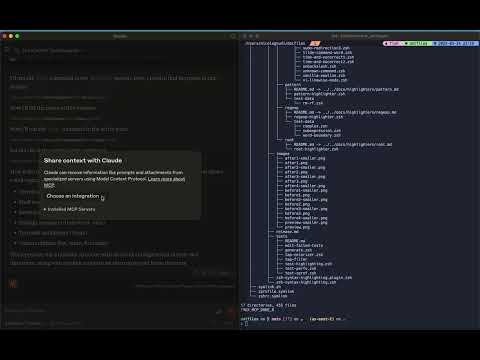
Claude Desktop이 tmux 세션 콘텐츠와 상호 작용하고 볼 수 있도록 하는 모델 컨텍스트 프로토콜 서버입니다. 이 통합을 통해 AI 어시스턴트가 터미널 세션을 읽고, 제어하고, 관찰할 수 있습니다.

특징

  • tmux 세션 나열 및 검색

  • tmux 창과 패널 보기 및 탐색

  • 모든 창에서 터미널 콘텐츠를 캡처하고 노출합니다.

  • tmux 창에서 명령을 실행하고 결과를 검색합니다(사용 시 모든 책임은 사용자에게 있습니다 ⚠️)

  • 새로운 tmux 세션 및 창 만들기

이 짧은 영상을 시청하고 기대감을 느껴보세요!

유튜브 비디오

Related MCP server: TmuxControlLib MCP Server

필수 조건

  • 노드.js

  • tmux 설치 및 실행

용법

Claude Desktop 구성

Claude Desktop 구성에 이 MCP 서버를 추가하세요.

지엑스피1

MCP 서버 옵션

선택적으로 사용 중인 명령줄 셸을 지정할 수 있습니다. 지정하지 않으면 기본적으로 bash 사용됩니다.

"mcpServers": {
  "tmux": {
    "command": "npx",
    "args": ["-y", "tmux-mcp", "--shell-type=fish"]
  }
}

MCP 서버는 명령을 실행할 때만 셸을 알아야 하며, 셸의 종료 상태를 올바르게 읽어야 합니다.

사용 가능한 리소스

  • tmux://sessions - 모든 tmux 세션 나열

  • tmux://pane/{paneId} - 특정 tmux 창의 내용 보기

  • tmux://command/{commandId}/result - 실행된 명령의 결과

사용 가능한 도구

  • list-sessions - 모든 활성 tmux 세션 나열

  • find-session - 이름으로 tmux 세션 찾기

  • list-windows - tmux 세션의 창 나열

  • list-panes - tmux 창의 목록 창

  • capture-pane - tmux 창에서 콘텐츠 캡처

  • create-session - 새로운 tmux 세션을 생성합니다.

  • create-window - tmux 세션에서 새 창 만들기

  • execute-command - tmux 창에서 명령 실행

  • get-command-result - 실행된 명령의 결과를 가져옵니다.

Install Server
A
license - permissive license
A
quality
F
maintenance

Maintenance

Maintainers
Response time
Release cycle
Releases (12mo)
Commit activity
Issues opened vs closed

Resources

Unclaimed servers have limited discoverability.

Looking for Admin?

If you are the server author, to access and configure the admin panel.

Related MCP Servers

  • F
    license
    Not graded
    quality
    D
    maintenance
    Enables Claude to execute commands and manage directory-aware panes within tmux sessions for a shared terminal experience. It features smart output capture, interactive prompt detection, and background task management.
    2
  • A
    license
    A
    quality
    D
    maintenance
    Allows AI assistants to create, manage, and interact with tmux sessions, windows, and panes programmatically.
    19
    MIT
  • F
    license
    Not graded
    quality
    D
    maintenance
    Enables interactive terminal sessions within Claude Code and Desktop, allowing users and AI to execute commands and manage multiple tabs.
    2

View all related MCP servers

Related MCP Connectors

  • Persistent context for Claude. Your AI always knows your projects and next actions across sessions.

  • Connect Claude to Fathom meeting recordings, transcripts, and summaries

  • Operate Linux, macOS and Windows from your LLM. Every action runs through an auditable allowlist.

View all MCP Connectors

Latest Blog Posts

MCP directory API

We provide all the information about MCP servers via our MCP API.

curl -X GET 'https://glama.ai/api/mcp/v1/servers/nickgnd/tmux-mcp'

If you have feedback or need assistance with the MCP directory API, please join our Discord server