Tmux MCP Server
Tmux MCP サーバー
Claude Desktop が tmux セッションのコンテンツにアクセスし、表示できるようにするモデルコンテキストプロトコルサーバー。この統合により、AI アシスタントがターミナルセッションの読み取り、制御、監視を行えるようになります。
特徴
tmuxセッションの一覧表示と検索
tmux ウィンドウとペインの表示と操作
任意のペインからターミナルのコンテンツをキャプチャして公開します
tmux ペインでコマンドを実行し、結果を取得します(自己責任で使用してください⚠️)
新しいtmuxセッションとウィンドウを作成する
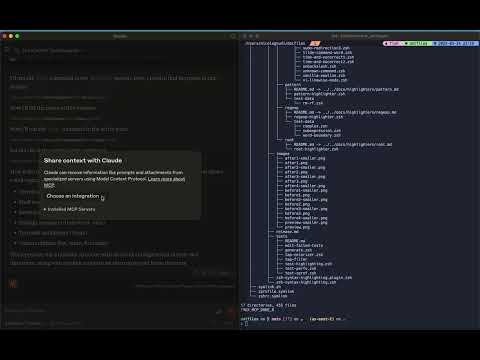
この短いビデオを見て、ワクワクしてください!

Related MCP server: TmuxControlLib MCP Server
前提条件
Node.js
tmuxがインストールされ実行中
使用法
Claudeデスクトップの設定
この MCP サーバーを Claude Desktop 構成に追加します。
"mcpServers": {
"tmux": {
"command": "npx",
"args": ["-y", "tmux-mcp"]
}
}MCP サーバー オプション
オプションで、使用しているコマンドラインシェルを指定できます。指定しない場合は、デフォルトでbashになります。
"mcpServers": {
"tmux": {
"command": "npx",
"args": ["-y", "tmux-mcp", "--shell-type=fish"]
}
}MCP サーバーは、コマンドの実行時にのみシェルを認識して、その終了ステータスを適切に読み取る必要があります。
利用可能なリソース
tmux://sessions- すべてのtmuxセッションを一覧表示するtmux://pane/{paneId}- 特定のtmuxペインの内容を表示するtmux://command/{commandId}/result- 実行されたコマンドの結果
利用可能なツール
list-sessions- アクティブなtmuxセッションをすべて一覧表示するfind-session- 名前でtmuxセッションを検索するlist-windows- tmuxセッション内のウィンドウを一覧表示するlist-panes- tmux ウィンドウ内のペインを一覧表示するcapture-pane- tmux ペインからコンテンツをキャプチャするcreate-session- 新しいtmuxセッションを作成するcreate-window- tmuxセッションで新しいウィンドウを作成するexecute-command- tmux ペインでコマンドを実行するget-command-result- 実行されたコマンドの結果を取得する
Maintenance
Resources
Unclaimed servers have limited discoverability.
Looking for Admin?
If you are the server author, to access and configure the admin panel.
Related MCP Servers
- FlicenseNot gradedqualityDmaintenanceEnables Claude to execute commands and manage directory-aware panes within tmux sessions for a shared terminal experience. It features smart output capture, interactive prompt detection, and background task management.2
- AlicenseNot gradedqualityDmaintenanceEnables Claude to control tmux sessions, manage windows and panes, and search/extract text from terminal output.1MIT
- AlicenseAqualityDmaintenanceAllows AI assistants to create, manage, and interact with tmux sessions, windows, and panes programmatically.19MIT
- FlicenseNot gradedqualityDmaintenanceEnables interactive terminal sessions within Claude Code and Desktop, allowing users and AI to execute commands and manage multiple tabs.2
Related MCP Connectors
Persistent context for Claude. Your AI always knows your projects and next actions across sessions.
Connect Claude to Fathom meeting recordings, transcripts, and summaries
Operate Linux, macOS and Windows from your LLM. Every action runs through an auditable allowlist.
Latest Blog Posts
- Who's Calling? MCP Hosts Are an Identity Blind Spot (And the Spec Knows It)By Om-Shree-0709 on .mcpAgent IdentityOAuth 2.1
- Your AI Chatbot Just Exposed Your CEO's Salary to an InternBy Om-Shree-0709 on .Agent IdentityMCP SecurityOAuth Delegation
- Why MCP Servers Need Execution Sandboxing (And Why Your Current Stack Isn't Enough)By Om-Shree-0709 on .Agentic AiPrompt InjectionWebAssembly
MCP directory API
We provide all the information about MCP servers via our MCP API.
curl -X GET 'https://glama.ai/api/mcp/v1/servers/nickgnd/tmux-mcp'
If you have feedback or need assistance with the MCP directory API, please join our Discord server