A
licenseB
qualityNot graded
maintenanceAllows AI assistants to interact with Autodesk Revit through the MCP protocol, enabling the AI to create, modify, and delete elements in Revit projects.
15
40
1

English |简体中文
revit-mcp 允许您通过 MCP 支持的客户端(例如 Claude、Cline 等)使用 MCP 协议与 Revit 进行交互。
本项目是服务器端(提供Tools给AI),需要配合revit-mcp-plugin (驱动Revit)使用。
Related MCP server: RevitMCPBridge2026
允许 AI 从 Revit 项目获取数据
允许AI驱动Revit创建、修改和删除元素
将AI生成的代码发送给Revit执行(不一定成功,在一些简单且需求明确的场景下成功率更高)
Node.js 18+
完整安装环境仍需考虑revit-mcp-plugin的需求,请参考revit-mcp-plugin
安装依赖项
npm install建造
npm run build克劳德客户
Claude 客户端 -> 设置 > 开发者 > 编辑配置 > claude_desktop_config.json
{
    "mcpServers": {
        "revit-mcp": {
            "command": "node",
            "args": ["<path to the built file>\\build\\index.js"]
        }
    }
}
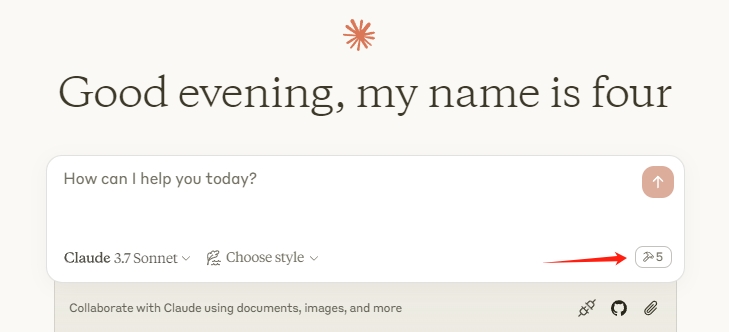
重启 Claude 客户端,当看到锤子图标时,表示 MCP 服务连接正常。
flowchart LR
	CladueDesktop --> revit-mcp --> SocketService--commandName-->CommandlSet--command-->CommandExecute
	CommandManager --> CommandlSet
	CommandExecute --executeResult--> SocketService
	CommandProject1 --> CommandManager
	CommandProject2 --> CommandManager
	CommandProject... --> CommandManager
	subgraph ide1 [MCPClient]
	CladueDesktop
	end
	subgraph ide2 [MCPServer]
	revit-mcp
	end
	subgraph ide3 [Revit]
			subgraph ide3.1 [revit-mcp-plugin]
				SocketService
				CommandlSet
				CommandManager
				CommandExecute
			end
end姓名 | 描述 |
获取当前视图信息 | 获取当前视图信息 |
获取当前视图元素 | 获取当前视图元素 |
获取可用的家庭类型 | 获取当前项目中可用的族类型 |
获取选定元素 | 获取选定元素 |
创建基于点的元素 | 创建基于点的元素(门、窗、家具) |
创建基于线的元素 | 创建基于线的元素(墙、梁、管道) |
创建基于表面的元素 | 创建基于表面的元素(地板、天花板) |
删除元素 | 删除元素 |
重置模型 | 重置模型(执行连续对话时删除流程模型) |
修改元素 | 修改元素的属性(实例参数) |
搜索模块 | 搜索可用模块 |
use_module | 使用模块 |
发送代码到 Revit | 将代码发送到 Revit 执行 |
颜色飞溅 | 根据参数值对元素进行着色 |
标签墙 | 标记视图中的所有墙壁 |
Unclaimed servers have limited discoverability.
If you are the server author, to access and configure the admin panel.
Convert Revit files to XKT, IFC, or DWG and query BIM data via natural language.
OCR, transcription, file extraction, and image generation for AI agents via MCP.
Your memory, everywhere AI goes. Build knowledge once, access it via MCP anywhere.
We provide all the information about MCP servers via our MCP API.
curl -X GET 'https://glama.ai/api/mcp/v1/servers/mcp-servers-for-revit/revit-mcp'
If you have feedback or need assistance with the MCP directory API, please join our Discord server