A
licenseB
qualityNot graded
maintenanceAllows AI assistants to interact with Autodesk Revit through the MCP protocol, enabling the AI to create, modify, and delete elements in Revit projects.
15
40
1

영어 | 간체 중국어
revit-mcp를 사용하면 MCP 지원 클라이언트(예: Claude, Cline 등)를 통해 MCP 프로토콜을 사용하여 Revit과 상호 작용할 수 있습니다.
이 프로젝트는 서버 측(AI에 도구를 제공)이며, revit-mcp-plugin (Revit 구동)을 함께 사용해야 합니다.
Related MCP server: RevitMCPBridge2026
AI가 Revit 프로젝트에서 데이터를 가져오도록 허용
AI가 Revit을 구동하여 요소를 생성, 수정 및 삭제하도록 허용
AI가 생성한 코드를 Revit으로 보내 실행합니다(성공하지 않을 수도 있지만 명확한 요구 사항이 있는 일부 간단한 시나리오에서는 성공률이 더 높습니다).
노드제이에스 18+
완전한 설치 환경은 여전히 revit-mcp-plugin의 요구 사항을 고려해야 합니다. revit-mcp-plugin 을 참조하세요.
종속성 설치
지엑스피1
짓다
npm run build클로드 고객
Claude 클라이언트 -> 설정 > 개발자 > 구성 편집 > claude_desktop_config.json
{
    "mcpServers": {
        "revit-mcp": {
            "command": "node",
            "args": ["<path to the built file>\\build\\index.js"]
        }
    }
}
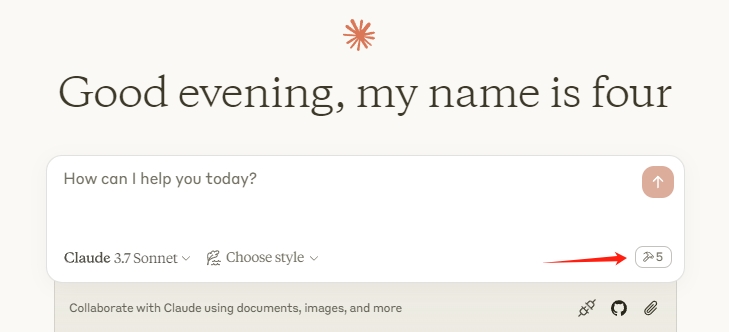
Claude 클라이언트를 다시 시작하세요. 망치 아이콘이 표시되면 MCP 서비스 연결이 정상적임을 의미합니다.
flowchart LR
	CladueDesktop --> revit-mcp --> SocketService--commandName-->CommandlSet--command-->CommandExecute
	CommandManager --> CommandlSet
	CommandExecute --executeResult--> SocketService
	CommandProject1 --> CommandManager
	CommandProject2 --> CommandManager
	CommandProject... --> CommandManager
	subgraph ide1 [MCPClient]
	CladueDesktop
	end
	subgraph ide2 [MCPServer]
	revit-mcp
	end
	subgraph ide3 [Revit]
			subgraph ide3.1 [revit-mcp-plugin]
				SocketService
				CommandlSet
				CommandManager
				CommandExecute
			end
end이름 | 설명 |
get_current_view_info | 현재 뷰 정보 가져오기 |
현재 뷰 요소 가져오기 | 현재 뷰 요소 가져오기 |
사용 가능한 패밀리 유형을 가져오세요 | 현재 프로젝트에서 사용 가능한 패밀리 유형을 가져옵니다. |
선택된 요소를 가져오세요 | 선택한 요소 가져오기 |
생성_포인트_기반_요소 | 포인트 기반 요소(문, 창, 가구) 생성 |
라인 기반 요소 생성 | 선 기반 요소(벽, 보, 파이프) 생성 |
표면 기반 요소 생성 | 표면 기반 요소(바닥, 천장) 생성 |
삭제_요소 | 요소 삭제 |
리셋_모델 | 모델 재설정(연속 대화 실행 시 프로세스 모델 삭제) |
수정_요소 | 요소의 속성(인스턴스 매개변수) 수정 |
검색_모듈 | 사용 가능한 모듈 검색 |
사용_모듈 | 모듈 사용 |
레빗으로 코드 전송 | 실행할 코드를 Revit으로 보냅니다. |
컬러_스플래시 | 매개변수 값에 따른 색상 요소 |
태그_벽 | 보기에 있는 모든 벽에 태그를 지정합니다. |
Unclaimed servers have limited discoverability.
If you are the server author, to access and configure the admin panel.
Convert Revit files to XKT, IFC, or DWG and query BIM data via natural language.
OCR, transcription, file extraction, and image generation for AI agents via MCP.
Your memory, everywhere AI goes. Build knowledge once, access it via MCP anywhere.
We provide all the information about MCP servers via our MCP API.
curl -X GET 'https://glama.ai/api/mcp/v1/servers/mcp-servers-for-revit/revit-mcp'
If you have feedback or need assistance with the MCP directory API, please join our Discord server