A
licenseA
qualityF
maintenanceModel Context Protocol (MCP) server implementation that enables Claude Desktop to interact with Google's Gemini AI models.
6
22 npm
261
MIT

Google Gemini言語モデル用のモデルコンテキストプロトコル(MCP)サーバー実装。このサーバーにより、Claude DesktopユーザーはGemini-2.0-flash-thinking-exp-01-21モデルの強力な推論機能にアクセスできます。
Gemini-2.0-flash-thinking-exp-01-21 は、Google の Gemini モデルの特殊バージョンであり、高品質を維持しながら高速応答に最適化されています。以下の点で優れています。
数学的推論
論理的推論
ステップバイステップの分析
構造化された思考
Related MCP server: MCP Gemini Server
Node.js (v18以上)
npm
クロードデスクトップ
Google Gemini APIキー
このリポジトリをクローンします:
git clone https://github.com/falahgs/gemini-thinking-mcp.git
cd gemini-thinking-mcp
依存関係をインストールします:
npm installGoogle API キーを使用して.envファイルを作成します。
GEMINI_API_KEY=your-api-key-hereプロジェクトをビルドします。
npm run buildこの MCP サーバーを Claude Desktop で使用するには、Claude Desktop の構成を更新します。
Claude Desktop の構成ファイルを見つけます。
Windows: %APPDATA%\Claude\claude_desktop_config.json
macOS: ~/Library/Application Support/Claude/claude_desktop_config.json
mcpServersセクションに以下を追加します。
"gemini-thinking": {
    "command": "node",
    "args": ["/path/to/gemini-thinking-mcp/build/index.js"],
    "env": {
        "GEMINI_API_KEY": "your-api-key"
    }
}
変更を適用するには、Claude Desktop を再起動します。
設定が完了すると、Claude Desktop の会話で Gemini モデルにアクセスできるようになります。
@gemini-thinking Can you help me solve this math problem step by step?モデルのパラメータを調整できます。
prompt : Geminiへの入力テキスト(必須)
max_tokens : 生成するトークンの最大数(デフォルト: 8192)
temperature : ランダム性を制御します(デフォルト: 0.2)
以下は、Gemini Thinking MCP サーバーのセットアップと使用例です。
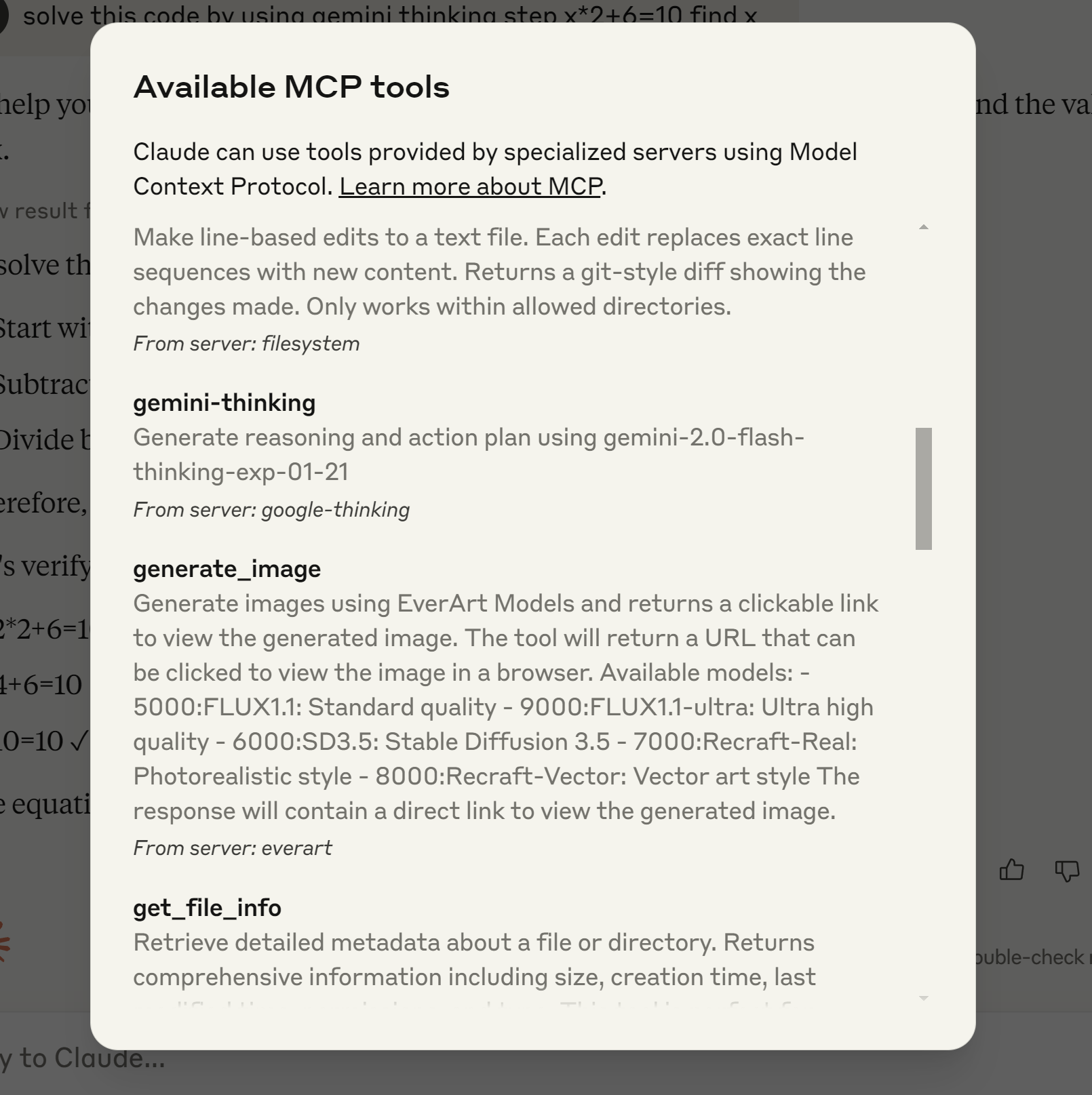 この例では、Claude デスクトップ環境に Gemini Thinking MCP サーバーをインストールして構成するプロセスを示します。
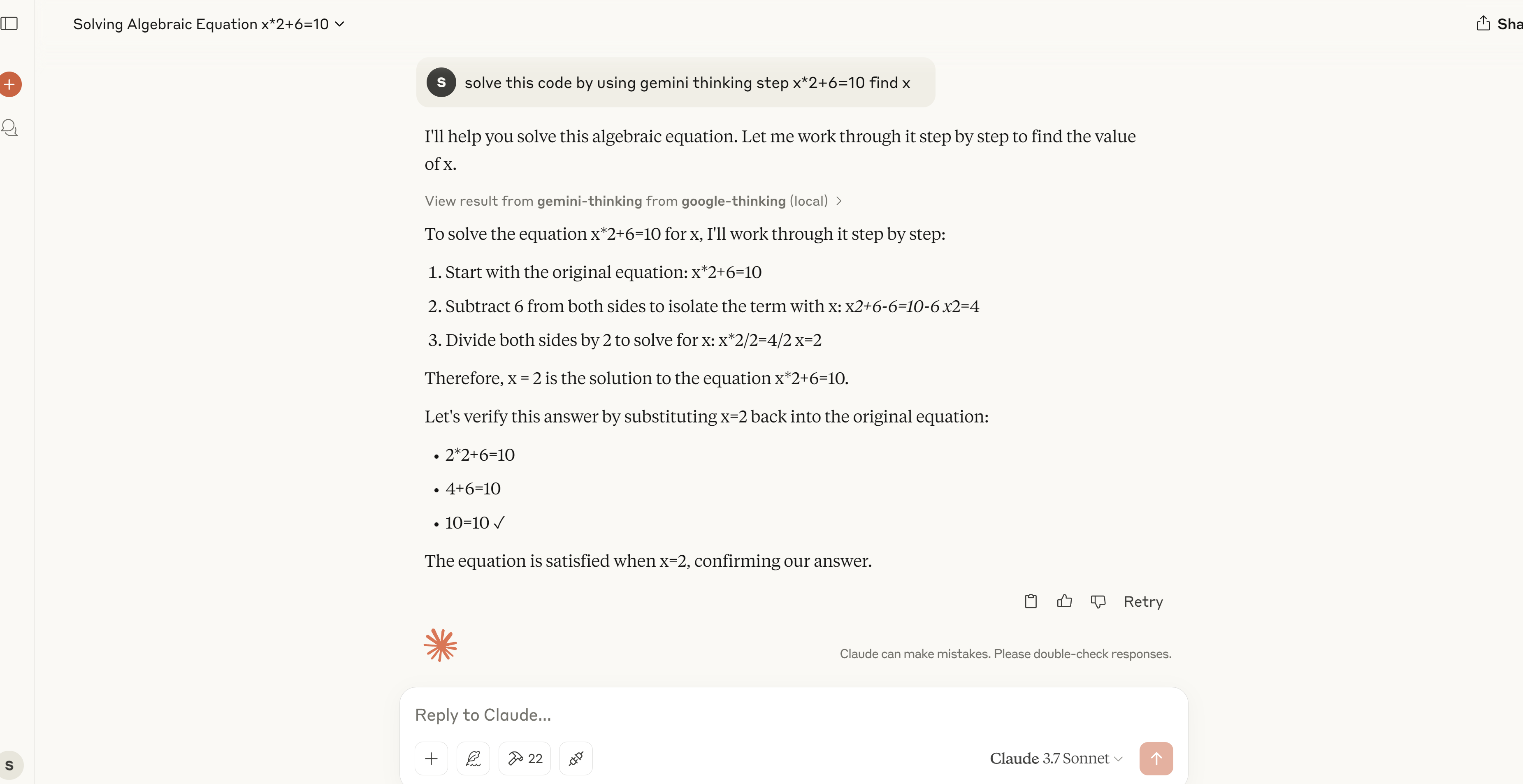 MCP サーバーが数式を段階的に解き、その問題解決能力を示すデモンストレーション。
npm run dev     # Watch mode
npm run build   # Build for production
npm start # Run the server貢献を歓迎します!お気軽にプルリクエストを送信してください。
マサチューセッツ工科大学
This server cannot be deployed
A comprehensive Model Context Protocol (MCP) server that enables AI assistants to interact with yo…
MCP server unifying ERPs, CRMs, APIs and knowledge base for Claude, ChatGPT and Gemini.
A Model Context Protocol server for Wix AI tools
MCP server for AI dialogue using various LLM models via AceDataCloud