A
licenseA
qualityF
maintenanceModel Context Protocol (MCP) server implementation that enables Claude Desktop to interact with Google's Gemini AI models.
6
22 npm
261
MIT

Provides access to the Gemini-2.0-flash-thinking-exp-01-21 model's capabilities for mathematical reasoning, logical deduction, and structured thinking with adjustable parameters like max tokens and temperature.
Click on "Deploy Server".
Wait a few minutes for the server to deploy. Once ready, it will show a "Started" state.
In the chat, type @ followed by the MCP server name and your instructions, e.g., "@Gemini Thinking MCP Server Can you help me solve this calculus problem step by step?"
That's it! The server will respond to your query, and you can continue using it as needed.
Here is a step-by-step guide with screenshots.
A Model Context Protocol (MCP) server implementation for the Google Gemini language model. This server allows Claude Desktop users to access the powerful reasoning capabilities of Gemini-2.0-flash-thinking-exp-01-21 model.
Gemini-2.0-flash-thinking-exp-01-21 is a specialized version of Google's Gemini model that's optimized for fast responses while maintaining high quality. It excels at:
Mathematical reasoning
Logical deduction
Step-by-step analysis
Structured thinking
Related MCP server: MCP Gemini Server
Node.js (v18 or higher)
npm
Claude Desktop
Google Gemini API key
Clone this repository:
git clone https://github.com/falahgs/gemini-thinking-mcp.git
cd gemini-thinking-mcp
Install dependencies:
npm installCreate a .env file with your Google API key:
GEMINI_API_KEY=your-api-key-hereBuild the project:
npm run buildTo use this MCP server with Claude Desktop, update your Claude Desktop configuration:
Locate your Claude Desktop config file:
Windows: %APPDATA%\Claude\claude_desktop_config.json
macOS: ~/Library/Application Support/Claude/claude_desktop_config.json
Add the following to the mcpServers section:
"gemini-thinking": {
    "command": "node",
    "args": ["/path/to/gemini-thinking-mcp/build/index.js"],
    "env": {
        "GEMINI_API_KEY": "your-api-key"
    }
}
Restart Claude Desktop to apply the changes.
Once configured, you can access the Gemini model in your Claude Desktop conversations:
@gemini-thinking Can you help me solve this math problem step by step?You can adjust the model parameters:
prompt: Your input text for Gemini (required)
max_tokens: Maximum tokens to generate (default: 8192)
temperature: Controls randomness (default: 0.2)
Here are some examples of the Gemini Thinking MCP server setup and usage:
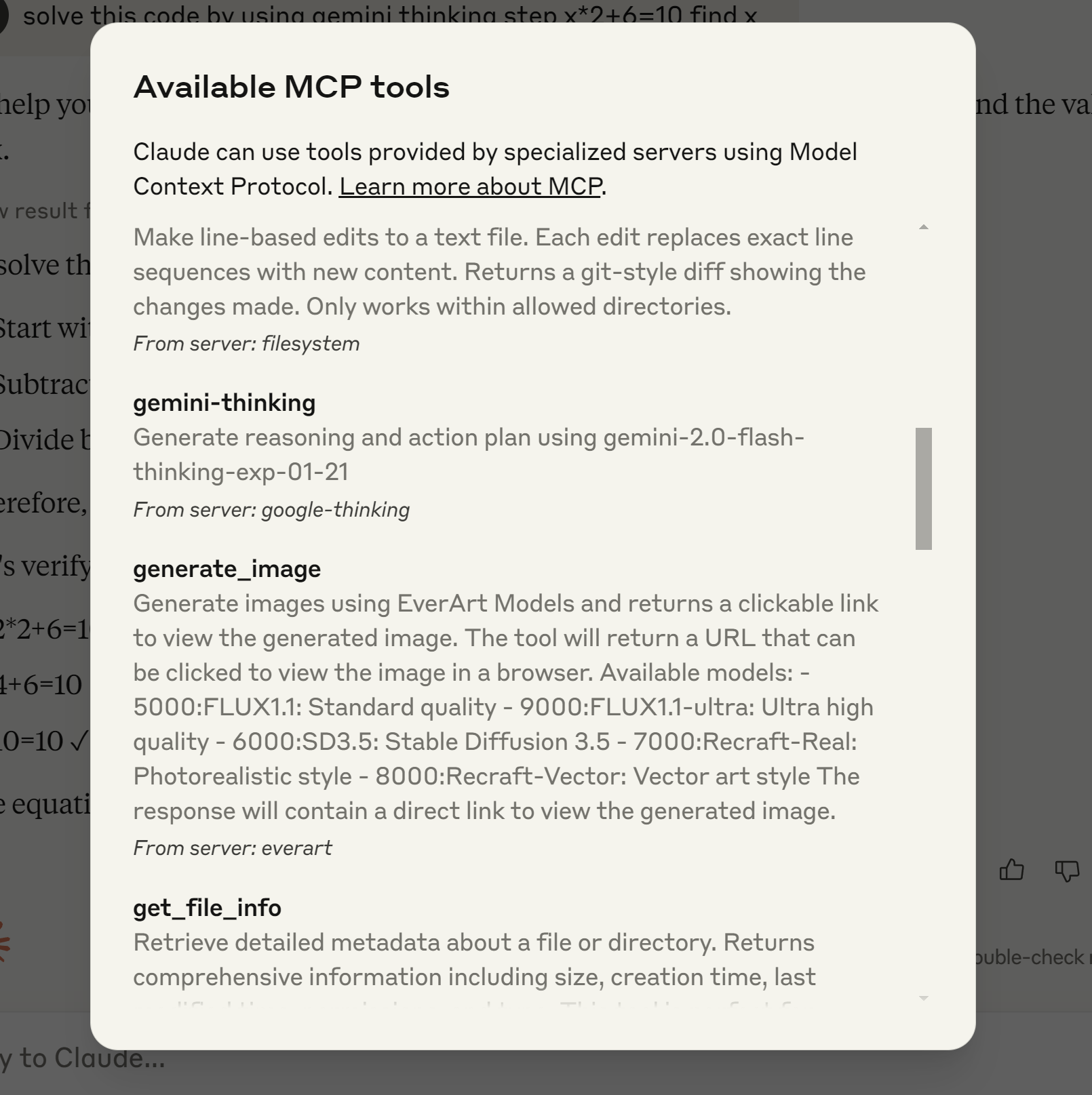 This example shows the process of installing and configuring the Gemini Thinking MCP server in Claude Desktop environment.
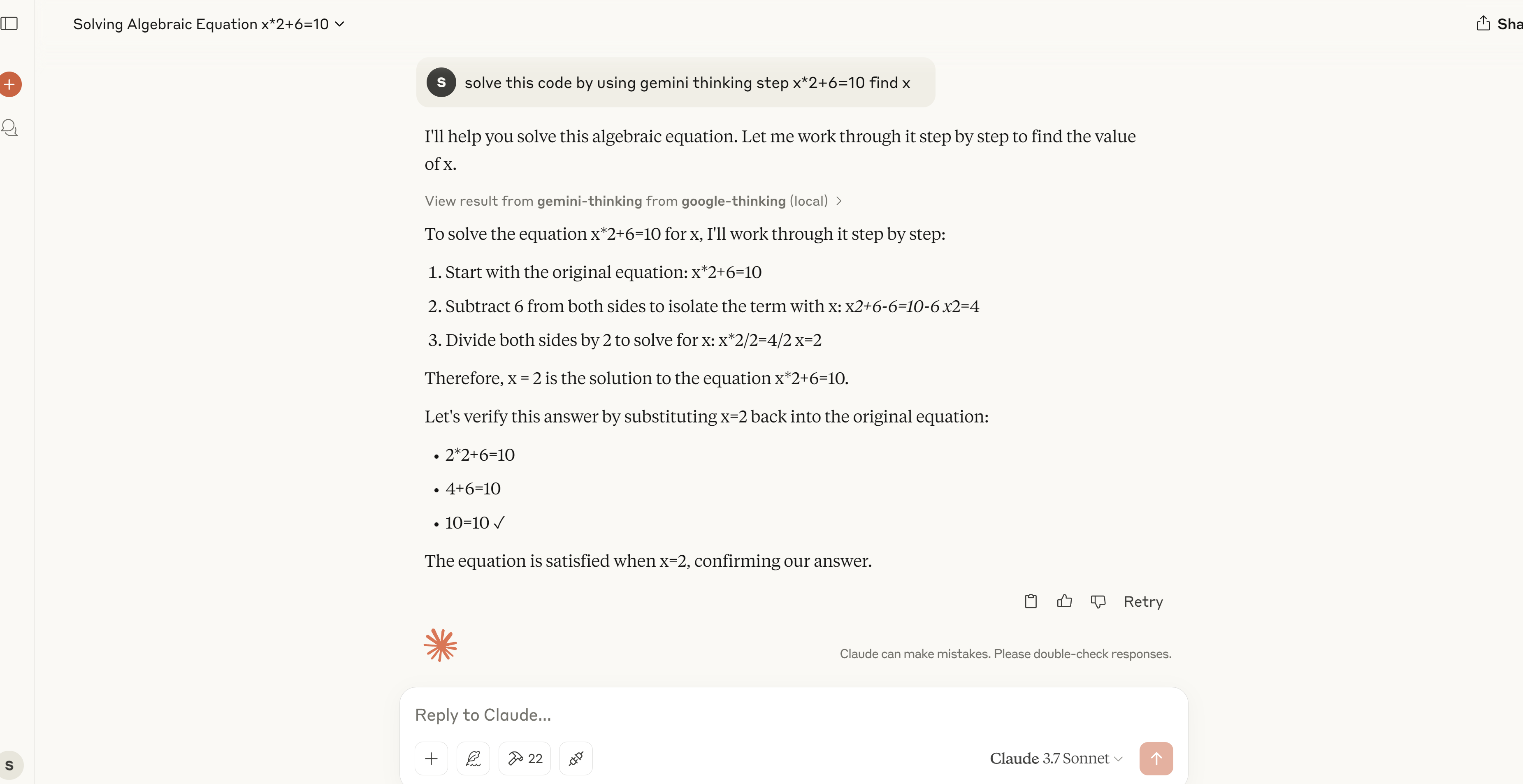 A demonstration of the MCP server solving a mathematical equation step by step, showing its problem-solving capabilities.
npm run dev     # Watch mode
npm run build   # Build for production
npm start # Run the serverContributions are welcome! Please feel free to submit a Pull Request.
MIT
This server cannot be deployed
A comprehensive Model Context Protocol (MCP) server that enables AI assistants to interact with yo…
MCP server unifying ERPs, CRMs, APIs and knowledge base for Claude, ChatGPT and Gemini.
A Model Context Protocol server for Wix AI tools
MCP server for AI dialogue using various LLM models via AceDataCloud