A
licenseB
qualityD
maintenanceAn MCP Server Integration with Apple Shortcuts
2
2
2,777 npm
352
Apache 2.0

一个模型上下文协议 (MCP) 服务器,用于访问 Apple 快捷指令功能。此服务器允许 AI 助手通过 MCP 界面列出、查看和运行你的快捷指令。
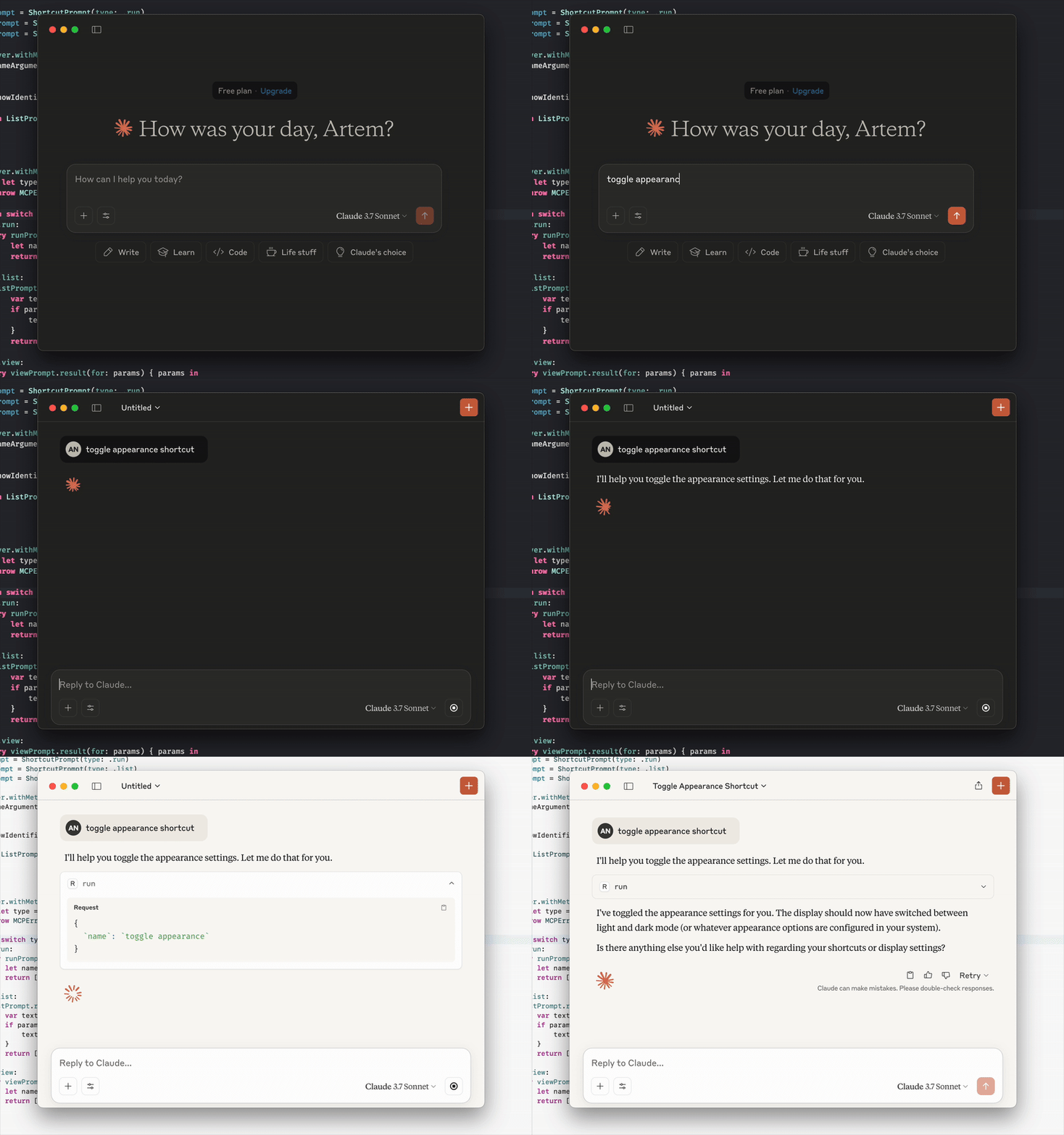
与 Cursor、Claude Desktop 和其他支持 MCP 的应用程序兼容。
git clone https://github.com/artemnovichkov/shortcuts-mcp-server
cd shortcuts-mcp-server
swift build对于项目配置,请更新项目目录中的.cursor/mcp.json文件。要在所有项目中使用,请在主目录中创建~/.cursor/mcp.json文件。
{
  "servers": {
    "shortcuts-mcp-server": {
      "type": "stdio",
      "command": "/absolute/path/to/shortcuts-mcp-server/.build/arm64-apple-macosx/debug/shortcuts-mcp-server"
    }
  }
}
不要忘记替换可执行文件的路径。
打开设置->开发者->编辑配置
打开配置文件~/Library/Application Support/Claude/claude_desktop_config.json并更新为:
{
  "mcpServers": {
    "shortcuts-mcp-server": {
      "type": "stdio",
      "command": "/absolute/path/to/shortcuts-mcp-server/.build/arm64-apple-macosx/debug/shortcuts-mcp-server"
    }
  }
}
不要忘记替换可执行文件的路径。
重新启动 Claude Desktop。
快速安装:
如需手动安装,请将以下 JSON 块添加到 VS Code 中的“用户设置 (JSON)”文件中。您可以按下Ctrl + Shift + P并输入Preferences: Open User Settings (JSON)来完成此操作。
{
  "servers": {
    "shortcuts-mcp-server": {
      "type": "stdio",
      "command": "/absolute/path/to/shortcuts-mcp-server/.build/arm64-apple-macosx/debug/shortcuts-mcp-server"
    }
  }
}
不要忘记替换可执行文件的路径。
打开设置 -> MCP -> 编辑配置并更新至:
{
  "servers": {
    "shortcuts-mcp-server": {
      "type": "stdio",
      "command": "/absolute/path/to/shortcuts-mcp-server/.build/arm64-apple-macosx/debug/shortcuts-mcp-server"
    }
  }
}
不要忘记替换可执行文件的路径。
Related MCP server: mcp-untun
只需要求 LLM 运行快捷方式、显示添加的快捷方式列表或在快捷方式应用程序中查看快捷方式。
如果您的 MCP 客户端支持提示和资源,您也可以检查一下: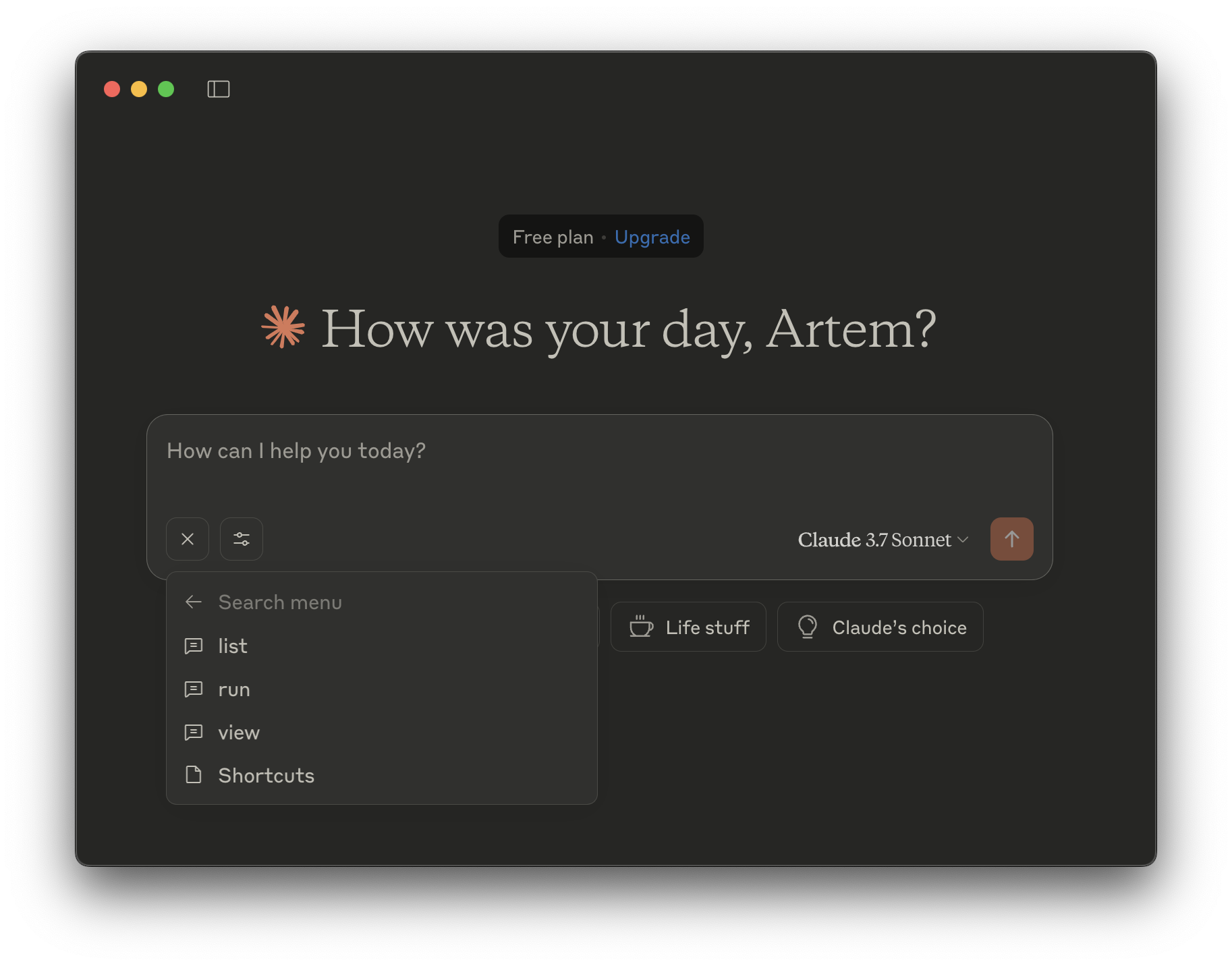
运行——运行快捷方式。
name - 要运行的快捷方式的名称(字符串,必需)
列表- 列出您的快捷方式。
show-identifiers - 是否显示快捷方式的标识符。(布尔值,可选)
查看- 在快捷方式应用中查看快捷方式。
name - 要查看的快捷方式的名称(字符串,必需)
列表- 列出您的快捷方式。
运行——运行快捷方式。
name - 要运行的快捷方式的名称(字符串,必需)
列表- 列出您的快捷方式。
show-identifiers - 是否显示快捷方式的标识符。(布尔值,可选)
查看- 在快捷方式应用中查看快捷方式。
name - 要查看的快捷方式的名称(字符串,必需)
This server cannot be deployed