A
licenseB
qualityD
maintenanceAn MCP Server Integration with Apple Shortcuts
2
2
2,777 npm
352
Apache 2.0

Appleのショートカット機能へのアクセスを提供するモデルコンテキストプロトコル(MCP)サーバー。このサーバーにより、AIアシスタントはMCPインターフェースを通じてショートカットの一覧表示、表示、実行が可能になります。
Cursor、Claude Desktop、およびその他の MCP 対応アプリケーションと互換性があります。
git clone https://github.com/artemnovichkov/shortcuts-mcp-server
cd shortcuts-mcp-server
swift buildプロジェクトの設定には、プロジェクトディレクトリ内の.cursor/mcp.jsonファイルを更新してください。すべてのプロジェクトで使用するには、ホームディレクトリに~/.cursor/mcp.jsonファイルを作成してください。
{
  "servers": {
    "shortcuts-mcp-server": {
      "type": "stdio",
      "command": "/absolute/path/to/shortcuts-mcp-server/.build/arm64-apple-macosx/debug/shortcuts-mcp-server"
    }
  }
}
実行可能ファイルへのパスを置き換えることを忘れないでください。
設定 -> 開発者 -> 設定の編集を開く
~/Library/Application Support/Claude/claude_desktop_config.jsonにある構成ファイルを開き、次のように更新します。
{
  "mcpServers": {
    "shortcuts-mcp-server": {
      "type": "stdio",
      "command": "/absolute/path/to/shortcuts-mcp-server/.build/arm64-apple-macosx/debug/shortcuts-mcp-server"
    }
  }
}
実行可能ファイルへのパスを置き換えることを忘れないでください。
Claude Desktop を再起動します。
クイックインストールの場合:
手動でインストールする場合は、VS Code のユーザー設定 (JSON) ファイルに次の JSON ブロックを追加します。Ctrl Ctrl + Shift + Pを押してPreferences: Open User Settings (JSON)と入力すると、このブロックを追加できます。
{
  "servers": {
    "shortcuts-mcp-server": {
      "type": "stdio",
      "command": "/absolute/path/to/shortcuts-mcp-server/.build/arm64-apple-macosx/debug/shortcuts-mcp-server"
    }
  }
}
実行可能ファイルへのパスを置き換えることを忘れないでください。
[設定] -> [MCP] -> [構成の編集] を開いて、次のように更新します。
{
  "servers": {
    "shortcuts-mcp-server": {
      "type": "stdio",
      "command": "/absolute/path/to/shortcuts-mcp-server/.build/arm64-apple-macosx/debug/shortcuts-mcp-server"
    }
  }
}
実行可能ファイルへのパスを置き換えることを忘れないでください。
Related MCP server: mcp-untun
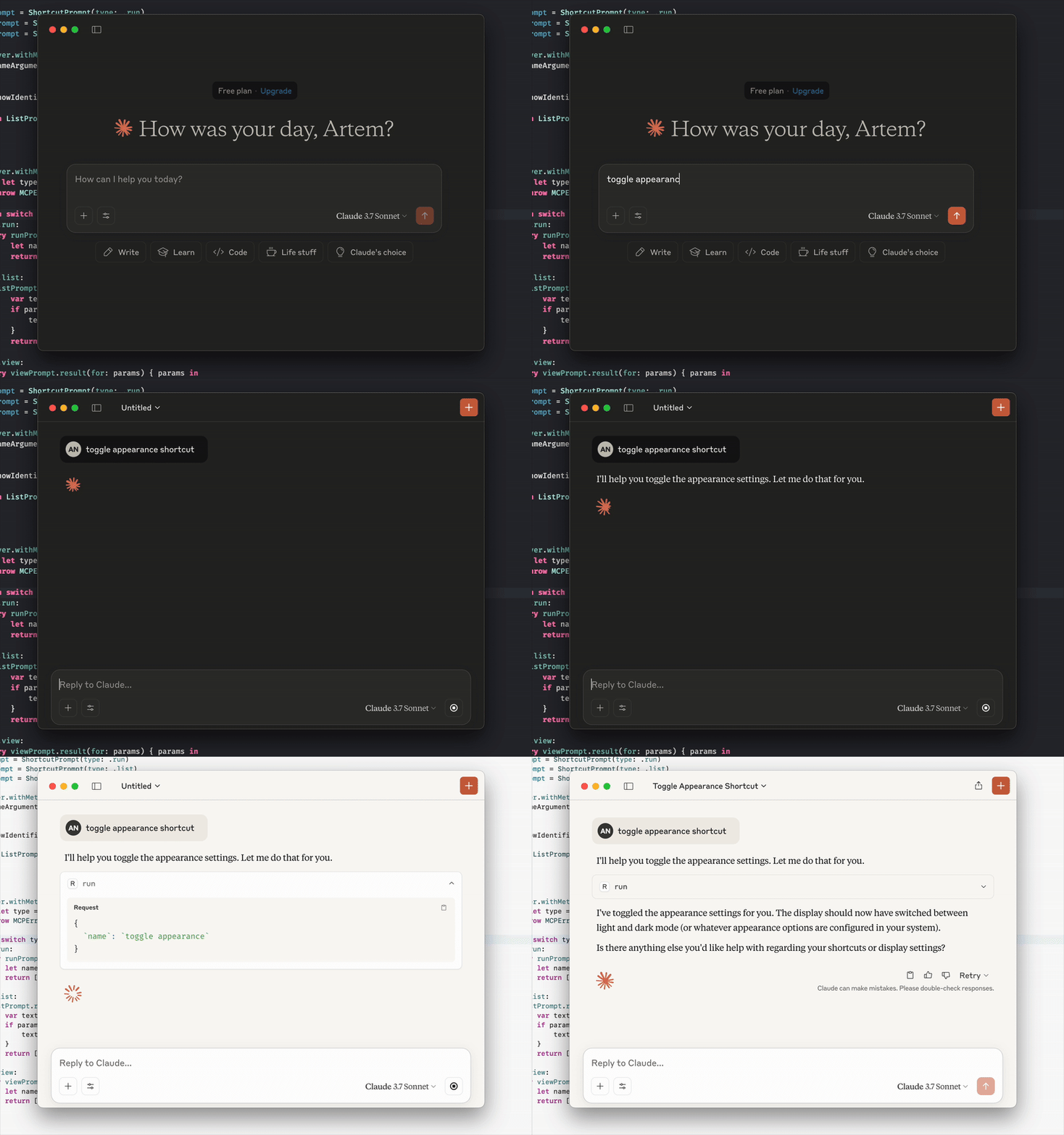
LLM にショートカットの実行、追加されたショートカットのリストの表示、ショートカット アプリでのショートカットの表示を依頼するだけです。
MCP クライアントがプロンプトとリソースをサポートしている場合は、これも確認できます。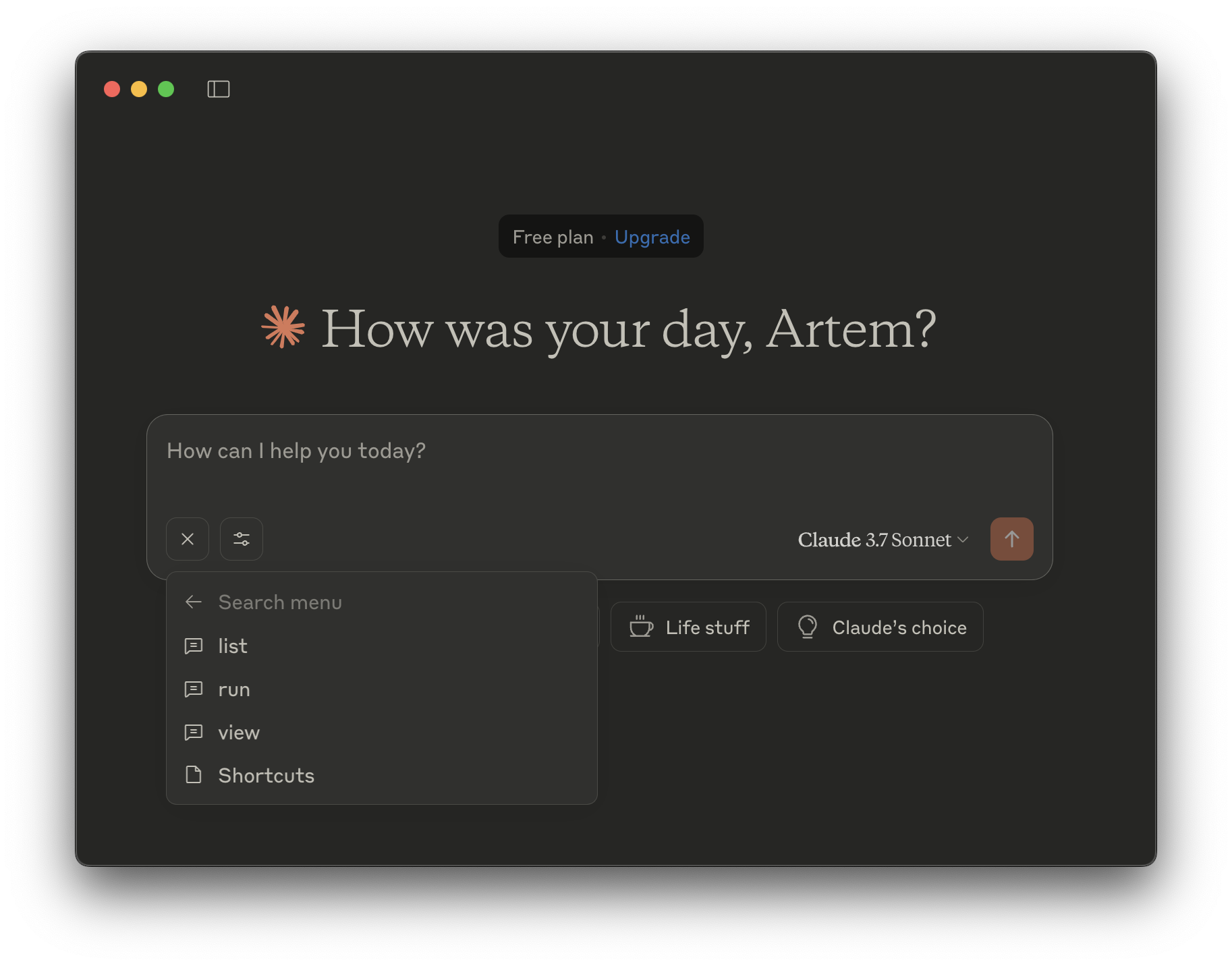
run - ショートカットを実行します。
name - 実行するショートカットの名前(文字列、必須)
list - ショートカットを一覧表示します。
show-identifiers - ショートカットの識別子を表示するかどうか。(ブール値、オプション)
表示- ショートカット アプリでショートカットを表示します。
name - 表示するショートカットの名前(文字列、必須)
list - ショートカットを一覧表示します。
run - ショートカットを実行します。
name - 実行するショートカットの名前(文字列、必須)
list - ショートカットを一覧表示します。
show-identifiers - ショートカットの識別子を表示するかどうか。(ブール値、オプション)
表示- ショートカット アプリでショートカットを表示します。
name - 表示するショートカットの名前(文字列、必須)
This server cannot be deployed