A
licenseB
qualityD
maintenanceAn MCP Server Integration with Apple Shortcuts
2
2
2,777 npm
352
Apache 2.0

Apple 단축어 기능에 대한 액세스를 제공하는 모델 컨텍스트 프로토콜(MCP) 서버입니다. 이 서버를 통해 AI 비서가 MCP 인터페이스를 통해 단축어를 나열하고, 보고, 실행할 수 있습니다.
Cursor, Claude Desktop 및 기타 MCP 지원 애플리케이션과 호환됩니다.
지엑스피1
프로젝트 구성을 위해 프로젝트 디렉터리의 .cursor/mcp.json 파일을 업데이트하세요. 모든 프로젝트에서 사용하려면 홈 디렉터리에 ~/.cursor/mcp.json 파일을 만드세요.
{
  "servers": {
    "shortcuts-mcp-server": {
      "type": "stdio",
      "command": "/absolute/path/to/shortcuts-mcp-server/.build/arm64-apple-macosx/debug/shortcuts-mcp-server"
    }
  }
}
실행 파일의 경로를 바꾸는 것을 잊지 마세요.
설정 -> 개발자 -> 구성 편집을 엽니다.
~/Library/Application Support/Claude/claude_desktop_config.json 에 있는 구성 파일을 열고 다음으로 업데이트하세요.
{
  "mcpServers": {
    "shortcuts-mcp-server": {
      "type": "stdio",
      "command": "/absolute/path/to/shortcuts-mcp-server/.build/arm64-apple-macosx/debug/shortcuts-mcp-server"
    }
  }
}
실행 파일의 경로를 바꾸는 것을 잊지 마세요.
Claude Desktop을 다시 시작합니다.
빠른 설치를 위해:
수동 설치의 경우, VS Code의 사용자 설정(JSON) 파일에 다음 JSON 블록을 추가하세요. Ctrl + Shift + P 를 누르고 Preferences: Open User Settings (JSON) 입력하면 됩니다.
{
  "servers": {
    "shortcuts-mcp-server": {
      "type": "stdio",
      "command": "/absolute/path/to/shortcuts-mcp-server/.build/arm64-apple-macosx/debug/shortcuts-mcp-server"
    }
  }
}
실행 파일의 경로를 바꾸는 것을 잊지 마세요.
설정 -> MCP -> 구성 편집을 열고 다음으로 업데이트하세요.
{
  "servers": {
    "shortcuts-mcp-server": {
      "type": "stdio",
      "command": "/absolute/path/to/shortcuts-mcp-server/.build/arm64-apple-macosx/debug/shortcuts-mcp-server"
    }
  }
}
실행 파일의 경로를 바꾸는 것을 잊지 마세요.
Related MCP server: mcp-untun
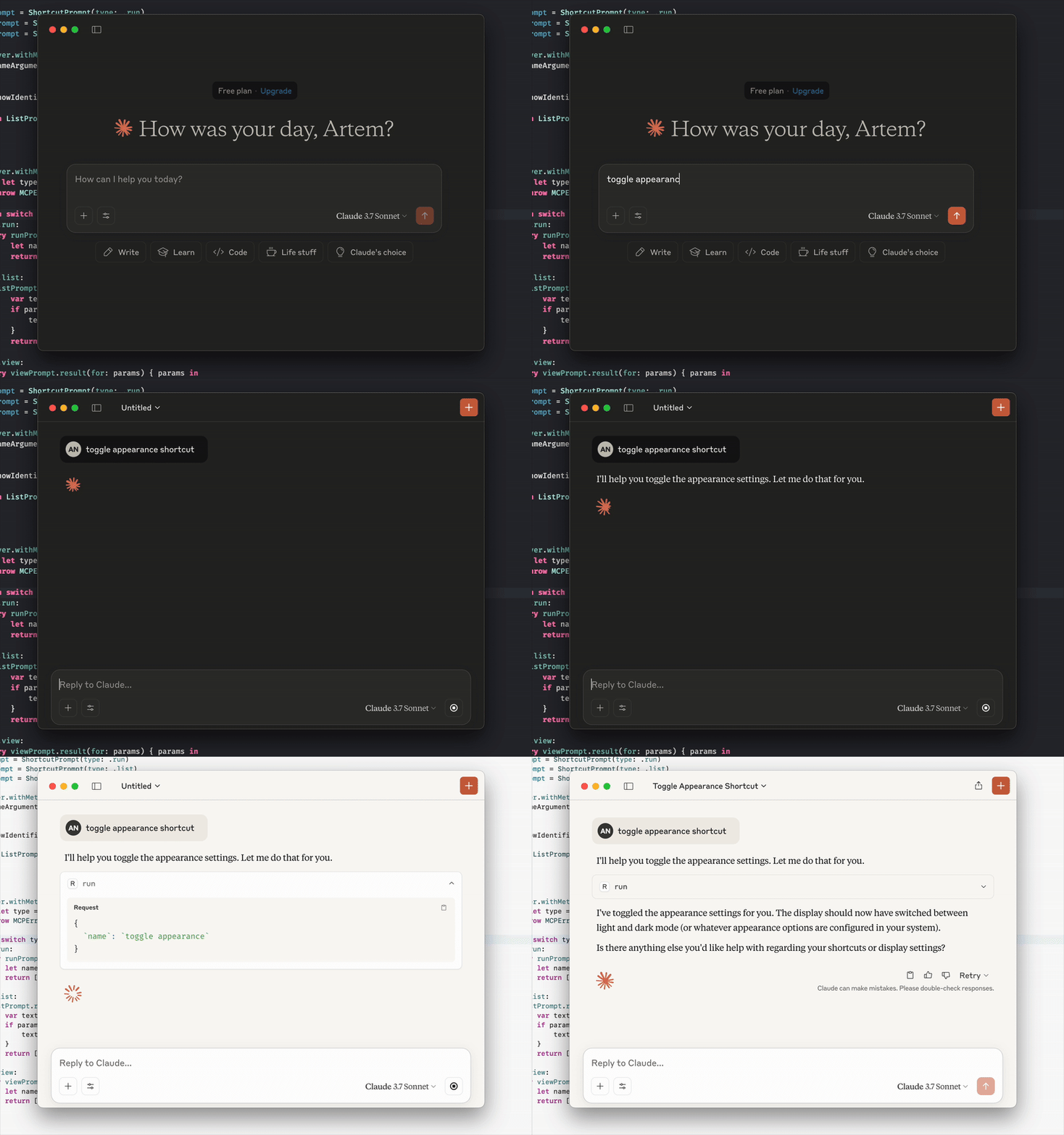
LLM에 바로가기를 실행해 달라고 요청하거나, 추가된 바로가기 목록을 보여 달라고 요청하거나, 바로가기 앱에서 바로가기를 확인해 달라고 요청하기만 하면 됩니다.
MCP 클라이언트가 프롬프트와 리소스를 지원하는 경우 다음에서도 확인할 수 있습니다.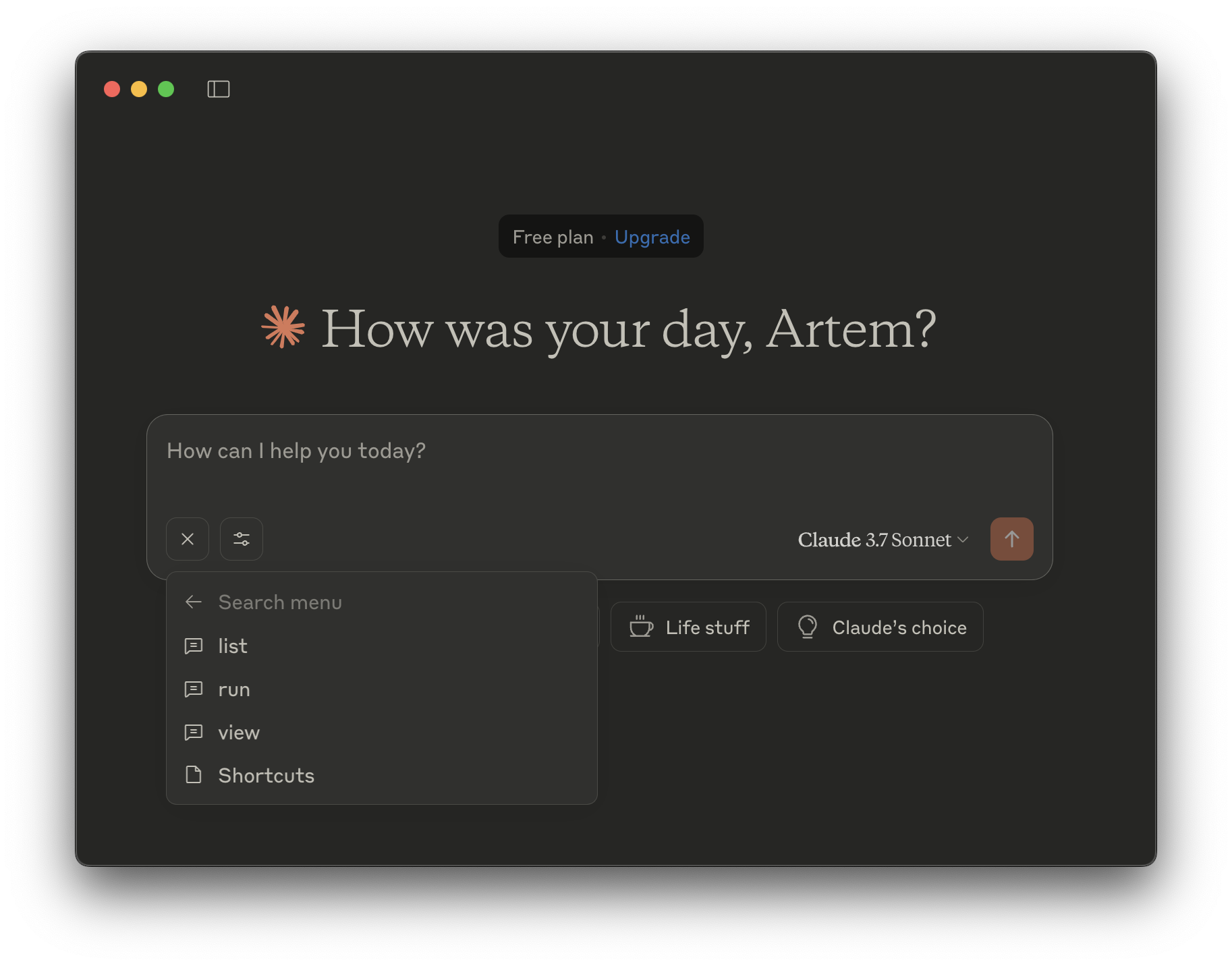
실행 - 바로가기를 실행합니다.
name - 실행할 바로가기의 이름(문자열, 필수)
목록 - 단축키를 나열합니다.
show-identifiers - 바로가기 식별자를 표시할지 여부입니다. (부울, 선택 사항)
보기 - 바로가기 앱에서 바로가기를 봅니다.
name - 볼 바로가기의 이름(문자열, 필수)
목록 - 단축키를 나열합니다.
실행 - 바로가기를 실행합니다.
name - 실행할 바로가기 이름(문자열, 필수)
목록 - 단축키를 나열합니다.
show-identifiers - 바로가기 식별자를 표시할지 여부입니다. (부울, 선택 사항)
보기 - 바로가기 앱에서 바로가기를 봅니다.
name - 볼 바로가기의 이름(문자열, 필수)
This server cannot be deployed