F
licenseNot graded
qualityC
maintenanceA versatile tool that converts Web API interfaces into MCP tools for AI assistants, allowing them to access various web services through simple configuration and API key management.
74


HTTP-4-MCP는 일반 HTTP 인터페이스를 MCP(모델 제어 프로토콜) 인터페이스로 마법처럼 변환해 주는 강력한 미들웨어 서버입니다. 간단한 설정만으로 HTTP API를 즉시 MCP 도구로 활용할 수 있습니다!
🔄 HTTP에서 MCP로 : HTTP API를 MCP 인터페이스로 한 번의 클릭으로 변환
📝 JSON 구성 : 간단하고 직관적인 구성
🌊 SSE 지원 : 실시간 데이터 스트리밍
🎨 시각적 구성 : API 구성을 위한 드래그 앤 드롭 인터페이스
🔥 핫 리로드 : 재시작 없이 즉시 구성 업데이트
📊 완벽한 모니터링 : 자세한 로깅 및 오류 추적
🛡️ 안전하고 안정적 : 내장된 오류 처리 및 매개변수 검증
Related MCP server: Any-API MCP Server
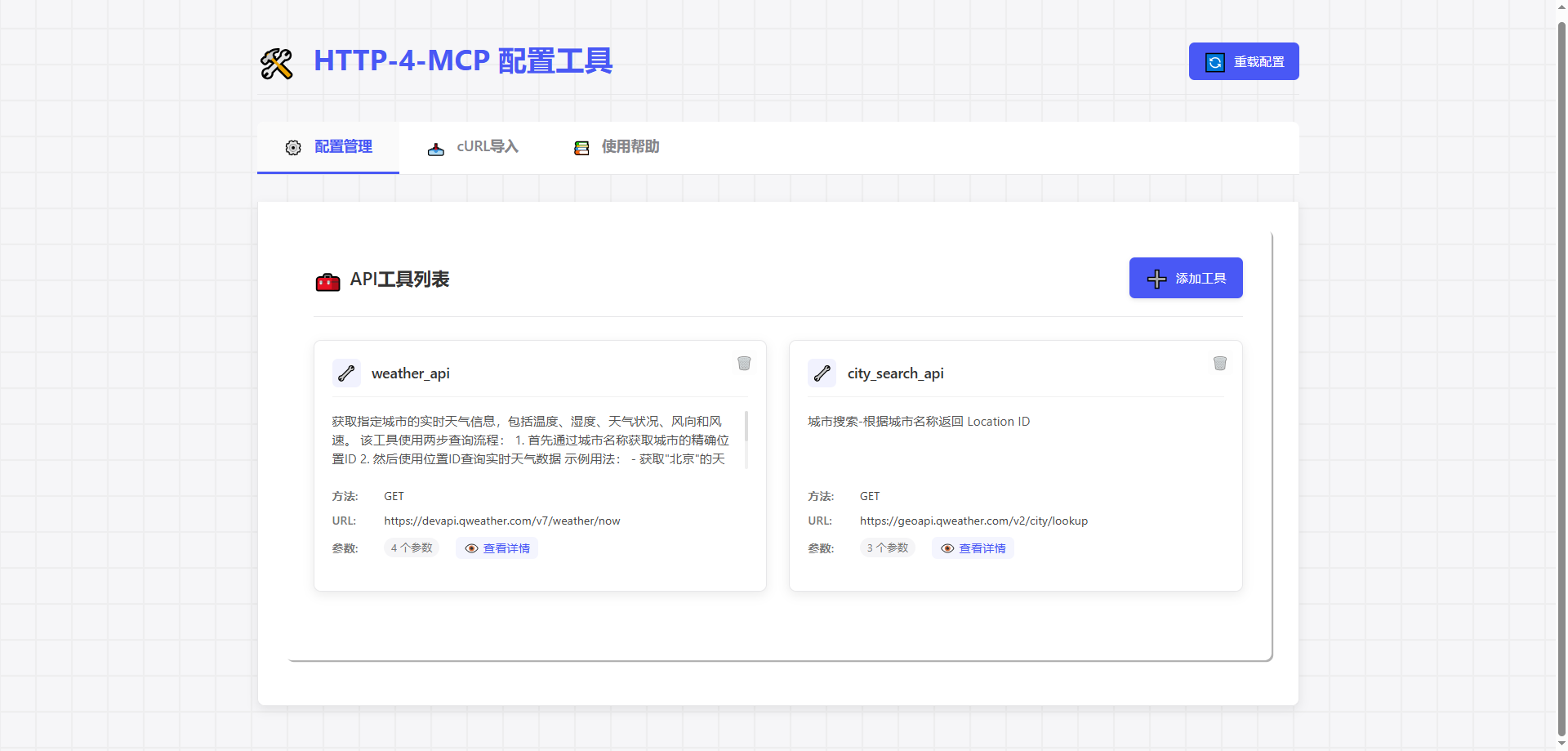
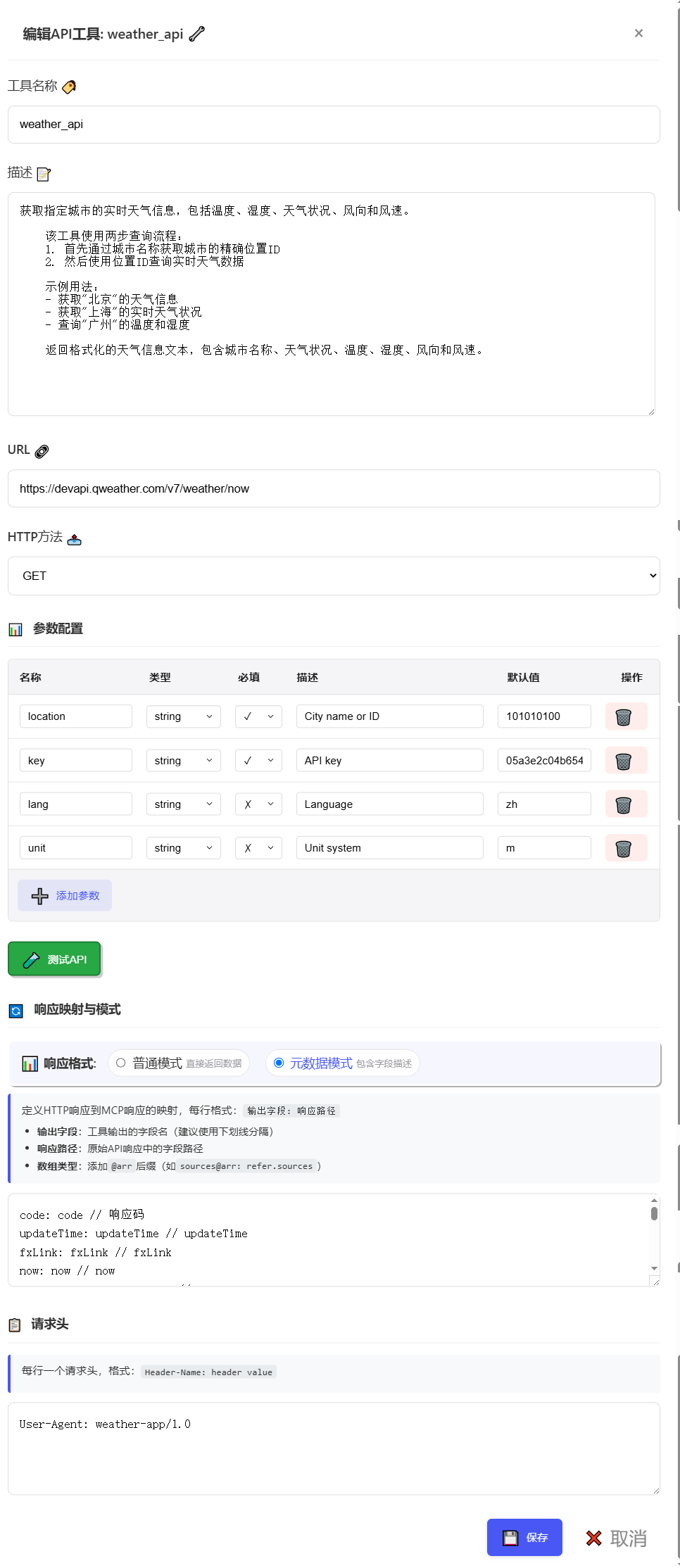
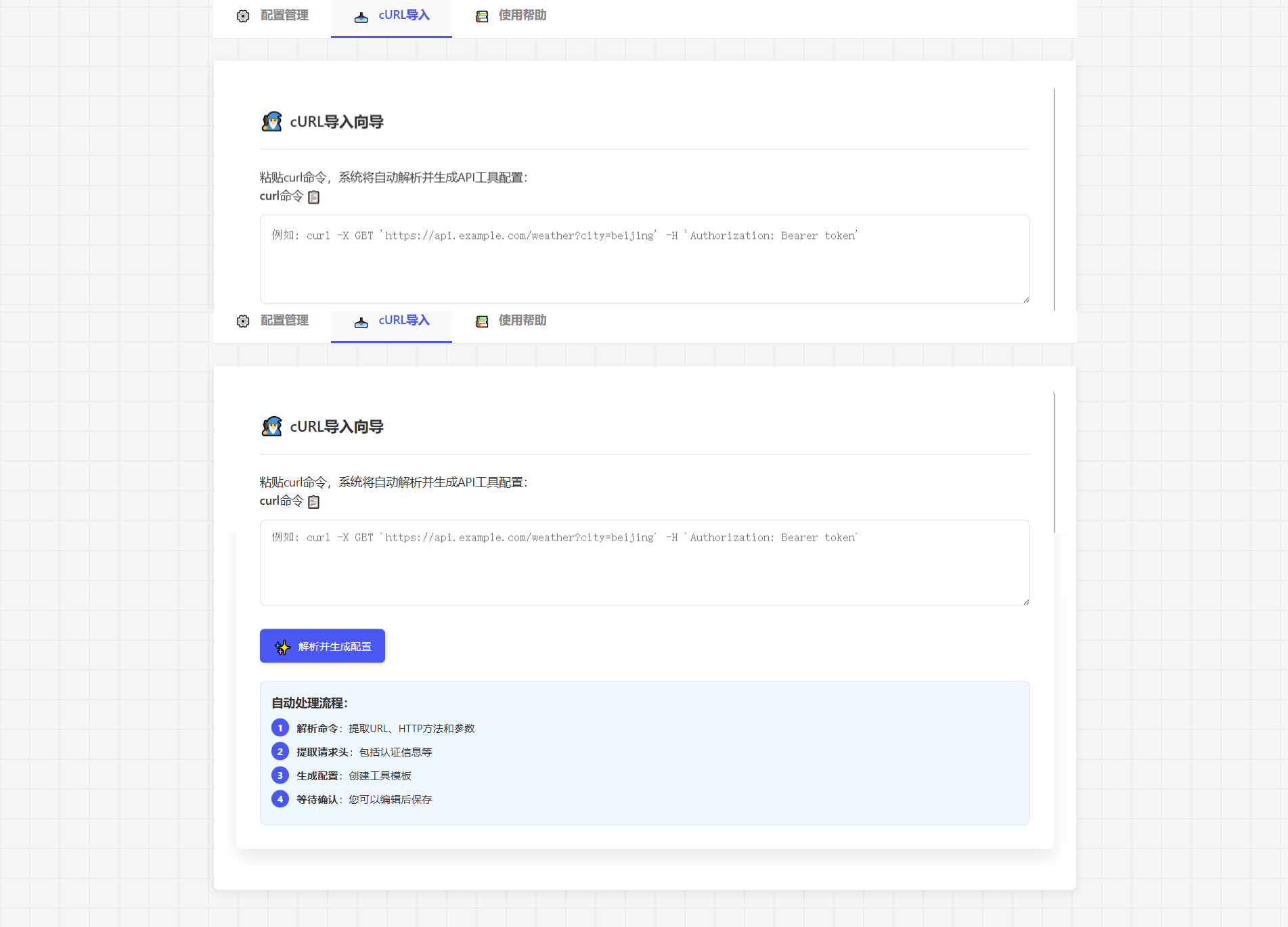
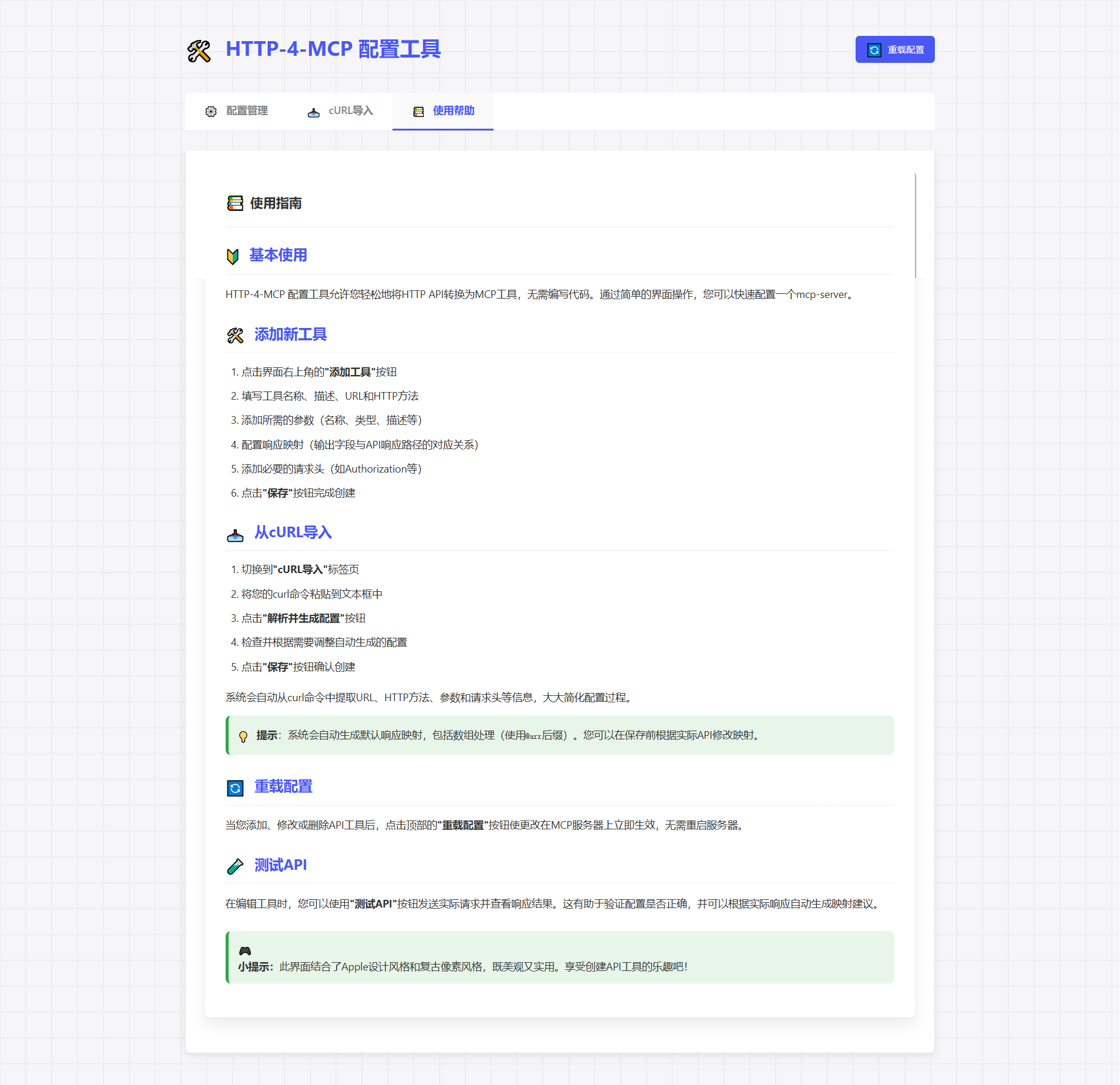
지엑스피1
# Activate virtual environment
.venv/Scripts/activate  # Windows
source .venv/bin/activate  # Linux/Mac

# Start main server
uv run run.py

# Start configuration UI (optional)
uv run run_config_ui.pyhttp://localhost:8002 방문하세요
"새 인터페이스 추가"를 클릭하세요
구성 매개변수를 입력하세요
저장하고 즉시 적용하세요!
{
  "tools": [
      {
          "name": "weather_api",
          "description": "Get real-time weather information for a specified city, including temperature, humidity, weather conditions, wind direction, and wind speed.\n    \n    This tool uses a two-step query process:\n    1. First, get the precise location ID through city name\n    2. Then, query real-time weather data using the location ID\n    \n    Example usage:\n    - Get weather information for \"Beijing\"\n    - Get real-time weather conditions for \"Shanghai\"\n    - Query temperature and humidity for \"Guangzhou\"\n    \n    Returns formatted weather information text, including city name, weather conditions, temperature, humidity, wind direction, and wind speed.",
          "url": "https://devapi.qweather.com/v7/weather/now",
          "method": "GET",
          "params": {
              "location": {
                  "type": "string",
                  "desc": "City name or ID",
                  "required": true,
                  "default": "101010100"
              },
              "key": {
                  "type": "string",
                  "desc": "API key",
                  "required": true,
                  "default": "05a3e2c04b65416e912088b76a7a487e"
              },
              "lang": {
                  "type": "string",
                  "desc": "Language",
                  "required": false,
                  "default": "zh"
              },
              "unit": {
                  "type": "string",
                  "desc": "Unit system",
                  "required": false,
                  "default": "m"
              }
          },
          "headers": {
              "User-Agent": "weather-app/1.0"
          },
          "response": {
              "code": {
                  "path": "code",
                  "desc": "Response status code"
              },
              "updateTime": {
                  "path": "updateTime",
                  "desc": "Data update time"
              },
              "fxLink": {
                  "path": "fxLink",
                  "desc": "Detailed weather information link"
              },
              "now": {
                  "path": "now",
                  "desc": "Real-time weather data object"
              },
              "now_obsTime": {
                  "path": "now.obsTime",
                  "desc": "Actual observation time"
              },
              "now_temp": {
                  "path": "now.temp",
                  "desc": "Current temperature (Celsius)"
              },
              "now_feelsLike": {
                  "path": "now.feelsLike",
                  "desc": "Feels like temperature (Celsius)"
              },
              "now_icon": {
                  "path": "now.icon",
                  "desc": "Weather icon code"
              },
              "now_text": {
                  "path": "now.text",
                  "desc": "Weather phenomenon text description"
              },
              "now_wind360": {
                  "path": "now.wind360",
                  "desc": "Wind direction 360-degree angle"
              },
              "now_windDir": {
                  "path": "now.windDir",
                  "desc": "Wind direction description"
              },
              "now_windScale": {
                  "path": "now.windScale",
                  "desc": "Wind scale"
              },
              "now_windSpeed": {
                  "path": "now.windSpeed",
                  "desc": "Wind speed (km/h)"
              },
              "now_humidity": {
                  "path": "now.humidity",
                  "desc": "Relative humidity percentage"
              },
              "now_precip": {
                  "path": "now.precip",
                  "desc": "Precipitation (mm)"
              },
              "now_pressure": {
                  "path": "now.pressure",
                  "desc": "Atmospheric pressure (hPa)"
              },
              "now_vis": {
                  "path": "now.vis",
                  "desc": "Visibility (km)"
              },
              "now_cloud": {
                  "path": "now.cloud",
                  "desc": "Cloud coverage percentage"
              },
              "now_dew": {
                  "path": "now.dew",
                  "desc": "Dew point temperature (Celsius)"
              }
          },
          "response_mode": "metadata"
      }
  ]
}# SSE connection URL
ws_url = "http://localhost:8000/mcp/sse"📦 http-for-mcp-server
┣ 📂 config/ # Configuration files
┣ 📂 demo/ # Example code
┣ 📂 static/ # Static resources
┣ 📜 mcp_server.py # Main server
┣ 📜 config_ui.py # Configuration UI
┣ 📜 run.py # Startup script
┗ 📜 requirements.txt # Dependencies구성 | 설명 | 기본 |
🌐 호스트 | 서버 주소 | "0.0.0.0" |
🔌 포트 | 서버 포트 | 8000 |
🐛 디버그 | 디버그 모드 | 거짓 |
📝 로그 레벨 | 로그 레벨 | "정보" |
cURL 명령을 직접 붙여넣으면 구성이 자동으로 생성됩니다.
curl -X GET 'https://api.example.com/weather?city=beijing'🎮 게임과 같은 구성 경험
🎯 드래그 앤 드롭 매개변수 설정
📊 실시간 요청 테스트
🔄 구성을 자동으로 생성합니다
🍴 이 저장소를 포크하세요
🔧 기능 브랜치 생성
📝 변경 사항 제출
🚀 브랜치 푸시
📬 풀 리퀘스트 제출
📧 문제 제출
💬 토론 그룹에 참여하세요
📚 위키 보기
이 프로젝트는 MIT 라이선스를 사용합니다. 라이선스 파일을 참조하세요.
This server cannot be installed
Unclaimed servers have limited discoverability.
If you are the server author, to access and configure the admin panel.
MCP server for Hailuo (MiniMax) AI video generation
MCP server exposing the AceDataCloud Fish Audio API (text-to-speech with voice conditioning)
MCP server for Wan AI video generation
We provide all the information about MCP servers via our MCP API.
curl -X GET 'https://glama.ai/api/mcp/v1/servers/Tght1211/http-4-mcp'
If you have feedback or need assistance with the MCP directory API, please join our Discord server