F
licenseNot graded
qualityC
maintenanceA versatile tool that converts Web API interfaces into MCP tools for AI assistants, allowing them to access various web services through simple configuration and API key management.
76
-


HTTP-4-MCP es un potente servidor middleware que transforma de forma mágica las interfaces HTTP estándar en interfaces MCP (Protocolo de Control de Modelos). Con una configuración sencilla, su API HTTP se convierte al instante en una herramienta MCP.
🔄 HTTP a MCP : Conversión con un solo clic de API HTTP a interfaces MCP
📝 Configuración JSON : Configuración sencilla e intuitiva
🌊 Compatibilidad con SSE : transmisión de datos en tiempo real
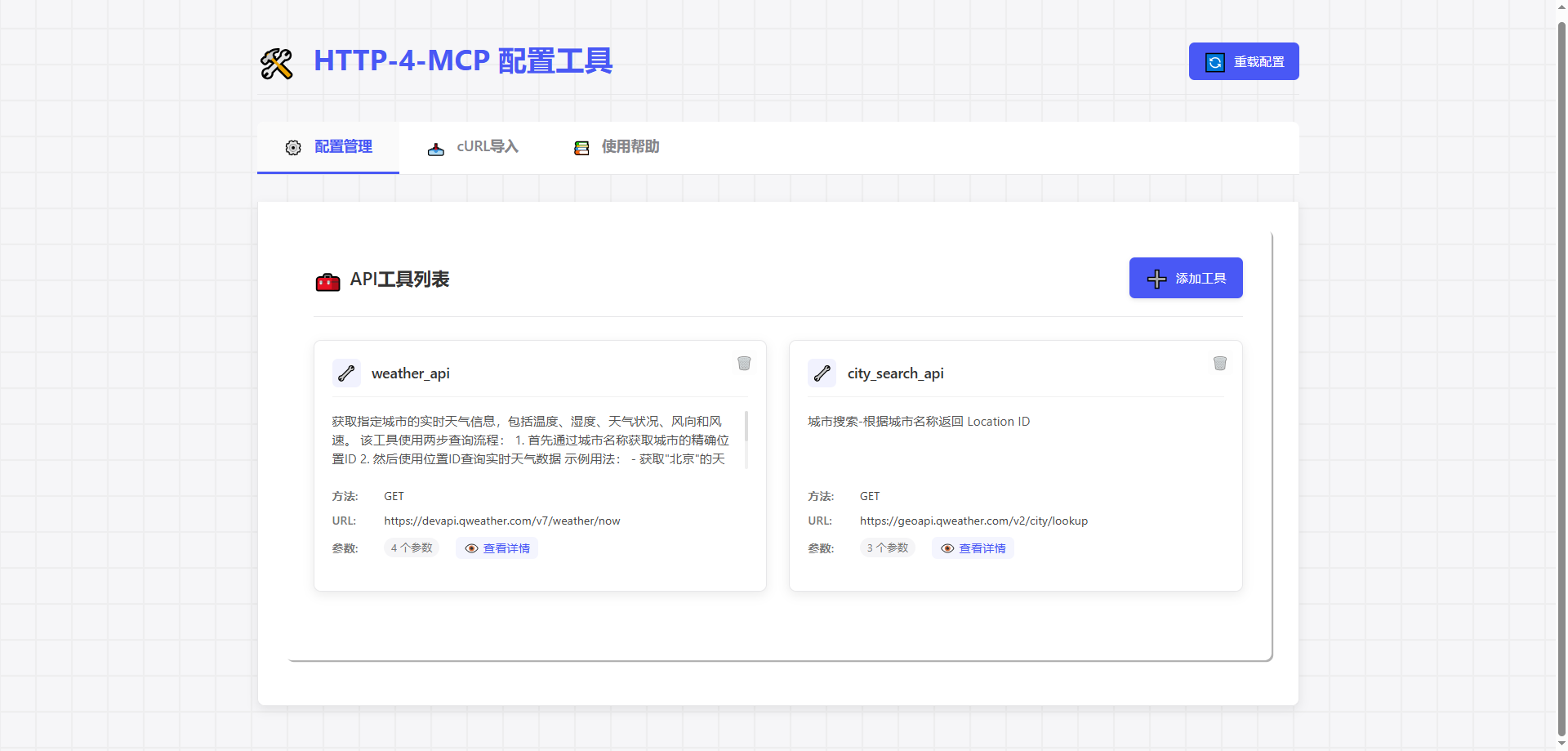
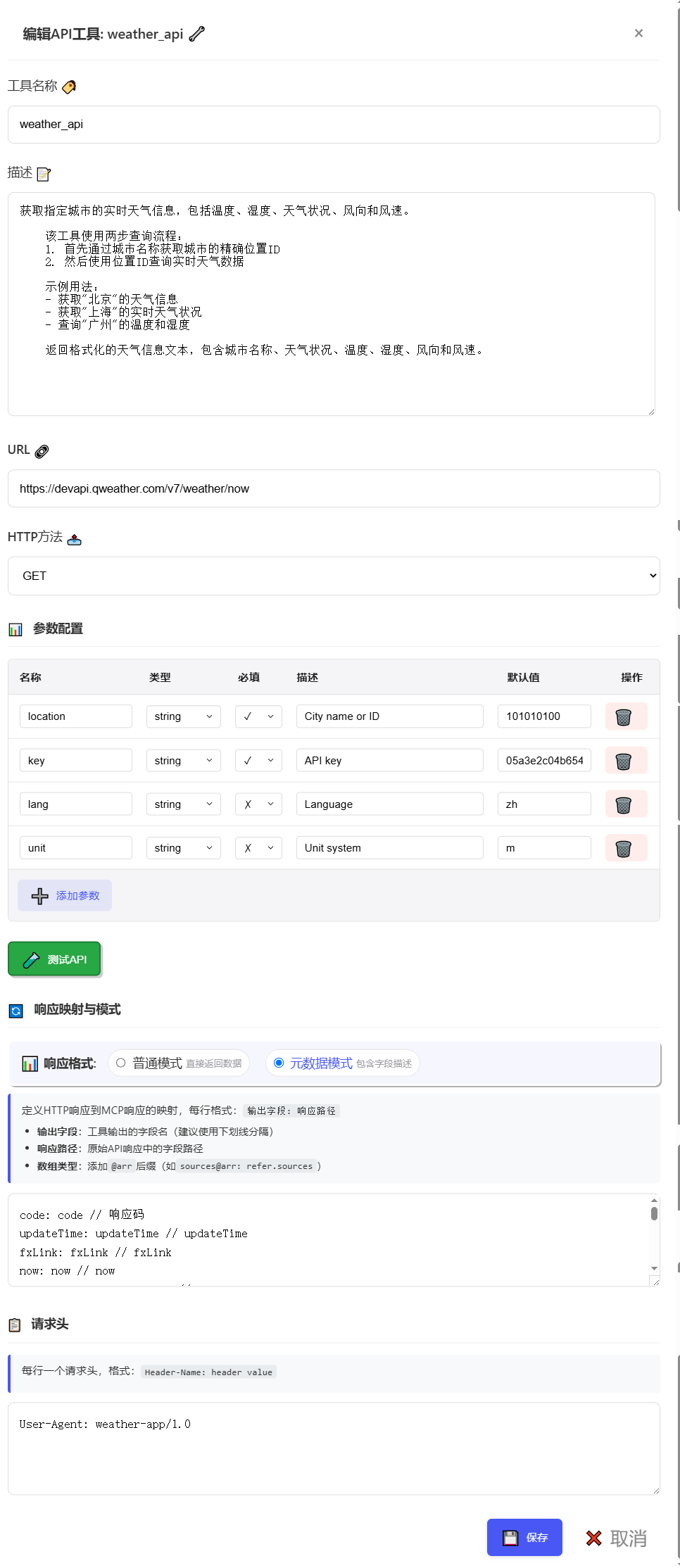
🎨 Configuración visual : Interfaz de arrastrar y soltar para la configuración de la API
🔥 Hot Reload : Actualizaciones de configuración instantáneas sin reiniciar
📊 Monitoreo completo : registro detallado y seguimiento de errores
🛡️ Seguro y confiable : manejo de errores integrado y validación de parámetros
Related MCP server: Any-API MCP Server
# Clone repository
git clone https://gitee.com/tght1211/http-for-mcp-server.git
# or git clone https://github.com/tght1211/http-for-mcp-server.git

cd http-for-mcp-server

# Install dependencies (recommended using uv package manager)
uv venv
uv pip install -r requirements.txt# Activate virtual environment
.venv/Scripts/activate # Windows
source .venv/bin/activate # Linux/Mac
# Start main server
uv run run.py
# Start configuration UI (optional)
uv run run_config_ui.pyVisita http://localhost:8002
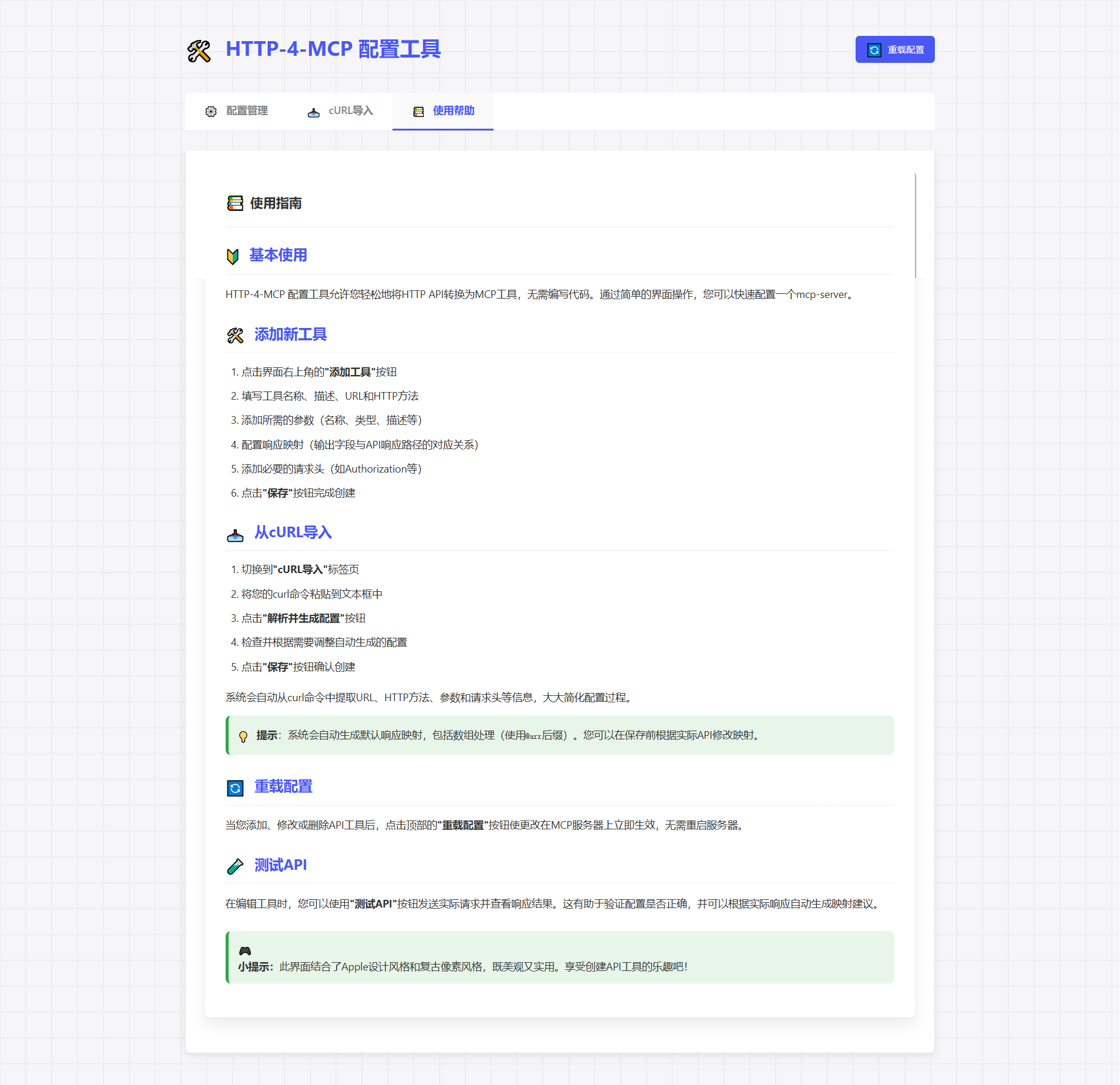
Haga clic en "Agregar nueva interfaz"
Complete los parámetros de configuración
¡Ahorra y aplica instantáneamente!
{
  "tools": [
      {
          "name": "weather_api",
          "description": "Get real-time weather information for a specified city, including temperature, humidity, weather conditions, wind direction, and wind speed.\n    \n    This tool uses a two-step query process:\n    1. First, get the precise location ID through city name\n    2. Then, query real-time weather data using the location ID\n    \n    Example usage:\n    - Get weather information for \"Beijing\"\n    - Get real-time weather conditions for \"Shanghai\"\n    - Query temperature and humidity for \"Guangzhou\"\n    \n    Returns formatted weather information text, including city name, weather conditions, temperature, humidity, wind direction, and wind speed.",
          "url": "https://devapi.qweather.com/v7/weather/now",
          "method": "GET",
          "params": {
              "location": {
                  "type": "string",
                  "desc": "City name or ID",
                  "required": true,
                  "default": "101010100"
              },
              "key": {
                  "type": "string",
                  "desc": "API key",
                  "required": true,
                  "default": "05a3e2c04b65416e912088b76a7a487e"
              },
              "lang": {
                  "type": "string",
                  "desc": "Language",
                  "required": false,
                  "default": "zh"
              },
              "unit": {
                  "type": "string",
                  "desc": "Unit system",
                  "required": false,
                  "default": "m"
              }
          },
          "headers": {
              "User-Agent": "weather-app/1.0"
          },
          "response": {
              "code": {
                  "path": "code",
                  "desc": "Response status code"
              },
              "updateTime": {
                  "path": "updateTime",
                  "desc": "Data update time"
              },
              "fxLink": {
                  "path": "fxLink",
                  "desc": "Detailed weather information link"
              },
              "now": {
                  "path": "now",
                  "desc": "Real-time weather data object"
              },
              "now_obsTime": {
                  "path": "now.obsTime",
                  "desc": "Actual observation time"
              },
              "now_temp": {
                  "path": "now.temp",
                  "desc": "Current temperature (Celsius)"
              },
              "now_feelsLike": {
                  "path": "now.feelsLike",
                  "desc": "Feels like temperature (Celsius)"
              },
              "now_icon": {
                  "path": "now.icon",
                  "desc": "Weather icon code"
              },
              "now_text": {
                  "path": "now.text",
                  "desc": "Weather phenomenon text description"
              },
              "now_wind360": {
                  "path": "now.wind360",
                  "desc": "Wind direction 360-degree angle"
              },
              "now_windDir": {
                  "path": "now.windDir",
                  "desc": "Wind direction description"
              },
              "now_windScale": {
                  "path": "now.windScale",
                  "desc": "Wind scale"
              },
              "now_windSpeed": {
                  "path": "now.windSpeed",
                  "desc": "Wind speed (km/h)"
              },
              "now_humidity": {
                  "path": "now.humidity",
                  "desc": "Relative humidity percentage"
              },
              "now_precip": {
                  "path": "now.precip",
                  "desc": "Precipitation (mm)"
              },
              "now_pressure": {
                  "path": "now.pressure",
                  "desc": "Atmospheric pressure (hPa)"
              },
              "now_vis": {
                  "path": "now.vis",
                  "desc": "Visibility (km)"
              },
              "now_cloud": {
                  "path": "now.cloud",
                  "desc": "Cloud coverage percentage"
              },
              "now_dew": {
                  "path": "now.dew",
                  "desc": "Dew point temperature (Celsius)"
              }
          },
          "response_mode": "metadata"
      }
  ]
}# SSE connection URL
ws_url = "http://localhost:8000/mcp/sse"📦 http-for-mcp-server
┣ 📂 config/ # Configuration files
┣ 📂 demo/ # Example code
┣ 📂 static/ # Static resources
┣ 📜 mcp_server.py # Main server
┣ 📜 config_ui.py # Configuration UI
┣ 📜 run.py # Startup script
┗ 📜 requirements.txt # DependenciesConfiguración | Descripción | Por defecto |
🌐 anfitrión | Dirección del servidor | "0.0.0.0" |
🔌 puerto | Puerto del servidor | 8000 |
🐛 depuración | Modo de depuración | FALSO |
📝 nivel de registro | Nivel de registro | "información" |
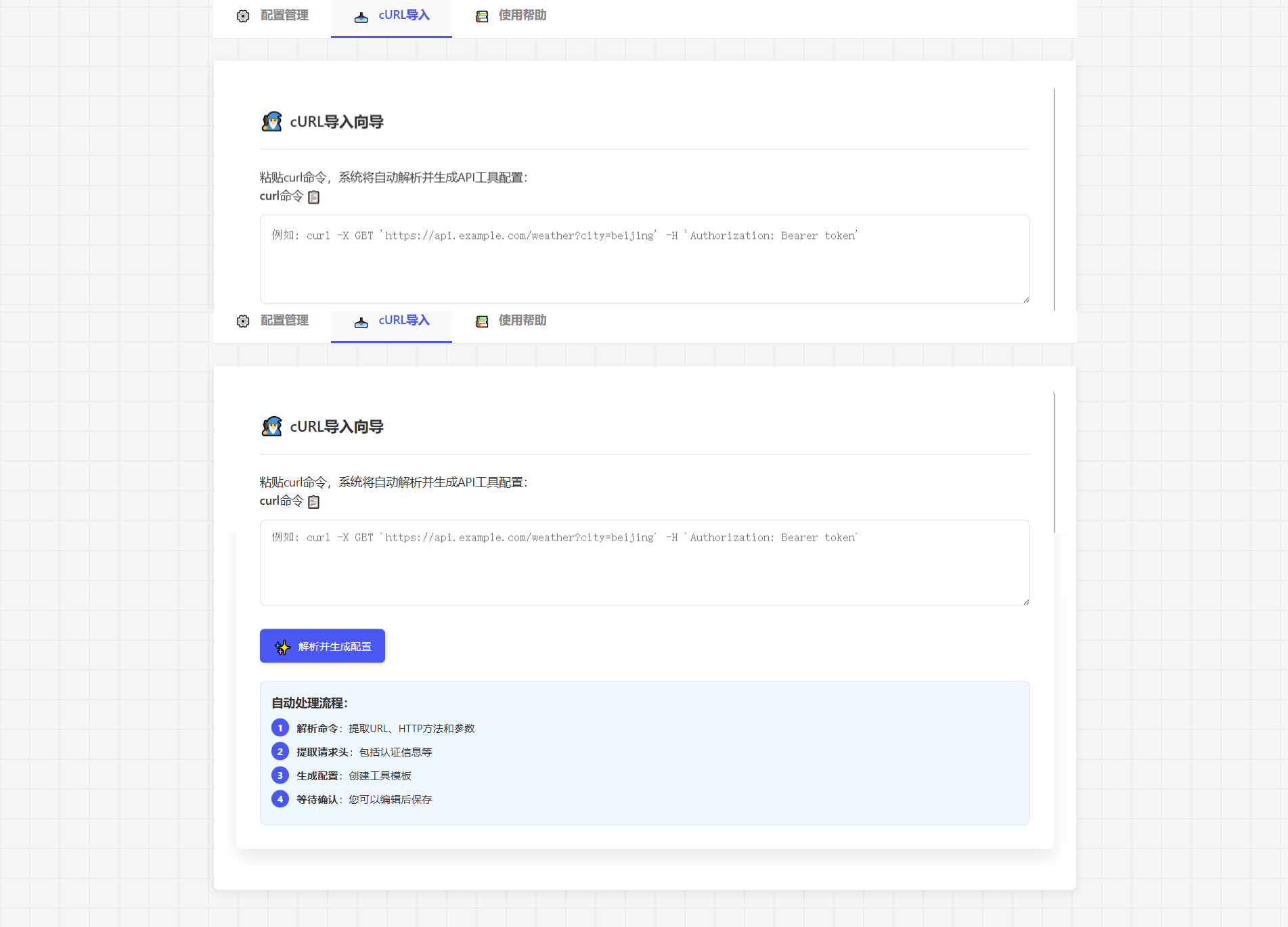
Pegue el comando cURL directamente, generando automáticamente la configuración:
curl -X GET 'https://api.example.com/weather?city=beijing'🎮 Experiencia de configuración similar a la de un juego
🎯 Configuración de parámetros mediante arrastrar y soltar
📊 Prueba de solicitud en tiempo real
🔄 Generar configuración automáticamente
🍴 Bifurcar este repositorio
🔧 Crear rama de funciones
📝 Enviar cambios
🚀 Empujar rama
📬 Enviar solicitud de extracción
📧 Enviar problema
💬 Únete al grupo de discusión
📚 Ver Wiki
Este proyecto utiliza la licencia MIT - ver archivo LICENCIA
This server cannot be deployed
Host any HTTP API as a standard MCP server; auto-distribute to 12+ mainstream agent platforms.
Build your own tools from chat: design, test and host them on a shareable MCP server URL.
An MCP server that provides asset auto generator