F
licenseNot graded
qualityC
maintenanceA versatile tool that converts Web API interfaces into MCP tools for AI assistants, allowing them to access various web services through simple configuration and API key management.
75
-

Supports importing cURL commands to automatically generate API configurations, allowing users to easily convert existing HTTP requests into MCP tools.
Enables access to the project repository on Gitee, offering an alternative source for cloning and accessing the HTTP-4-MCP server codebase.
Provides integration with GitHub repositories for cloning and accessing the HTTP-4-MCP server codebase.
Built on Python 3.8+, enabling Python-based setup and execution of the HTTP-4-MCP middleware server.
Click on "Deploy Server".
Wait a few minutes for the server to deploy. Once ready, it will show a "Started" state.
In the chat, type @ followed by the MCP server name and your instructions, e.g., "@http-4-mcp configure a weather API endpoint for city forecasts"
That's it! The server will respond to your query, and you can continue using it as needed.
Here is a step-by-step guide with screenshots.


HTTP-4-MCP is a powerful middleware server that magically transforms regular HTTP interfaces into MCP (Model Control Protocol) interfaces. With simple configuration, your HTTP API becomes an MCP tool instantly!
🔄 HTTP to MCP: One-click conversion of HTTP APIs to MCP interfaces
📝 JSON Configuration: Simple and intuitive configuration
🌊 SSE Support: Real-time data streaming
🎨 Visual Configuration: Drag-and-drop interface for API configuration
🔥 Hot Reload: Instant configuration updates without restart
📊 Complete Monitoring: Detailed logging and error tracking
🛡️ Secure & Reliable: Built-in error handling and parameter validation
Related MCP server: Any-API MCP Server
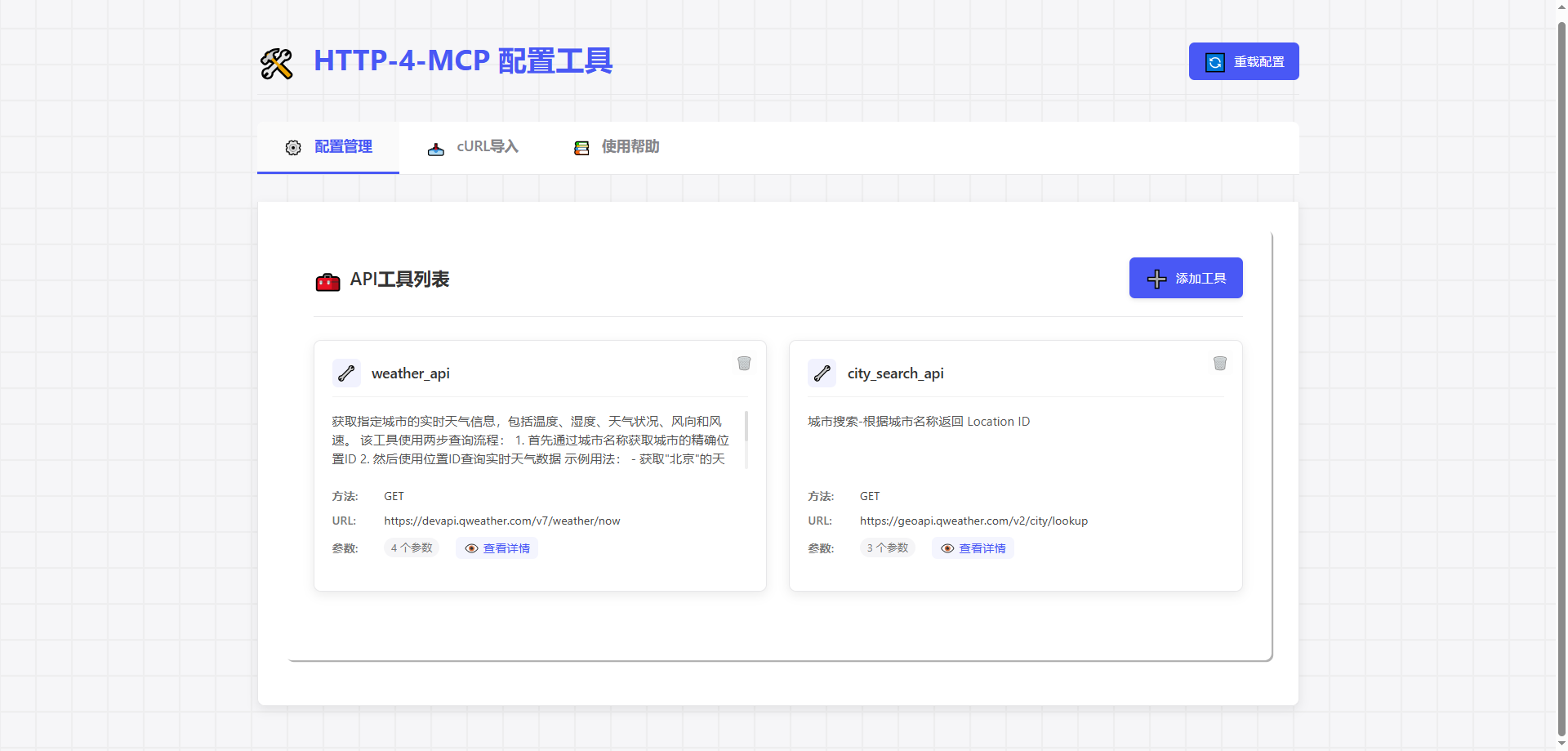
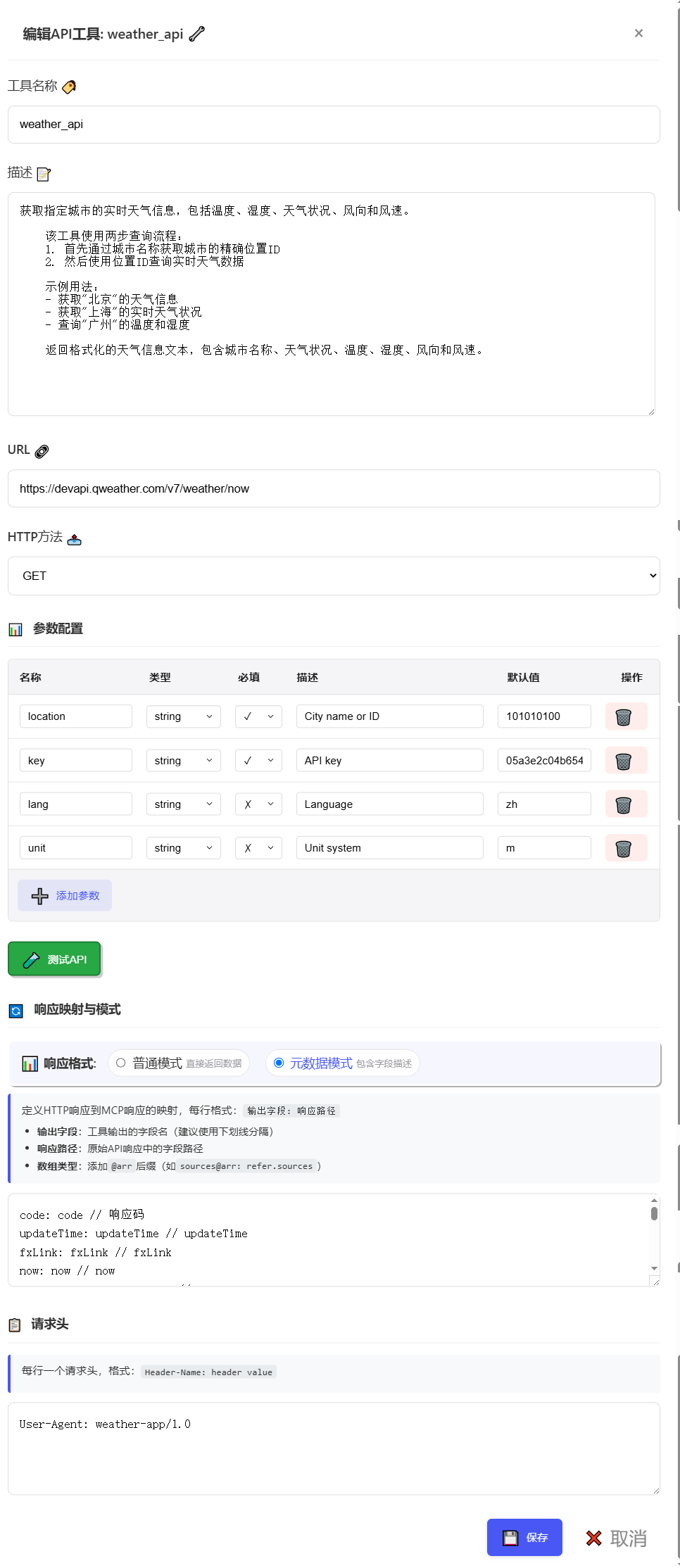
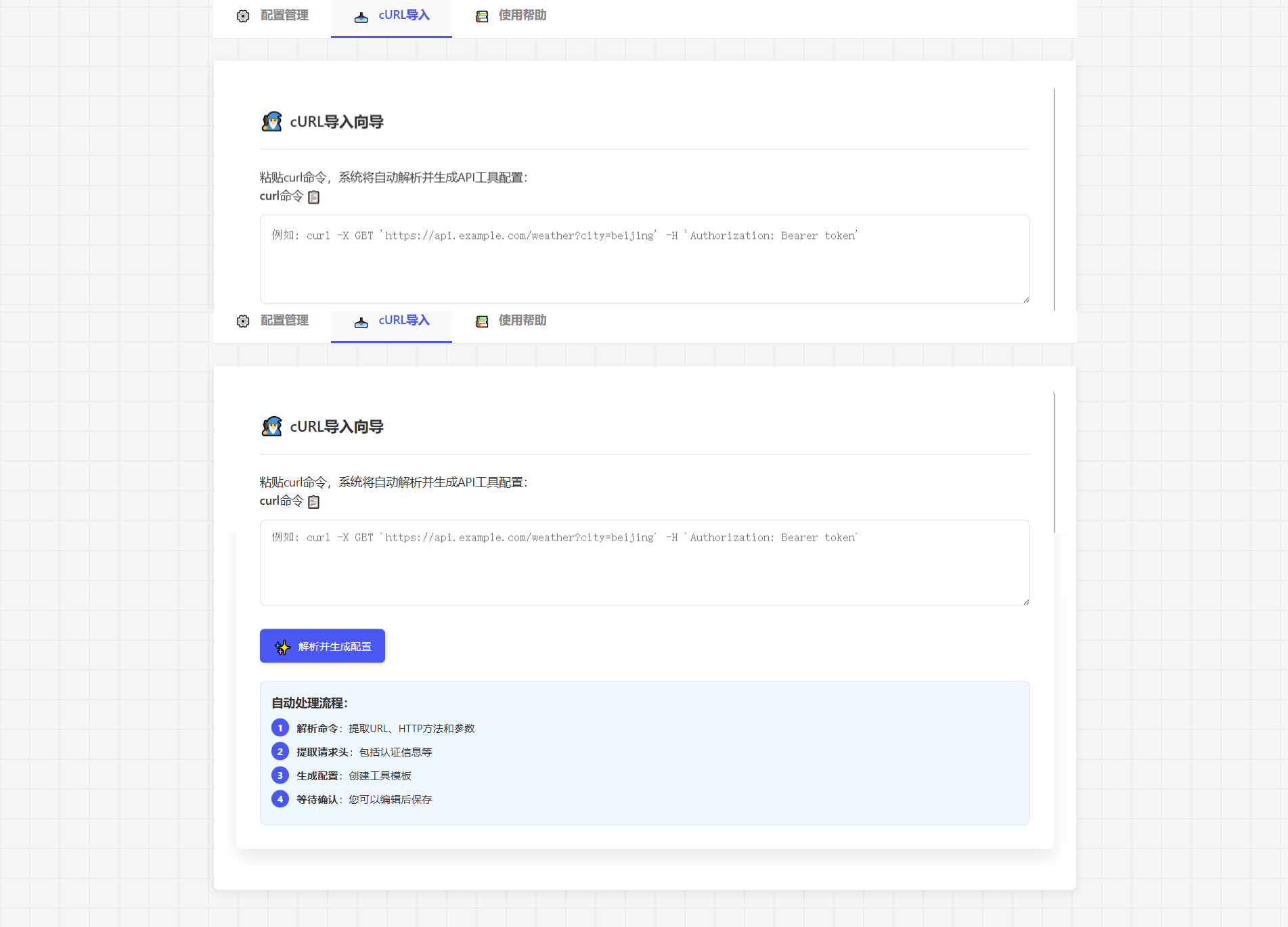
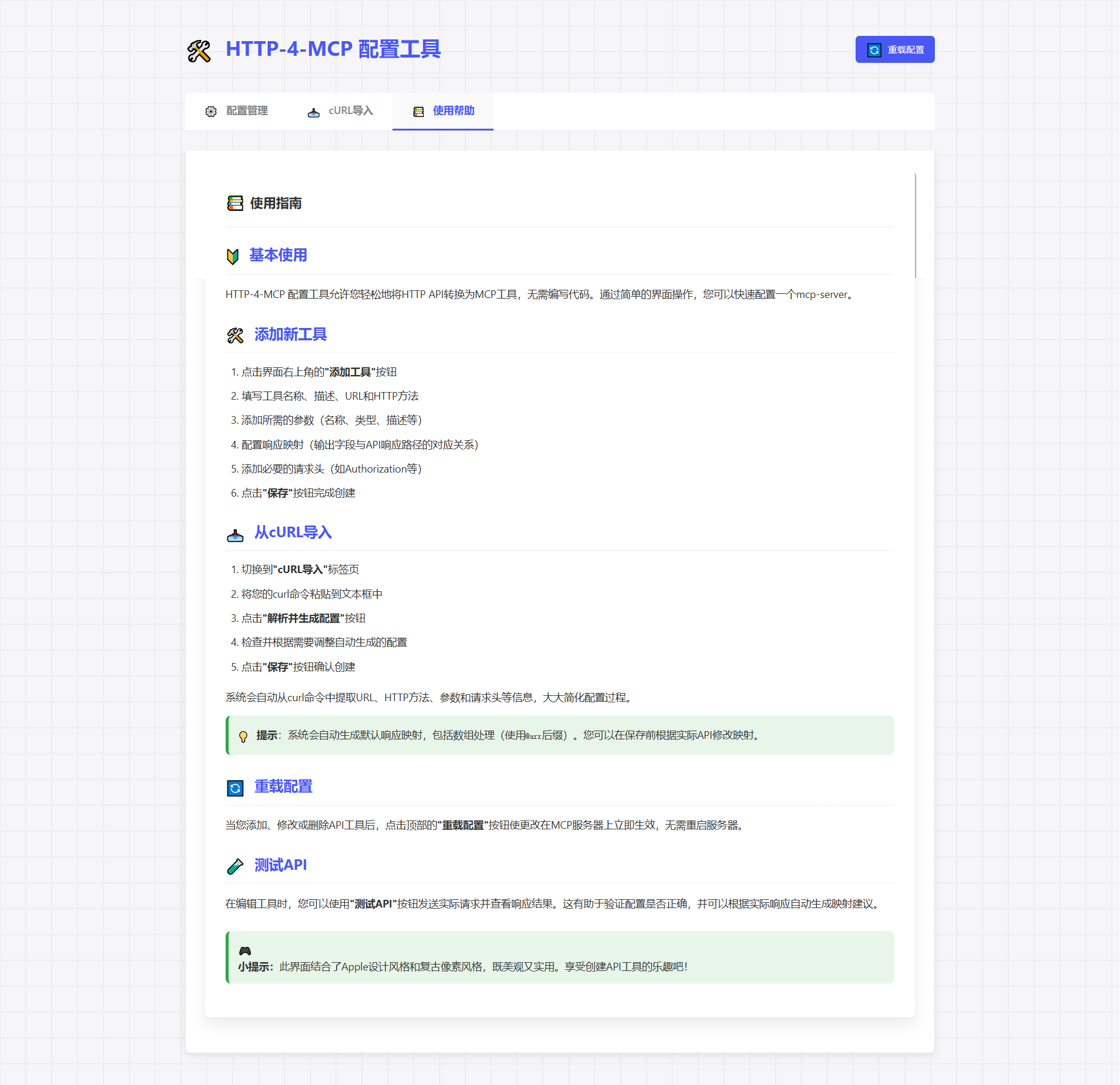
# Clone repository
git clone https://gitee.com/tght1211/http-for-mcp-server.git
# or git clone https://github.com/tght1211/http-for-mcp-server.git

cd http-for-mcp-server

# Install dependencies (recommended using uv package manager)
uv venv
uv pip install -r requirements.txt# Activate virtual environment
.venv/Scripts/activate # Windows
source .venv/bin/activate # Linux/Mac
# Start main server
uv run run.py
# Start configuration UI (optional)
uv run run_config_ui.pyVisit http://localhost:8002
Click "Add New Interface"
Fill in configuration parameters
Save and apply instantly!
{
  "tools": [
      {
          "name": "weather_api",
          "description": "Get real-time weather information for a specified city, including temperature, humidity, weather conditions, wind direction, and wind speed.\n    \n    This tool uses a two-step query process:\n    1. First, get the precise location ID through city name\n    2. Then, query real-time weather data using the location ID\n    \n    Example usage:\n    - Get weather information for \"Beijing\"\n    - Get real-time weather conditions for \"Shanghai\"\n    - Query temperature and humidity for \"Guangzhou\"\n    \n    Returns formatted weather information text, including city name, weather conditions, temperature, humidity, wind direction, and wind speed.",
          "url": "https://devapi.qweather.com/v7/weather/now",
          "method": "GET",
          "params": {
              "location": {
                  "type": "string",
                  "desc": "City name or ID",
                  "required": true,
                  "default": "101010100"
              },
              "key": {
                  "type": "string",
                  "desc": "API key",
                  "required": true,
                  "default": "05a3e2c04b65416e912088b76a7a487e"
              },
              "lang": {
                  "type": "string",
                  "desc": "Language",
                  "required": false,
                  "default": "zh"
              },
              "unit": {
                  "type": "string",
                  "desc": "Unit system",
                  "required": false,
                  "default": "m"
              }
          },
          "headers": {
              "User-Agent": "weather-app/1.0"
          },
          "response": {
              "code": {
                  "path": "code",
                  "desc": "Response status code"
              },
              "updateTime": {
                  "path": "updateTime",
                  "desc": "Data update time"
              },
              "fxLink": {
                  "path": "fxLink",
                  "desc": "Detailed weather information link"
              },
              "now": {
                  "path": "now",
                  "desc": "Real-time weather data object"
              },
              "now_obsTime": {
                  "path": "now.obsTime",
                  "desc": "Actual observation time"
              },
              "now_temp": {
                  "path": "now.temp",
                  "desc": "Current temperature (Celsius)"
              },
              "now_feelsLike": {
                  "path": "now.feelsLike",
                  "desc": "Feels like temperature (Celsius)"
              },
              "now_icon": {
                  "path": "now.icon",
                  "desc": "Weather icon code"
              },
              "now_text": {
                  "path": "now.text",
                  "desc": "Weather phenomenon text description"
              },
              "now_wind360": {
                  "path": "now.wind360",
                  "desc": "Wind direction 360-degree angle"
              },
              "now_windDir": {
                  "path": "now.windDir",
                  "desc": "Wind direction description"
              },
              "now_windScale": {
                  "path": "now.windScale",
                  "desc": "Wind scale"
              },
              "now_windSpeed": {
                  "path": "now.windSpeed",
                  "desc": "Wind speed (km/h)"
              },
              "now_humidity": {
                  "path": "now.humidity",
                  "desc": "Relative humidity percentage"
              },
              "now_precip": {
                  "path": "now.precip",
                  "desc": "Precipitation (mm)"
              },
              "now_pressure": {
                  "path": "now.pressure",
                  "desc": "Atmospheric pressure (hPa)"
              },
              "now_vis": {
                  "path": "now.vis",
                  "desc": "Visibility (km)"
              },
              "now_cloud": {
                  "path": "now.cloud",
                  "desc": "Cloud coverage percentage"
              },
              "now_dew": {
                  "path": "now.dew",
                  "desc": "Dew point temperature (Celsius)"
              }
          },
          "response_mode": "metadata"
      }
  ]
}# SSE connection URL
ws_url = "http://localhost:8000/mcp/sse"📦 http-for-mcp-server
┣ 📂 config/ # Configuration files
┣ 📂 demo/ # Example code
┣ 📂 static/ # Static resources
┣ 📜 mcp_server.py # Main server
┣ 📜 config_ui.py # Configuration UI
┣ 📜 run.py # Startup script
┗ 📜 requirements.txt # DependenciesConfiguration | Description | Default |
🌐 host | Server address | "0.0.0.0" |
🔌 port | Server port | 8000 |
🐛 debug | Debug mode | false |
📝 log_level | Log level | "info" |
Paste cURL command directly, automatically generate configuration:
curl -X GET 'https://api.example.com/weather?city=beijing'🎮 Game-like configuration experience
🎯 Drag-and-drop parameter setting
📊 Real-time request test
🔄 Automatically generate configuration
🍴 Fork this repository
🔧 Create feature branch
📝 Submit changes
🚀 Push branch
📬 Submit Pull Request
📧 Submit Issue
💬 Join Discussion Group
📚 View Wiki
This project uses the MIT license - see LICENSE file
This server cannot be deployed
Build your own tools from chat: design, test and host them on a shareable MCP server URL.
MCP server for Hostinger API
An MCP server that provides asset auto generator