F
licenseNot graded
qualityC
maintenanceA versatile tool that converts Web API interfaces into MCP tools for AI assistants, allowing them to access various web services through simple configuration and API key management.
74


HTTP-4-MCPは、通常のHTTPインターフェースをMCP(モデル制御プロトコル)インターフェースに魔法のように変換する強力なミドルウェアサーバーです。簡単な設定で、HTTP APIを瞬時にMCPツールにすることができます。
🔄 HTTP to MCP : HTTP API を MCP インターフェースにワンクリックで変換
📝 JSON設定:シンプルで直感的な設定
🌊 SSEサポート:リアルタイムデータストリーミング
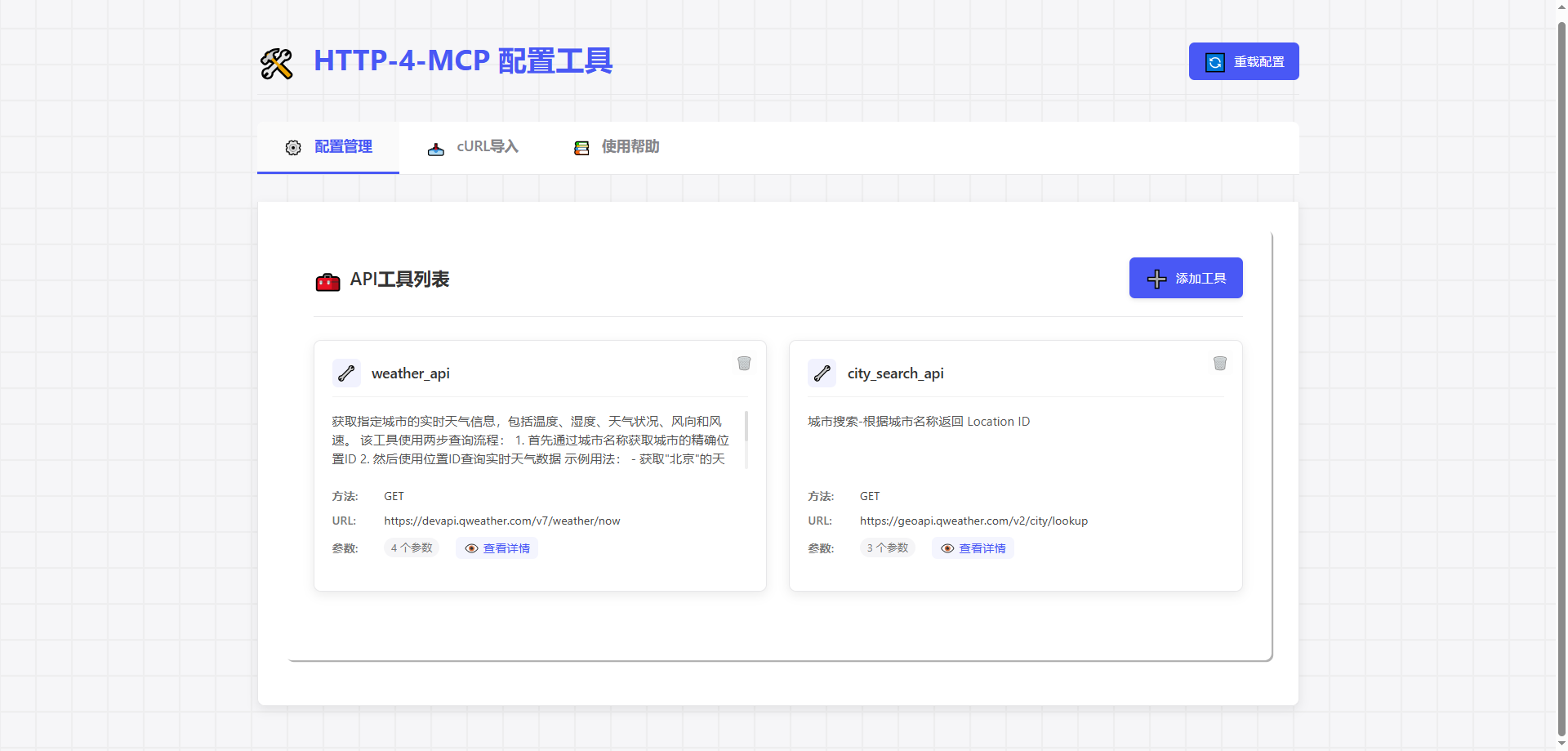
🎨ビジュアル構成: API 構成用のドラッグアンドドロップ インターフェース
🔥ホットリロード: 再起動なしで即座に構成を更新
📊完全な監視:詳細なログ記録とエラー追跡
🛡️安全で信頼性が高い: エラー処理とパラメータ検証が組み込まれています
Related MCP server: Any-API MCP Server
# Clone repository
git clone https://gitee.com/tght1211/http-for-mcp-server.git
# or git clone https://github.com/tght1211/http-for-mcp-server.git

cd http-for-mcp-server

# Install dependencies (recommended using uv package manager)
uv venv
uv pip install -r requirements.txt# Activate virtual environment
.venv/Scripts/activate # Windows
source .venv/bin/activate # Linux/Mac
# Start main server
uv run run.py
# Start configuration UI (optional)
uv run run_config_ui.pyhttp://localhost:8002にアクセスしてください
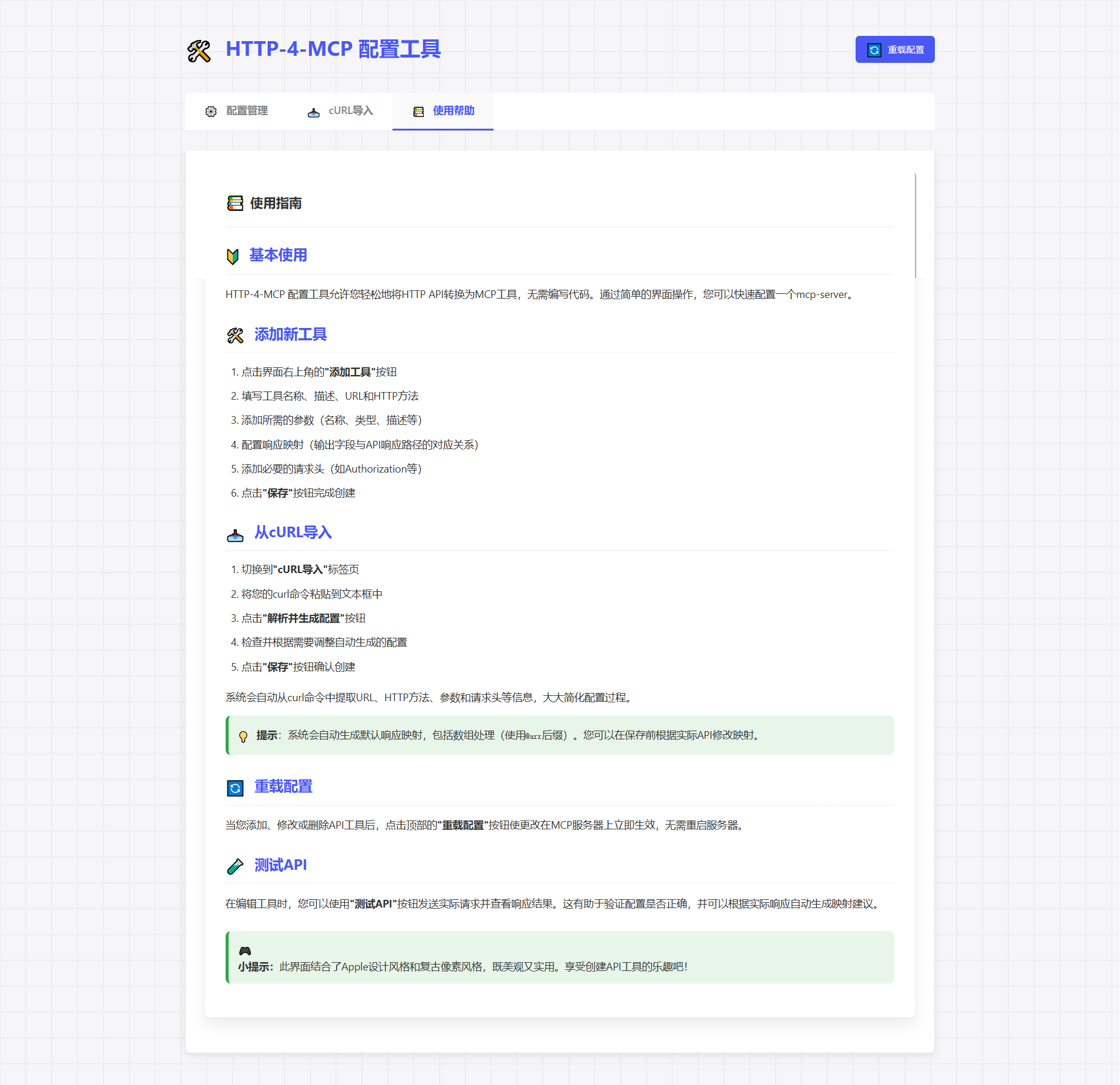
「新しいインターフェースを追加」をクリックします
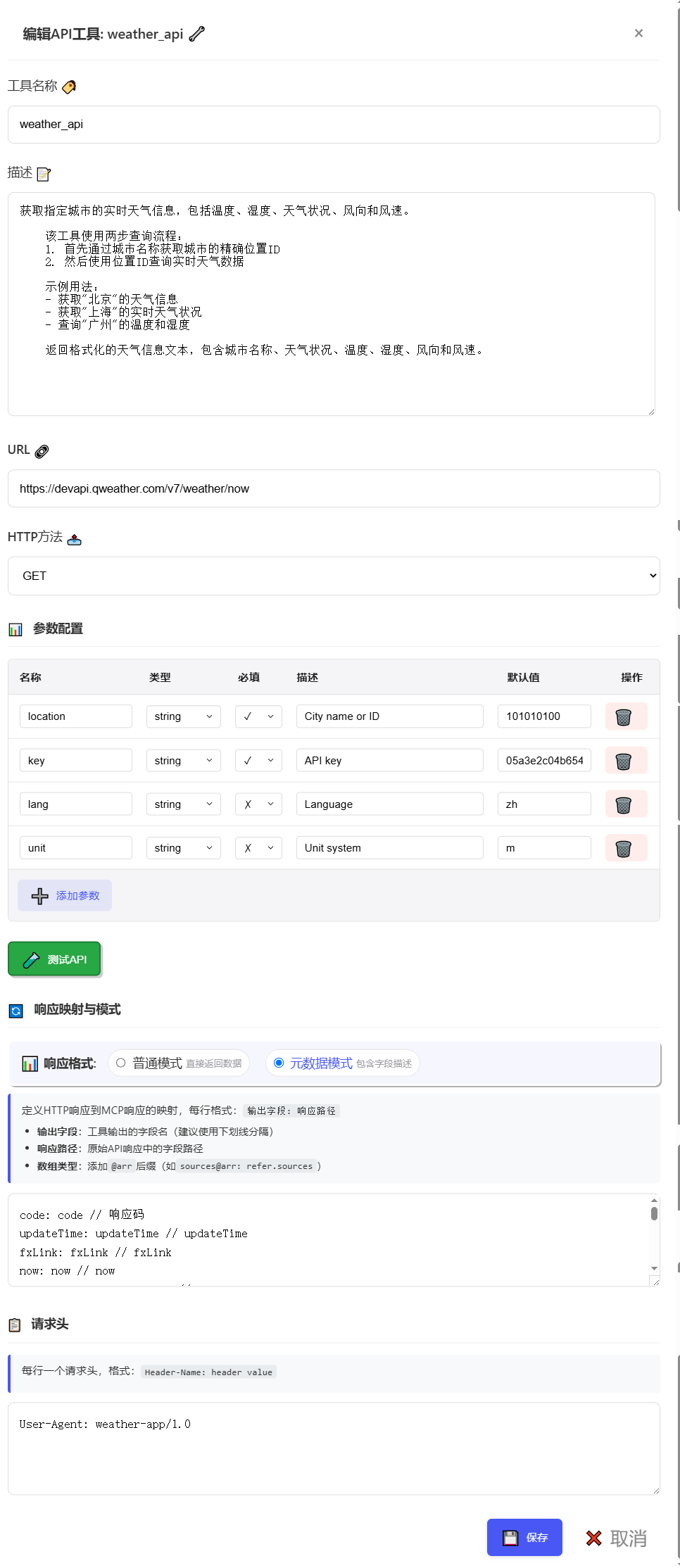
設定パラメータを入力する
保存してすぐに適用しましょう!
{
  "tools": [
      {
          "name": "weather_api",
          "description": "Get real-time weather information for a specified city, including temperature, humidity, weather conditions, wind direction, and wind speed.\n    \n    This tool uses a two-step query process:\n    1. First, get the precise location ID through city name\n    2. Then, query real-time weather data using the location ID\n    \n    Example usage:\n    - Get weather information for \"Beijing\"\n    - Get real-time weather conditions for \"Shanghai\"\n    - Query temperature and humidity for \"Guangzhou\"\n    \n    Returns formatted weather information text, including city name, weather conditions, temperature, humidity, wind direction, and wind speed.",
          "url": "https://devapi.qweather.com/v7/weather/now",
          "method": "GET",
          "params": {
              "location": {
                  "type": "string",
                  "desc": "City name or ID",
                  "required": true,
                  "default": "101010100"
              },
              "key": {
                  "type": "string",
                  "desc": "API key",
                  "required": true,
                  "default": "05a3e2c04b65416e912088b76a7a487e"
              },
              "lang": {
                  "type": "string",
                  "desc": "Language",
                  "required": false,
                  "default": "zh"
              },
              "unit": {
                  "type": "string",
                  "desc": "Unit system",
                  "required": false,
                  "default": "m"
              }
          },
          "headers": {
              "User-Agent": "weather-app/1.0"
          },
          "response": {
              "code": {
                  "path": "code",
                  "desc": "Response status code"
              },
              "updateTime": {
                  "path": "updateTime",
                  "desc": "Data update time"
              },
              "fxLink": {
                  "path": "fxLink",
                  "desc": "Detailed weather information link"
              },
              "now": {
                  "path": "now",
                  "desc": "Real-time weather data object"
              },
              "now_obsTime": {
                  "path": "now.obsTime",
                  "desc": "Actual observation time"
              },
              "now_temp": {
                  "path": "now.temp",
                  "desc": "Current temperature (Celsius)"
              },
              "now_feelsLike": {
                  "path": "now.feelsLike",
                  "desc": "Feels like temperature (Celsius)"
              },
              "now_icon": {
                  "path": "now.icon",
                  "desc": "Weather icon code"
              },
              "now_text": {
                  "path": "now.text",
                  "desc": "Weather phenomenon text description"
              },
              "now_wind360": {
                  "path": "now.wind360",
                  "desc": "Wind direction 360-degree angle"
              },
              "now_windDir": {
                  "path": "now.windDir",
                  "desc": "Wind direction description"
              },
              "now_windScale": {
                  "path": "now.windScale",
                  "desc": "Wind scale"
              },
              "now_windSpeed": {
                  "path": "now.windSpeed",
                  "desc": "Wind speed (km/h)"
              },
              "now_humidity": {
                  "path": "now.humidity",
                  "desc": "Relative humidity percentage"
              },
              "now_precip": {
                  "path": "now.precip",
                  "desc": "Precipitation (mm)"
              },
              "now_pressure": {
                  "path": "now.pressure",
                  "desc": "Atmospheric pressure (hPa)"
              },
              "now_vis": {
                  "path": "now.vis",
                  "desc": "Visibility (km)"
              },
              "now_cloud": {
                  "path": "now.cloud",
                  "desc": "Cloud coverage percentage"
              },
              "now_dew": {
                  "path": "now.dew",
                  "desc": "Dew point temperature (Celsius)"
              }
          },
          "response_mode": "metadata"
      }
  ]
}# SSE connection URL
ws_url = "http://localhost:8000/mcp/sse"📦 http-for-mcp-server
┣ 📂 config/ # Configuration files
┣ 📂 demo/ # Example code
┣ 📂 static/ # Static resources
┣ 📜 mcp_server.py # Main server
┣ 📜 config_ui.py # Configuration UI
┣ 📜 run.py # Startup script
┗ 📜 requirements.txt # Dependencies構成 | 説明 | デフォルト |
🌐 ホスト | サーバーアドレス | 「0.0.0.0」 |
🔌 ポート | サーバーポート | 8000 |
🐛 デバッグ | デバッグモード | 間違い |
📝 ログレベル | ログレベル | "情報" |
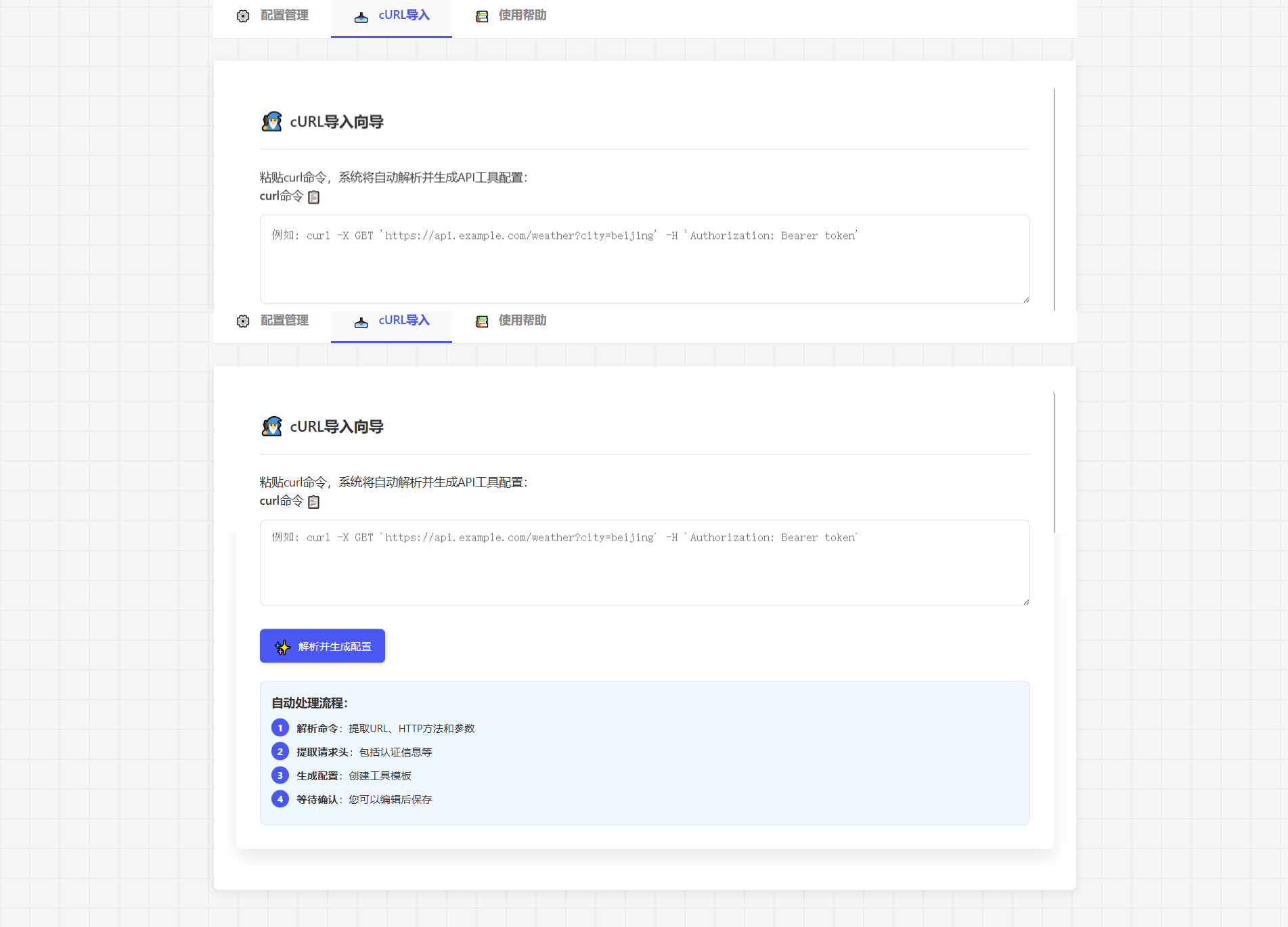
cURL コマンドを直接貼り付けると、構成が自動的に生成されます。
curl -X GET 'https://api.example.com/weather?city=beijing'🎮 ゲームのような設定体験
🎯 ドラッグアンドドロップによるパラメータ設定
📊 リアルタイムリクエストテスト
🔄 構成を自動生成
🍴 このリポジトリをフォークする
🔧 機能ブランチを作成する
📝 変更を送信する
🚀 ブランチをプッシュする
📬 プルリクエストを送信する
📧 問題を提出する
💬 ディスカッショングループに参加する
📚 ウィキを見る
このプロジェクトはMITライセンスを使用しています - LICENSEファイルを参照してください
This server cannot be installed
Unclaimed servers have limited discoverability.
If you are the server author, to access and configure the admin panel.
MCP server for Hailuo (MiniMax) AI video generation
MCP server exposing the AceDataCloud Fish Audio API (text-to-speech with voice conditioning)
MCP server for Wan AI video generation
We provide all the information about MCP servers via our MCP API.
curl -X GET 'https://glama.ai/api/mcp/v1/servers/Tght1211/http-4-mcp'
If you have feedback or need assistance with the MCP directory API, please join our Discord server