Coolify MCP Server
Coolify MCP 서버
개요
이는 아직 개발 단계에 있습니다.
Coolify MCP(Model Context Protocol) 서버는 Coolify API를 위한 통합 계층으로, 사용자가 표준화된 인터페이스를 통해 다양한 리소스 및 애플리케이션과 상호작용할 수 있도록 합니다. 이 서버는 TypeScript를 사용하여 구축되었으며, 원활한 통신을 위해 Model Context Protocol SDK를 활용합니다.
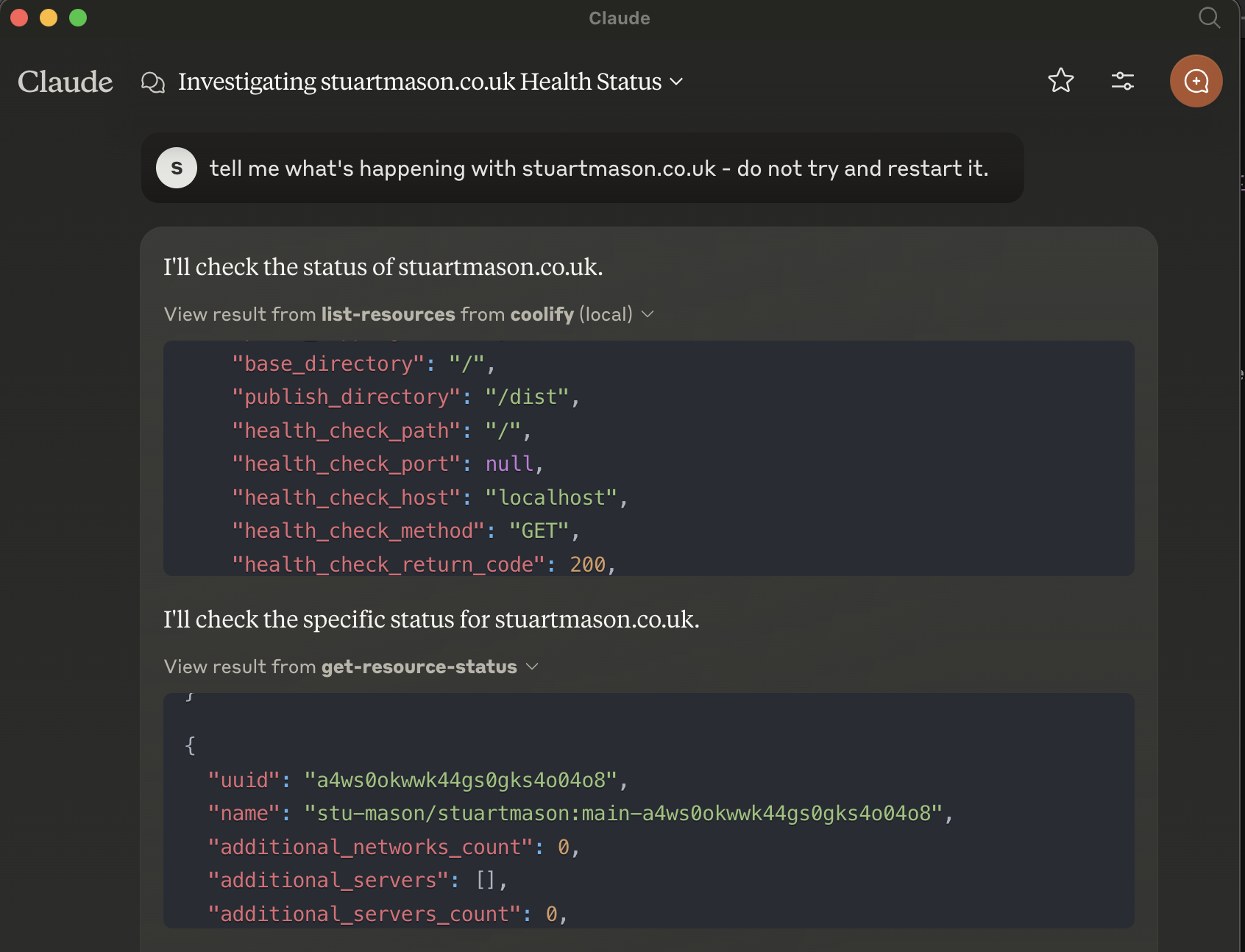
Related MCP server: Coolify MCP Server
특징
리소스 및 애플리케이션 목록
특정 애플리케이션에 대한 세부 정보를 얻으세요
애플리케이션 시작, 중지 및 다시 시작
태그 또는 UUID로 애플리케이션 배포
시스템 상태에 대한 상태 점검
Coolify API의 현재 버전을 가져옵니다.
설치
Coolify MCP 서버를 설정하려면 다음 단계를 따르세요.
저장소를 복제합니다.
지엑스피1
종속성 설치:
npm install그런 다음 실행
npm build빌드 디렉토리를 생성합니다.
Claude 구성 설정:
claude_desktop_config.json 파일에 다음과 같은 내용이 필요합니다.
"mcpServers": {
"coolify": {
"command": "node",
"args": [
"/full/path/to/mcp-coolify/build/index.js"
],
"env": {
"COOLIFY_ACCESS_TOKEN": "coolify_api_key",
"COOLIFY_BASE_URL": "https://your-coolify-url.co.uk"
}
}
}API 엔드포인트
서버는 다음과 같은 작업을 지원합니다.
리소스 목록
요청:
list-resources응답: Coolify의 모든 리소스 목록입니다.
응용 프로그램 목록
요청:
list-applications응답: 모든 응용 프로그램 목록.
신청 세부 정보 받기
요청:
get-application매개변수:
{"uuid": "<application-uuid>"}응답: 지정된 애플리케이션의 세부 정보.
응용 프로그램 시작
요청:
start-application매개변수:
{"uuid": "<application-uuid>"}응답: 시작 작업의 결과입니다.
응용 프로그램 중지
요청:
stop-application매개변수:
{"uuid": "<application-uuid>"}응답: 중지 작업의 결과입니다.
응용 프로그램 다시 시작
요청:
restart-application매개변수:
{"uuid": "<application-uuid>"}응답: 재시작 작업의 결과입니다.
애플리케이션 배포
요청:
deploy매개변수:
{"tag": "<tag-name>", "uuid": "<application-uuid>", "force": true}응답: 배포 작업의 결과입니다.
버전 받기
요청:
get-version응답: Coolify API의 최신 버전입니다.
건강 검진
요청:
health-check응답: 시스템 상태.
기여하다
기여를 환영합니다! 개선 사항이나 버그 수정 사항이 있으면 이슈를 개설하거나 풀 리퀘스트를 제출해 주세요.
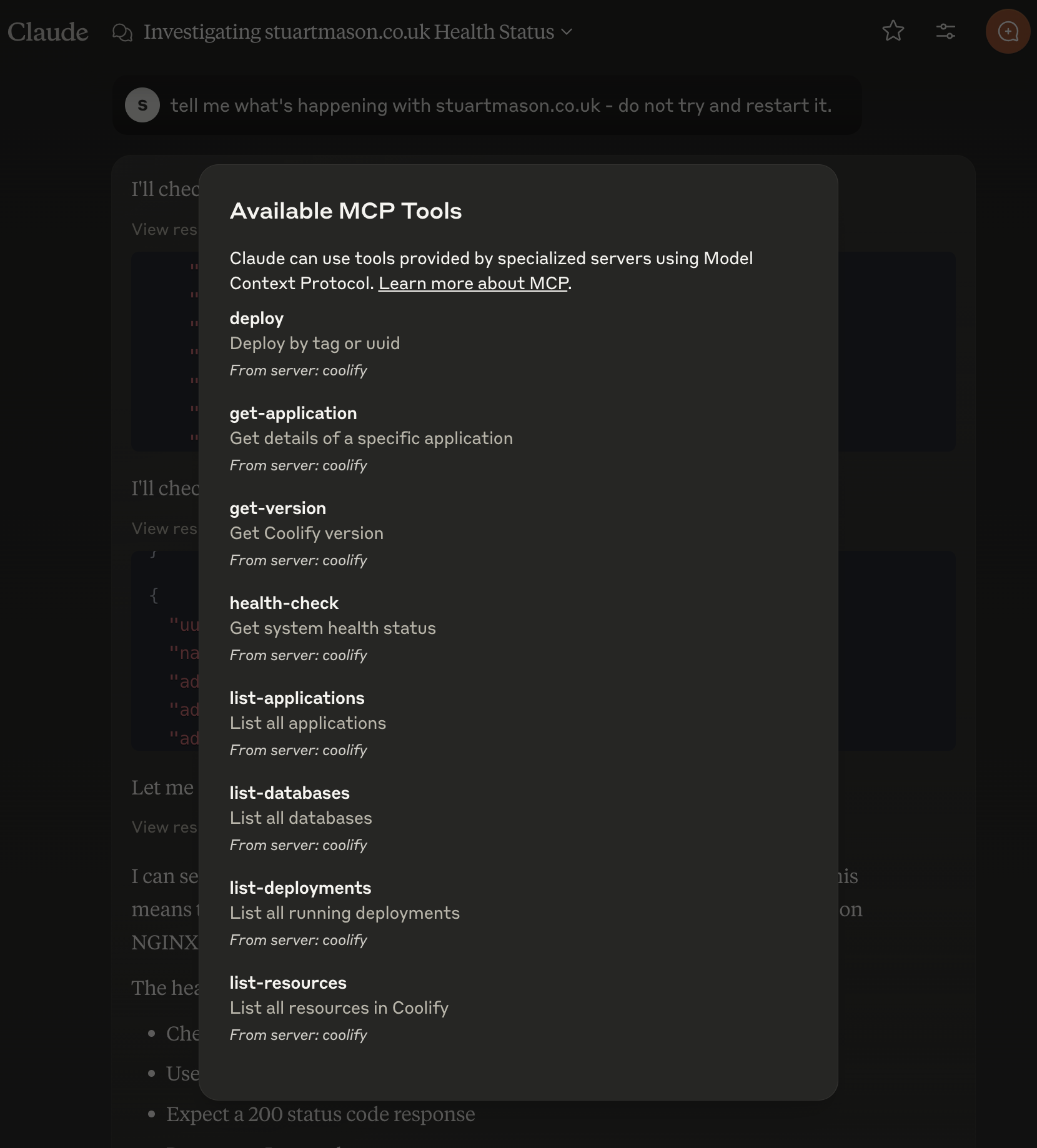
Available Tools
11 toolsdeployC
Deploy an application or service using a tag or UUID. This allows you to deploy new versions or updates to your applications.
Inputs: tag, uuid, force.
get-applicationA
Retrieve detailed information about a specific application using its UUID. This includes the application's status, configuration, and deployment details.
Inputs: uuid (required).
list-applicationsB
Fetch a list of all applications currently managed by Coolify. This provides an overview of all deployed applications.
Inputs: no named parameters.
list-databasesA
Fetch a list of all databases managed by Coolify. This provides an overview of all database instances.
Inputs: no named parameters.
list-deploymentsB
Retrieve a list of all running deployments in Coolify. This includes details about the deployment status and history.
Inputs: no named parameters.
list-resourcesB
Retrieve a comprehensive list of all resources managed by Coolify. This includes applications, services, databases, and deployments.
Inputs: no named parameters.
list-servicesB
Retrieve a list of all services managed by Coolify. This includes external services and microservices.
Inputs: no named parameters.
restart-applicationA
Restart a specific application using its UUID. This stops and then starts the application, applying any configuration changes.
Inputs: uuid (required).
start-applicationC
Start a specific application using its UUID. This initiates the application and makes it available for use.
Inputs: uuid (required).
stop-applicationB
Stop a specific application using its UUID. This halts the application and makes it unavailable.
Inputs: uuid (required).
update-applicationC
Update the settings of a specific application, such as health check configurations. This allows you to modify the application's behavior and monitoring settings.
Inputs: uuid (required), settings (required).
Tool Schema Changelog
Recent tool additions, removals, and schema changes observed during successful MCP inspections.
Loading tool schema changelog…
TDQS
Scored across 11 tools
Most tools have distinct purposes, but there is some overlap between list-applications and list-resources, as list-resources includes applications along with other resources, which could cause confusion about which to use for listing applications. The application lifecycle tools (start, stop, restart, update) are clearly differentiated from each other and from retrieval tools.
All tool names follow a consistent verb-noun pattern using kebab-case, such as deploy, get-application, list-applications, restart-application, etc. This uniformity makes the tool set predictable and easy to understand, with no deviations in naming conventions.
With 11 tools, the count is well-scoped for managing applications and resources in a deployment platform like Coolify. Each tool serves a clear purpose, covering deployment, retrieval, listing, and lifecycle management without being overly sparse or bloated.
The tool set provides strong coverage for application management, including CRUD-like operations (deploy, get, update, start/stop/restart) and listing functions. However, there are minor gaps, such as no tools for creating or deleting databases or services, which might be expected in a full resource management suite, though the focus seems to be on applications.
Related MCP Connectors
Deploy and manage applications, databases, domains, and git repos
Deploy apps from GitHub, read build/runtime logs, and manage your app's users from your AI agent.
Deploy and manage your apps, databases, storage, and scheduled jobs from your AI agent
Manage Fly.io apps, Machines, volumes, secrets, Managed Postgres, and Sprites with OAuth.
Related MCP Servers
- AlicenseDqualityFmaintenanceProvides programmatic and CLI tools for managing Coolify deployments, allowing users to control applications, services, databases, and infrastructure through natural language or command line.1030 npm7Good Luck With That Public
- AlicenseAqualityDmaintenanceEnables AI assistants to interact with Coolify self-hosted instances for application deployment, management, and monitoring. Features 4 unified tools optimized for VS Code's limits, covering app management, environment configuration, system administration, and built-in documentation.41MIT
- AlicenseBqualityCmaintenanceEnables control and management of Coolify self-hosted PaaS instances, allowing you to deploy applications, manage databases, monitor servers, and execute operations directly from AI assistants.8916 npm28MIT
- AlicenseBqualityDmaintenanceEnables management of Coolify instances to control applications, databases, and servers through the Model Context Protocol. It provides a comprehensive set of tools for deploying services and monitoring self-hosted infrastructure using natural language.1812 npm3MIT