Coolify MCP Server
Servidor MCP de Coolify
Descripción general
Esto todavía está en pleno desarrollo.
El servidor MCP (Protocolo de Contexto de Modelo) de Coolify es una capa de integración para la API de Coolify, que permite a los usuarios interactuar con diversos recursos y aplicaciones a través de una interfaz estandarizada. Este servidor está desarrollado con TypeScript y utiliza el SDK del Protocolo de Contexto de Modelo para una comunicación fluida.
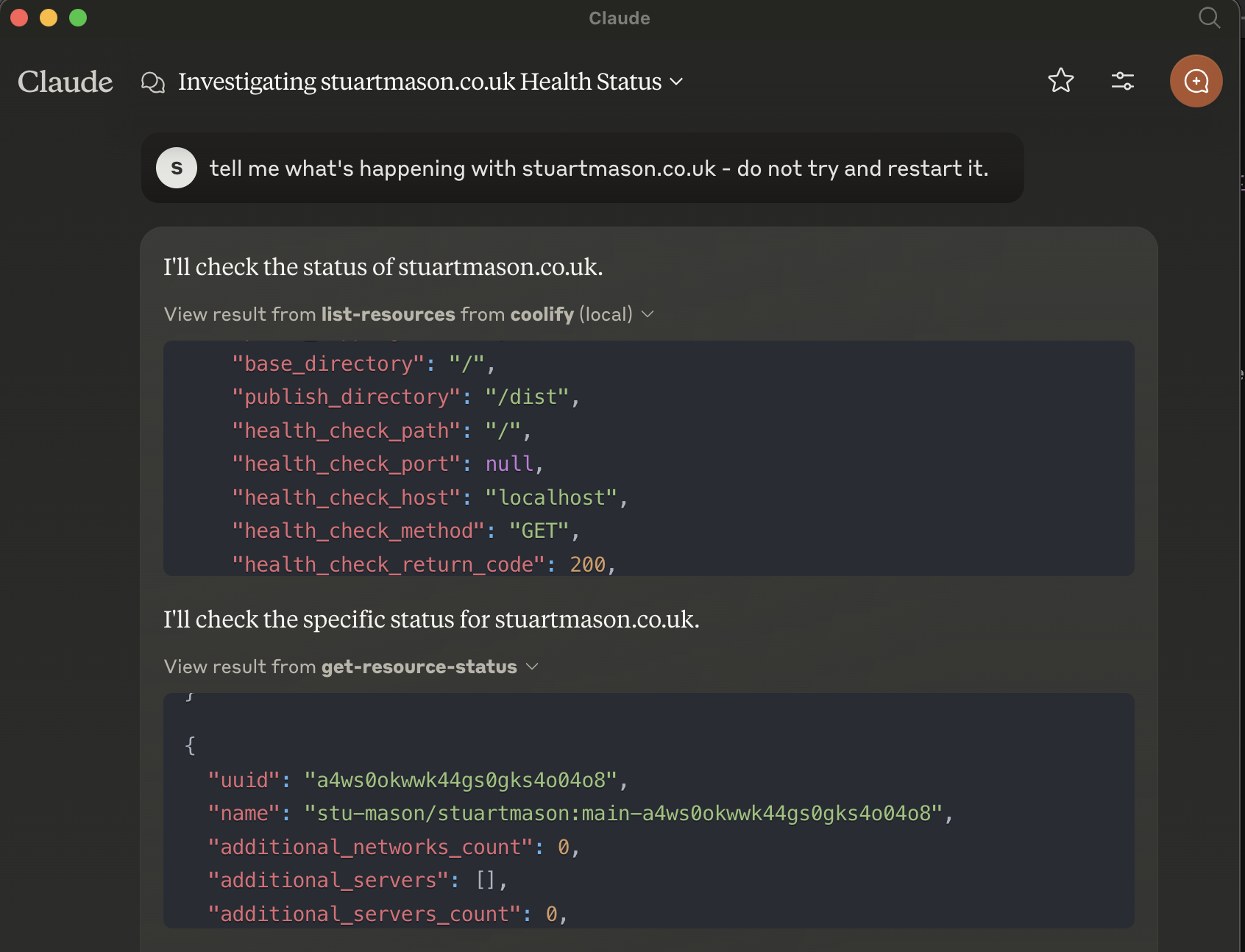
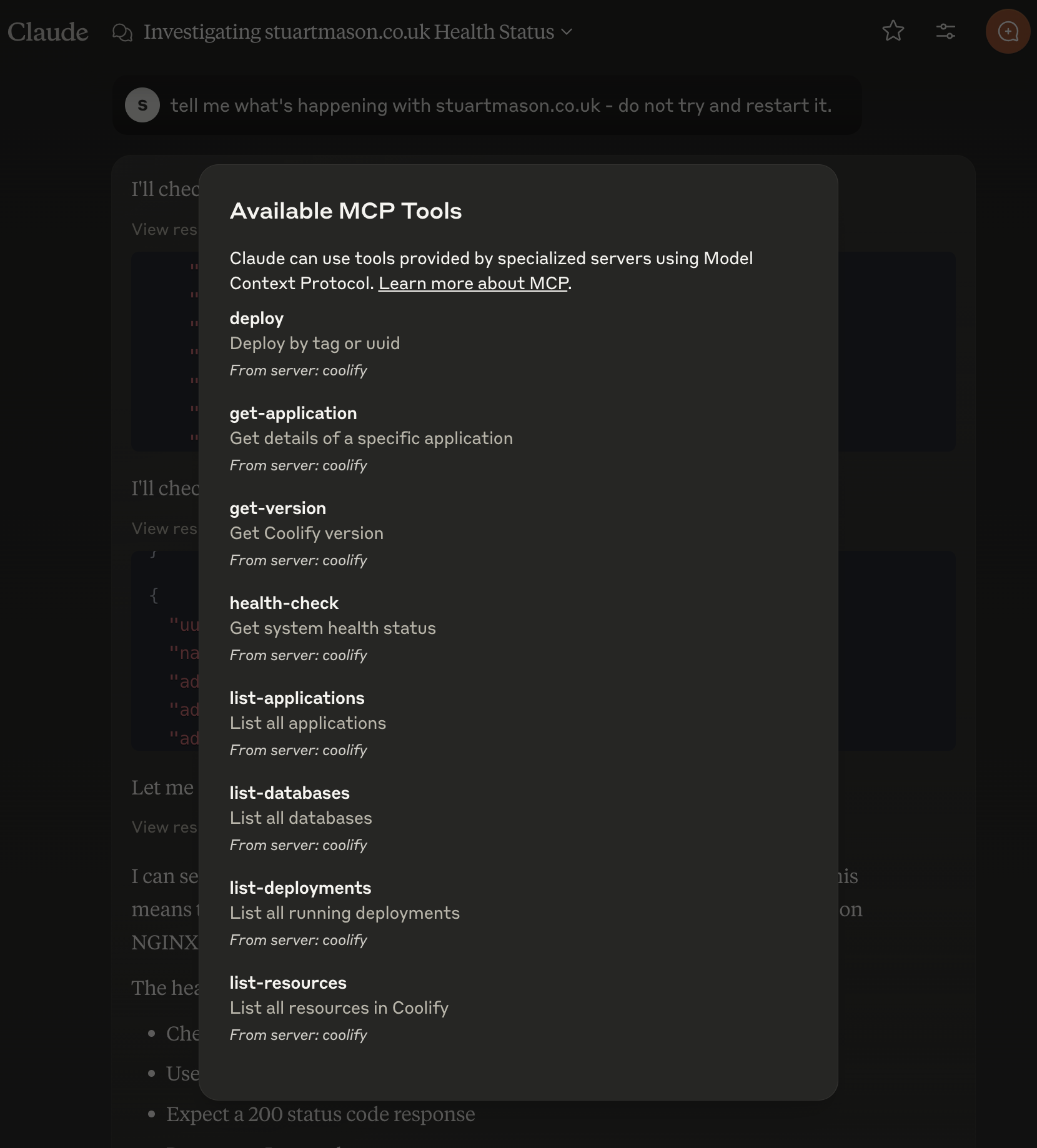
Related MCP server: Coolify MCP Server
Características
Lista de recursos y aplicaciones
Obtenga detalles de aplicaciones específicas
Iniciar, detener y reiniciar aplicaciones
Implementar aplicaciones por etiqueta o UUID
Comprobación del estado del sistema
Obtenga la versión actual de la API de Coolify
Instalación
Para configurar el servidor MCP de Coolify, siga estos pasos:
Clonar el repositorio:
git clone <repository-url>
cd coolify-mcpInstalar dependencias:
npm installluego corre
npm buildpara crear el directorio de compilación.
Establecer configuración de Claude:
Necesitarás algo como esto en tu archivo claude_desktop_config.json :
"mcpServers": {
"coolify": {
"command": "node",
"args": [
"/full/path/to/mcp-coolify/build/index.js"
],
"env": {
"COOLIFY_ACCESS_TOKEN": "coolify_api_key",
"COOLIFY_BASE_URL": "https://your-coolify-url.co.uk"
}
}
}Puntos finales de API
El servidor admite las siguientes operaciones:
Lista de recursos
Solicitud:
list-resourcesRespuesta: Lista de todos los recursos en Coolify.
Lista de aplicaciones
Solicitud:
list-applicationsRespuesta: Lista de todas las aplicaciones.
Obtener detalles de la aplicación
Solicitud:
get-applicationParámetros:
{"uuid": "<application-uuid>"}Respuesta: Detalles de la aplicación especificada.
Iniciar aplicación
Solicitud:
start-applicationParámetros:
{"uuid": "<application-uuid>"}Respuesta: Resultado de la operación de inicio.
Detener la aplicación
Solicitud:
stop-applicationParámetros:
{"uuid": "<application-uuid>"}Respuesta: Resultado de la operación de parada.
Reiniciar la aplicación
Solicitud:
restart-applicationParámetros:
{"uuid": "<application-uuid>"}Respuesta: Resultado de la operación de reinicio.
Implementar aplicación
Solicitud:
deployParámetros:
{"tag": "<tag-name>", "uuid": "<application-uuid>", "force": true}Respuesta: Resultado de la operación de implementación.
Obtener versión
Solicitud:
get-versionRespuesta: Versión actual de la API de Coolify.
Chequeo de salud
Solicitud:
health-checkRespuesta: Estado de salud del sistema.
Contribuyendo
¡Agradecemos sus contribuciones! Abra un problema o envíe una solicitud de incorporación de cambios para cualquier mejora o corrección de errores.
Available Tools
11 toolsdeployC
Deploy an application or service using a tag or UUID. This allows you to deploy new versions or updates to your applications.
Inputs: tag, uuid, force.
get-applicationA
Retrieve detailed information about a specific application using its UUID. This includes the application's status, configuration, and deployment details.
Inputs: uuid (required).
list-applicationsB
Fetch a list of all applications currently managed by Coolify. This provides an overview of all deployed applications.
Inputs: no named parameters.
list-databasesA
Fetch a list of all databases managed by Coolify. This provides an overview of all database instances.
Inputs: no named parameters.
list-deploymentsB
Retrieve a list of all running deployments in Coolify. This includes details about the deployment status and history.
Inputs: no named parameters.
list-resourcesB
Retrieve a comprehensive list of all resources managed by Coolify. This includes applications, services, databases, and deployments.
Inputs: no named parameters.
list-servicesB
Retrieve a list of all services managed by Coolify. This includes external services and microservices.
Inputs: no named parameters.
restart-applicationA
Restart a specific application using its UUID. This stops and then starts the application, applying any configuration changes.
Inputs: uuid (required).
start-applicationC
Start a specific application using its UUID. This initiates the application and makes it available for use.
Inputs: uuid (required).
stop-applicationB
Stop a specific application using its UUID. This halts the application and makes it unavailable.
Inputs: uuid (required).
update-applicationC
Update the settings of a specific application, such as health check configurations. This allows you to modify the application's behavior and monitoring settings.
Inputs: uuid (required), settings (required).
Tool Schema Changelog
Recent tool additions, removals, and schema changes observed during successful MCP inspections.
Loading tool schema changelog…
TDQS
Scored across 11 tools
Most tools have distinct purposes, but there is some overlap between list-applications and list-resources, as list-resources includes applications along with other resources, which could cause confusion about which to use for listing applications. The application lifecycle tools (start, stop, restart, update) are clearly differentiated from each other and from retrieval tools.
All tool names follow a consistent verb-noun pattern using kebab-case, such as deploy, get-application, list-applications, restart-application, etc. This uniformity makes the tool set predictable and easy to understand, with no deviations in naming conventions.
With 11 tools, the count is well-scoped for managing applications and resources in a deployment platform like Coolify. Each tool serves a clear purpose, covering deployment, retrieval, listing, and lifecycle management without being overly sparse or bloated.
The tool set provides strong coverage for application management, including CRUD-like operations (deploy, get, update, start/stop/restart) and listing functions. However, there are minor gaps, such as no tools for creating or deleting databases or services, which might be expected in a full resource management suite, though the focus seems to be on applications.
Related MCP Connectors
Deploy and manage applications, databases, domains, and git repos
Deploy apps from GitHub, read build/runtime logs, and manage your app's users from your AI agent.
Deploy and manage your apps, databases, storage, and scheduled jobs from your AI agent
Manage Fly.io apps, Machines, volumes, secrets, Managed Postgres, and Sprites with OAuth.
Related MCP Servers
- AlicenseDqualityFmaintenanceProvides programmatic and CLI tools for managing Coolify deployments, allowing users to control applications, services, databases, and infrastructure through natural language or command line.1030 npm7Good Luck With That Public
- AlicenseAqualityDmaintenanceEnables AI assistants to interact with Coolify self-hosted instances for application deployment, management, and monitoring. Features 4 unified tools optimized for VS Code's limits, covering app management, environment configuration, system administration, and built-in documentation.41MIT
- AlicenseBqualityCmaintenanceEnables control and management of Coolify self-hosted PaaS instances, allowing you to deploy applications, manage databases, monitor servers, and execute operations directly from AI assistants.8916 npm28MIT
- AlicenseBqualityDmaintenanceEnables management of Coolify instances to control applications, databases, and servers through the Model Context Protocol. It provides a comprehensive set of tools for deploying services and monitoring self-hosted infrastructure using natural language.1812 npm3MIT