Glama
octomind-mcp

octomind-mcp

Official
by OctoMind-dev

octomind mcp 服务器:让代理创建和管理 e2e 测试

铁匠徽章

Octomind 提供了一个完整的端到端 (e2e) 平台,用于测试创建、执行和管理,包括自动修复。借助此 MCP 服务器,您可以在本地开发环境中使用 Octomind 的工具和资源,并启用它来创建新的端到端测试、执行测试等等。更多详情,请参阅https://octomind.dev/和https://octomind.dev/docs/mcp/install-octomind-mcp 。

与 testrail mcp 一起查看实际运行情况
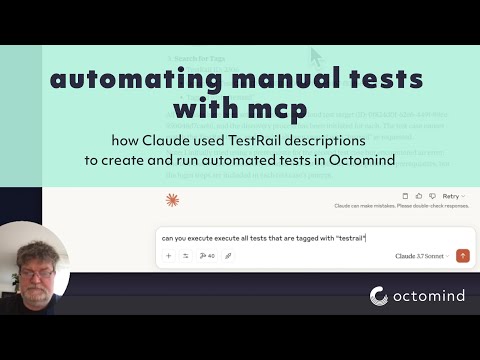
视频标题

Related MCP server: mcp-playwright-test

配置

环境变量

服务器使用以下环境变量:

  • APIKEY - Octomind API 的 API 密钥(必需)

  • OCTOMIND_API_URL - 要使用的 API 端点的基本 URL(默认为https://app.octomind.dev/api )

  • REDIS_URL - 用于会话存储的 Redis 连接 URL(可选,格式:redis://host:port)

  • SESSION_EXPIRATION_SECONDS - 会话过期后的秒数(可选,仅限 Redis)

命令行选项

服务器支持以下命令行选项:

  • -s, --sse - 启用 SSE 传输模式

  • -t, --stream - 启用可流式传输的 HTTP 传输模式

  • -c, --clients - 显示客户端配置示例

  • -p, --port <port> - 监听的端口(默认值:3000)

  • -r, --redis-url <url> - 用于会话存储的 Redis URL

  • -e, --session-expiration <seconds> - 会话过期时间(秒)

会话存储

服务器支持两种类型的会话存储:

  1. 内存存储(默认)- 会话存储在内存中,服务器重启时将丢失

  2. Redis 存储- 会话存储在 Redis 中,并可在服务器重启后保留

对于生产部署,建议使用具有适当会话过期时间的 Redis 存储。Redis 存储选项还支持使用多个服务器实例进行水平扩展。

日志配置

  • LOG_FILENAME - 日志写入文件(仅用于调试)。如果未设置,则禁用日志记录

  • LOG_LEVEL - 要使用的日志级别(默认为信息)

工具

此 MCP 服务器中实现了以下工具:

  • search - 在 Octomind 文档中搜索给定的查询

  • getTestCase - 检索给定测试目标和测试用例 ID 的测试用例

  • executeTests ——在指定的 URL 上触发给定测试目标的测试执行

  • getEnvironments - 列出测试目标的环境

  • createEnvironment为测试目标创建新环境

  • updateEnvironment - 更新现有环境

  • deleteEnvironment - 删除环境

  • getTestReports - 检索测试目标的测试报告

  • getTestReport - 根据 ID 获取特定的测试报告

  • discovery - 创建带有描述或提示的测试用例

  • getPrivateLocations - 列出为组织配置的所有私人位置

  • getVersion - 获取 Octomind MCP 服务器的当前版本

安装

您可以通过运行以下命令获取不同客户端的配置片段:

npx @octomind/octomind-mcp --clients

这将输出 Claude Desktop、Cursor 和 Windsurf 的配置示例。以下是大多数客户端的配置文件:

通过 Smithery 安装

要通过Smithery自动为 Claude Desktop 安装 octomind-mcp:

npx -y @smithery/cli install @OctoMind-dev/octomind-mcp --client claude

Claude 桌面(.claude-config.json)

{
  "mcpServers": {
    "octomind-mcp": {
      "name": "Octomind MCP Server",
      "command": "npx",
      "args": [
        "-y",
        "@octomind/octomind-mcp@latest"
      ],
      "env": {
        "APIKEY": "your-api-key-here"
      }
    }
  }
}

游标(cursor.json)

{
  "mcpServers": {
    "octomind-mcp": {
      "name": "Octomind MCP Server",
      "command": "npx",
      "args": [
        "-y",
        "@octomind/octomind-mcp@latest"
      ],
      "env": {
        "APIKEY": "your-api-key-here"
      }
    }
  }
}

风帆冲浪(mcp_config.json)

{
  "mcpServers": {
    "octomind-mcp": {
      "name": "Octomind MCP Server",
      "command": "npx",
      "args": [
        "-y",
        "@octomind/octomind-mcp@latest"
      ],
      "environment": {
        "APIKEY": "your-api-key-here"
      }
    }
  }
}

注意:将your-api-key-here替换为您的实际 API 密钥。

要获取 APIKEY,请参阅此处https://octomind.dev/docs/get-started/execution-without-ci#create-an-api-key

列表/集成

Available Tools

16 tools
createEnvironmentC

the createEnvironment tool can create an environment for a given test target. an environment represents a specific setup or deployments for a test target. It include a test account when necsesary to login, a header configuration, a discovery url and a set of variables.

Inputs: name (required), discoveryUrl (required), testTargetId (required), basicAuth, +3 more.

createTestTargetB

the createTestTarget tool can create a new test target or project. A test target represents an application or service that can be tested using Octomind.

Inputs: app (required), discoveryUrl (required), skipAutomaticTestCreation.

deleteEnvironmentB

deleteEnvironment tool can delete an environment for a given test target. The environment id is unique to the test target. The call is not reversible. an environment represents a specific setup or deployments for a test target. It include a test account when necsesary to login, a header configuration, a discovery url and a set of variables.

Inputs: testTargetId (required), environmentId (required).

deleteTestTargetA

the deleteTestTarget tool can delete an existing test target. This operation cannot be undone.

Inputs: testTargetId (required).

discoveryA

the discovery tool can create a test case on a given test target with a test case description or prompt. One can either start from the predefined url for that test case or provide a new entry point url.

Inputs: name (required), prompt (required), testTargetId (required), tagNames, +4 more.

executeTestsC

the executeTests tool can trigger a set of tests for a given test target. The test target id is unique to the test target. The tests are executed on the provided url. The context object is used to provide information about the source of the test execution.

Inputs: url (required), testTargetId (required), tags, description, +2 more.

getEnvironmentsB

the getEnvironments tool can retrieve environments for a given test target. an environment represents a specific setup or deployments for a test target. It include a test account when necsesary to login, a header configuration, a discovery url and a set of variables.

Inputs: testTargetId (required).

getPrivateLocationsA

the getPrivateLocations tool can retrieve all private locations configured for that org. A private location is a server that can be used to access a test target behind a firewall or VPN.

Inputs: no named parameters.

getTestCaseA

the getTestCase tool can retrieve a test case for a given test target and test case id. A test case id is unique to the test target. The test case includes a set of interactions and assertions. it is the result of a discovery or a manual creation.

Inputs: testCaseId (required), testTargetId (required).

getTestReportB

the getTestReport tool can retrieve a test report for a given test target and test report id. A test report id is generated when a set of test are executed on a test target. The test report id is unique to the test target.

Inputs: testReportId (required), testTargetId (required).

getTestReportsC

the getTestReports tool can retrieve test reports for a given test target. Test reports are generated when set of tests are executed. The test report id is unique to the test target.

Inputs: testTargetId (required), key, filter.

getTestTargetsB

the getTestTargets tool can retrieve all test targets or projects. Test targets represent applications or services that can be tested using Octomind.

Inputs: no named parameters.

getVersionA

Returns the current version of the Octomind MCP server

Inputs: no named parameters.

updateEnvironmentC

the updateEnvironment tool can update an environment for a given test target. an environment represents a specific setup or deployments for a test target. It include a test account when necsesary to login, a header configuration, a discovery url and a set of variables.

Inputs: testTargetId (required), environmentId (required), name, basicAuth, +4 more.

updateTestTargetC

the updateTestTarget tool can update an existing test target. A test target represents an application or service that can be tested using Octomind.

Inputs: testTargetId (required), app, discoveryUrl, timeoutPerStep, +3 more.

Tool Schema Changelog

Recent tool additions, removals, and schema changes observed during successful MCP inspections.

Loading tool schema changelog…

    TDQS

    A3.5/5.0

    Scored across 16 tools

    Disambiguation5/5

    Each tool has a clearly distinct purpose: CRUD for environments and test targets, test execution, reporting, search, and version info. No overlap or ambiguity.

    Naming Consistency4/5

    All tool names use camelCase consistently, with a verb+noun pattern for most (e.g., createEnvironment, deleteTestTarget). Two single-word names ('discovery', 'search') deviate slightly but remain in the same style.

    Tool Count5/5

    16 tools cover the domain thoroughly without being excessive. The scope (managing test targets, environments, test cases, reports, execution, and configuration) justifies the count.

    Completeness4/5

    Core CRUD operations exist for environments and test targets. Missing operations include updating/deleting test cases and deleting reports, but the main workflows are covered.

    Maintenance

    ActivityNo data
    ResponsivenessOutdated data

    Related MCP Connectors

    Related MCP Servers