octomind-mcp
Officialсервер octomind mcp: позволяет агентам создавать и управлять тестами e2e
Octomind предоставляет целую платформу e2e для создания, выполнения и управления тестами, включая автоматическое исправление. С этим сервером MCP вы можете использовать инструменты и ресурсы Octomind в вашей локальной среде разработки и позволить ему создавать новые тесты e2e, выполнять их и многое другое. Подробнее см. https://octomind.dev/ и https://octomind.dev/docs/mcp/install-octomind-mcp .
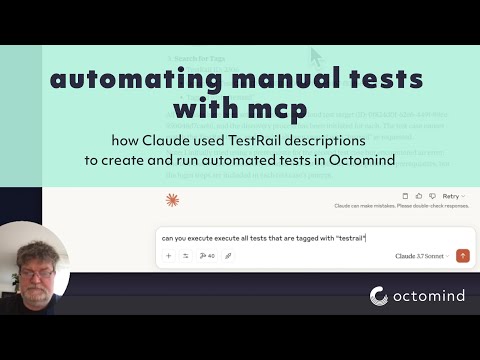
Посмотрите на это в действии вместе с testrail mcp
Related MCP server: mcp-playwright-test
Конфигурация
Переменные среды
Сервер использует следующие переменные среды:
APIKEY— API-ключ для Octomind API (обязательно)OCTOMIND_API_URL— базовый URL-адрес для конечной точки API (по умолчанию https://app.octomind.dev/api )REDIS_URL— URL-адрес подключения Redis для хранения сеансов (необязательно, формат: redis://host:port)SESSION_EXPIRATION_SECONDS— время в секундах, по истечении которого сеансы истекают (необязательно, только Redis)
Параметры командной строки
Сервер поддерживает следующие параметры командной строки:
-s, --sse— Включить транспортный режим SSE-t, --stream— включить потоковый режим HTTP-транспорта-c, --clients— Показать примеры конфигурации клиента-p, --port <port>— Порт для прослушивания (по умолчанию: 3000)-r, --redis-url <url>— URL-адрес Redis для хранения сеансов-e, --session-expiration <seconds>— Время окончания сеанса в секундах
Хранение сеансов
Сервер поддерживает два типа хранения сессий:
Хранение в памяти (по умолчанию) — сеансы хранятся в памяти и будут потеряны при перезапуске сервера.
Хранилище Redis — сеансы хранятся в Redis и могут сохраняться после перезапуска сервера.
Для производственных развертываний рекомендуется использовать хранилище Redis с соответствующим временем истечения сеанса. Опция хранилища Redis также обеспечивает горизонтальное масштабирование с несколькими экземплярами сервера.
Конфигурация ведения журнала
LOG_FILENAME- Файл для записи журналов (только для отладки). Если не задано, журналирование отключеноLOG_LEVEL— используемый уровень журнала (по умолчанию — info)
Инструменты
В этом сервере MCP реализованы следующие инструменты:
search- Поиск документации Octomind по заданному запросу.getTestCase— извлечение тестового случая для заданной тестовой цели и идентификатора тестового случаяexecuteTests— запуск выполнения теста для заданной тестовой цели по указанному URL-адресуgetEnvironments— список сред для тестового объектаcreateEnvironment— создание новой среды для тестового объектаupdateEnvironment— обновить существующую средуdeleteEnvironment- Удалить средуgetTestReports— получение отчетов о тестировании для целевого объекта тестированияgetTestReport— получить конкретный отчет об испытаниях по идентификаторуdiscovery- создание тестового случая с описанием или подсказкойgetPrivateLocations— список всех частных местоположений, настроенных для организацииgetVersion— получить текущую версию сервера Octomind MCP
Установка
Вы можете получить фрагменты конфигурации для разных клиентов, выполнив:
npx @octomind/octomind-mcp --clientsЭто выведет примеры конфигурации для Claude Desktop, Cursor и Windsurf. Вот файлы конфигурации для большинства клиентов:
Установка через Smithery
Чтобы автоматически установить octomind-mcp для Claude Desktop через Smithery :
npx -y @smithery/cli install @OctoMind-dev/octomind-mcp --client claudeРабочий стол Клода (.claude-config.json)
{
"mcpServers": {
"octomind-mcp": {
"name": "Octomind MCP Server",
"command": "npx",
"args": [
"-y",
"@octomind/octomind-mcp@latest"
],
"env": {
"APIKEY": "your-api-key-here"
}
}
}
}Курсор (cursor.json)
{
"mcpServers": {
"octomind-mcp": {
"name": "Octomind MCP Server",
"command": "npx",
"args": [
"-y",
"@octomind/octomind-mcp@latest"
],
"env": {
"APIKEY": "your-api-key-here"
}
}
}
}Виндсерфинг (mcp_config.json)
{
"mcpServers": {
"octomind-mcp": {
"name": "Octomind MCP Server",
"command": "npx",
"args": [
"-y",
"@octomind/octomind-mcp@latest"
],
"environment": {
"APIKEY": "your-api-key-here"
}
}
}
}Примечание: замените your-api-key-here на ваш фактический ключ API.
Чтобы получить APIKEY, смотрите здесь https://octomind.dev/docs/get-started/execution-without-ci#create-an-api-key
Листинги / Интеграции

Available Tools
16 toolscreateEnvironmentC
the createEnvironment tool can create an environment for a given test target. an environment represents a specific setup or deployments for a test target. It include a test account when necsesary to login, a header configuration, a discovery url and a set of variables.
Inputs: name (required), discoveryUrl (required), testTargetId (required), basicAuth, +3 more.
createTestTargetB
the createTestTarget tool can create a new test target or project. A test target represents an application or service that can be tested using Octomind.
Inputs: app (required), discoveryUrl (required), skipAutomaticTestCreation.
deleteEnvironmentB
deleteEnvironment tool can delete an environment for a given test target. The environment id is unique to the test target. The call is not reversible. an environment represents a specific setup or deployments for a test target. It include a test account when necsesary to login, a header configuration, a discovery url and a set of variables.
Inputs: testTargetId (required), environmentId (required).
deleteTestTargetA
the deleteTestTarget tool can delete an existing test target. This operation cannot be undone.
Inputs: testTargetId (required).
discoveryA
the discovery tool can create a test case on a given test target with a test case description or prompt. One can either start from the predefined url for that test case or provide a new entry point url.
Inputs: name (required), prompt (required), testTargetId (required), tagNames, +4 more.
executeTestsC
the executeTests tool can trigger a set of tests for a given test target. The test target id is unique to the test target. The tests are executed on the provided url. The context object is used to provide information about the source of the test execution.
Inputs: url (required), testTargetId (required), tags, description, +2 more.
getEnvironmentsB
the getEnvironments tool can retrieve environments for a given test target. an environment represents a specific setup or deployments for a test target. It include a test account when necsesary to login, a header configuration, a discovery url and a set of variables.
Inputs: testTargetId (required).
getPrivateLocationsA
the getPrivateLocations tool can retrieve all private locations configured for that org. A private location is a server that can be used to access a test target behind a firewall or VPN.
Inputs: no named parameters.
getTestCaseA
the getTestCase tool can retrieve a test case for a given test target and test case id. A test case id is unique to the test target. The test case includes a set of interactions and assertions. it is the result of a discovery or a manual creation.
Inputs: testCaseId (required), testTargetId (required).
getTestReportB
the getTestReport tool can retrieve a test report for a given test target and test report id. A test report id is generated when a set of test are executed on a test target. The test report id is unique to the test target.
Inputs: testReportId (required), testTargetId (required).
getTestReportsC
the getTestReports tool can retrieve test reports for a given test target. Test reports are generated when set of tests are executed. The test report id is unique to the test target.
Inputs: testTargetId (required), key, filter.
getTestTargetsB
the getTestTargets tool can retrieve all test targets or projects. Test targets represent applications or services that can be tested using Octomind.
Inputs: no named parameters.
getVersionA
Returns the current version of the Octomind MCP server
Inputs: no named parameters.
searchA
the search tool can be used to search the octomind documentation for a given query. The search results are returned as a list of links to the documentation.
Inputs: query (required).
updateEnvironmentC
the updateEnvironment tool can update an environment for a given test target. an environment represents a specific setup or deployments for a test target. It include a test account when necsesary to login, a header configuration, a discovery url and a set of variables.
Inputs: testTargetId (required), environmentId (required), name, basicAuth, +4 more.
updateTestTargetC
the updateTestTarget tool can update an existing test target. A test target represents an application or service that can be tested using Octomind.
Inputs: testTargetId (required), app, discoveryUrl, timeoutPerStep, +3 more.
Tool Schema Changelog
Recent tool additions, removals, and schema changes observed during successful MCP inspections.
Loading tool schema changelog…
TDQS
Scored across 16 tools
Each tool has a clearly distinct purpose: CRUD for environments and test targets, test execution, reporting, search, and version info. No overlap or ambiguity.
All tool names use camelCase consistently, with a verb+noun pattern for most (e.g., createEnvironment, deleteTestTarget). Two single-word names ('discovery', 'search') deviate slightly but remain in the same style.
16 tools cover the domain thoroughly without being excessive. The scope (managing test targets, environments, test cases, reports, execution, and configuration) justifies the count.
Core CRUD operations exist for environments and test targets. Missing operations include updating/deleting test cases and deleting reports, but the main workflows are covered.
Maintenance
Related MCP Connectors
The official MCP Server from Mia-Platform to interact with Mia-Platform Console
An MCP server that let you interact with Cycloid.io Internal Development Portal and Platform
Model Context Protocol server for the Apideck Unified API. Connect any MCP-compatible agent framework to 100+ accounting systems, HRIS platforms, file storage providers, and more through one integration. More information https://www.apideck.com/mcp-server
MCP server for interacting with the Supabase platform
Related MCP Servers
- AlicenseAqualityBmaintenanceMCP server for autonomous end-to-end testing with Wopee.io. Analyzes web applications, generates and executes Playwright-based functional tests, and validates results — all driven by natural language commands.17881 npm4MIT
- AlicenseNot gradedqualityDmaintenanceAn MCP server that automates Playwright-based UI and API testing, supporting test case generation from requirements or API specs, and execution with detailed reports.12 npm1MIT
- AlicenseNot gradedqualityDmaintenanceMCP server that exposes the Pinchtab browser API for token-efficient web scraping, change detection, and automated testing workflows.15MIT
- AlicenseBqualityDmaintenanceA production-ready MCP server that exposes Selenium 4 browser automation as MCP tools.2723 PyPIMIT