Glama
octomind-mcp

octomind-mcp

Official
by OctoMind-dev

octomind mcp 서버: 에이전트가 e2e 테스트를 생성하고 관리하도록 허용

대장간 배지

Octomind는 테스트 생성, 실행 및 관리를 위한 완전한 e2e 플랫폼을 제공하며, 자동 수정 기능도 포함되어 있습니다. 이 MCP 서버를 사용하면 로컬 개발 환경에서 Octomind 도구와 리소스를 활용하여 새로운 e2e 테스트를 생성하고 실행하는 등의 작업을 수행할 수 있습니다. 자세한 내용은 https://octomind.dev/ 및 https://octomind.dev/docs/mcp/install-octomind-mcp를 참조하세요.

Testrail MCP와 함께 실제 모습을 확인해 보세요.
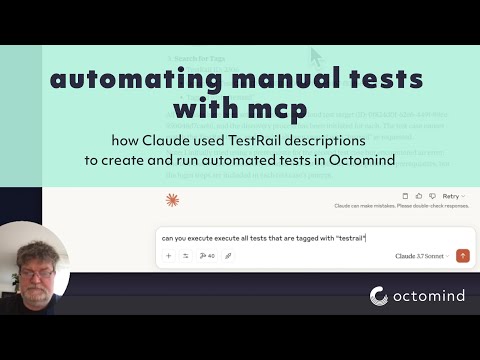
비디오 제목

Related MCP server: mcp-playwright-test

구성

환경 변수

서버는 다음과 같은 환경 변수를 사용합니다.

  • APIKEY - Octomind API용 API 키(필수)

  • OCTOMIND_API_URL - 사용할 API 엔드포인트의 기본 URL(기본값은 https://app.octomind.dev/api )

  • REDIS_URL - 세션 저장을 위한 Redis 연결 URL(선택 사항, 형식: redis://host:port)

  • SESSION_EXPIRATION_SECONDS - 세션이 만료되기까지의 시간(초)(선택 사항, Redis에만 해당)

명령줄 옵션

서버는 다음 명령줄 옵션을 지원합니다.

  • -s, --sse - SSE 전송 모드 활성화

  • -t, --stream - 스트리밍 가능한 HTTP 전송 모드 활성화

  • -c, --clients - 클라이언트 구성 예시 표시

  • -p, --port <port> - 수신할 포트(기본값: 3000)

  • -r, --redis-url <url> - 세션 저장을 위한 Redis URL

  • -e, --session-expiration <seconds> - 세션 만료 시간(초)

세션 저장소

서버는 두 가지 유형의 세션 저장소를 지원합니다.

  1. 메모리 내 저장소 (기본값) - 세션은 메모리에 저장되며 서버가 다시 시작되면 손실됩니다.

  2. Redis 저장소 - 세션은 Redis에 저장되며 서버를 다시 시작해도 유지됩니다.

프로덕션 배포의 경우, 적절한 세션 만료 시간을 설정한 Redis 스토리지를 사용하는 것이 좋습니다. Redis 스토리지 옵션은 여러 서버 인스턴스를 수평적으로 확장할 수 있도록 지원합니다.

로깅 구성

  • LOG_FILENAME - 로그를 기록할 파일(디버깅 전용). 설정하지 않으면 로깅이 비활성화됩니다.

  • LOG_LEVEL - 사용할 로그 수준(기본값은 info)

도구

이 MCP 서버에는 다음 도구가 구현되어 있습니다.

  • search - 주어진 쿼리에 대해 Octomid 문서를 검색합니다.

  • getTestCase - 주어진 테스트 대상 및 테스트 케이스 ID에 대한 테스트 케이스를 검색합니다.

  • executeTests - 지정된 URL에서 주어진 테스트 대상에 대한 테스트 실행을 트리거합니다.

  • getEnvironments - 테스트 대상의 환경 나열

  • createEnvironment - 테스트 대상에 대한 새 환경을 만듭니다.

  • updateEnvironment - 기존 환경 업데이트

  • deleteEnvironment - 환경 삭제

  • getTestReports - 테스트 대상에 대한 테스트 보고서 검색

  • getTestReport - ID로 특정 테스트 보고서 가져오기

  • discovery - 설명이나 프롬프트를 사용하여 테스트 케이스를 만듭니다.

  • getPrivateLocations - 조직에 대해 구성된 모든 개인 위치 나열

  • getVersion - Octomind MCP 서버의 현재 버전을 가져옵니다.

설치

다음을 실행하면 다양한 클라이언트에 대한 구성 스니펫을 얻을 수 있습니다.

지엑스피1

Claude Desktop, Cursor, Windsurf에 대한 구성 예가 출력됩니다. 대부분의 클라이언트에 대한 구성 파일은 다음과 같습니다.

Smithery를 통해 설치

Smithery를 통해 Claude Desktop용 octomind-mcp를 자동으로 설치하려면:

npx -y @smithery/cli install @OctoMind-dev/octomind-mcp --client claude

클로드 데스크톱(.claude-config.json)

{
  "mcpServers": {
    "octomind-mcp": {
      "name": "Octomind MCP Server",
      "command": "npx",
      "args": [
        "-y",
        "@octomind/octomind-mcp@latest"
      ],
      "env": {
        "APIKEY": "your-api-key-here"
      }
    }
  }
}

커서(cursor.json)

{
  "mcpServers": {
    "octomind-mcp": {
      "name": "Octomind MCP Server",
      "command": "npx",
      "args": [
        "-y",
        "@octomind/octomind-mcp@latest"
      ],
      "env": {
        "APIKEY": "your-api-key-here"
      }
    }
  }
}

윈드서핑(mcp_config.json)

{
  "mcpServers": {
    "octomind-mcp": {
      "name": "Octomind MCP Server",
      "command": "npx",
      "args": [
        "-y",
        "@octomind/octomind-mcp@latest"
      ],
      "environment": {
        "APIKEY": "your-api-key-here"
      }
    }
  }
}

참고: your-api-key-here 실제 API 키로 바꾸세요.

APIKEY를 얻으려면 여기를 참조하세요 https://octomind.dev/docs/get-started/execution-without-ci#create-an-api-key

목록/통합

Available Tools

16 tools
createEnvironmentC

the createEnvironment tool can create an environment for a given test target. an environment represents a specific setup or deployments for a test target. It include a test account when necsesary to login, a header configuration, a discovery url and a set of variables.

Inputs: name (required), discoveryUrl (required), testTargetId (required), basicAuth, +3 more.

createTestTargetB

the createTestTarget tool can create a new test target or project. A test target represents an application or service that can be tested using Octomind.

Inputs: app (required), discoveryUrl (required), skipAutomaticTestCreation.

deleteEnvironmentB

deleteEnvironment tool can delete an environment for a given test target. The environment id is unique to the test target. The call is not reversible. an environment represents a specific setup or deployments for a test target. It include a test account when necsesary to login, a header configuration, a discovery url and a set of variables.

Inputs: testTargetId (required), environmentId (required).

deleteTestTargetA

the deleteTestTarget tool can delete an existing test target. This operation cannot be undone.

Inputs: testTargetId (required).

discoveryA

the discovery tool can create a test case on a given test target with a test case description or prompt. One can either start from the predefined url for that test case or provide a new entry point url.

Inputs: name (required), prompt (required), testTargetId (required), tagNames, +4 more.

executeTestsC

the executeTests tool can trigger a set of tests for a given test target. The test target id is unique to the test target. The tests are executed on the provided url. The context object is used to provide information about the source of the test execution.

Inputs: url (required), testTargetId (required), tags, description, +2 more.

getEnvironmentsB

the getEnvironments tool can retrieve environments for a given test target. an environment represents a specific setup or deployments for a test target. It include a test account when necsesary to login, a header configuration, a discovery url and a set of variables.

Inputs: testTargetId (required).

getPrivateLocationsA

the getPrivateLocations tool can retrieve all private locations configured for that org. A private location is a server that can be used to access a test target behind a firewall or VPN.

Inputs: no named parameters.

getTestCaseA

the getTestCase tool can retrieve a test case for a given test target and test case id. A test case id is unique to the test target. The test case includes a set of interactions and assertions. it is the result of a discovery or a manual creation.

Inputs: testCaseId (required), testTargetId (required).

getTestReportB

the getTestReport tool can retrieve a test report for a given test target and test report id. A test report id is generated when a set of test are executed on a test target. The test report id is unique to the test target.

Inputs: testReportId (required), testTargetId (required).

getTestReportsC

the getTestReports tool can retrieve test reports for a given test target. Test reports are generated when set of tests are executed. The test report id is unique to the test target.

Inputs: testTargetId (required), key, filter.

getTestTargetsB

the getTestTargets tool can retrieve all test targets or projects. Test targets represent applications or services that can be tested using Octomind.

Inputs: no named parameters.

getVersionA

Returns the current version of the Octomind MCP server

Inputs: no named parameters.

updateEnvironmentC

the updateEnvironment tool can update an environment for a given test target. an environment represents a specific setup or deployments for a test target. It include a test account when necsesary to login, a header configuration, a discovery url and a set of variables.

Inputs: testTargetId (required), environmentId (required), name, basicAuth, +4 more.

updateTestTargetC

the updateTestTarget tool can update an existing test target. A test target represents an application or service that can be tested using Octomind.

Inputs: testTargetId (required), app, discoveryUrl, timeoutPerStep, +3 more.

Tool Schema Changelog

Recent tool additions, removals, and schema changes observed during successful MCP inspections.

Loading tool schema changelog…

    TDQS

    A3.5/5.0

    Scored across 16 tools

    Disambiguation5/5

    Each tool has a clearly distinct purpose: CRUD for environments and test targets, test execution, reporting, search, and version info. No overlap or ambiguity.

    Naming Consistency4/5

    All tool names use camelCase consistently, with a verb+noun pattern for most (e.g., createEnvironment, deleteTestTarget). Two single-word names ('discovery', 'search') deviate slightly but remain in the same style.

    Tool Count5/5

    16 tools cover the domain thoroughly without being excessive. The scope (managing test targets, environments, test cases, reports, execution, and configuration) justifies the count.

    Completeness4/5

    Core CRUD operations exist for environments and test targets. Missing operations include updating/deleting test cases and deleting reports, but the main workflows are covered.

    Maintenance

    ActivityNo data
    ResponsivenessOutdated data

    Related MCP Connectors

    Related MCP Servers