Glama
octomind-mcp

octomind-mcp

Official
by OctoMind-dev

Octomind MCP-Server: Lassen Sie Agenten E2E-Tests erstellen und verwalten

Schmiedeabzeichen

Octomind bietet eine umfassende E2E-Plattform für die Erstellung, Ausführung und Verwaltung von Tests inklusive Auto-Fix. Mit diesem MCP-Server können Sie Octomind-Tools und -Ressourcen in Ihrer lokalen Entwicklungsumgebung nutzen und neue E2E-Tests erstellen, ausführen und vieles mehr. Weitere Informationen finden Sie unter https://octomind.dev/ und https://octomind.dev/docs/mcp/install-octomind-mcp .

Sehen Sie es zusammen mit Testrail MCP in Aktion
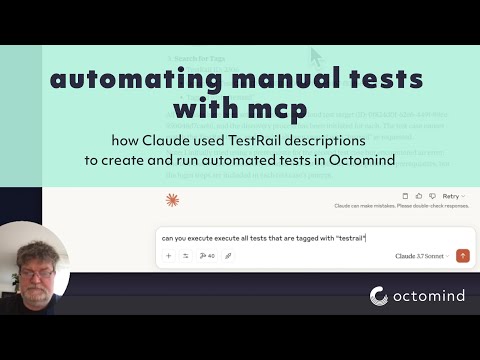
Videotitel

Related MCP server: mcp-playwright-test

Konfiguration

Umgebungsvariablen

Der Server verwendet die folgenden Umgebungsvariablen:

  • APIKEY – Der API-Schlüssel für die Octomind-API (erforderlich)

  • OCTOMIND_API_URL – Basis-URL für den zu verwendenden API-Endpunkt (standardmäßig https://app.octomind.dev/api )

  • REDIS_URL – Redis-Verbindungs-URL für Sitzungsspeicher (optional, Format: redis://host:port)

  • SESSION_EXPIRATION_SECONDS – Zeit in Sekunden, nach der Sitzungen ablaufen (optional, nur Redis)

Befehlszeilenoptionen

Der Server unterstützt die folgenden Befehlszeilenoptionen:

  • -s, --sse – SSE-Transportmodus aktivieren

  • -t, --stream – Streambaren HTTP-Transportmodus aktivieren

  • -c, --clients – Client-Konfigurationsbeispiele anzeigen

  • -p, --port <port> – Port, auf dem gelauscht wird (Standard: 3000)

  • -r, --redis-url <url> – Redis-URL für Sitzungsspeicher

  • -e, --session-expiration <seconds> – Ablaufzeit der Sitzung in Sekunden

Sitzungsspeicher

Der Server unterstützt zwei Arten der Sitzungsspeicherung:

  1. In-Memory-Speicherung (Standard) – Sitzungen werden im Speicher gespeichert und gehen beim Neustart des Servers verloren

  2. Redis-Speicher – Sitzungen werden in Redis gespeichert und können über Serverneustarts hinaus bestehen bleiben

Für Produktionsbereitstellungen wird die Verwendung von Redis-Speicher mit einer entsprechenden Sitzungsablaufzeit empfohlen. Die Redis-Speicheroption ermöglicht außerdem die horizontale Skalierung mit mehreren Serverinstanzen.

Protokollierungskonfiguration

  • LOG_FILENAME - Die Datei, in die Protokolle geschrieben werden (nur zum Debuggen). Wenn nicht festgelegt, ist die Protokollierung deaktiviert.

  • LOG_LEVEL – Die zu verwendende Protokollebene (standardmäßig „Info“)

Werkzeuge

Die folgenden Tools sind in diesem MCP-Server implementiert:

  • search - Durchsuchen Sie die Octomind-Dokumentation nach einer bestimmten Abfrage

  • getTestCase - Ruft einen Testfall für ein bestimmtes Testziel und eine bestimmte Testfall-ID ab

  • executeTests - Testausführung für ein bestimmtes Testziel unter einer angegebenen URL auslösen

  • getEnvironments - Umgebungen für ein Testziel auflisten

  • createEnvironment - Erstellen Sie eine neue Umgebung für ein Testziel

  • updateEnvironment - Eine vorhandene Umgebung aktualisieren

  • deleteEnvironment - Eine Umgebung löschen

  • getTestReports - Testberichte für ein Testziel abrufen

  • getTestReport - Holen Sie sich einen bestimmten Testbericht nach ID

  • discovery - Erstellen Sie einen Testfall mit einer Beschreibung oder Eingabeaufforderung

  • getPrivateLocations – Listet alle für die Organisation konfigurierten privaten Standorte auf

  • getVersion - Aktuelle Version des Octomind MCP-Servers abrufen

Installation

Sie können Konfigurationsausschnitte für verschiedene Clients erhalten, indem Sie Folgendes ausführen:

npx @octomind/octomind-mcp --clients

Es werden Konfigurationsbeispiele für Claude Desktop, Cursor und Windsurf ausgegeben. Hier sind die Konfigurationsdateien für die meisten Clients:

Installation über Smithery

So installieren Sie octomind-mcp für Claude Desktop automatisch über Smithery :

npx -y @smithery/cli install @OctoMind-dev/octomind-mcp --client claude

Claude Desktop (.claude-config.json)

{
  "mcpServers": {
    "octomind-mcp": {
      "name": "Octomind MCP Server",
      "command": "npx",
      "args": [
        "-y",
        "@octomind/octomind-mcp@latest"
      ],
      "env": {
        "APIKEY": "your-api-key-here"
      }
    }
  }
}

Cursor (cursor.json)

{
  "mcpServers": {
    "octomind-mcp": {
      "name": "Octomind MCP Server",
      "command": "npx",
      "args": [
        "-y",
        "@octomind/octomind-mcp@latest"
      ],
      "env": {
        "APIKEY": "your-api-key-here"
      }
    }
  }
}

Windsurfen (mcp_config.json)

{
  "mcpServers": {
    "octomind-mcp": {
      "name": "Octomind MCP Server",
      "command": "npx",
      "args": [
        "-y",
        "@octomind/octomind-mcp@latest"
      ],
      "environment": {
        "APIKEY": "your-api-key-here"
      }
    }
  }
}

Hinweis: Ersetzen Sie your-api-key-here durch Ihren tatsächlichen API-Schlüssel.

Um einen APIKEY zu erhalten, siehe hier https://octomind.dev/docs/get-started/executed-without-ci#create-an-api-key

Listings / Integrationen

Available Tools

16 tools
createEnvironmentC

the createEnvironment tool can create an environment for a given test target. an environment represents a specific setup or deployments for a test target. It include a test account when necsesary to login, a header configuration, a discovery url and a set of variables.

Inputs: name (required), discoveryUrl (required), testTargetId (required), basicAuth, +3 more.

createTestTargetB

the createTestTarget tool can create a new test target or project. A test target represents an application or service that can be tested using Octomind.

Inputs: app (required), discoveryUrl (required), skipAutomaticTestCreation.

deleteEnvironmentB

deleteEnvironment tool can delete an environment for a given test target. The environment id is unique to the test target. The call is not reversible. an environment represents a specific setup or deployments for a test target. It include a test account when necsesary to login, a header configuration, a discovery url and a set of variables.

Inputs: testTargetId (required), environmentId (required).

deleteTestTargetA

the deleteTestTarget tool can delete an existing test target. This operation cannot be undone.

Inputs: testTargetId (required).

discoveryA

the discovery tool can create a test case on a given test target with a test case description or prompt. One can either start from the predefined url for that test case or provide a new entry point url.

Inputs: name (required), prompt (required), testTargetId (required), tagNames, +4 more.

executeTestsC

the executeTests tool can trigger a set of tests for a given test target. The test target id is unique to the test target. The tests are executed on the provided url. The context object is used to provide information about the source of the test execution.

Inputs: url (required), testTargetId (required), tags, description, +2 more.

getEnvironmentsB

the getEnvironments tool can retrieve environments for a given test target. an environment represents a specific setup or deployments for a test target. It include a test account when necsesary to login, a header configuration, a discovery url and a set of variables.

Inputs: testTargetId (required).

getPrivateLocationsA

the getPrivateLocations tool can retrieve all private locations configured for that org. A private location is a server that can be used to access a test target behind a firewall or VPN.

Inputs: no named parameters.

getTestCaseA

the getTestCase tool can retrieve a test case for a given test target and test case id. A test case id is unique to the test target. The test case includes a set of interactions and assertions. it is the result of a discovery or a manual creation.

Inputs: testCaseId (required), testTargetId (required).

getTestReportB

the getTestReport tool can retrieve a test report for a given test target and test report id. A test report id is generated when a set of test are executed on a test target. The test report id is unique to the test target.

Inputs: testReportId (required), testTargetId (required).

getTestReportsC

the getTestReports tool can retrieve test reports for a given test target. Test reports are generated when set of tests are executed. The test report id is unique to the test target.

Inputs: testTargetId (required), key, filter.

getTestTargetsB

the getTestTargets tool can retrieve all test targets or projects. Test targets represent applications or services that can be tested using Octomind.

Inputs: no named parameters.

getVersionA

Returns the current version of the Octomind MCP server

Inputs: no named parameters.

updateEnvironmentC

the updateEnvironment tool can update an environment for a given test target. an environment represents a specific setup or deployments for a test target. It include a test account when necsesary to login, a header configuration, a discovery url and a set of variables.

Inputs: testTargetId (required), environmentId (required), name, basicAuth, +4 more.

updateTestTargetC

the updateTestTarget tool can update an existing test target. A test target represents an application or service that can be tested using Octomind.

Inputs: testTargetId (required), app, discoveryUrl, timeoutPerStep, +3 more.

Tool Schema Changelog

Recent tool additions, removals, and schema changes observed during successful MCP inspections.

Loading tool schema changelog…

    TDQS

    A3.5/5.0

    Scored across 16 tools

    Disambiguation5/5

    Each tool has a clearly distinct purpose: CRUD for environments and test targets, test execution, reporting, search, and version info. No overlap or ambiguity.

    Naming Consistency4/5

    All tool names use camelCase consistently, with a verb+noun pattern for most (e.g., createEnvironment, deleteTestTarget). Two single-word names ('discovery', 'search') deviate slightly but remain in the same style.

    Tool Count5/5

    16 tools cover the domain thoroughly without being excessive. The scope (managing test targets, environments, test cases, reports, execution, and configuration) justifies the count.

    Completeness4/5

    Core CRUD operations exist for environments and test targets. Missing operations include updating/deleting test cases and deleting reports, but the main workflows are covered.

    Maintenance

    ActivityNo data
    ResponsivenessOutdated data

    Related MCP Connectors

    Related MCP Servers