

A
licenseNot graded
qualityA
maintenanceA server that enables Large Language Models to discover and interact with REST APIs defined by OpenAPI specifications through the Model Context Protocol.
11,255 npm
301
MIT

Un servidor de Protocolo de Contexto de Modelo (MCP) que expone los endpoints de API-Market como recursos MCP. Este servidor permite que los Modelos de Lenguaje Grandes (ML) descubran e interactúen con las API definidas por las especificaciones de OpenAPI mediante el protocolo MCP.
Este repositorio proporciona acceso a las API disponibles en API.market . La herramienta es gratuita y permite a los agentes comunicarse libremente con todas las API disponibles, lo que la hace extremadamente potente. Con más de 200 API disponibles en API.market , puede aprovechar una amplia gama de funcionalidades.
Related MCP server: OpenAPI MCP Server
No es necesario clonar este repositorio para usar este servidor MCP. Simplemente puede configurarlo en el cliente que prefiera.
Localice o cree su archivo de configuración de Claude Desktop:
En macOS: ~/Library/Application Support/Claude/claude_desktop_config.json
Agregue la siguiente configuración para habilitar el servidor MCP de API-Market:
{
  "mcpServers": {
    "api-market": {
      "command": "npx",
      "args": ["-y", "@noveum-ai/mcp-server"],
      "env": {
        "API_HEADERS": "x-magicapi-key:your-api-key"
      }
    }
  }
}Vaya a Archivo -> Preferencias -> Configuración del cursor.
Seleccione MCP.
Haga clic en Agregar nuevo servidor MCP global.
Pegue lo siguiente en el archivo mcp.json.
  {
    "mcpServers": {
      "api-market": {
        "command": "npx",
        "args": [
          "-y",
          "@noveum-ai/mcp-server",
          "--headers",
          "x-magicapi-key:<your-api-key>"
        ]
      }
    }
  }
Alternativamente, agregue esto como la primera entrada en mcpServers.
    "api-market": {
      "command": "npx",
      "args": [
        "-y",
        "@noveum-ai/mcp-server",
        "--headers",
        "x-magicapi-key:<your-api-key>"
      ]
    },
Para versiones anteriores de Cursor, agregue el siguiente comando después de hacer clic en Agregar nuevo servidor MCP
npx -y @noveum-ai/mcp-server --headers x-magicapi-key:your-api-keyPara obtener una clave API
Inicie sesión en API.market
Vaya a su perfil y seleccione 'Mis claves API'
Tus claves API se mostrarán aquí
GET-trueway-geocoding-Servicio de geocodificación-Geocodificación
GET-trueway-geocoding-Servicio de geocodificación-ReverseGeocode
GET-trueway-places-Servicio de lugares-Buscar lugar por texto
GET-trueway-places-Servicio de lugares-Buscar lugares cercanos
GET-trueway-routing-DireccionesServicio-BuscarRutaDeConducción
GET-trueway-routing-DireccionesServicio-BuscarRutaDeConducción
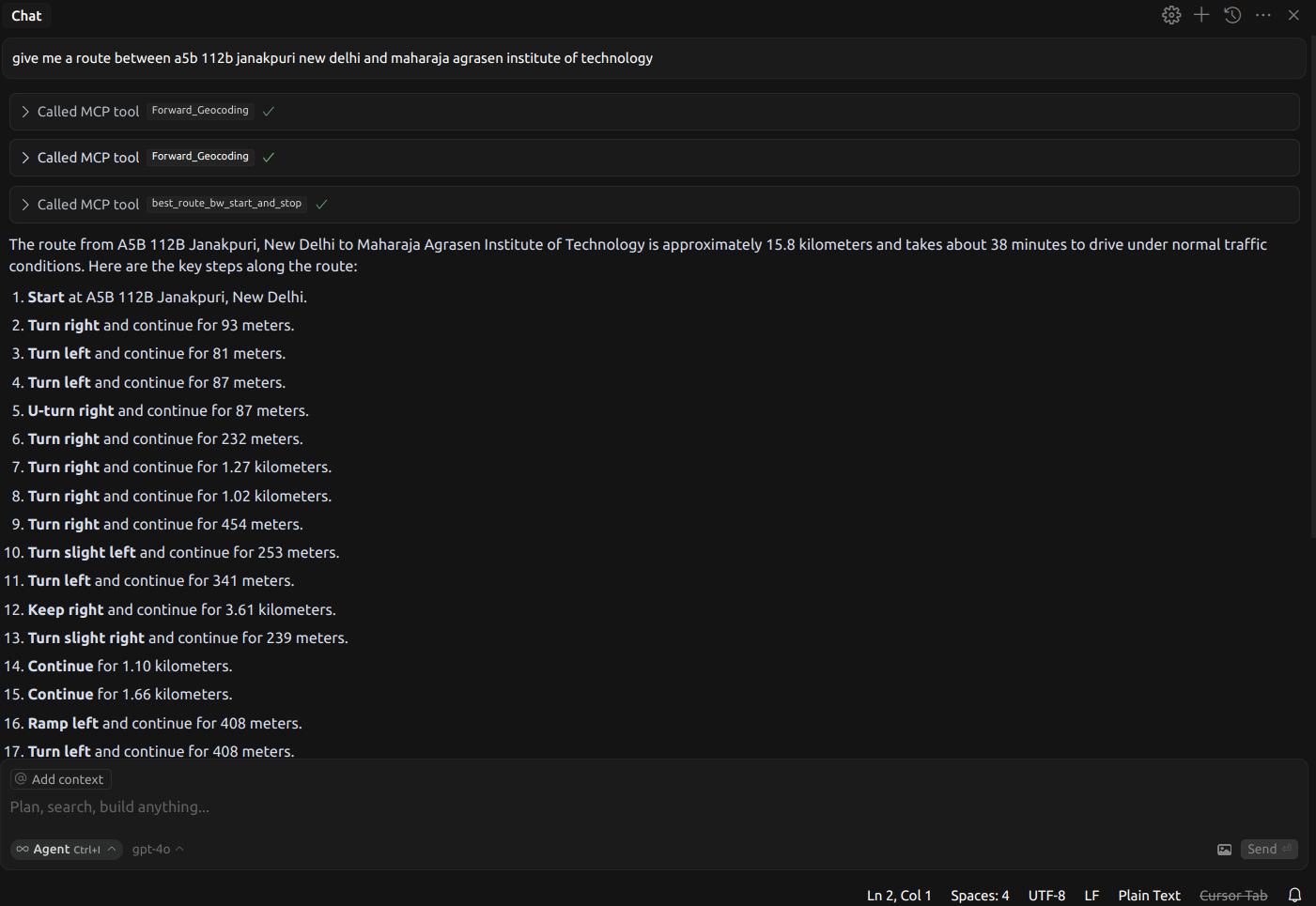
Podemos utilizar el agente para encontrar una ruta entre dos puntos cualesquiera
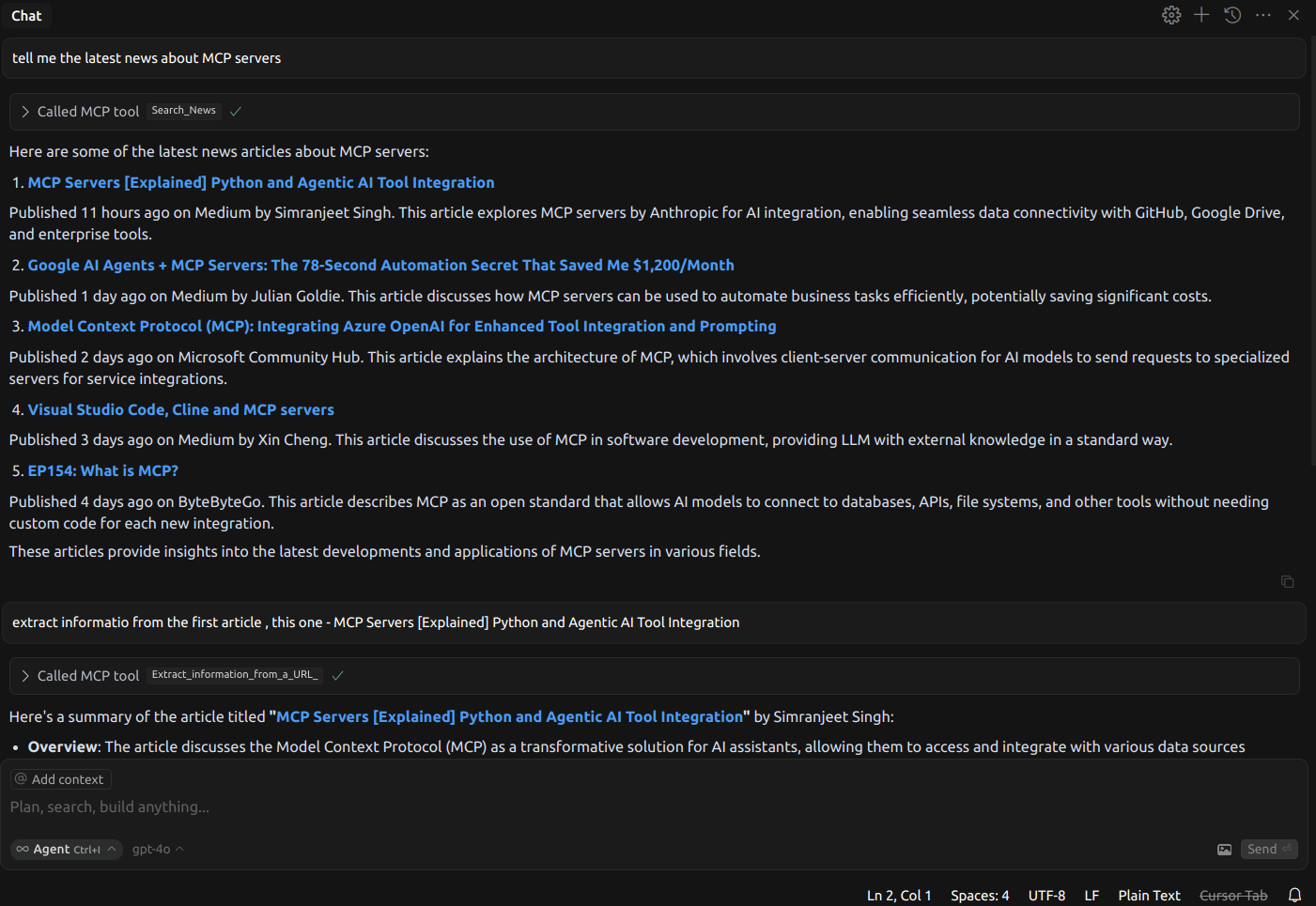
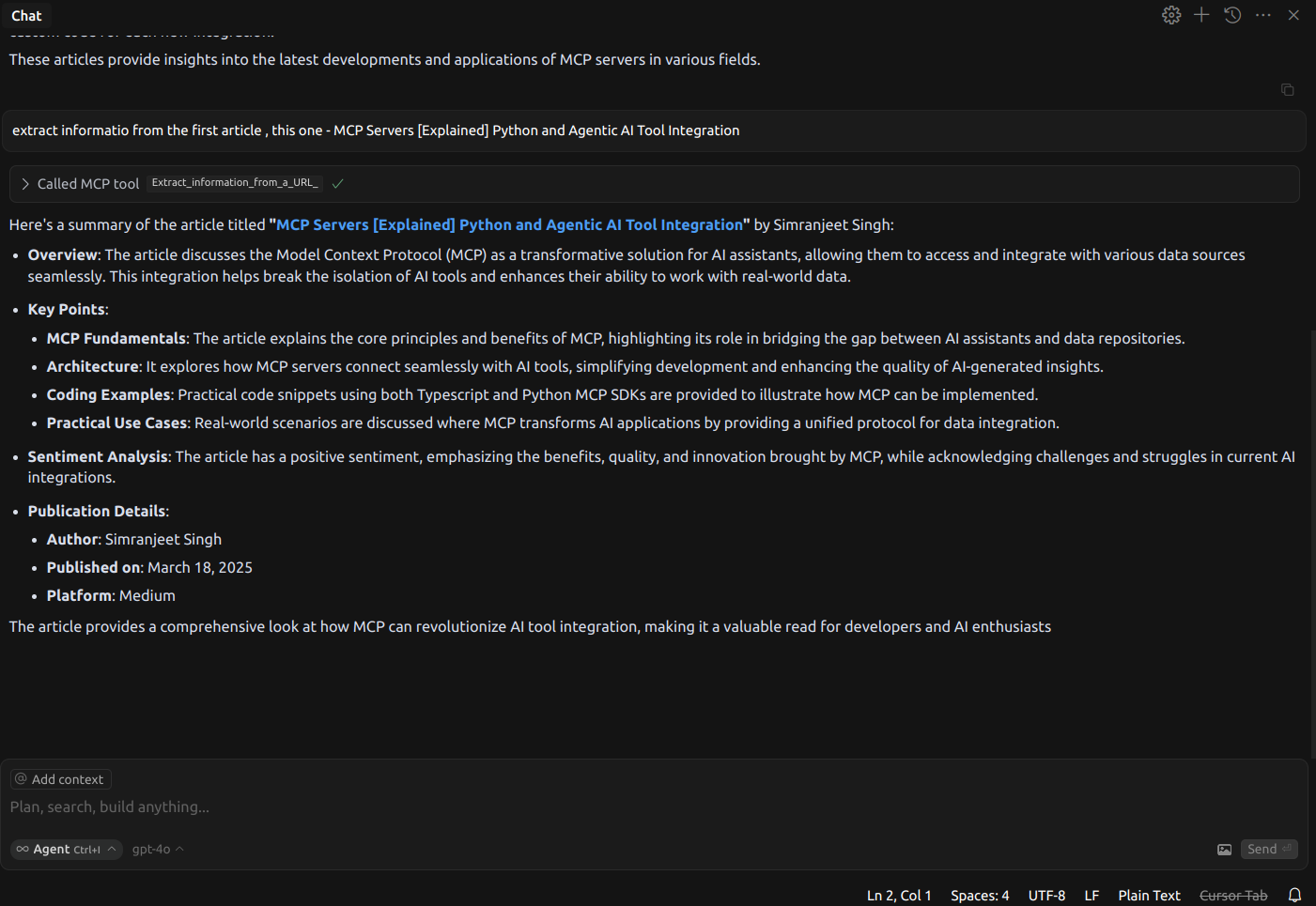
Podemos usar el agente para encontrar noticias sobre cualquier tema y luego profundizar en los artículos.
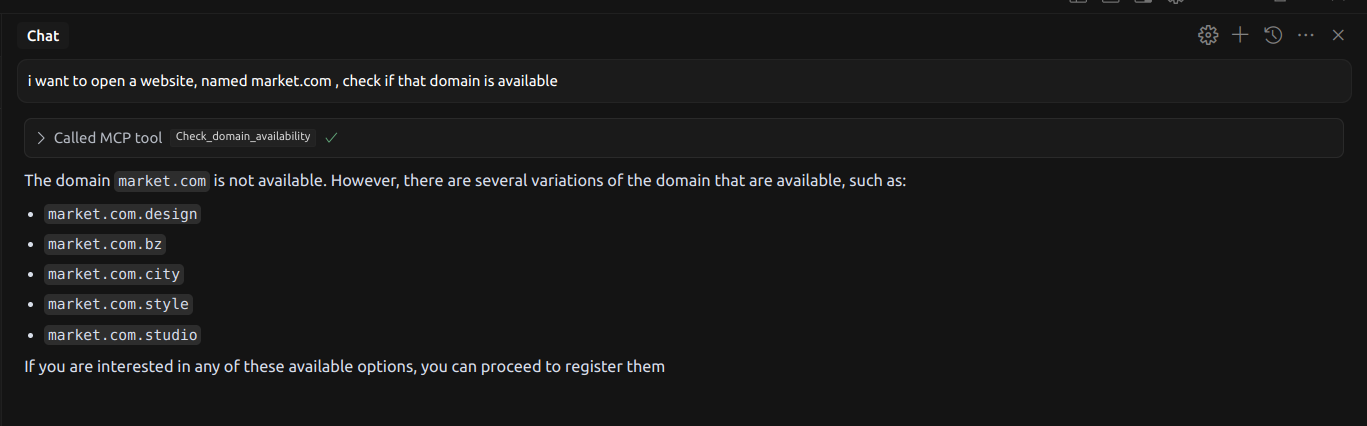
Podemos usar el agente para buscar dominios disponibles
La carpeta utils contiene scripts útiles para administrar configuraciones de API, analizar especificaciones de OpenAPI y registrar nuevas API en el servidor MCP.
Busque el JSON de OpenAPI para la API que desea integrar. Después, cree la carpeta json_files en el directorio raíz del proyecto y añada su especificación JSON de OpenAPI a ella.
Después de obtener la especificación OpenAPI, use modify_api.py para actualizar la ruta dentro de la especificación para incluir el nombre del archivo.
python utils/modify_api.pyDespués de modificar las rutas, actualice los resúmenes de API eligiendo una de las siguientes opciones:
Acortar automáticamente los resúmenes utilizando un LLM:
python utils/LLM_summary_shortener.py Actualizar manualmente los resúmenes:
python utils/manual_summary_shortener.py Reconstruya el proyecto para aplicar los cambios:
npm run buildLuego, prueba la nueva integración de API usando:
npm run inspectSi desea aportar esta nueva API al repositorio:
Bifurcar el repositorio.
Crear una rama.
Enviar una solicitud de extracción (PR).
Si desea publicar sus cambios:
Actualice el package.json según corresponda (por ejemplo, actualice la versión, el nombre, etc.).
Publicar el paquete:
npm publish --access publicnpm run build : crea la fuente TypeScript.
npm run clean : elimina los artefactos de compilación.
npm run typecheck : ejecuta la verificación de tipos de TypeScript.
npm run dev : supervisa los archivos de origen y reconstruye según los cambios.
npm run inspect-watch : ejecuta el inspector con recarga automática ante cambios.
npm run lint – Ejecuta ESLint.
npm run typecheck : verifica los tipos de TypeScript.
npm run inspect -- \
  --api-base-url https://api.magicapi.dev/api/v1/ \
  --openapi-spec modified_files.txt \
  --headers "x-magicapi-key:your-api-key" \
  --name "my-mcp-server" \
--version "1.0.0"Iniciar el entorno de desarrollo:
npm run inspect-watchModificar los archivos TypeScript en src/ .
El servidor se reconstruirá y reiniciará automáticamente.
Utilice la interfaz de usuario del Inspector MCP para probar sus cambios.
Para depurar o ejecutar el servidor MCP localmente:
Clonar el repositorio e instalar las dependencias:
git clone https://github.com/Noveum/api-market-mcp-server.git
cd api-market-mcp-server
npm install
Construir el servidor:
npm run buildPara depurar, puede ejecutar:
npm run inspect Bifurcar el repositorio.
Crear una rama de características.
Realice sus cambios.
Ejecutar pruebas y linting:
npm run typecheck
npm run lint
Enviar una solicitud de extracción.
Instituto Tecnológico de Massachusetts (MIT)
Make a POST request to bridgeml/nsfw!detection/nsfw_detection
Inputs: image (required).
Finding optimal route from a origin to a destination, passing through multiple waypoints(optional).
Inputs: destination (required), origin (required), avoid_ferries, avoid_highways, +3 more.
Finding optimal route to visit several locations.
Inputs: stops (required), avoid_ferries, avoid_highways, avoid_tolls, +1 more.
Make a POST request to bridgeml/codellama/bridgeml/codellama
Inputs: frequency_penalty, max_tokens, messages, stream, +2 more.
Submit a domain name to check its availability.
Inputs: domain_name.
Coding Assistant. Make sure you call get coder output URL MCP tool to get the URL for the request id received from this API
Inputs: frequency_penalty (required), max_tokens (required), presence_penalty (required), prompt (required), +5 more.
API for image deblurring. Make sure you call get deblurred image URL, MCP tool to get the URL for the request id received from this API
Inputs: image (required), task_type (required).
Calculate length and driving time of the optimal routes between origin and destination points on the real road network.
Inputs: origins (required), avoid_ferries, avoid_highways, avoid_tolls, +2 more.
Make a POST request to magicapi/dnschecker/dnschecker
Inputs: domain (required).
Make a POST request to pipfeed/parse/extract
Inputs: url (required).
Obtain location(geographic coordinates) for address.
Inputs: address (required), area, bounds, country, +5 more.
This endpoint retrieves the URL of the ageing gif for a given request ID.
Inputs: request_id (required).
This endpoint retrieves the URL of the transcription and analysis of the audio for the given request ID.
Inputs: request_id (required).
This endpoint retrieves the URL of the coding assistant's response for a given request ID.
Inputs: request_id (required).
This endpoint retrieves the URL of the simulated hairstyle image for a given request ID.
Inputs: request_id (required).
This endpoint retrieves the URL of the Unblurred image for a given request ID.
Inputs: request_id (required).
Make a GET request to magicapi/whois/whois/{domain}
Inputs: domain (required).
API for simulating different hair styles using AI models. Make sure to call get hairstyled image after with the request id received from this API.
Inputs: color_description (required), editing_type (required), hairstyle_description (required), image (required).
Make a POST request to capix/faceswap/faceswap/v1/image
Inputs: swap_url (required), target_url (required).
API for generating ageing gif using AI models. Make sure to call get ageing gif URL, with the result id received from this API
Inputs: image (required), target_age (required).
Make a POST request to capix/faceswap/result/
Inputs: request_id (required).
Obtain address for location.
Inputs: location (required), language.
Search for places around location within a specified radius.
Inputs: location (required), language, radius, type.
Search for places by text string
Inputs: text (required), bounds, language.
Retrieve image search results based on query parameters
Inputs: q (required), count, country, safesearch, +2 more.
Retrieve news search results based on query parameters
Inputs: q (required), count, country, search_lang, +1 more.
Retrieve search suggestions based on query parameters
Inputs: q (required), count, country.
Retrieve video search results based on query parameters
Inputs: q (required), count, country, search_lang, +1 more.
Retrieve web search results based on query parameters
Inputs: q (required).
Retrieve spellcheck suggestions based on query parameters
Inputs: q (required), country.
Make a POST request to bridgeml/text!to!image/text_to_image
Inputs: height (required), prompt (required), width (required), guidance_scale, +4 more.
Make a POST request to capix/faceswap/upload/
Inputs: no named parameters.
Make a POST request to capix/faceswap/faceswap/v1/video
Inputs: swap_url (required), target_url (required).
API for sentece wise transcription and analysis of audio, using AI models. Make sure to call get audio analysis URL with the request ID received from this API.
Inputs: audio (required), compression_ratio_threshold (required), condition_on_previous_text (required), logprob_threshold (required), +7 more.
Recent tool additions, removals, and schema changes observed during successful MCP inspections.
Loading tool schema changelog…
Scored across 34 tools
Multiple tools have overlapping or unclear boundaries, causing confusion. For example, 'best_route_bw_start_and_stop' and 'best_route_for_multiple_stops' both handle routing with similar purposes, while 'BridgeML_API', 'Coding_Assistant', and 'text-to-image' are vague and could be misselected. The set mixes distinct APIs (e.g., geocoding, search) with redundant or poorly differentiated tools.
Naming conventions are highly inconsistent, mixing styles like snake_case ('best_route_bw_start_and_stop'), CamelCase ('Get_ageing_gif_URL'), and kebab-case ('text-to-image'). Verbs vary widely (e.g., 'Check_domain_availability', 'Search_for_nearby_places', 'getWhoisInfo'), and some names are overly verbose or cryptic, lacking a predictable pattern across the toolset.
With 34 tools, the count is excessive for a single server, suggesting poor scoping. The tools cover disparate domains like routing, image processing, search, and APIs, making the set feel bloated and unfocused. A more coherent server would split these into multiple specialized servers, as the current scope is too broad for effective agent use.
The toolset covers various domains but has notable gaps in lifecycle coverage. For instance, in image processing, tools like 'Deblurer' and 'Get_Unblurred_Image_URL' exist, but other operations (e.g., image deletion or updates) are missing. Similarly, search tools are present but lack filtering or pagination options. While agents can perform basic tasks, the surface is incomplete for robust workflows.
Discover and call 10,000+ production APIs from one MCP server. Pay-per-call billing for AI agents.
The Mercado Pago MCP Server implements the Model Context Protocol to provide AI agents and LLMs with access to Mercado Pago's APIs and tools within compatible development environments. It acts as an intermediary that translates Mercado Pago resources into executable functions (tools) that AI applications can invoke to perform actions and automate flows. The server simplifies integration, enables using documentation to implement or improve code, and optimizes operations through natural language interactions without manual implementations.
Model Context Protocol server for the Apideck Unified API. Connect any MCP-compatible agent framework to 100+ accounting systems, HRIS platforms, file storage providers, and more through one integration. More information https://www.apideck.com/mcp-server
Hosted MCP server for live public-data APIs and Skills for AI agents.