
A
licenseB
qualityD
maintenanceA Model Context Protocol server that provides text-to-speech capabilities using the Kokoro TTS model, offering multiple voice options and customizable speech parameters.
4
2
MIT


Сервер Model Context Protocol (MCP), который обеспечивает возможности преобразования текста в речь с использованием Rime API. Этот сервер загружает аудио и воспроизводит его с помощью собственного аудиоплеера системы.
Предоставляет инструмент speak , который преобразует текст в речь и воспроизводит ее через системный звук
Использует высококачественный API синтеза голоса Rime
Related MCP server: AivisSpeech MCP Server
Node.js 16.x или выше
Рабочее устройство вывода звука
macOS: Использует afplay
Вот пример кода от Клода, который не тестировался 🤙✨
Windows: Встроенный Media.SoundPlayer (PowerShell)
Linux: mpg123, mplayer, aplay или ffplay
"ref": {
  "command": "npx",
  "args": ["rime-mcp"],
  "env": {
      RIME_API_KEY=your_api_key_here

      # Optional configuration
      RIME_GUIDANCE="<guide how the agent speaks>"
      RIME_WHO_TO_ADDRESS="<your name>"
      RIME_WHEN_TO_SPEAK="<tell the agent when to speak>"
      RIME_VOICE="cove"
  }
}
Все необязательные переменные окружения являются частью определения инструмента и представляют собой подсказки для ввода.
Все голосовые опции перечислены здесь .
Вы можете получить свой ключ API на панели инструментов Rime .
Для настройки поведения можно использовать следующие переменные среды:
RIME_GUIDANCE : Основное описание того, когда и как использовать инструмент речевого оповещения
RIME_WHO_TO_ADDRESS : Кому должна быть адресована речь (по умолчанию: «пользователь»)
RIME_WHEN_TO_SPEAK : Когда следует использовать инструмент (по умолчанию: «когда просят говорить или при завершении команды»)
RIME_VOICE : Голос по умолчанию (по умолчанию: «cove»)
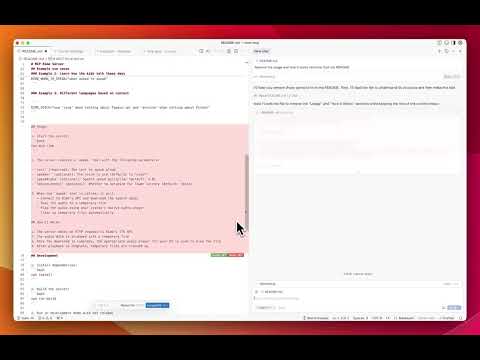
"RIME_WHEN_TO_SPEAK": "Always conclude your answers by speaking.",
"RIME_GUIDANCE": "Give a brief overview of the answer. If any files were edited, list them."RIME_GUIDANCE="Use phrases and slang common among Gen Alpha."
RIME_WHO_TO_ADDRESS="Matt"
RIME_WHEN_TO_SPEAK="when asked to speak"RIME_VOICE="use 'cove' when talking about Typescript and 'antoine' when talking about Python"Установить зависимости:
npm installСборка сервера:
npm run buildЗапустить в режиме разработки с горячей перезагрузкой:
npm run devМассачусетский технологический институт
Speak text aloud using Rime's text-to-speech API. Should be used when user asks you to speak or to announce and explain when you finish a command
User configuration:
WHO_TO_ADDRESS: user
WHEN_TO_SPEAK: when asked to speak or when finishing a command
VOICE: cove
GUIDANCE: Use the speak tool to convert text to speech when the user requests audio output or when providing verbal responses
Inputs: text (required), speaker, speedAlpha, reduceLatency.
Recent tool additions, removals, and schema changes observed during successful MCP inspections.
Loading tool schema changelog…
Scored across 1 tool
With only one tool, there is no possibility of ambiguity or overlap between tools. The speak tool has a single, clearly defined purpose for text-to-speech conversion.
A single tool inherently has perfect naming consistency, as there are no other tools to compare it against. The name 'speak' follows a clear verb pattern appropriate for its function.
A single tool is too few for most MCP server purposes, even for a text-to-speech service. This feels thin and limited, lacking complementary tools like volume control, voice selection, or speech status checks that would enhance functionality.
The tool surface is severely incomplete for a text-to-speech domain. While the speak tool covers the core output function, there are obvious gaps such as no tools for managing voices, adjusting speech parameters, stopping speech, or checking speech status, which limits agent capabilities.
A comprehensive Model Context Protocol (MCP) server that enables AI assistants to interact with yo…
Remote text-to-speech MCP server with text_to_speech and list_voices tools. Free plan.
AI voice generation: text-to-speech and voice cloning from any MCP client.
MCP server exposing the AceDataCloud Fish Audio API (text-to-speech with voice conditioning)