A
licenseB
qualityD
maintenanceA Model Context Protocol server that provides text-to-speech capabilities using the Kokoro TTS model, offering multiple voice options and customizable speech parameters.
4
20 npm
2
MIT


Rime API를 사용하여 텍스트-음성 변환 기능을 제공하는 모델 컨텍스트 프로토콜(MCP) 서버입니다. 이 서버는 오디오를 다운로드하여 시스템의 기본 오디오 플레이어를 사용하여 재생합니다.
텍스트를 음성으로 변환하고 시스템 오디오를 통해 재생하는 speak 도구를 제공합니다.
Rime의 고품질 음성 합성 API를 사용합니다.
Related MCP server: AivisSpeech MCP Server
Node.js 16.x 이상
작동하는 오디오 출력 장치
macOS: afplay 사용
다음은 테스트되지 않은 Claude의 샘플 코드입니다. 🤙✨
Windows: 기본 제공 Media.SoundPlayer(PowerShell)
Linux: mpg123, mplayer, aplay 또는 ffplay
지엑스피1
모든 선택적 환경 변수는 도구 정의의 일부이며 다음을 요구합니다.
모든 음성 옵션은 여기에 나열되어 있습니다.
API 키는 Rime 대시보드 에서 받을 수 있습니다.
다음 환경 변수를 사용하여 동작을 사용자 지정할 수 있습니다.
RIME_GUIDANCE : Speak Tool을 언제, 어떻게 사용하는지에 대한 주요 설명
RIME_WHO_TO_ADDRESS : 연설에서 언급해야 할 사람(기본값: "user")
RIME_WHEN_TO_SPEAK : 도구를 사용해야 하는 시점(기본값: "말하라는 요청을 받았을 때 또는 명령을 마칠 때")
RIME_VOICE : 사용할 기본 음성(기본값: "cove")
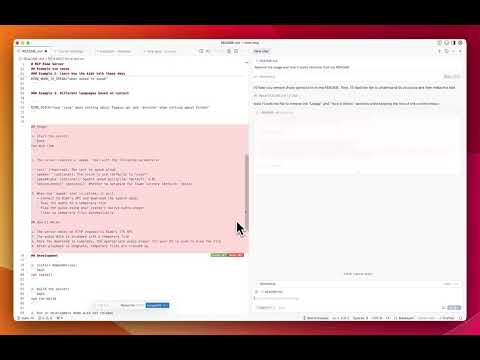
"RIME_WHEN_TO_SPEAK": "Always conclude your answers by speaking.",
"RIME_GUIDANCE": "Give a brief overview of the answer. If any files were edited, list them."RIME_GUIDANCE="Use phrases and slang common among Gen Alpha."
RIME_WHO_TO_ADDRESS="Matt"
RIME_WHEN_TO_SPEAK="when asked to speak"RIME_VOICE="use 'cove' when talking about Typescript and 'antoine' when talking about Python"종속성 설치:
npm install서버를 빌드하세요:
npm run build핫 리로드를 사용하여 개발 모드에서 실행:
npm run devMIT
Speak text aloud using Rime's text-to-speech API. Should be used when user asks you to speak or to announce and explain when you finish a command
User configuration:
WHO_TO_ADDRESS: user
WHEN_TO_SPEAK: when asked to speak or when finishing a command
VOICE: cove
GUIDANCE: Use the speak tool to convert text to speech when the user requests audio output or when providing verbal responses
| Name | Required | Description | Default |
|---|---|---|---|
| text | Yes | The text to speak aloud | |
| speaker | No | The voice to use (defaults to 'cove') | |
| speedAlpha | No | Speech speed multiplier (default: 1.0) | |
| reduceLatency | No | Whether to optimize for lower latency (default: false) |
Does the description disclose side effects, auth requirements, rate limits, or destructive behavior?
No annotations are provided, so the description carries the full burden. It mentions the API ('Rime's text-to-speech API') and usage context, but lacks details on behavioral traits such as rate limits, authentication requirements, error handling, or output format. The description does not contradict annotations, but it provides only basic operational context without deeper behavioral insights.
Agents need to know what a tool does to the world before calling it. Descriptions should go beyond structured annotations to explain consequences.
Is the description appropriately sized, front-loaded, and free of redundancy?
The description is somewhat verbose and includes redundant sections like 'User configuration:' with WHO_TO_ADDRESS, WHEN_TO_SPEAK, VOICE, and GUIDANCE, which could be integrated more efficiently. While it provides useful information, the structure is not optimally front-loaded, and some sentences (e.g., the configuration headers) do not add significant value beyond the core description.
Shorter descriptions cost fewer tokens and are easier for agents to parse. Every sentence should earn its place.
Given the tool's complexity, does the description cover enough for an agent to succeed on first attempt?
Given the tool's moderate complexity (4 parameters, no output schema, no annotations), the description is fairly complete. It covers purpose, usage guidelines, and basic context, but lacks details on behavioral aspects like performance or errors. Without annotations or output schema, it does enough to guide usage but could be more comprehensive for full transparency.
Complex tools with many parameters or behaviors need more documentation. Simple tools need less. This dimension scales expectations accordingly.
Does the description clarify parameter syntax, constraints, interactions, or defaults beyond what the schema provides?
Schema description coverage is 100%, so the schema fully documents all parameters. The description does not add any parameter-specific information beyond what the schema provides (e.g., it mentions 'VOICE: cove' but the schema already describes the 'speaker' parameter with a default). Baseline score of 3 is appropriate as the schema handles parameter documentation effectively.
Input schemas describe structure but not intent. Descriptions should explain non-obvious parameter relationships and valid value ranges.
Does the description clearly state what the tool does and how it differs from similar tools?
The description clearly states the tool's purpose: 'Speak text aloud using Rime's text-to-speech API.' It specifies the verb ('speak') and resource ('text'), and distinguishes it from potential alternatives by mentioning the specific API. However, since there are no sibling tools, the differentiation aspect is not applicable, preventing a perfect score.
Agents choose between tools based on descriptions. A clear purpose with a specific verb and resource helps agents select the right tool.
Does the description explain when to use this tool, when not to, or what alternatives exist?
The description provides explicit usage guidelines: 'Should be used when user asks you to speak or to announce and explain when you finish a command' and 'Use the speak tool to convert text to speech when the user requests audio output or when providing verbal responses.' It clearly defines when to use the tool, including specific scenarios, making it highly actionable for an AI agent.
Agents often have multiple tools that could apply. Explicit usage guidance like "use X instead of Y when Z" prevents misuse.
Recent tool additions, removals, and schema changes observed during successful MCP inspections.
speakScored across 1 tool
With only one tool, there is no possibility of ambiguity or overlap between tools. The speak tool has a single, clearly defined purpose for text-to-speech conversion.
A single tool inherently has perfect naming consistency, as there are no other tools to compare it against. The name 'speak' follows a clear verb pattern appropriate for its function.
A single tool is too few for most MCP server purposes, even for a text-to-speech service. This feels thin and limited, lacking complementary tools like volume control, voice selection, or speech status checks that would enhance functionality.
The tool surface is severely incomplete for a text-to-speech domain. While the speak tool covers the core output function, there are obvious gaps such as no tools for managing voices, adjusting speech parameters, stopping speech, or checking speech status, which limits agent capabilities.
A comprehensive Model Context Protocol (MCP) server that enables AI assistants to interact with yo…
AI voice generation: text-to-speech and voice cloning from any MCP client.
MCP server exposing the AceDataCloud Fish Audio API (text-to-speech with voice conditioning)
MCP server for Text-to-Speech