
A
licenseB
qualityD
maintenanceA Model Context Protocol server that provides text-to-speech capabilities using the Kokoro TTS model, offering multiple voice options and customizable speech parameters.
4
2
MIT


Un servidor de Protocolo de Contexto de Modelo (MCP) que proporciona funciones de conversión de texto a voz mediante la API de Rime. Este servidor descarga audio y lo reproduce mediante el reproductor de audio nativo del sistema.
Expone una herramienta speak que convierte texto en voz y lo reproduce a través del audio del sistema.
Utiliza la API de síntesis de voz de alta calidad de Rime
Related MCP server: AivisSpeech MCP Server
Node.js 16.x o superior
Un dispositivo de salida de audio que funcione
macOS: utiliza afplay
Hay un código de muestra de Claude para lo siguiente que no está probado 🤙✨
Windows: Media.SoundPlayer integrado (PowerShell)
Linux: mpg123, mplayer, aplay o ffplay
"ref": {
  "command": "npx",
  "args": ["rime-mcp"],
  "env": {
      RIME_API_KEY=your_api_key_here

      # Optional configuration
      RIME_GUIDANCE="<guide how the agent speaks>"
      RIME_WHO_TO_ADDRESS="<your name>"
      RIME_WHEN_TO_SPEAK="<tell the agent when to speak>"
      RIME_VOICE="cove"
  }
}
Todas las variables de entorno opcionales son parte de la definición de la herramienta y son indicaciones para
Aquí se enumeran todas las opciones de voz.
Puede obtener su clave API desde el panel de control de Rime .
Las siguientes variables de entorno se pueden utilizar para personalizar el comportamiento:
RIME_GUIDANCE : La descripción principal de cuándo y cómo utilizar la herramienta de voz
RIME_WHO_TO_ADDRESS : A quién debe dirigirse el discurso (predeterminado: "usuario")
RIME_WHEN_TO_SPEAK : Cuándo se debe utilizar la herramienta (predeterminado: "cuando se le pide que hable o al finalizar un comando")
RIME_VOICE : La voz predeterminada a utilizar (predeterminada: "cove")
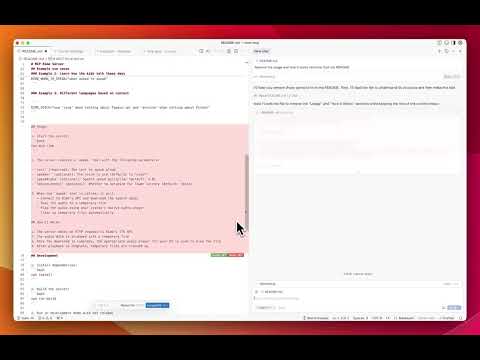
"RIME_WHEN_TO_SPEAK": "Always conclude your answers by speaking.",
"RIME_GUIDANCE": "Give a brief overview of the answer. If any files were edited, list them."RIME_GUIDANCE="Use phrases and slang common among Gen Alpha."
RIME_WHO_TO_ADDRESS="Matt"
RIME_WHEN_TO_SPEAK="when asked to speak"RIME_VOICE="use 'cove' when talking about Typescript and 'antoine' when talking about Python"Instalar dependencias:
npm installConstruir el servidor:
npm run buildEjecutar en modo de desarrollo con recarga en caliente:
npm run devInstituto Tecnológico de Massachusetts (MIT)
Speak text aloud using Rime's text-to-speech API. Should be used when user asks you to speak or to announce and explain when you finish a command
User configuration:
WHO_TO_ADDRESS: user
WHEN_TO_SPEAK: when asked to speak or when finishing a command
VOICE: cove
GUIDANCE: Use the speak tool to convert text to speech when the user requests audio output or when providing verbal responses
Inputs: text (required), speaker, speedAlpha, reduceLatency.
Recent tool additions, removals, and schema changes observed during successful MCP inspections.
Loading tool schema changelog…
Scored across 1 tool
With only one tool, there is no possibility of ambiguity or overlap between tools. The speak tool has a single, clearly defined purpose for text-to-speech conversion.
A single tool inherently has perfect naming consistency, as there are no other tools to compare it against. The name 'speak' follows a clear verb pattern appropriate for its function.
A single tool is too few for most MCP server purposes, even for a text-to-speech service. This feels thin and limited, lacking complementary tools like volume control, voice selection, or speech status checks that would enhance functionality.
The tool surface is severely incomplete for a text-to-speech domain. While the speak tool covers the core output function, there are obvious gaps such as no tools for managing voices, adjusting speech parameters, stopping speech, or checking speech status, which limits agent capabilities.
A comprehensive Model Context Protocol (MCP) server that enables AI assistants to interact with yo…
Remote text-to-speech MCP server with text_to_speech and list_voices tools. Free plan.
AI voice generation: text-to-speech and voice cloning from any MCP client.
MCP server exposing the AceDataCloud Fish Audio API (text-to-speech with voice conditioning)