Utilizes .ENV for environment variable management, specifically for storing and accessing the Tavily API key needed for web search functionality.
Click on "Install Server".
Wait a few minutes for the server to deploy. Once ready, it will show a "Started" state.
In the chat, type
@followed by the MCP server name and your instructions, e.g., "@MCP2Tavilysearch for latest AI developments in 2024"
That's it! The server will respond to your query, and you can continue using it as needed.
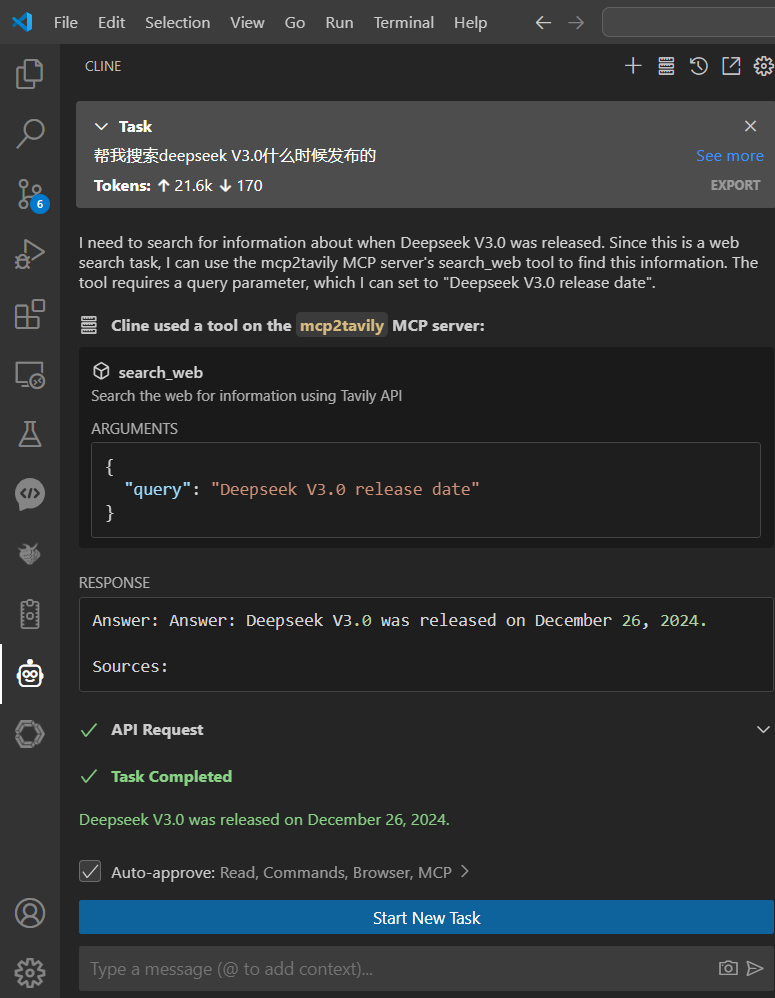
Here is a step-by-step guide with screenshots.
MCP2Tavily
A MCP protocol server that implements web search functionality using the Tavily API.
Prerequisites
Python 3.11+
UV package manager
Tavily API key
Related MCP server: All-Search MCP Server
Installation
Clone the repository
Create and edit the
.envfile
Set up virtual environment with UV
Install dependencies
Usage
Install as Claude extension
Development mode with MCP Inspector
To test the functionality using MCP Inspector:
Once running, you can access the MCP Inspector at: http://localhost:5173
Available Tools
search_web(query: str): Search the web using Tavily APIsearch_web_info(query: str): Same as above, with Chinese description
Environment Variables
TAVILY_API_KEY: Your Tavily API key (required)
Step-by-Step Guide
手动添加Cline Continue Claude
Cline Continue Claude的MCP JSON FILE
Cline
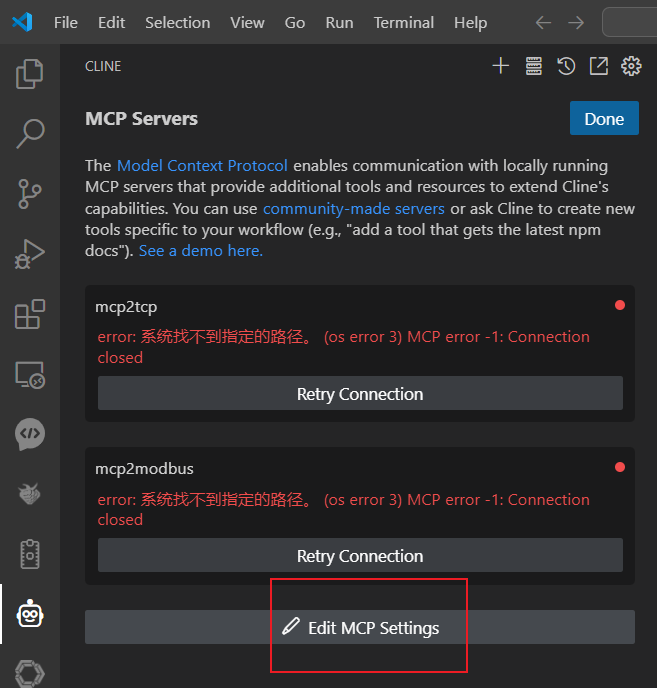
Cline
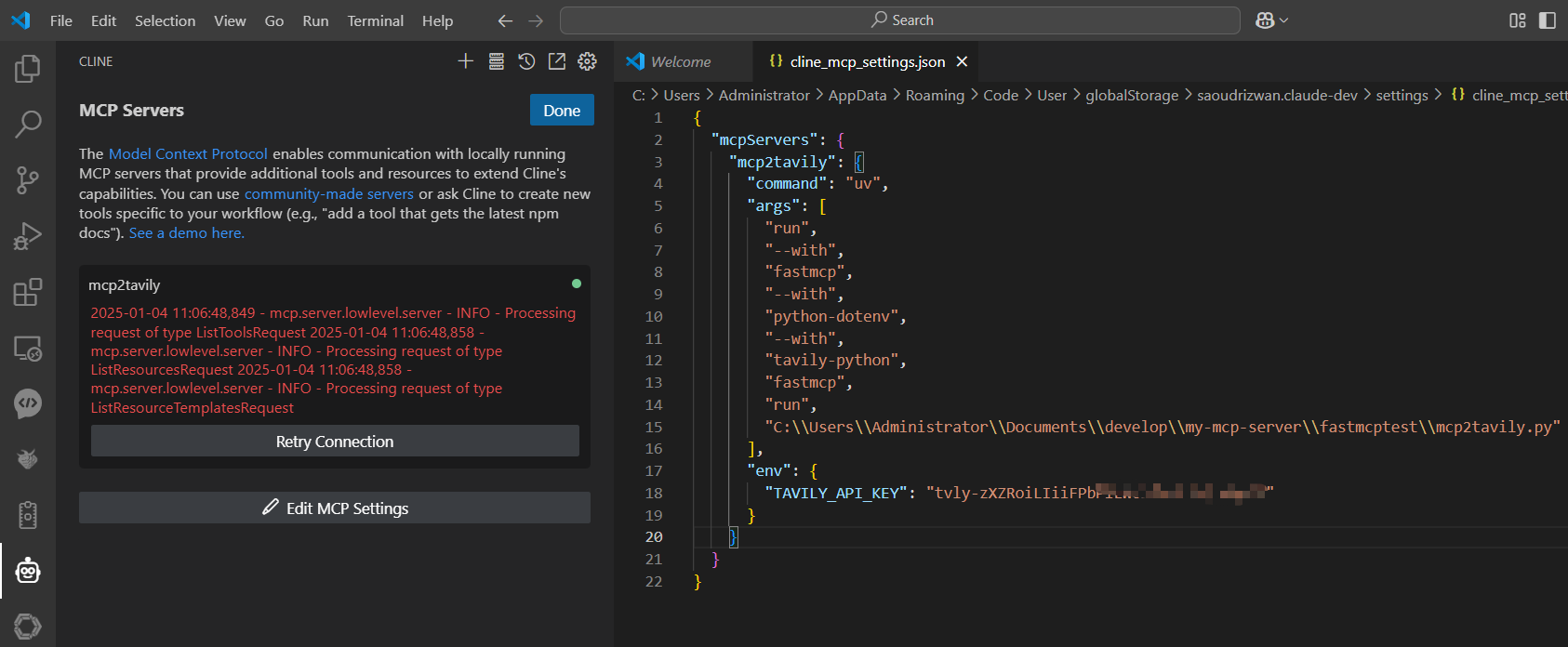
Cline
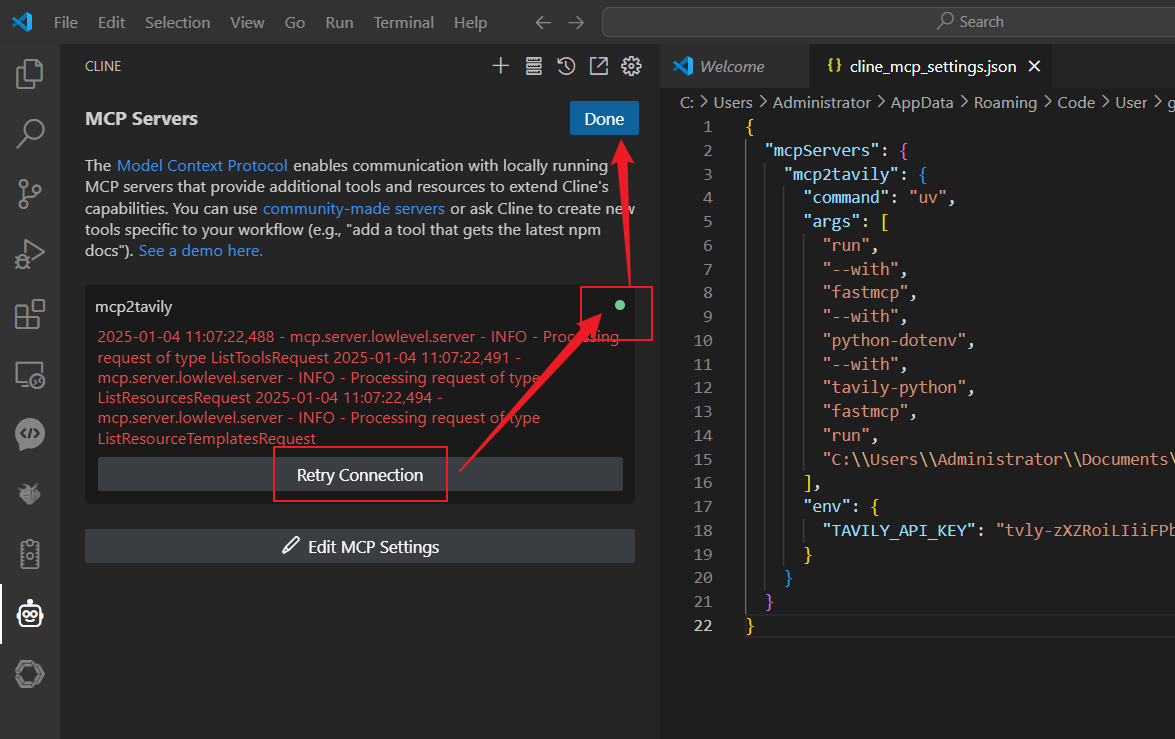
EXAMPLE