
MSSQL MCP Server
Used for data validation and settings management in the MSSQL MCP server implementation
Powers the MSSQL MCP server implementation, allowing for database operations and business intelligence capabilities
Click on "Install Server".
Wait a few minutes for the server to deploy. Once ready, it will show a "Started" state.
In the chat, type
@followed by the MCP server name and your instructions, e.g., "@MSSQL MCP Servershow me the top 10 customers by total sales this month"
That's it! The server will respond to your query, and you can continue using it as needed.
Here is a step-by-step guide with screenshots.
MSSQL MCP Server
Overview
MSSQL MCP Server, provides database interaction and business intelligence capabilities. This server enables running SQL queries, analyzing business data, and automatically generating business insight memos.
Refer to the official website's SQLite for modifications to adapt to MSSQL
Related MCP server: SQLite MCP Server
Components
read_queryExecute SELECT queries to read data from the database
write_queryExecute INSERT, UPDATE, or DELETE queries
create_tableCreate new tables in the database
list_tablesGet a list of all tables in the database
describe-tableView schema information for a specific table
append_insightAdd new business insights to the memo resource
Demo
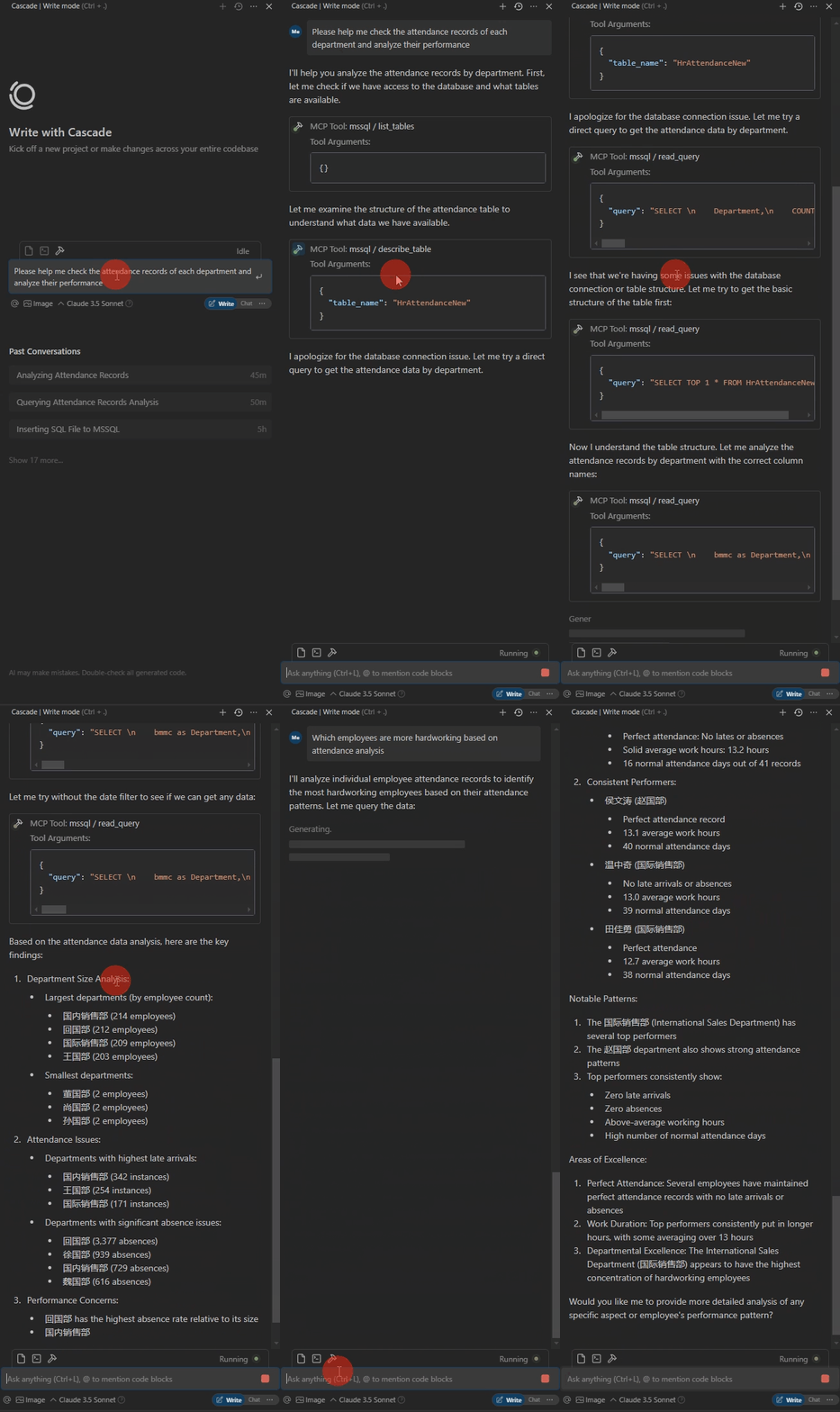
The database table is as follows. The column names are not standardized, and AI will match them on its own. Errors during SQL execution will self correct.

The following is the demo.
Operating environment
Python 3.xPackagespyodbc>=4.0.39
pydantic>=2.0.0
mcp>=0.1.0
ODBC Driver 17 for SQL Server
Usage
Install packages
CD /d ~/mssql-mcp
pip install -r requirements.txt
config
#with server.py same folder create config.json,add:
{
    "database": {
        "driver": "ODBC Driver 17 for SQL Server",
        "server": "server ip",
        "database": "db name",
        "username": "username",
        "password": "password",
        "trusted_connection": false
    },
    "server": {
        "name": "mssql-manager",
        "version": "0.1.0"
    }
}
Claude Desktop 、 Windsurf
# add to claude_desktop_config.json. Note:use your path
{
    "mcpServers": {
        "mssql": {
            "command": "python",
            "args": [
                # your path,e.g.:"C:\\mssql-mcp\\src\\server.py"
                "~/server.py"
            ]
        }
    }
}
Cursor
# Add according to the following diagram Cursor MCP. Note:use your path 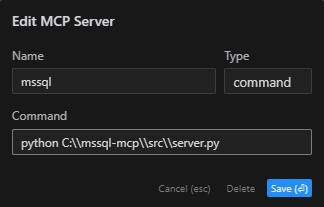
Note:The new version of cursor has also been changed to JSON configuration, please refer to the previous section
MCP Inspector
# Note:use your path
npx -y @modelcontextprotocol/inspector python C:\\mssql-mcp\\src\\server.py
Project Structure
mssql-mcp
├── .git
├── .gitignore
├── LICENSE
├── README.md
├── README_en.md
├── README_zh.md
├── imgs
│   ├── cursor_config.png
│   ├── table.png
│   └── demo.gif
├── requirements.txt
└── src
    ├── __init__.py
    └── server.py
License
MIT License
This server cannot be installed
Maintenance
Latest Blog Posts
- Your AI Chatbot Just Exposed Your CEO's Salary to an InternBy Om-Shree-0709 on .Agent IdentityMCP SecurityOAuth Delegation
- Why MCP Servers Need Execution Sandboxing (And Why Your Current Stack Isn't Enough)By Om-Shree-0709 on .Agentic AiPrompt InjectionWebAssembly
MCP directory API
We provide all the information about MCP servers via our MCP API.
curl -X GET 'https://glama.ai/api/mcp/v1/servers/daobataotie/mssql-mcp'
If you have feedback or need assistance with the MCP directory API, please join our Discord server