
The Say MCP Server provides text-to-speech functionality utilizing macOS's built-in say command.
Speak text: Convert text to speech with customizable voice, speaking rate (1-500 wpm), and background execution options
Voice modulation: Adjust speech parameters mid-text using inline commands for rate changes, volume, pitch, emphasis, and silences
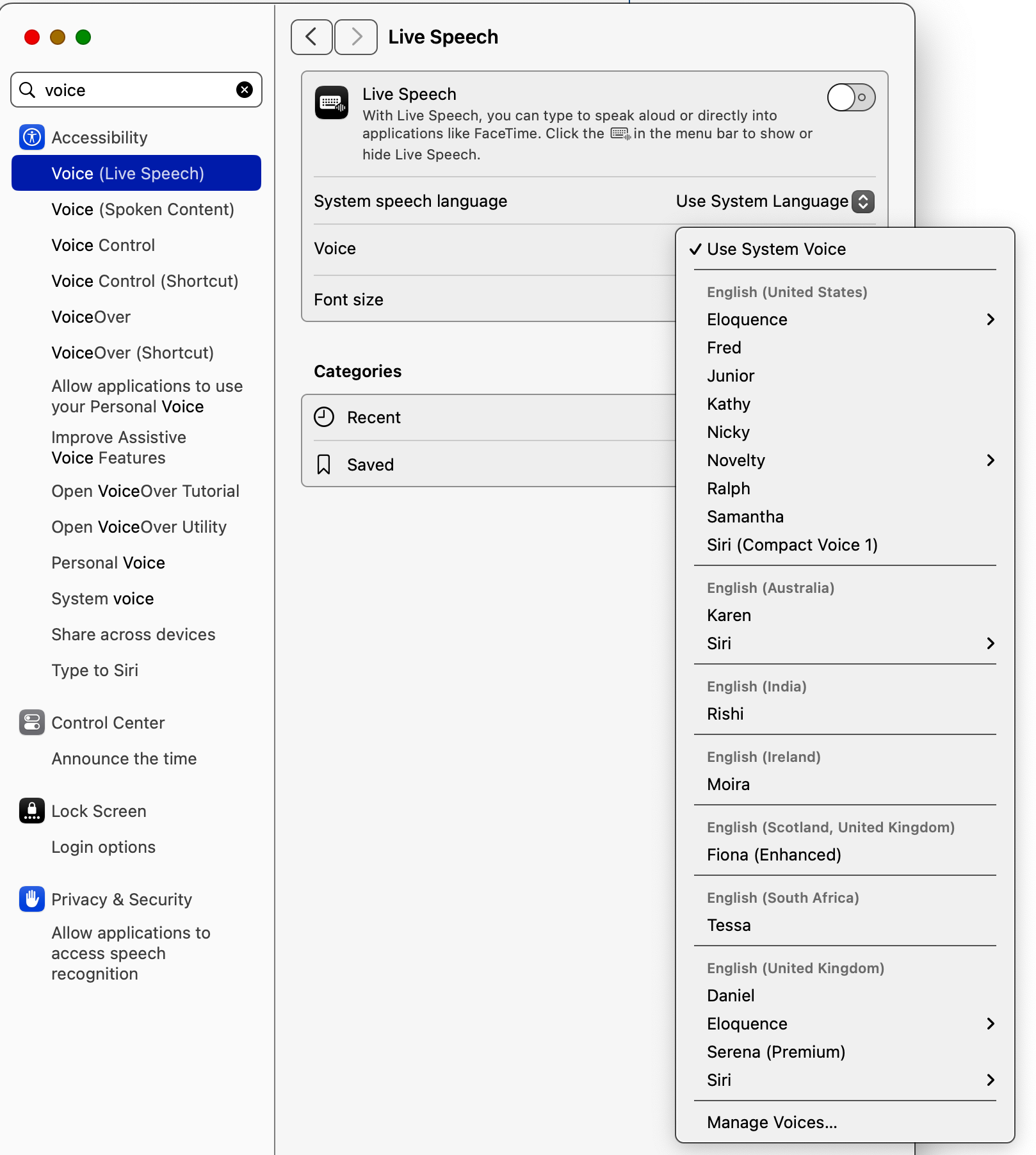
Voice selection: Choose from various voices including Alex, Victoria, and Daniel
List voices: Retrieve all available text-to-speech voices installed on the system
Integration: Works seamlessly with other MCP tools for extended workflows
Integrates with Apple Notes to read notes content aloud using text-to-speech functionality, allowing users to have their Apple Notes read to them with customizable voice properties.
Provides text-to-speech capabilities using macOS's built-in 'say' command, allowing customization of voice, speech rate, volume, pitch, and emphasis. Supports background speech processing and can be integrated with other MCP servers to read content aloud.
Can be used to read YouTube video transcripts aloud with customizable voice settings by integrating with a YouTube transcript MCP server to convert video transcripts to speech.
Click on "Install Server".
Wait a few minutes for the server to deploy. Once ready, it will show a "Started" state.
In the chat, type
@followed by the MCP server name and your instructions, e.g., "@Say MCP Serverread my meeting notes aloud using the Samantha voice"
That's it! The server will respond to your query, and you can continue using it as needed.
Here is a step-by-step guide with screenshots.
say-mcp-server
An MCP server that provides text-to-speech functionality using macOS's built-in say command.
Requirements
macOS (uses the built-in
saycommand)Node.js >= 14.0.0
Related MCP server: Command-Line MCP Server
Configuration
Add the following to your MCP settings configuration file:
{
  "mcpServers": {
    "say": {
      "command": "node",
      "args": ["/path/to/say-mcp-server/build/index.js"]
    }
  }
}
Installation
npm install say-mcp-serverTools
speak
The speak tool provides access to macOS's text-to-speech capabilities with extensive customization options.
Basic Usage
Use macOS text-to-speech to speak text aloud.
Parameters:
text(required): Text to speak. Supports:Plain text
Basic punctuation for pauses
Newlines for natural breaks
[[slnc 500]] for 500ms silence
[[rate 200]] for changing speed mid-text
[[volm 0.5]] for changing volume mid-text
[[emph +]] and [[emph -]] for emphasis
[[pbas +10]] for pitch adjustment
voice(optional): Voice to use (default: "Alex")rate(optional): Speaking rate in words per minute (default: 175, range: 1-500)background(optional): Run speech in background to allow further MCP interaction (default: false)
Advanced Features
Voice Modulation:
use_mcp_tool({
  server_name: "say",
  tool_name: "speak",
  arguments: {
    text: "[[volm 0.7]] This is quieter [[volm 1.0]] and this is normal [[volm 1.5]] and this is louder",
    voice: "Victoria"
  }
});
Dynamic Rate Changes:
use_mcp_tool({
  server_name: "say",
  tool_name: "speak",
  arguments: {
    text: "Normal speed [[rate 300]] now speaking faster [[rate 100]] and now slower",
    voice: "Fred"
  }
});
Emphasis and Pitch:
use_mcp_tool({
  server_name: "say",
  tool_name: "speak",
  arguments: {
    text: "[[emph +]] Important point! [[emph -]] [[pbas +10]] Higher pitch [[pbas -10]] Lower pitch",
    voice: "Samantha"
  }
});
Integration Examples
With Marginalia Search:
// Search for a topic and have the results read aloud
const searchResult = await use_mcp_tool({
  server_name: "marginalia-mcp-server",
  tool_name: "search",
  arguments: { query: "quantum computing basics", count: 1 }
});

await use_mcp_tool({
  server_name: "say",
  tool_name: "speak",
  arguments: {
    text: searchResult.results[0].description,
    voice: "Daniel",
    rate: 150
  }
});
With YouTube Transcripts:
// Read a YouTube video transcript
const transcript = await use_mcp_tool({
  server_name: "youtube-transcript",
  tool_name: "get_transcript",
  arguments: {
    url: "https://youtube.com/watch?v=example",
    lang: "en"
  }
});

await use_mcp_tool({
  server_name: "say",
  tool_name: "speak",
  arguments: {
    text: transcript.text,
    voice: "Samantha",
    rate: 175
  }
});
Background Speech with Multiple Actions:
// Start long speech in background
await use_mcp_tool({
  server_name: "say",
  tool_name: "speak",
  arguments: {
    text: "This is a long speech that will run in the background...",
    voice: "Rocko (Italian (Italy))",
    rate: 69,
    background: true
  }
});

// Immediately perform another action while speech continues
await use_mcp_tool({
  server_name: "marginalia-mcp-server",
  tool_name: "search",
  arguments: { query: "parallel processing" }
});
With Apple Notes:
// Read notes aloud
const notes = await use_mcp_tool({
  server_name: "apple-notes-mcp",
  tool_name: "search-notes",
  arguments: { query: "meeting notes" }
});

if (notes.length > 0) {
  await use_mcp_tool({
    server_name: "say",
    tool_name: "speak",
    arguments: {
      text: notes[0].content,
      voice: "Karen",
      rate: 160
    }
  });
}
Example:
use_mcp_tool({
  server_name: "say",
  tool_name: "speak",
  arguments: {
    text: "Hello, world!",
    voice: "Victoria",
    rate: 200
  }
});
list_voices
List all available text-to-speech voices on the system.
Example:
use_mcp_tool({
  server_name: "say",
  tool_name: "list_voices",
  arguments: {}
});
Recommended Voices
Configuration
Add the following to your MCP settings configuration file:
{
  "mcpServers": {
    "say": {
      "command": "node",
      "args": ["/path/to/say-mcp-server/build/index.js"]
    }
  }
}
Requirements
macOS (uses the built-in
saycommand)Node.js >= 14.0.0
Contributors
Barton Rhodes (@bmorphism) - barton@vibes.lol
License
MIT