
Connects to MLflow Prompt Registry, allowing access to managed prompt templates through MCP, with tools for listing available prompts and retrieving specific prompts with variable arguments.
Click on "Install Server".
Wait a few minutes for the server to deploy. Once ready, it will show a "Started" state.
In the chat, type
@followed by the MCP server name and your instructions, e.g., "@MLflow Prompt Registry MCP Serverget the 'code-review' prompt template with my latest changes"
That's it! The server will respond to your query, and you can continue using it as needed.
Here is a step-by-step guide with screenshots.
MLflow Prompt Registry MCP Server
Model Context Protocol (MCP) Server for MLflow Prompt Registry, enabling access to prompt templates managed in MLflow.
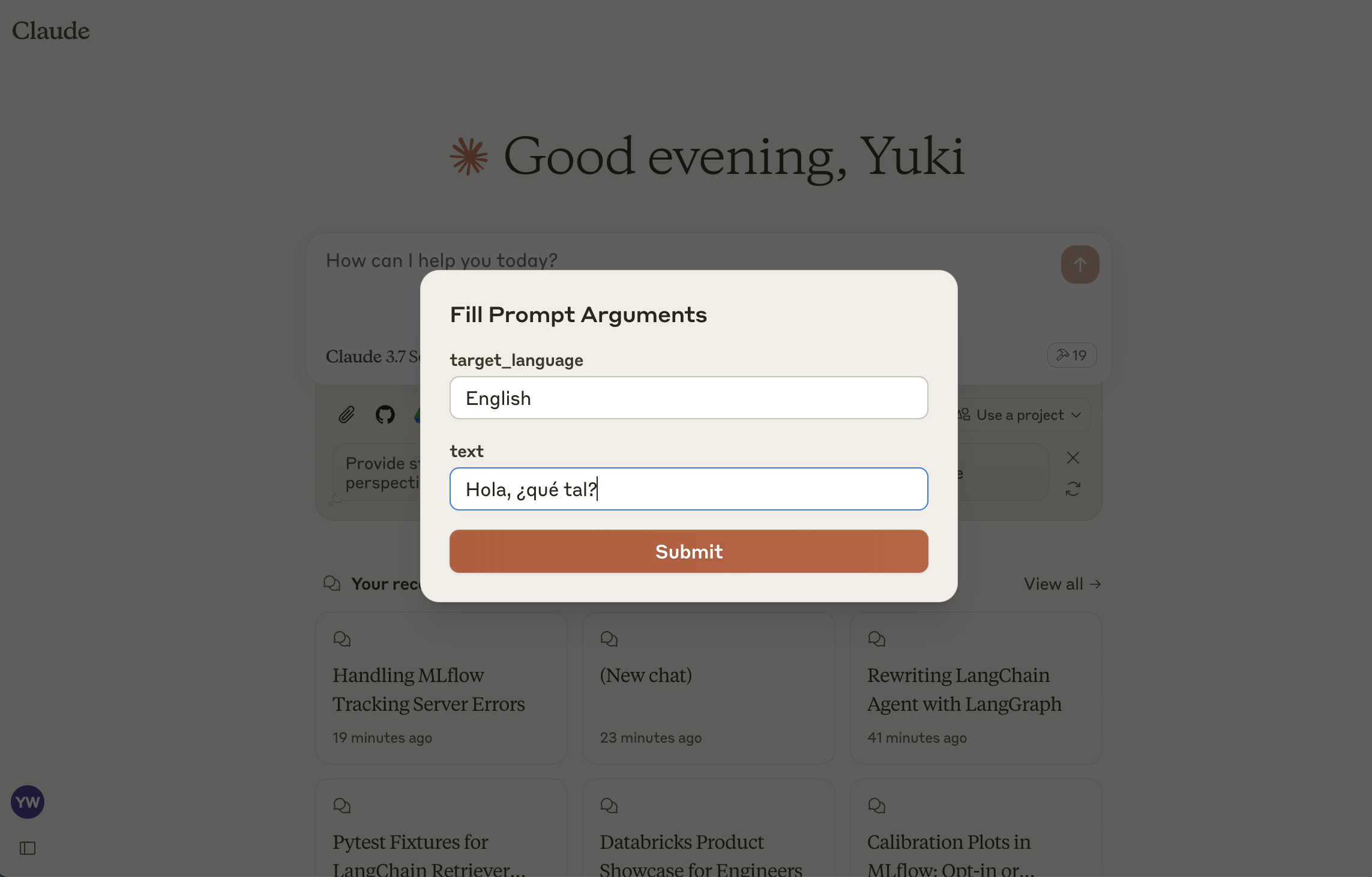
This server implements the MCP Prompts specification for discovering and using prompt templates from MLflow Prompt Registry. The primary use case is to load prompt templates from MLflow in Claude Desktop, allowing users to instruct Claude conveniently for repetitive tasks or common workflows.
Tools
list-promptsList available prompts
Inputs:
cursor(optional string): Cursor for paginationfilter(optional string): Filter for prompts
Returns: List of prompt objects
get-promptRetrieve and compile a specific prompt
Inputs:
name(string): Name of the prompt to retrievearguments(optional object): JSON object with prompt variables
Returns: Compiled prompt object
Related MCP server: Langfuse Prompt Management MCP Server
Setup
1: Install MLflow and Start Prompt Registry
Install and start an MLflow server if you haven't already to host the Prompt Registry:
2: Create a prompt template in MLflow
If you haven't already, create a prompt template in MLflow following this guide.
3: Build MCP Server
4: Add the server to Claude Desktop
Configure Claude for Desktop by editing claude_desktop_config.json:
Make sure to replace the MLFLOW_TRACKING_URI with your actual MLflow server address.