F
licenseNot graded
qualityD
maintenanceA basic MCP server template that provides a foundation for building custom tools, resources, and prompts. Serves as a starting point for developers to create their own MCP server functionality.
-

使用 FastMCP 的动态 MCP 服务器实现,可自动从相应目录加载工具、资源和提示。
从tools/ 、 resources/和prompts/目录动态加载模块
自动发现和注册模块
简单的配置和可扩展性
类型提示可提高代码清晰度和静态分析能力
用于监控服务器活动的综合日志记录
Related MCP server: Netmex MCP
在整个代码库中添加了类型提示
改进了 MCP 实例处理
增加了日志记录功能
添加 MIT 许可证
更新了带有参考链接的文档
mcp-ynu/
├── tools/          # Directory for tool modules
│   ├── __init__.py
│   ├── example.py
├── resources/      # Directory for resource modules
│   ├── __init__.py
│   ├── example.py
├── prompts/        # Directory for prompt modules
│   ├── __init__.py
│   ├── example.py
├── logger.py       # Logger implementation
├── main.py         # Main implementation
├── mcp_server.py   # MCP server implementation
├── README.md       # Project documentation
├── LICENSE         # MIT License
└── pyproject.toml # Project configuration在适当的目录中创建模块
通过from mcp_server import mcp
运行服务器:
python main.pyfrom mcp_server import mcp
import httpx
@mcp.tool()
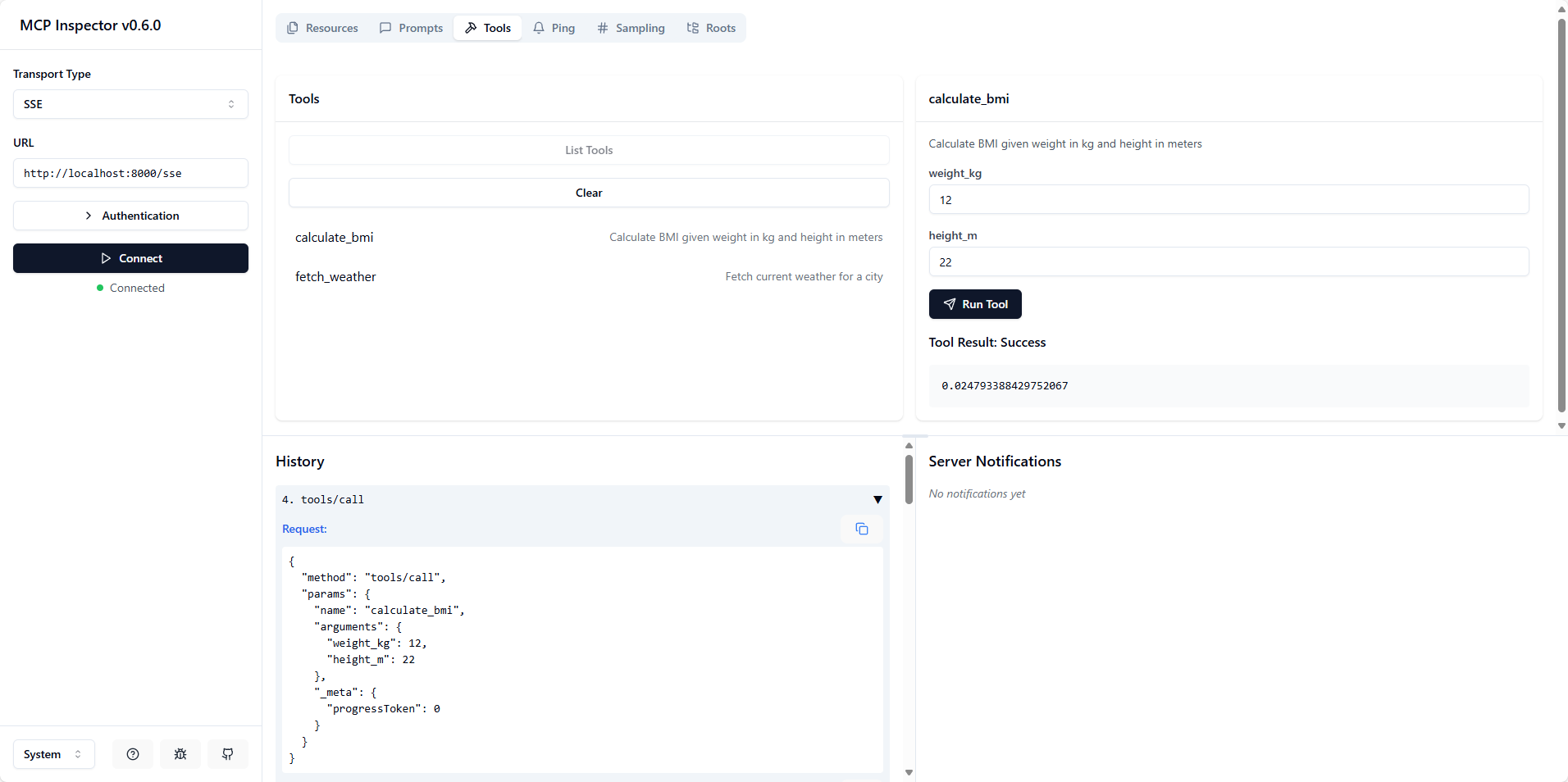
def calculate_bmi(weight_kg: float, height_m: float) -> float:
"""Calculate BMI given weight in kg and height in meters"""
return weight_kg / (height_m**2)
@mcp.tool()
async def fetch_weather(city: str) -> str:
"""Fetch current weather for a city"""
async with httpx.AsyncClient() as client:
response = await client.get(f"https://api.weather.com/{city}")
return response.textfrom mcp_server import mcp
@mcp.resource("config://app")
def get_config() -> str:
"""Static configuration data"""
return "App configuration here"
@mcp.resource("users://{user_id}/profile")
def get_user_profile(user_id: str) -> str:
"""Dynamic user data"""
return f"Profile data for user {user_id}"from mcp_server import mcp
from mcp.server.fastmcp.prompts import base
@mcp.prompt()
def review_code(code: str) -> str:
return f"Please review this code:\n\n{code}"
@mcp.prompt()
def debug_error(error: str) -> list[base.Message]:
return [
base.UserMessage("I'm seeing this error:"),
base.UserMessage(error),
base.AssistantMessage("I'll help debug that. What have you tried so far?"),
]更新.env中的MCP_TRANSPORT_TYPE ,执行python main.py启动 mcp 服务器
执行npx @modelcontextprotocol/inspector打开检查。
选择SSE传输类型,URL 为http://localhost:<mcp_server_port>/sse或选择STDIO传输类型,命令为python ,参数为/path/to/main.py
Python >= 3.10
FastMCP
该项目根据 MIT 许可证获得许可 - 有关详细信息,请参阅LICENSE文件。
This server cannot be deployed
Nifty's MCP server — exposes tasks, projects, messages, and files as tools for AI agents.
MCP server for progressive tool usage at any scale (see https://klavis.ai)