F
licenseNot graded
qualityD
maintenanceA basic MCP server template that provides a foundation for building custom tools, resources, and prompts. Serves as a starting point for developers to create their own MCP server functionality.
-

Used for server configuration with environment variables. It appears in the debugging section where users need to update 'MCP_TRANSPORT_TYPE' in a .env file before starting the server.
The server is built on Python (version 3.10 or higher) and uses the FastMCP Python SDK to provide a dynamic MCP server implementation.
Click on "Deploy Server".
Wait a few minutes for the server to deploy. Once ready, it will show a "Started" state.
In the chat, type @ followed by the MCP server name and your instructions, e.g., "@MCP-YNU FastMCP Server list available tools"
That's it! The server will respond to your query, and you can continue using it as needed.
Here is a step-by-step guide with screenshots.
A dynamic MCP server implementation using FastMCP that automatically loads tools, resources, and prompts from respective directories.
Dynamic loading of modules from tools/, resources/, and prompts/ directories
Automatic discovery and registration of modules
Simple configuration and extensibility
Type hints for better code clarity and static analysis
Comprehensive logging for monitoring server activity
Related MCP server: Netmex MCP
Added type hints throughout the codebase
Improved MCP instance handling
Added logging functionality
Added MIT license
Updated documentation with reference links
mcp-ynu/
├── tools/          # Directory for tool modules
│   ├── __init__.py
│   ├── example.py
├── resources/      # Directory for resource modules
│   ├── __init__.py
│   ├── example.py
├── prompts/        # Directory for prompt modules
│   ├── __init__.py
│   ├── example.py
├── logger.py       # Logger implementation
├── main.py         # Main implementation
├── mcp_server.py   # MCP server implementation
├── README.md       # Project documentation
├── LICENSE         # MIT License
└── pyproject.toml # Project configurationCreate modules in the appropriate directories
Import mcp via from mcp_server import mcp
Run the server:
python main.pyfrom mcp_server import mcp
import httpx
@mcp.tool()
def calculate_bmi(weight_kg: float, height_m: float) -> float:
"""Calculate BMI given weight in kg and height in meters"""
return weight_kg / (height_m**2)
@mcp.tool()
async def fetch_weather(city: str) -> str:
"""Fetch current weather for a city"""
async with httpx.AsyncClient() as client:
response = await client.get(f"https://api.weather.com/{city}")
return response.textfrom mcp_server import mcp
@mcp.resource("config://app")
def get_config() -> str:
"""Static configuration data"""
return "App configuration here"
@mcp.resource("users://{user_id}/profile")
def get_user_profile(user_id: str) -> str:
"""Dynamic user data"""
return f"Profile data for user {user_id}"from mcp_server import mcp
from mcp.server.fastmcp.prompts import base
@mcp.prompt()
def review_code(code: str) -> str:
return f"Please review this code:\n\n{code}"
@mcp.prompt()
def debug_error(error: str) -> list[base.Message]:
return [
base.UserMessage("I'm seeing this error:"),
base.UserMessage(error),
base.AssistantMessage("I'll help debug that. What have you tried so far?"),
]Update MCP_TRANSPORT_TYPE in .env, Execute python main.py to start the mcp server
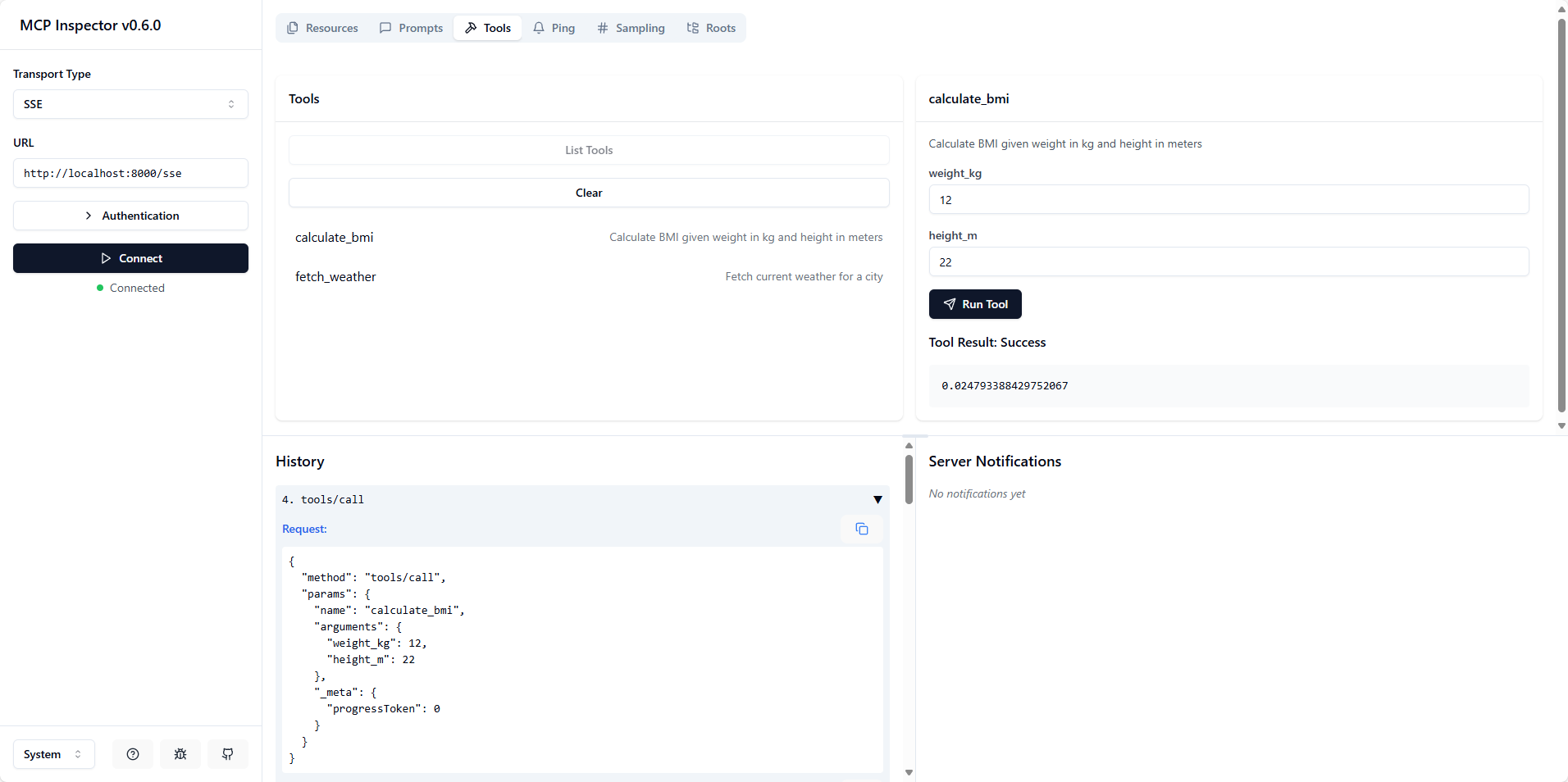
Execute npx @modelcontextprotocol/inspector to open the inspect.
Choose SSE Transport Type with URL http://localhost:<mcp_server_port>/sse or Choose STDIO Transport Type with Command python and Arguments /path/to/main.py
Python >= 3.10
FastMCP
This project is licensed under the MIT License - see the LICENSE file for details.
This server cannot be deployed
Nifty's MCP server — exposes tasks, projects, messages, and files as tools for AI agents.
MCP server for progressive tool usage at any scale (see https://klavis.ai)