F
licenseNot graded
qualityD
maintenanceA basic MCP server template that provides a foundation for building custom tools, resources, and prompts. Serves as a starting point for developers to create their own MCP server functionality.
-

Una implementación de servidor MCP dinámico que utiliza FastMCP que carga automáticamente herramientas, recursos y avisos desde los directorios respectivos.
Carga dinámica de módulos desde los directorios tools/ , resources/ y prompts/
Descubrimiento y registro automático de módulos
Configuración sencilla y extensibilidad
Sugerencias de tipo para una mejor claridad del código y análisis estático
Registro completo para supervisar la actividad del servidor
Related MCP server: Netmex MCP
Se agregaron sugerencias de tipo en todo el código base
Manejo mejorado de instancias de MCP
Se agregó funcionalidad de registro
Se agregó licencia MIT
Documentación actualizada con enlaces de referencia
mcp-ynu/
├── tools/          # Directory for tool modules
│   ├── __init__.py
│   ├── example.py
├── resources/      # Directory for resource modules
│   ├── __init__.py
│   ├── example.py
├── prompts/        # Directory for prompt modules
│   ├── __init__.py
│   ├── example.py
├── logger.py       # Logger implementation
├── main.py         # Main implementation
├── mcp_server.py   # MCP server implementation
├── README.md       # Project documentation
├── LICENSE         # MIT License
└── pyproject.toml # Project configurationCrear módulos en los directorios apropiados
Importar mcp mediante from mcp_server import mcp
Ejecutar el servidor:
python main.pyfrom mcp_server import mcp
import httpx
@mcp.tool()
def calculate_bmi(weight_kg: float, height_m: float) -> float:
"""Calculate BMI given weight in kg and height in meters"""
return weight_kg / (height_m**2)
@mcp.tool()
async def fetch_weather(city: str) -> str:
"""Fetch current weather for a city"""
async with httpx.AsyncClient() as client:
response = await client.get(f"https://api.weather.com/{city}")
return response.textfrom mcp_server import mcp
@mcp.resource("config://app")
def get_config() -> str:
"""Static configuration data"""
return "App configuration here"
@mcp.resource("users://{user_id}/profile")
def get_user_profile(user_id: str) -> str:
"""Dynamic user data"""
return f"Profile data for user {user_id}"from mcp_server import mcp
from mcp.server.fastmcp.prompts import base
@mcp.prompt()
def review_code(code: str) -> str:
return f"Please review this code:\n\n{code}"
@mcp.prompt()
def debug_error(error: str) -> list[base.Message]:
return [
base.UserMessage("I'm seeing this error:"),
base.UserMessage(error),
base.AssistantMessage("I'll help debug that. What have you tried so far?"),
]Actualice MCP_TRANSPORT_TYPE en .env , ejecute python main.py para iniciar el servidor mcp
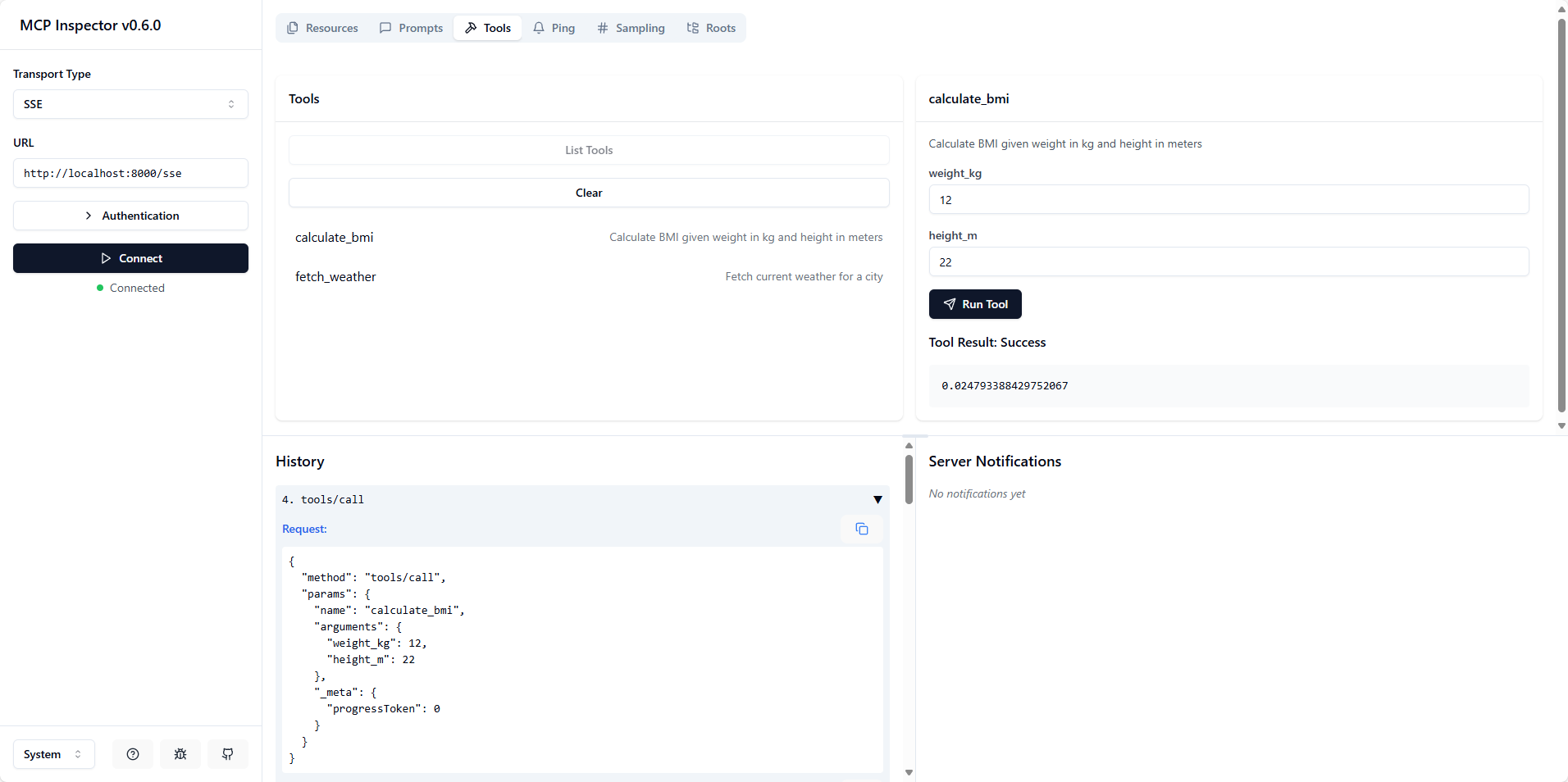
Ejecute npx @modelcontextprotocol/inspector para abrir la inspección .
Elija el tipo de transporte SSE con la URL http://localhost:<mcp_server_port>/sse o elija el tipo de transporte STDIO con el comando python y los argumentos /path/to/main.py
Python >= 3.10
FastMCP
Este proyecto está licenciado bajo la licencia MIT: consulte el archivo de LICENCIA para obtener más detalles.
This server cannot be deployed
Nifty's MCP server — exposes tasks, projects, messages, and files as tools for AI agents.
MCP server for progressive tool usage at any scale (see https://klavis.ai)