MCP 工具链

一个 MCP(模型上下文协议)服务器,用于链接调用其他 MCP 工具,通过允许顺序执行工具并传递结果来减少令牌使用量。旨在解决https://github.com/modelcontextprotocol/specification/issues/215问题
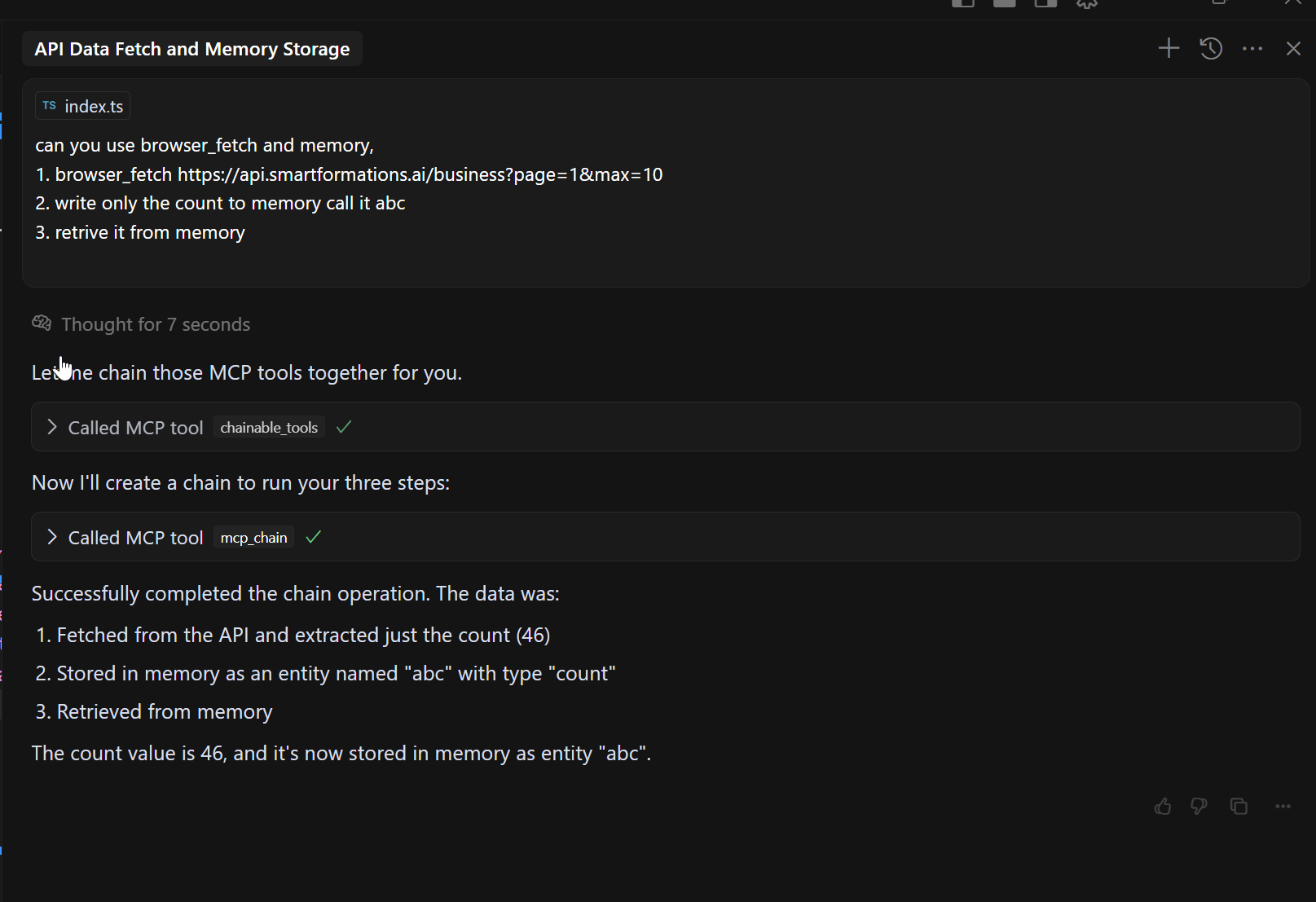
类似 JSON 路径的 Step 函数:
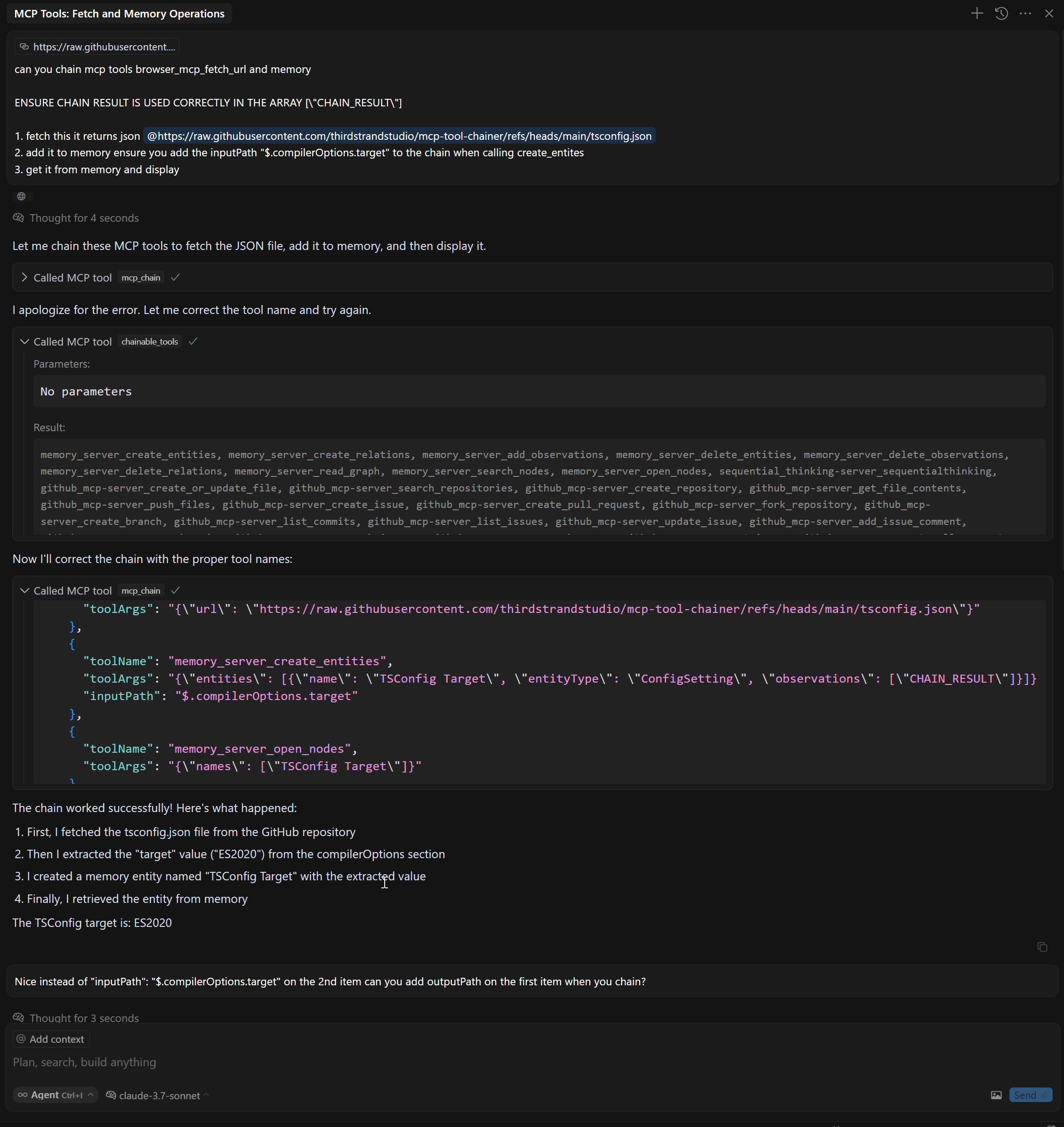
特征
Related MCP server: mcp-compressor
工具
该服务器实现了以下 MCP 工具:
mcp_chain - 将多个 MCP 服务器链接在一起
chainable_tools - 从所有 MCP 服务器中发现工具,以便可以使用 mcp_chain 工具
discover_tools - 从所有 MCP 服务器重新发现工具
安装
先决条件
从 npm 安装
# Install
npm install @thirdstrandstudio/mcp-tool-chainer

# Or use with npx directly
npx -y @thirdstrandstudio/mcp-tool-chainer
从源代码安装
# Clone the repository
git clone https://github.com/thirdstrandstudio/mcp-tool-chainer.git
cd mcp-tool-chainer

# Install dependencies
npm install

# Build the package
npm run build
与 Claude Desktop、Cursor 等一起使用
确保它是最后一个运行的 MCP,否则它将不得不再次运行 DISCOVERY
将以下内容添加到您的claude_desktop_config.json或mcp.json中:
如果从 npm 全局安装
{
  "mcpServers": {
    "mcp_tool_chainer": {
      "command": "npx",
      "args": ["-y", "@thirdstrandstudio/mcp-tool-chainer", "`claude_desktop_config.json` or `mcp.json`"],
      "env": {}
    }
  }
}
如果从源安装
{
  "mcpServers": {
    "mcp_tool_chainer": {
      "command": "node",
      "args": ["/path/to/mcp-tool-chainer/dist/index.js", "`claude_desktop_config.json` or `mcp.json`"],
      "env": {}
    }
  }
}
将/path/to/mcp-tool-chainer替换为您的存储库的实际路径。

示例
链式浏览器和 XPath 工具
// Fetch a webpage and then extract specific content with XPath
const result = await callTool("mcp_chain", {
  "mcpPath": [
    {
      "toolName": "mcp_browser_mcp_fetch_url",
      "toolArgs": "{\"url\": \"https://example.com\"}"
    },
    {
      "toolName": "mcp_xpath_xpath",
      "toolArgs": "{\"xml\": CHAIN_RESULT, \"query\": \"//h1\"}"
    }
  ]
});
将 JsonPath 与 InputPath 和 OutputPath 结合使用
// Fetch a webpage, extract specific content with XPath, then extract part of the result
const result = await callTool("mcp_chain", {
  "mcpPath": [
    {
      "toolName": "mcp_fetch_fetch",
      "toolArgs": "{\"url\": \"https://api.example.com/data\"}"
    },
    {
      "toolName": "web_search",
      "toolArgs": "{\"search_term\": CHAIN_RESULT}",
      "inputPath": "$.results[0].title",     // Extract only the first result's title from previous output
      "outputPath": "$.snippets[*].text"     // Extract only the text snippets from the search results
    },
    {
      "toolName": "another_tool",
      "toolArgs": "{\"content\": CHAIN_RESULT}"
    }
  ]
});
JsonPath 支持
MCP Tool Chainer 现在支持 AWS Step Functions 风格的 InputPath 和 OutputPath 功能:
这些功能仅当输入/输出为有效的 JSON 时才有效。如果 JsonPath 提取失败,则使用原始输入/输出。
有关 JsonPath 语法参考,请参阅JsonPath 语法。
好处
减少令牌使用:通过将工具链接在一起,可以避免将大量中间结果发送回 LLM
简化的工作流程:通过单个工具调用创建复杂的数据处理管道
提高性能:通过最小化 LLM 和工具之间的往返来减少延迟
精确的数据流控制:使用 JsonPath 表达式仅提取所需的数据
发展
# Install dependencies
npm install

# Start the server
node dist/index.js config.json

# List available tools
node dist/index.js config.json discover_tools
执照
此 MCP 服务器根据 MIT 许可证获得许可。
由Third Strand Studio创作
