
pixelbolt
# Pixelbolt
<img src="https://raw.githubusercontent.com/skulitom/Pixelbolt/main/showcase/gallery/library.gif" width="100%" alt="A library drawn with Pixelbolt: books circle the chandelier, a lectern book turns its page and a grey tabby sleeps on a shelf">
Give Claude Code the pixel art skill in one line (Node.js 20 or newer):
```sh
npx -y pixelbolt@latest skill install
```
**Pixel art and sprite animation that your AI agent can make, check and fix.** Pixelbolt turns an editable JSON recipe into sprites, tiles, icons, effects and short animations, and exports them as PNG sprite sheets, texture atlases, animated PNGs, GIFs and frames for a video editor. Agents drive it through a local MCP server or the command line; you can open, play and edit the same recipe in a local browser studio.
[Try it in your browser](https://skulitom.github.io/Pixelbolt/playground/): render, export and share recipes with nothing installed.
[Poke the pixels](https://skulitom.github.io/Pixelbolt/playground/fluids/): blow on a live pixel-art campfire, pour honey and slime, then save a GIF or share a link that replays exactly what you did.
[Effect guides](https://skulitom.github.io/Pixelbolt/guides/): fire, explosions, smoke and steam, water, slime and honey, and magic, each with recipes that open in the playground.
English · [简体中文](https://github.com/skulitom/Pixelbolt/blob/main/README.zh-CN.md) · [日本語](https://github.com/skulitom/Pixelbolt/blob/main/README.ja.md)
[](https://github.com/skulitom/Pixelbolt/actions/workflows/test.yml)
[](LICENSE)
[](package.json)
 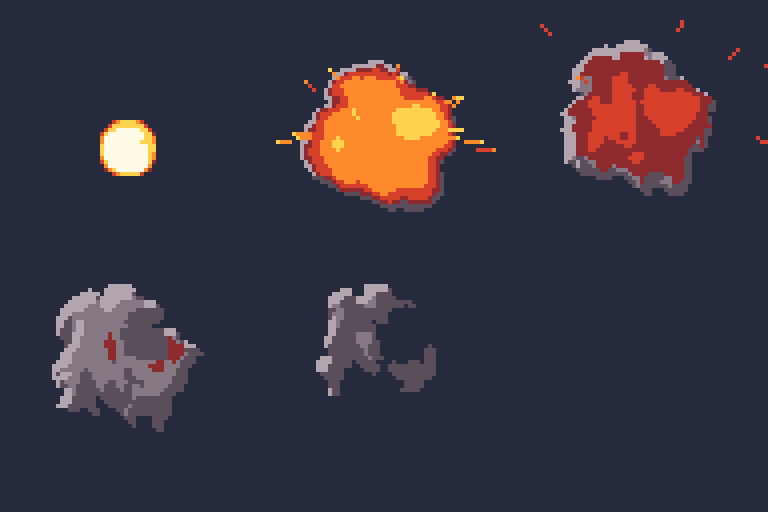
Fire, smoke, steam, explosions, magic, water, honey and slime come from a real fluid simulation that runs on your own CPU in well under a second and bakes every frame into palette pixels you can edit, with seamless loops ([fluid effects](#fluid-effects)).
- **Who it's for:** game developers, game-jam teams and web or video makers who want an agent such as Claude, Codex or Cursor to draw and revise their pixel art, and people building agents that need exact, repeatable images.
- **Use it when** you want small 2D game assets that stay editable as text: the agent reads every pixel back, fixes one pixel or one frame without redrawing the rest, and the same recipe renders the same image every time.
- **Don't use it for** painted or photographic images, large animations (an animation frame is at most 256 × 256 pixels, and a project at most 256 frames and 4,194,304 pixels in all; a single still, such as a 1920 × 1080 backdrop or mural, may be up to 4096 pixels a side within that total), generating art with an image model, or editing GIFs and Aseprite files (it imports 8-bit RGB/RGBA PNG only).
- **Compared with** aseprite-mcp, pixel-mcp, pixscii, pixelart-mcp, pixelforge-mcp and SpriteCook, with Pixelbolt's measured runs, the others read from their code and docs, and when to choose each one instead: [Pixel art and sprite MCP servers for AI agents: 7 compared](https://skulitom.github.io/Pixelbolt/compare/pixel-art-mcp-servers-for-ai-agents/) (checked 17 October 2026; refreshed 29 October). For fire, smoke, explosion, water and spell effects, with Pixel FX Designer, SpriteMancer, Fluid FX, Pixel Composer, PHOSPHOR, BlastFX and Pixel VFX Forge: [Pixel FX Designer alternatives: 8 tools compared](https://skulitom.github.io/Pixelbolt/compare/pixel-fx-designer-alternatives/) (checked 19 October 2026; Pixel VFX Forge added 27 October).
**Try it.** You need Node.js 20 or newer; there is nothing else to install, no API key and no network service:
```sh
git clone https://github.com/skulitom/Pixelbolt.git
cd Pixelbolt
node bin/pixelbolt.js preview --open
```
**Give it to your agent.** For Claude Code, one line installs the pixel art skill, with nothing to clone and no MCP server (Pixelbolt 0.9.2 or later):
```sh
npx -y pixelbolt@latest skill install
```
It writes `~/.claude/skills/pixelbolt-pixel-art/` (`--project` writes the current folder's `.claude/skills/` instead, `--dir` any skills folder), runs every command it names through `npx -y pixelbolt@<that version>`, and never replaces a copy you have changed unless you add `--force`. For Pixelbolt's MCP tools too, install the [Claude Code plugin](#connect-an-agent-through-mcp) instead: it brings the server and the same skill together. In Claude Desktop, download [`pixelbolt.mcpb`](https://github.com/skulitom/Pixelbolt/releases/latest/download/pixelbolt.mcpb) from the latest release and open it (or install it from file under Settings → Extensions), choose a workspace folder for recipes and artwork, then ask the agent to call `pixel_help`. For Codex, Cursor and other MCP clients, see [Connect an agent through MCP](#connect-an-agent-through-mcp). Pixelbolt is in the official MCP Registry as `io.github.skulitom/pixelbolt`.
Pixelbolt was called PixelForge until 0.8.0. The `pixelforge` command still works as an alias, and recipe files keep their `pixelforge-*` format tags, so existing files and agent setups keep working.
[Gallery](#gallery) · [Fluid effects](#fluid-effects) · [Quick start](#start) · [Agent setup](#for-agents) · [MCP server](#connect-an-agent-through-mcp) · [Portable builds](#pixelbolt-studio-portable-builds) · [Recipe reference](docs/agent-guide.md) · [Contributing](CONTRIBUTING.md) · [Sibling tools](#sibling-tools)
## How it works
Write a JSON recipe with palettes, text grids, reusable symbols and drawing operations. Get transparent PNGs, sprite sheets, animated PNGs, GIFs for sharing, numbered frames for video editors, and the metadata and player needed to use them. Inspect and edit the recipe in a local browser studio.
Zero runtime dependencies. No build step, API key, image model, network service or native graphics library. Requires **Node.js 20 or newer**. Works from a checkout on Windows, macOS and Linux.
## Figures in motion
Author limbs as bones, bodies as masses, and faces or props as grids. Relative joints and two-bone reach keep attachments together; idle, walk, run, jump, attack and hurt templates expand into editable poses. Review planted feet, ground contact and loop joins in the CLI, MCP or studio. The output uses the existing sprite player.
```sh
node bin/pixelbolt.js preview character.poses.json
node bin/pixelbolt.js compile character.poses.json --expand --out character-edit.poses.json
node bin/pixelbolt.js inspect character.poses.json --motion run --speed 48
```
[Pose and motion reference](docs/art-workflow.md#structural-limbs-and-bodies)
## Baked wave effects
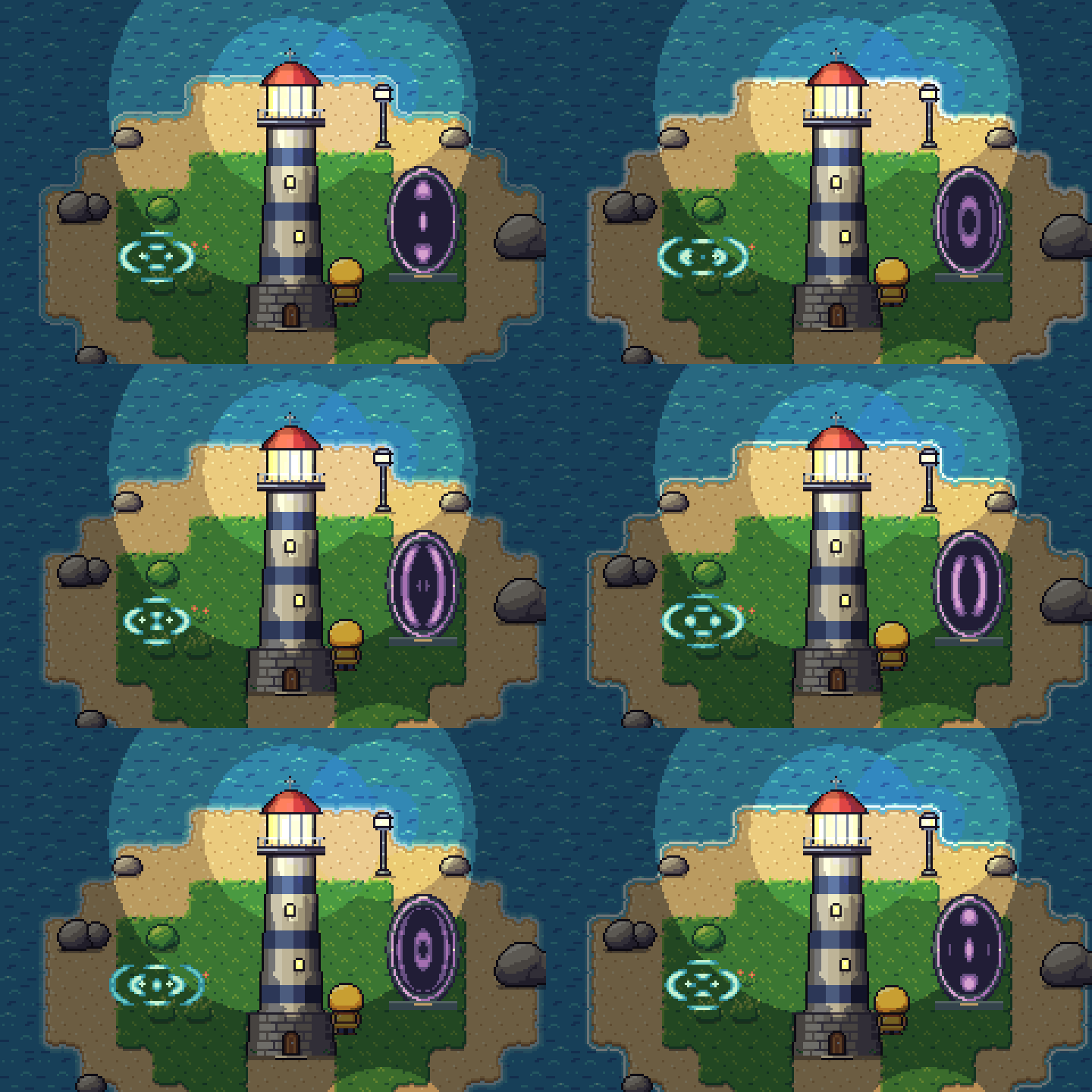
Looping interference and portal interiors combine waves before colouring them, leaving cancellation gaps between bright bands. Two editable presets bake to ordinary sprite frames and appear in the studio's sample list. The game only plays the exported animation.
```sh
node bin/pixelbolt.js preview examples/portal.wave.json --open
node bin/pixelbolt.js compile examples/portal.wave.json --out output/portal.json
node bin/pixelbolt.js render output/portal.json --out output/portal-assets
```
[Wave controls and limits](docs/wave-effects.md) · [Scene comparison and review](https://github.com/skulitom/Pixelbolt/blob/main/showcase/waves/README.md). Loops only; masks shape the artwork without simulating reflection or collision.
## Gallery
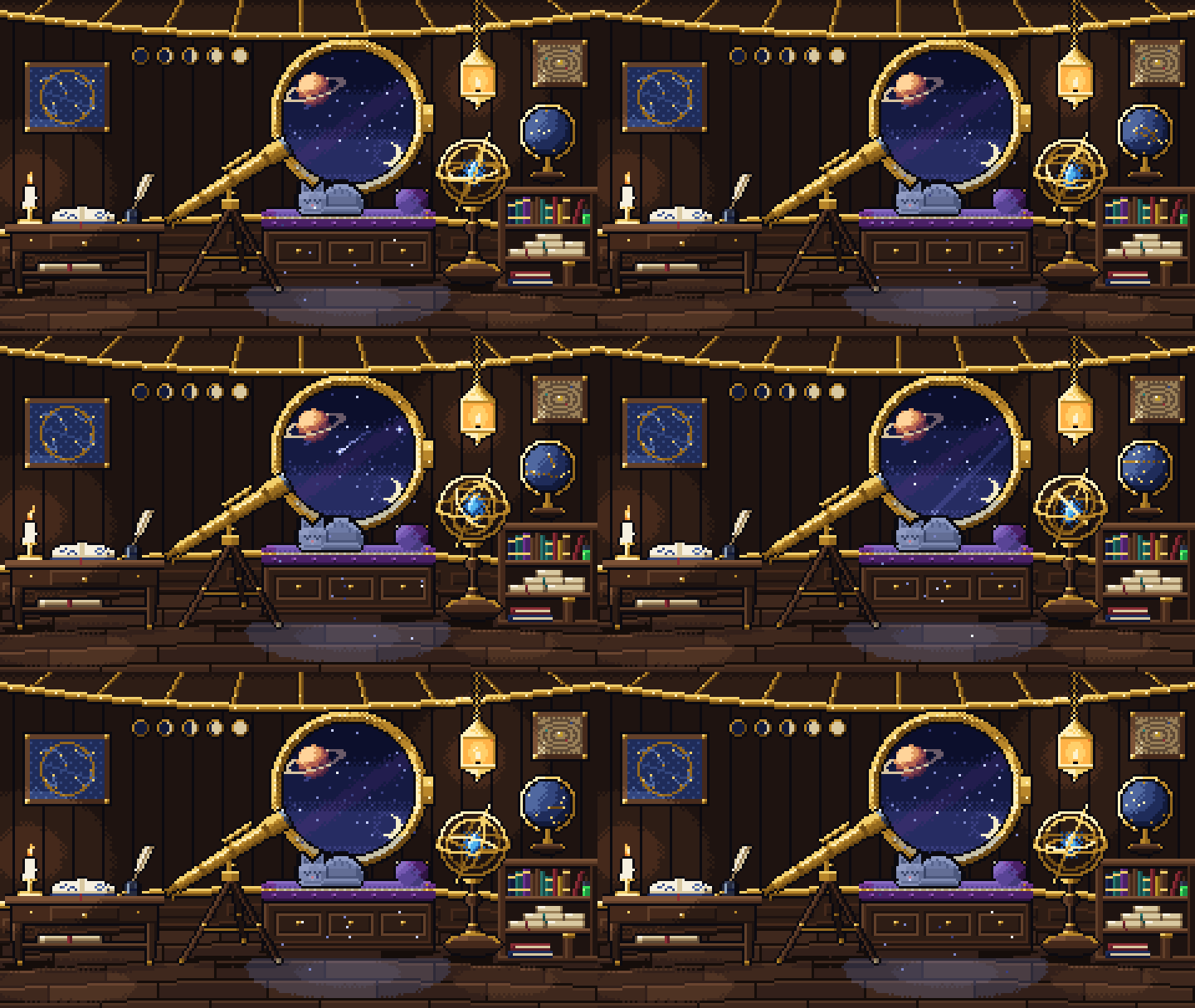
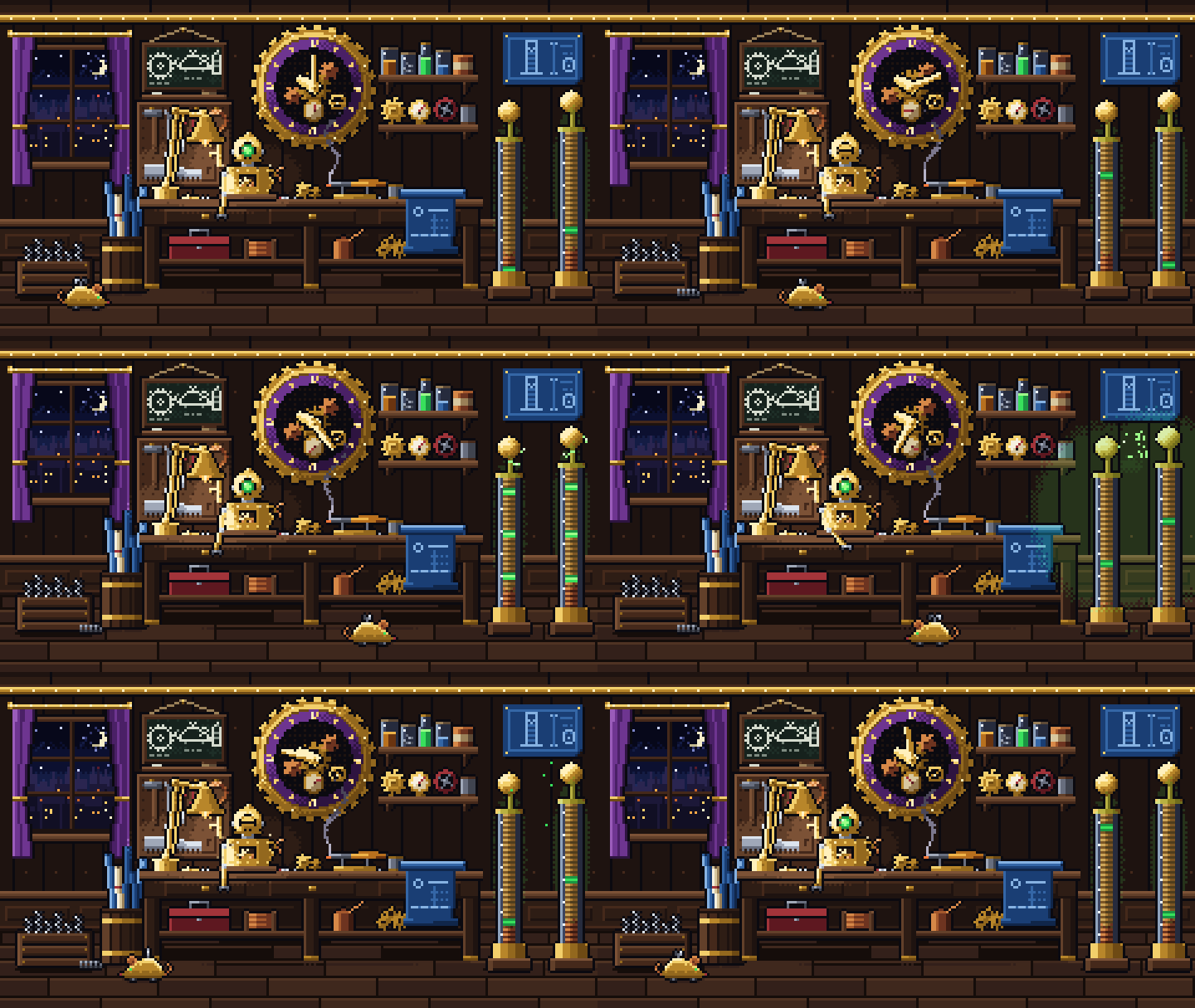
An AI agent drew these with Pixelbolt. Its scripts write the recipes, particle sources and scenes; Pixelbolt renders every sprite to a transparent sheet with an atlas, plays each 240×135 room as a scene and writes the GIFs. They are shown at 3×.
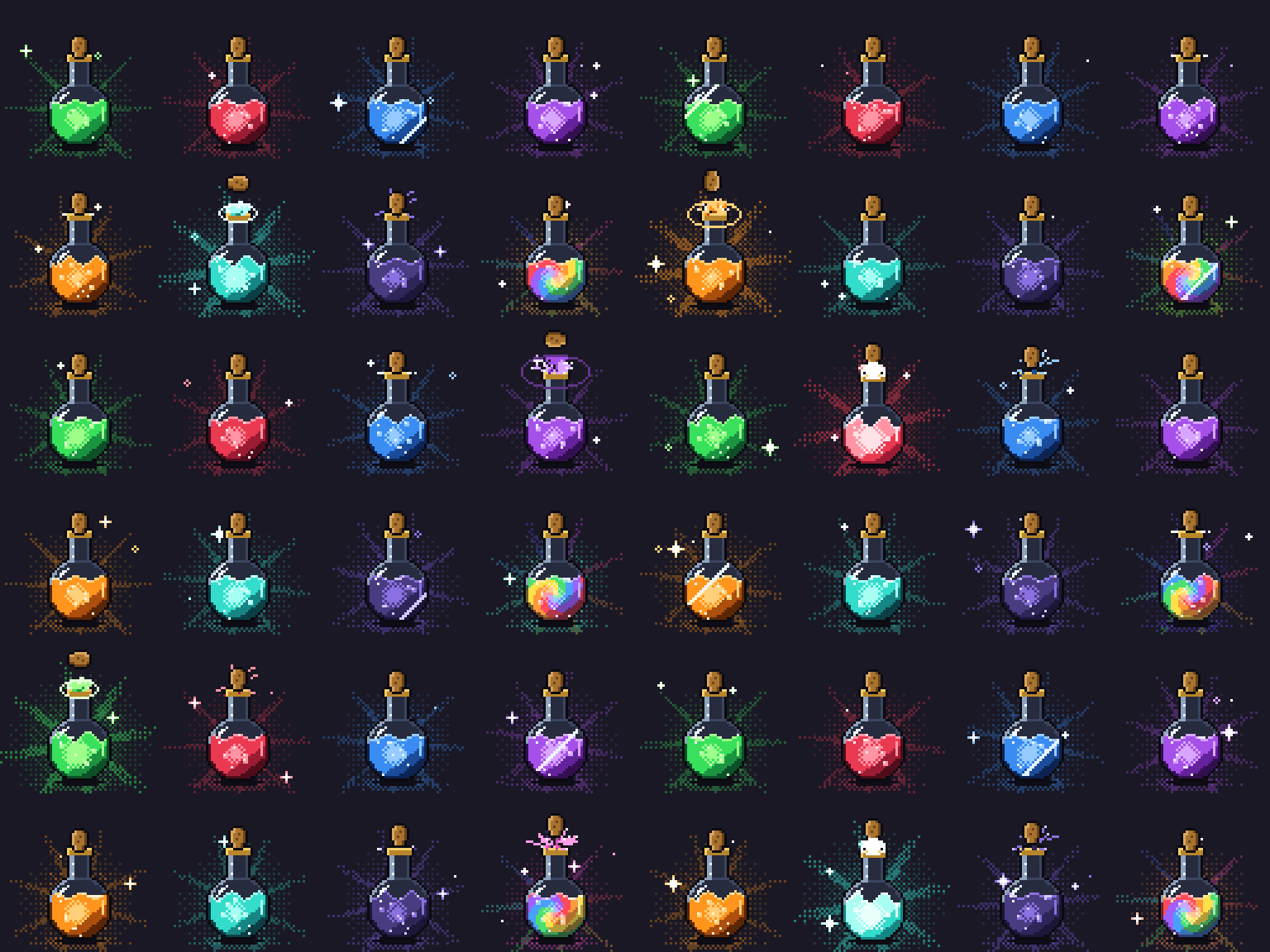


[Two more rooms and how these were made](https://github.com/skulitom/Pixelbolt/blob/main/showcase/gallery/README.md)
## Fluid effects
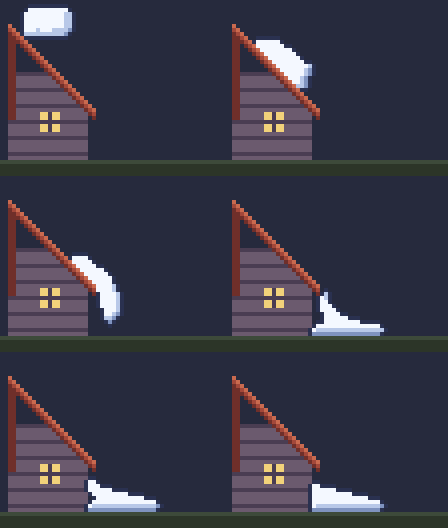
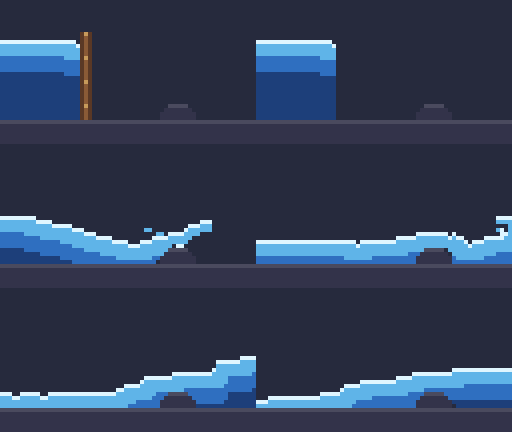
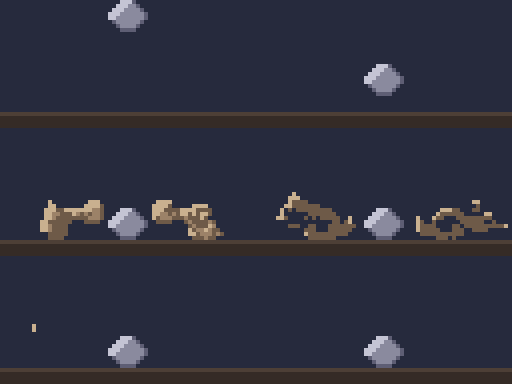
A `pixelforge-fluid` source runs a small, deterministic fluid simulation and compiles it into an ordinary recipe of palette grids: gases with buoyancy, swirling vorticity, cooling and dissipation, and liquids as FLIP particles on the same grid, thin as water, thick as honey (a stream that never breaks, a mound that slowly sinks) or firm as slime (a blob that squashes, springs back and holds its shape). Look layers map density, temperature, speed and depth onto your palette ramps through ordered dither, so no colour outside the palette can appear, and looping effects close their seam. Each preset below compiles in well under a second on a laptop CPU, with no GPU and no model calls. Shown at 4×.
   
 
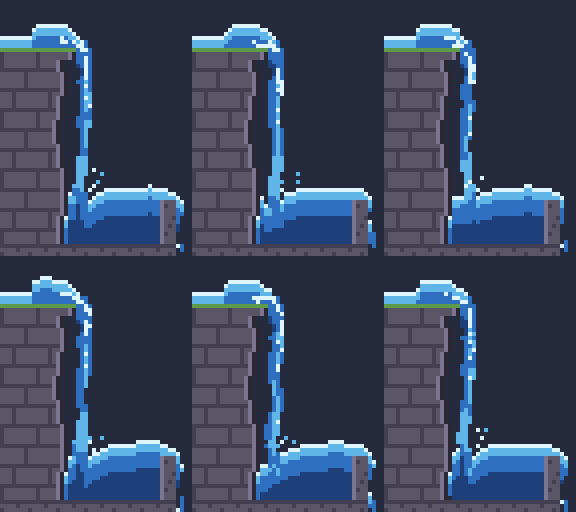   
 
Obstacles can be smooth, so thick liquids slide down drawn slopes, or move and vanish on cue; dust can be thrown; a liquid can burst in mid-air or change on a frame you choose:
```sh
node bin/pixelbolt.js compile examples/campfire.fluid.json --out output/campfire.json
node bin/pixelbolt.js gif output/campfire.json --scale 4 --out output/campfire.gif
```
The seventeen presets are in [examples/](examples/) (`*.fluid.json`); agents compile them with MCP `pixel_compile` and read the format with `pixel_help` topic `fluid`. In the studio, **Fluid lab** (`/fluid.html`) runs the same compiler in your browser: pick a preset, move a few sliders and download the GIF, sprite sheet, recipe or edited source. **Effects lab** (`/effects.html`) does the same for the `pixelforge-fx` spell and particle presets: pick one of a source's effects (turned copies included), change its strength, speed and seed, and download. The [fluid effects guide](docs/art-workflow.md#fluid-effects) covers emitters, sparks, obstacles, looks, loops and thick fluids (viscosity, yield stress, adhesion). In a web page, `createLiveFluid` runs the same simulation live, a frame at a time, and takes pushes, puffs and emitter boosts from the pointer ([live fluids](docs/art-workflow.md#live-fluids)).
## Start
```sh
git clone https://github.com/skulitom/Pixelbolt.git
cd Pixelbolt
node bin/pixelbolt.js preview
```
Open **http://127.0.0.1:4747**, or add `--open` to have your default browser opened for you. If that port is in use, a free one is taken and printed instead; `--port N` insists on one port and fails when it is busy. `preview hero.pixel.json` starts with your own recipe. Pick the forest spirit, campfire or coin; edit the JSON; inspect the animation or sprite sheet; download the asset ZIP. The studio includes playback speed, frame selection, whole-number zoom (the scroll wheel zooms at the pointer, dragging pans, and + − 0 and F zoom, fit and go full screen), a pixel grid, onion skinning, palette inspection, source save/open, a GIF download of the current animation, numbered frames for a video editor, recovery of unsaved edits and live error messages. All assets and fonts are local.

Or generate an asset without opening a browser:
```sh
node bin/pixelbolt.js init hero.pixel.json
node bin/pixelbolt.js validate hero.pixel.json
node bin/pixelbolt.js inspect hero.pixel.json --out hero-frames.png
node bin/pixelbolt.js render hero.pixel.json --out output/hero
```
`inspect` saves a contact sheet of every frame and lists each frame's timing. Add `--grid` to read frames back as palette-key text; `--animation`, `--frames` (names or patterns such as `'flash-*'`) and `--region` narrow the view, and `--step 2 --offset 1` keeps every second cell from the second, so a strobe's A and B frames can be read apart. `validate hero.pixel.json --fps 30` also lists the durations that are not whole video frames at that rate and what a video sequence would do to each animation. `patch hero.pixel.json --changes fix.json` previews targeted edits and reports every pixel they change; add `--out` to save the new recipe. `gif hero.pixel.json --out hero.gif` saves one animation as a GIF for sharing. Command results except help and the preview server are JSON. Errors go to stderr and exit with code 1. Use `-` instead of a filename to read JSON from stdin. Existing output files are protected; add `--force` to replace them. A forced export over an earlier export of the same recipe or sequence also removes the frames it no longer has and lists them as `removed`; a sprite export removes only frame and animation PNGs its own earlier atlas lists and no other atlas in the folder does, so another sprite's frames and PNGs you add there aren't deleted. No command writes over a file it reads, even with `--force` and through a link or another spelling of its path; `patch` may save over the recipe it edits. No export writes over its own recipe or the files it references. You can optionally run `npm link` for the `pixelbolt` command. No `npm install` is needed.
`pixelbolt share <recipe.json|->` prints a playground link; `render` and `scene` accept `--embed-recipe` (recipes up to 1 MiB, so every PNG still opens in Pillow), recovered with `import image.png --embedded --out recipe.json`.
Both carry the resolved recipe text and engine version: the link in its URL fragment, which browsers do not send to a server, and the PNG in a compressed recipe chunk.
## Diorama: a 3/4 dungeon room
An original 3/4 top-down dungeon room in the style of procedurally generated "floating diorama" games: 8-pixel tiles, wall caps with front faces, a sunken pool fed by a waterfall, moss, props, torches and a hero whose strike breaks a pot. The room is one recipe whose `tilemap` operation places walls, faces, cliffs, water and worn bricks by neighbour rules; moss is seeded value noise on the floor colour; shadows and torchlight move colours along palette ramps, so the scene keeps its 31 colours lit or re-themed.
```sh
node bin/pixelbolt.js preview showcase/diorama/art/room.scene.json
```
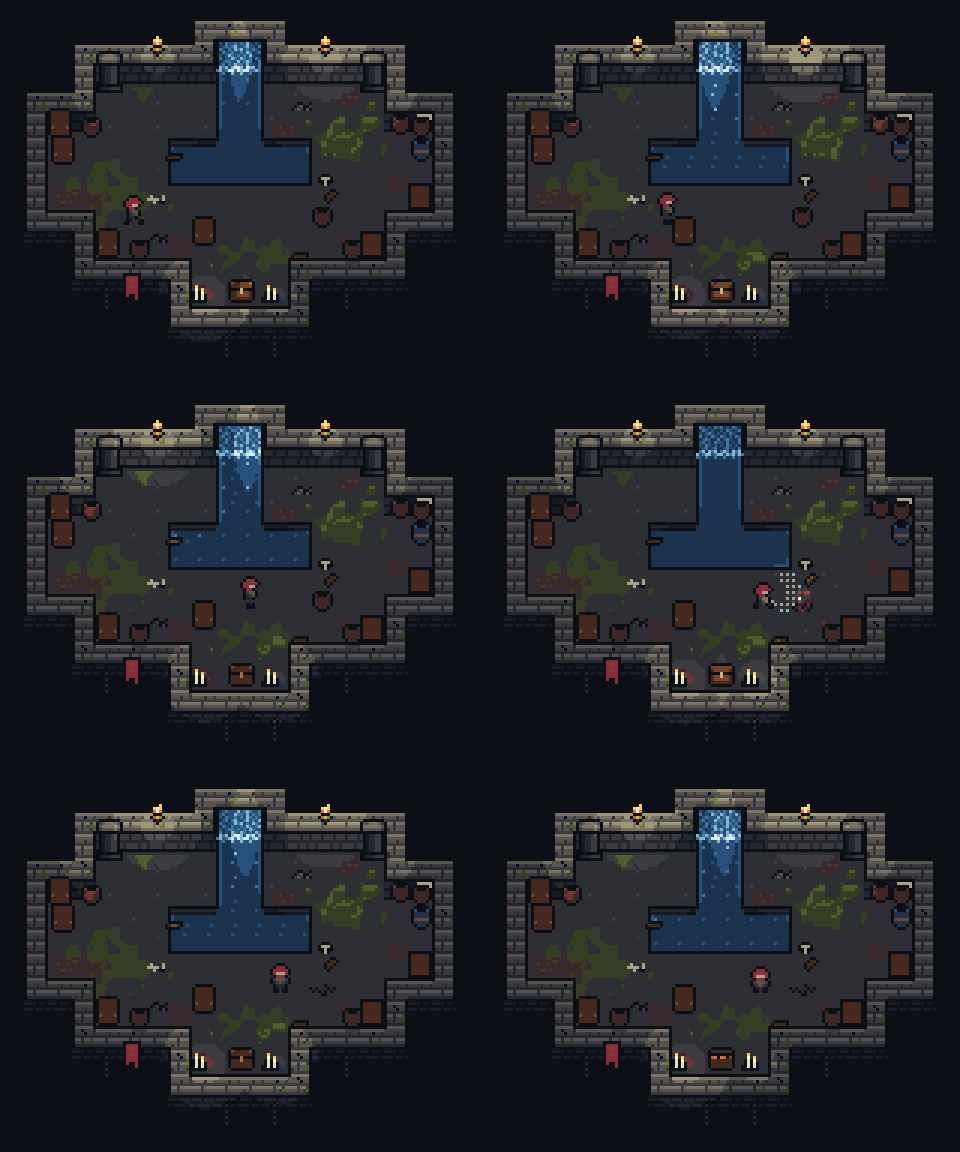
By night, each torch and candle light follows its placement and flickers on its own seed, and a light at the pot flashes on the strike cue: [moving scene lights](docs/art-workflow.md#aligned-material-passes), still in exactly the palette's colours.
[Study details and images](https://github.com/skulitom/Pixelbolt/blob/main/showcase/diorama/README.md) · [Feasibility report: what the style asked of Pixelbolt](docs/reports/diorama-feasibility-2026-10-07.md)
## Art quality workflow
The [art workflow](docs/art-workflow.md) covers silhouette, value and native-size review, animation-aware onion skins, masked regional corrections, authored parts and attachments, guarded rebuild overlays, scenes, PNG interchange and aligned normal/emissive passes. Passing checks are not a verdict on the art: look at every frame, at native size and in playback.
```sh
node bin/pixelbolt.js inspect examples/forest-spirit.json --animation idle --view onion --native --diagnostics
node bin/pixelbolt.js preview examples/forest-spirit-lit.scene.json
```
## For agents
Use Pixelbolt to create or revise pixel sprites, tiles, icons, effects and short animations from editable JSON. Choose the **CLI** when you have shell access or the **Model Context Protocol (MCP) server** when your client supports tools. Both use the same renderer and work locally.
| Entry point | Purpose |
| --- | --- |
| [llms.txt](https://github.com/skulitom/Pixelbolt/blob/main/llms.txt) | Compact documentation index with direct links for agents |
| [Pixel art skill](skills/pixel-art/SKILL.md) | Reusable authoring and visual inspection workflow; `npx -y pixelbolt@latest skill install` installs it on its own |
| [Authoring guide](docs/agent-guide.md) | Recipe fields, drawing operations and limits |
| [JSON Schema](schema.json) | Machine-readable recipe structure |
| [Examples](examples/) | Complete forest spirit, campfire, coin and shrine recipes, a caption with pixel text, a rotated sword swing, a rigged hero with walk, run, jump and attack templates, a particle effects source, eight spell effects (slash hit, fire explosion, a looping fireball in eight directions, lightning strike, healing circle, a swirling vortex, a falling meteor, a shield bubble), a teleport and a spirit aura on the rigged hero, a sword smear that follows the swing's blade tip, a simulated explosion under spell-shape flashes, a spell library (fire, ice, lightning, water, poison, holy and shadow, each a projectile in eight directions, an impact, an area effect and a buff), five cel-shaded water effects and seventeen fluid presets |
| [AGENTS.md](https://github.com/skulitom/Pixelbolt/blob/main/AGENTS.md) | Instructions for agents contributing to the toolkit |
Start with the authoring guide or MCP's `pixel_help`. Write a recipe, validate it, inspect every frame with `pixel_inspect` or `pixelbolt inspect`, revise with targeted patches, then render to a fresh output directory. Validation checks the format; image inspection checks the art.
## A tiny animation
```json
{
"version": 1,
"name": "slime",
"width": 8,
"height": 8,
"palette": { "g": "#72b58d", "e": "#20383f" },
"frames": [
{
"name": "rest",
"duration": 180,
"ops": [{ "op": "grid", "x": 1, "y": 3,
"rows": [".gggg.", "ggeegg", "gggggg", ".gggg."] }]
},
{ "name": "up", "from": "rest", "translate": [0, -1], "duration": 180 }
],
"animations": { "bounce": { "frames": ["rest", "up"] } }
}
```
Each text-grid character selects a palette color; `.` and space leave pixels untouched. Frame inheritance makes small changes cheap to describe. Rendering is deterministic and uses integer pixel coordinates.
## Export bundle
| File | Use |
| --- | --- |
| `name.png` | RGBA PNG sprite sheet, with configurable columns, padding and integer scale, or packed by visible bounds with `sheet.trim` |
| `name.atlas.json` | TexturePacker-style JSON hash: rectangles, trim offsets, source sizes, pivots/anchors, named points, frame durations, named animations and Aseprite-style frame tags |
| `name.tres` | Godot 4 `SpriteFrames` for `AnimatedSprite2D`: one atlas texture per frame (trimmed frames keep their place on the canvas) and every animation with its loop and exact frame times; keep it next to `name.png` |
| `name.tileset.tres` | Only for a tile set (an autotile set, or frames with `tile`): a Godot 4 `TileSet` for `TileMapLayer` with a terrain per set (blob, cardinal or corner, or a corner set of layered terrains whose transitions Godot paints), so Godot's terrain painter picks the tile Pixelbolt's tilemap would, plus each tile's probability and collision; keep it next to `name.png`. A tile set without animations of its own skips the SpriteFrames, APNGs, CSS and player |
| `name.tsx` | Only for a tile set: a [Tiled](https://www.mapeditor.org) tileset over `name.png` with a Wang set per terrain for the Terrain Brush (mixed for blob, edge for cardinal, corner for corner and layered sets), each tile's probability, collision objects and animation; keep it next to `name.png` |
| `frames/*.png` | Each frame as a transparent PNG |
| `animations/*.png` | APNG for each animation, retaining transparency, frame timing and loop behavior |
| `name.css` | CSS animation classes; supports multi-row sheets and unequal frame durations |
| `player.js` | Small, dependency-free Canvas player with play, pause, resume and named animations, plus `loadSpriteSheet`, `frameAt` and `drawFrame` for games |
| `name.pixel.json` | Editable source recipe |
| `preview.html` | Standalone preview you can open directly in a browser |
APNG files use the `.png` extension intentionally. Recipes can share a palette file (`"palette": { "$ref": "palette.json" }`), recolor keys per frame for palette cycling or per layer for a flash that leaves the rest of the frame alone, copy rectangles from template symbols or earlier frames (with exact colour swaps), outline layers (outside, inside or both, with direction masks for rim lights and drop shadows), dither between colours with canvas-anchored Bayer, custom, seeded non-periodic noise or clumping value-noise patterns, shade along palette ramps (`ramps` and the `shade` operation) without leaving the palette, draw whole character maps with the `tilemap` operation (variants, weights and neighbour rules), and grow detail such as moss or cracks with seeded rewrite rules. They compile 47-tile blob or 16-tile cardinal autotile sets with `pixelbolt autotile`, drawn from template rows or from a terrain description (a seamless fill and each side's edge, outline, rim light, shadow and tufts), optionally with shape variants, and review every tile over a test map with seam warnings; see the [authoring guide](docs/agent-guide.md) and [art workflow](docs/art-workflow.md#autotile-templates).
Several of these ideas come from [Pixel Composer](https://github.com/Ttanasart-pt/Pixel-Composer)'s node set, adapted to text recipes. Patches can propose De-Corner/De-Stray cleanup, and inspection diagnostics count per frame what it would change. Pose sources rotate parts by any angle into editable symbols, using RotSprite-style resampling that adds no colours, and tween eased in-betweens. Scene trajectories ease. A `pixelforge-fx` source compiles seeded particle emitters and spell shapes (slashes, shockwave rings, beams, lightning, magic circles, impact stars, fireballs, cel-shaded water streams and drops) into an ordinary recipe with `pixelbolt compile`, a `pixelforge-fluid` source does the same with a fluid simulation, and a `pixelforge-normals` source derives a lighting normal pass from any recipe: an editable recipe aligned frame for frame, for scene lighting and engine normal maps ([the spirit's](examples/forest-spirit.normals.json), lit in [a small night scene](examples/forest-spirit-lit.scene.json); [details](docs/art-workflow.md#generated-normal-passes)). See [the shrine](examples/shrine.json), [the swing](examples/swing.poses.json), [the effects](examples/effects.fx.json) and [a healing circle](examples/healing-circle.fx.json). Lossless non-interlaced 8-bit RGB/RGBA PNG import is supported, optionally with unscaled atlas timing metadata; see [interchange limits](docs/art-workflow.md#lossless-raster-return-path). GIF import, native Aseprite files and automatic quantization remain outside the current scope. Sources stay editable JSON.
### GIF for sharing
APNG keeps full alpha and exact timing, but many chat, forum and store pages only animate GIFs and cannot scale pixels crisply. `pixelbolt gif` writes one animation as a GIF at the frames' own size; `--scale` (1-16) enlarges it by a whole number for pages that would show a small sprite tiny:
```sh
node bin/pixelbolt.js gif hero.pixel.json --out hero.gif
node bin/pixelbolt.js gif hero.pixel.json --animation blink --scale 8 --background "#17191d" --out hero-blink.gif
```
Colours are exact: nothing is quantized or dithered, and a frame that needs more than 256 colours is refused with an error instead of being approximated. GIF has no partial transparency, so pixels below 50% alpha become transparent and the rest opaque; `--background` (a palette name or opaque hex colour) blends every pixel onto one colour instead, which keeps soft shadows. Frame times are rounded to GIF's 10 ms steps with the remainder carried to the next frame, and raised to 20 ms where shorter. Transparent pixels stay clear in every viewer, including ffmpeg and Pillow, which fill a cleared frame with the background colour unless it names a transparent index (the notes report the rare frame with 256 colours of its own that has none to name). The JSON result's `notes` say which of these happened. The studio's **GIF** button downloads the current animation at the current zoom, and MCP `pixel_render` takes `"gif": {}` (the frames' own size) or `"gif": { "scale": 8 }`. Every render also reports a `check` of what it wrote; give `pixel_render` an `expect` (or `render` an `--expect`) with the size, frames, colours, background or loop the user asked for, and the check names each file that misses it and how to fix it. The export bundle itself is unchanged.
`pixelbolt gif-frames` makes a GIF from a folder of numbered PNG frames, such as a `sequence` folder or frames a video or effects tool wrote, by the same rules:
```sh
node bin/pixelbolt.js gif-frames shots/prism --fps 25 --out prism.gif
node bin/pixelbolt.js gif-frames shots/prism --fps 30 --loops 3 --background "#101828" --prefix prism_ --out prism-3x.gif
```
Files are read in number order (`prism_0001.png`, `prism_0002.png` …); gaps in the numbering, other PNGs in the folder and a folder holding two sequences (choose one with `--prefix`) are reported, never guessed around. Each frame keeps its exact colours: one with more than 256 is refused by name, and when the frames use different colours, each frame carries a colour table of its own, so a loop of 48 frames at 1080 × 1080 with about 120 colours per frame and 4,345 in all decodes back pixel for pixel, where a palette generator would shift some colours. Frame k starts at k × 1000 / fps ms rounded to GIF's centiseconds: 25 fps is 40 ms per frame, 30 fps alternates 30 and 40 ms and keeps the loop's length, and above 50 fps delays are raised to 20 ms, which the notes report with the new length. `--loops` is the number of plays, 0 (the default) for ever. Without transparency, each frame after the first stores only the rectangle that changed. The PNGs must be 8-bit RGB or RGBA and the same size; the loop may hold 134,217,728 pixels (115 frames at 1080 × 1080).
### Pixel text
The `text` operation draws titles, captions, labels and counters in a built-in pixel font: printable ASCII, the accented letters of western European languages (À–ÿ, Œ œ Š š Ž ž Ÿ) and common symbols such as € £ © — … “ ” „ « », with capitals 7 pixels tall, proportional letters and tabular digits. The accent of a capital sits in the two rows above `y`.
```json
{ "op": "text", "x": 120, "y": 8, "text": "GAME OVER\nscore 12480", "color": "ink", "align": "center" }
```
`align` says whether `x` is the left edge, the centre or the right edge; `spacing`, `lineHeight`, `scale` and rotation adjust it, and `outline` after it gives a readable edge. Text that runs off the canvas is reported like any other clipped drawing, and a character the font lacks is an error that names it. [examples/caption.json](examples/caption.json) is a lower third that opens and types its title; `node bin/pixelbolt.js sequence examples/caption.json --fps 30 --size 1080p --align bottom --offset 0,-64 --out shots/caption` turns it into 81 frames that sit across the bottom of a 1080p picture.
### Frames for a video editor
Video editors do not animate APNG, and GIF loses alpha and exact timing. `pixelbolt sequence` writes what editors do read: one numbered PNG per video frame, at a constant frame rate, on a canvas of the video's size, with the alpha kept.
```sh
node bin/pixelbolt.js sequence hero.pixel.json --fps 30 --size 1080p --out shots/hero
node bin/pixelbolt.js sequence examples/effects.fx.json --animation sparks --fps 29.97 --size 4k --scale 16 --align bottom --offset 0,-200 --out shots/sparks
node bin/pixelbolt.js sequence room.scene.json --fps 24 --size 1080p --fit cover --out shots/room
```
- **Timing.** Each video frame shows the pose that is active when the frame starts. `--fps` takes 24, 25, 30, 50, 60, the NTSC rates 23.976, 29.97 and 59.94 (kept exact as 24000/1001, 30000/1001 and 60000/1001, so long clips do not drift), or a fraction. `--loops n` or `--seconds s` sets the length; `--step 2` animates on twos. A looping animation keeps cycling; one that plays once holds its last pose.
- **Size.** `--size` is `720p`, `1080p`, `1440p`, `4k`, `vertical` (1080×1920), `square` or `WIDTHxHEIGHT`. The sprite is enlarged by a whole number, never resampled: the largest that fits, or `--scale` up to 256. `--align` (`top-left` … `center` … `bottom-right`) and `--offset x,y` place it. `--fit cover` takes the smallest whole number that covers the canvas instead and crops what hangs over; `--align` then chooses the part that stays, and the result's `placement.visible` says which columns and rows of the source that is. Without `--size` the canvas is the sprite at `--scale`. `--background` blends onto an opaque colour instead of keeping alpha.
- **Sources.** A recipe (`--animation` picks one), a pose, autotile or effects source, which is compiled on the way in, or a scene, which is rendered moment by moment as a shot; moments that look the same share one PNG. A scene of 192×108 or 240×135 pixels fills 1080p exactly at scale 10 or 8. Any other scene is centred with margins in its own background colour, so the shot is still opaque from edge to edge, or fills the canvas with `--fit cover`.
- **What you get.** A new folder with `name_0001.png` onwards, `sequence.json` (frame rate as a fraction, frame count, size, placement, loop facts and the timing of every pose) and a `README.txt` that says how to import them. The result's `notes` say what the frame grid did: which poses changed length, which are shorter than a video frame and never shown, and whether the clip ends exactly where the loop does, with the number of loops that would.
- **One video file.** Pixelbolt does not encode video. The folder's README and the JSON result give the exact `ffmpeg` command for a ProRes 4444 `.mov` with alpha, and, when there is a background, for an H.264 `.mp4` in lossless 4:4:4. H.264 usually stores colour once for each 2 × 2 pixels (4:2:0), which smears every pixel edge whatever the scale once a player interpolates it; 4:4:4 keeps every colour, in a file no larger for pixel art, but QuickTime, Safari and Windows' own players may not play it, so on an even canvas `h264Compatible` gives a 4:2:0 file as well. With ffmpeg 7 the ProRes command keeps the alpha exactly and the colours within 2 of 255, and the H.264 command the colours within 1; `scripts/verify-exports.py` repeats those checks when ffmpeg is installed.
In the editor, import the files as an image sequence and set the clip's frame rate (the files carry none), then leave the clip at 100% scale: scaling there would blur the pixels. A sequence holds at most 18,000 frames and a canvas at most 4096 pixels on a side. MCP `pixel_render` and `pixel_scene` take `"sequence": { "fps": 30, "size": "1080p" }` with the same options.
The studio's **Frames** button downloads the same files for the animation on screen as one ZIP. Its dialog also shows the `pixelbolt sequence` command and the MCP `sequence` argument for the chosen frame rate and size, so an agent can repeat the export without the browser.
### Large stills
A recipe with a single frame may be larger than 256 × 256: up to 4096 pixels a side and 4,194,304 pixels in all. A 1920 × 1080 or 2560 × 1440 backdrop, wallpaper or mural is then one canvas, drawn at one screen pixel per art pixel, and every drawing operation sees all of it. On such a canvas, rectangles, ellipses and dither or shade regions may be up to twice its side instead of 512.
Everything else keeps its limits. A recipe with two or more frames, a scene and its assets, pose, effect, wave and fluid sources, and `import` stay at 256 pixels a side, and the 67-million-pixel drawing budget is unchanged: `fill`, `replace` and `outline` each pass over the whole canvas, about 2 million of that budget at 1920 × 1080. To show bigger pixels instead, enlarge a small canvas with `sheet.scale` or `sequence --size`, as before. The studio opens a large still fitted to its window, scaled down smoothly so dither reads as the tone it makes; zoom in with the scroll wheel and drag to look around at 1× and up.
## Connect an agent through MCP
**Claude Code plugin.** One command installs the MCP server and the pixel art skill, with nothing to clone (Claude Code 2.1.292 or later):
```
claude plugin install pixelbolt --marketplace skulitom/Pixelbolt
```
Inside a session, `/plugin install pixelbolt --marketplace skulitom/Pixelbolt` does the same from Claude Code 2.1.275. On older versions, add the marketplace first with `claude plugin marketplace add skulitom/Pixelbolt`, then run `claude plugin install pixelbolt@pixelbolt`. The plugin runs its own copy of `bin/pixelbolt.js` with your Node.js (20 or later), in the project folder you open in Claude Code: file references resolve inside that folder and exports go to its `output/` folder. Restart Claude Code after installing.
**Other MCP clients.** Clone the repository first, then add the server to your agent's MCP configuration. Replace `/absolute/path/to/Pixelbolt` with your checkout's absolute path; on Windows use forward slashes, for example `C:/DEV/Pixelbolt`:
```json
{
"mcpServers": {
"pixelbolt": {
"command": "node",
"args": [
"/absolute/path/to/Pixelbolt/bin/pixelbolt.js",
"mcp",
"--out",
"/absolute/path/to/Pixelbolt/output"
]
}
}
}
```
For clients that use TOML:
```toml
[mcp_servers.pixelbolt]
command = "node"
args = ["/absolute/path/to/Pixelbolt/bin/pixelbolt.js", "mcp", "--out", "/absolute/path/to/Pixelbolt/output"]
```
The eight tools are:
- **`pixel_help`**: a short quick start (the recipe format, operations, tools and workflow, about 2,000 tokens); `topic` returns the full authoring guide (`guide`), the art workflow (`workflow`), the recipe schema (`schema`), a complete sample (`example`), or the poses, scenes, autotile, fx, fluid or normals schemas.
- **`pixel_validate`**: validate `{ "project": ... }` and save its recipe revision without exporting assets. Reports every clipped location; `"fps": 30` adds `frameGrid`, the durations off that video frame grid and what a sequence would do to each animation.
- **`pixel_inspect`**: contact sheets, exact regional grids, silhouette/grayscale/onion views, 3×3 tile repeats with seam evidence, native size, named layer isolation, saved-reference comparisons, advisory diagnostics, motion review with contacts and explicit pose metadata, and perspective `guides` (a horizon, vanishing points, an isometric grid). `frames` takes `*`/`?` patterns, `step`/`offset` keep every nth cell, and optional bounded samples expose omissions. Saves its recipe revision.
- **`pixel_patch`**: apply targeted `set`, `insert`, `remove` and `paint` edits. For example, `{ "paint": "frames[blink]", "value": [{ "x": 9, "y": 7, "color": "k" }] }` corrects a pixel in final canvas coordinates after all layers; `transparent` erases it. Returns every frame whose pixels changed (exact pixels for small edits) and a before/after PNG. The source stays unchanged and successful edits get a new revision.
- **`pixel_render`**: render `{ "project": ... }`, return a PNG contact sheet of every frame with cell names/timing plus the output folder, its key files and frame/animation counts (`listFiles: true` lists everything). Add `"animation": "idle"` to preview a sequence in playback order. The exported APNGs and HTML preview play the animation. Add `"gif": {}` (or `{ "scale": 8, "background": "#17191d" }`) to also write every animation as a GIF in `gifs/`, with notes on any alpha or timing change, and `"sequence": { "fps": 30, "size": "1080p" }` to write one animation as numbered PNG frames for a video editor in `sequence/`. Every call writes a fresh folder inside the configured output directory.
- **`pixel_compile`**: compile a `pixelforge-poses` source (including bones, masses, relative joints, reach targets and editable motion templates), a `pixelforge-autotile` template or terrain (returned with a second image of every tile over a test map), a `pixelforge-fx` source (particles and spell shapes), a `pixelforge-fluid` source (simulated smoke, fire, explosions, magic and water) or a `pixelforge-normals` source (a normal pass derived from a recipe or revision, with flat `faces` by colour for boxes and walls) into a recipe revision, with a contact sheet and optional metadata.
- **`pixel_scene`**: render a `pixelforge-scene` manifest (tilemaps with autotile legends and neighbour rules, named cues, sequences, trajectories, attachments, ground sorting, shade placements, ramp or multiplied lighting from point lights and a sun, with cast shadows, palette themes, haze for far planes, a panning camera with parallax planes) at any time, with a `depth` view of what is drawn in front of what, export it (with a Tiled map of it, `scene.tmx`), or write it as a shot of numbered PNG frames with `sequence`; assets may be revisions.
- **`pixel_import`**: import a native-resolution PNG, given as base64 or a file inside the server root, as a lossless recipe revision.
`pixel_render` optionally accepts `"share": true` for a playground link (or a link-limit error without failing the render) and `"embedRecipe": true` for recipes inside exported PNGs.
`pixel_render` also writes files at the names the user asked for: `"saveAs": { "sheet": "assets/hero.png", "gif": "assets/hero.gif" }` (keys `sheet`, `atlas`, `godot` for the Godot `.tres`, `tileset` for an autotile set's Godot TileSet, `tiled` for its Tiled tileset, `recipe`, `gif`, `apng` or any exported PNG, GIF or JSON file; paths inside the server root, keeping the file type, never under a hidden name or in the home folder's `AppData` or `Library`). A saved atlas, `.tres` or `.tsx` names the saved sheet (or the export folder's), and a `.tres` inside a Godot project needs its sheet inside it too. It never replaces an existing file unless `"overwrite": true`, and then a JSON file only if it is a recipe, atlas or sequence, a `.tres` only if it is the same kind of Godot resource (SpriteFrames or TileSet), and a `.tsx` only if it is a Tiled tileset; it never writes over the palette and asset files the recipe references, and checks every path before writing anything.
`pixel_patch` also supports compact `grid`, masked `move`, regional `recolor` and proposed `cleanup` of doubled corners and stray pixels, with explicit `frame` or `inherited` scope, and applies saved correction overlays (`overlay`). Large `pixel_render` previews are sampled with total/shown/omitted metadata instead of blocking a valid export; exported animations remain complete. Palette and scene file references resolve inside the server's `--root` (default: its working directory); requests may be up to 16 MiB, and an oversized request is answered with an error without stopping the server. Each tool call runs in a worker thread and is stopped if it takes longer than 50 seconds (`--time-limit <seconds>` changes this) or runs out of memory; the call is answered with an error that says so, and the server keeps serving. A `sequence` from one call may come to at most 512 MB; `pixelbolt sequence` writes longer shots.
Send a recipe once. Each successful recipe-tool response includes a `revision` id that the other tools accept in place of `project`, so later calls, including patches, need not resend the recipe. Validate, inspect, patch and render save immutable snapshots in `<MCP --out directory>/.revisions/`; they survive restarts when you use the same directory, even before an asset export. Prefer an absolute `--out` path. Earlier revisions remain undo points. Older rendered revisions can be recovered from saved bundle recipes. Render also saves the recipe beside the assets.
The server implements newline-delimited stdio MCP with initialization, version negotiation, ping and tool discovery/calls. It supports protocol versions 2024-11-05, 2025-03-26, 2025-06-18 and 2025-11-25. It uses no HTTP transport or external services. See the [MCP stdio specification](https://modelcontextprotocol.io/specification/2025-11-25/basic/transports).
An agent can also use the CLI directly. The reusable [agent skill](skills/pixel-art/SKILL.md) and [authoring reference](docs/agent-guide.md) explain the complete format; `npx -y pixelbolt@latest skill install` gives Claude Code the skill with its guides, schemas and examples and no server. [schema.json](schema.json) supports editor completion and structural validation; the rasterizer additionally validates references, matching row widths and resource limits.
## Use in a web app
Serve the exported folder with your application:
```html
<canvas id="sprite"></canvas>
<script type="module">
import { SpritePlayer } from './assets/player.js';
const player = await SpritePlayer.load(
document.querySelector('#sprite'),
'./assets/forest-spirit.atlas.json',
{ scale: 4 }
);
player.play('idle');
// player.pause(); player.resume(); player.destroy();
</script>
```
Or use CSS alone:
```html
<link rel="stylesheet" href="assets/forest-spirit.css">
<span class="pf-forest-spirit pf-forest-spirit-idle" role="img" aria-label="Forest spirit"></span>
```
CSS honors reduced-motion preferences. The Canvas API leaves autoplay decisions to the application. Atlas paths in `SpritePlayer.load` resolve relative to the atlas URL.
A game drawing many sprites into one canvas can use the same module's helpers. `drawFrame` places a frame by its anchor (when the recipe declares one), restores trimmed frames to their original offset and snaps fractional positions to whole pixels, so a sprite moving at sub-pixel speeds keeps hard edges:
```html
<script type="module">
import { loadSpriteSheet, frameAt, drawFrame } from './assets/player.js';
const hero = await loadSpriteSheet('./assets/hero.atlas.json'), context = canvas.getContext('2d');
requestAnimationFrame(function draw(time) {
context.clearRect(0, 0, canvas.width, canvas.height);
drawFrame(context, hero, frameAt(hero.atlas, 'walk', time), 64, 96, { scale: 3 }); // (64, 96) is where the anchor lands
requestAnimationFrame(draw);
});
</script>
```
For Godot 4, put `name.png` and `name.tres` in one folder of the project and use the `.tres` as an `AnimatedSprite2D`'s Sprite Frames. For another engine, use the atlas rectangles or individual PNGs. For regular-grid importers, set `sheet.padding` to `0` and use the exported frame dimensions. Phaser accepts the JSON-hash frame layout via `load.atlas`; named animation sequences are in the extra `animations` field. See [game integration notes](docs/game-integration.md).
## JavaScript API
```js
import { renderProject, inspectProject, patchRecipe, compareProjects, createBundle, writeBundle, compileEffects, compileFluid, createLiveFluid, animationGIF, folderGIF, frameGrid } from './src/index.js';
const project = renderProject(recipe); // RGBA buffers, durations, warnings
const view = inspectProject(project, { grid: true }); // contact sheet RGBA, palette-key grids
const { recipe: next, edits } = patchRecipe(recipe, [{ set: 'frames[idle].duration', value: 120 }]);
const report = compareProjects(project, renderProject(next)); // changed pixels, timing, before/after RGBA
const bundle = await createBundle(recipe);
await writeBundle(bundle, './output/my-sprite');
const { recipe: effects } = compileEffects(fxSource); // seeded particles and spell shapes baked into an ordinary recipe
const { recipe: fire, metadata } = compileFluid(fluidSource); // a fluid simulation baked into palette grids
const { rgba, keys } = createLiveFluid(fluidSource).push({ x: 8, y: 20, vx: 2 }).step().render(); // the same simulation, live
const gif = animationGIF(project, 'idle', { scale: 8 }); // { data, width, height, notes, ... }
const loop = folderGIF('shots/prism', { fps: 25 }); // GIF from numbered PNG frames; framesGIF takes RGBA frames
const grid = frameGrid(project, 30); // durations off a 30 fps video frame grid
```
`src/core.js`, `src/craft.js`, `src/font.js`, `src/patch.js`, `src/fx.js`, `src/fluid.js` and `src/gif.js` are browser-compatible and have no Node imports. The Node-only exporter uses the standard library for compression and file output. The studio shares the same renderer as the CLI and MCP server.
## Develop and verify
```sh
npm test
npm run demo
```
Tests cover pixels, alpha blending, inheritance, transformations, flood fill, text and the font, dither (including value noise), palette ramps and shading, outlines, rewrite rules, cleanup, rotation, tweens, particle effects, fluid simulation (golden recipes per preset, palette-only output, loop seams), tilemaps and rule tiles, scene cues, attachments and sorting, schema alignment, packing, timing, PNG/APNG structure, GIF structure and decoding, video frame timing and placement, inspection sheets and grids, patching and comparison, revisions, overwrite protection, CLI stdin/errors, MCP calls, the Canvas runtime, the local server and the portable Windows build. `node scripts/qa-studio.mjs` walks the studio in a real browser (an installed Edge or Chrome, headless, with a throwaway profile; Node.js 22+): every sample, live editing, a broken recipe, the preview controls, Save, Open, Export and GIF downloads landing on disk, a recipe that links a shared palette file, draft recovery, keyboard access, narrow and wide windows, and that no request leaves the computer. `node scripts/verify-godot.mjs` loads exported SpriteFrames in a headless Godot 4, when one is installed, and checks every frame's region, trim margin, pixels and timing and each animation's playback. Optional independent checks use Pillow and Python's ZIP reader: `python scripts/verify-exports.py` after `npm run demo`; it also decodes GIFs (including ones made from PNG folders) and an image sequence and compares every pixel, delay and loop flag, and runs the sequence's ffmpeg command when ffmpeg is installed.
The studio binds to `127.0.0.1`, serves an explicit asset allowlist, rejects foreign Host/Origin headers, and never writes through its HTTP API. Unsaved edits are kept as a draft in the browser's own storage for the studio's address, one per tab, and offered back after a reload or, once that tab is closed, on the next visit; nothing about them is sent to the server, and **Save JSON** remains the way to keep a recipe. Browser storage is per address, so a draft made on one port is not seen on another. Projects are limited to 256×256 pixels, 256 frames, 4,194,304 source pixels, 16,777,216 atlas pixels and bounded drawing/export work. This is designed for small sprites, effects and tiles.
## Pixelbolt Studio: portable builds
`scripts/build-studio.mjs` packs the toolkit, the official Node.js 24 LTS runtime and a few small launcher scripts into one archive per system, for people who have no Node.js, git or administrator rights: a ZIP for 64-bit Windows, and a `.tar.gz` that keeps execute permissions for Linux (x64 and ARM64) and macOS (Apple silicon and Intel). Nothing is installed, and deleting the folder removes everything.
| | Studio | Command line | Connect an agent |
| --- | --- | --- | --- |
| Windows | double-click `Pixelbolt Studio.cmd`, or drag a recipe onto it | `pixelbolt.cmd` | `Connect your agent.cmd` |
| macOS | double-click `Pixelbolt Studio.command`, or `./pixelbolt-studio [recipe]` | `./pixelbolt` | `Connect your agent.command` or `./connect-your-agent` |
| Linux | `./pixelbolt-studio [recipe]` | `./pixelbolt` | `./connect-your-agent` |
The studio launcher is `pixelbolt preview --open`: it opens the default browser on loopback port 4747, or on any free port when that one is taken (the usual port is what lets the studio's draft recovery find its draft again). The connect helper prints MCP settings for Claude Code, Claude Desktop, Codex and Cursor with that folder's paths, plus a one-line `claude mcp add` and `codex mcp add` command written for that system's shells; the helper itself never edits a configuration file.
```sh
node scripts/build-studio.mjs # this machine's own target, into dist/
node scripts/build-studio.mjs --target all # win-x64, linux-x64, linux-arm64, darwin-arm64, darwin-x64
node scripts/build-studio.mjs --target all --check # rebuild and compare with the archives in dist/
node scripts/verify-studio.mjs dist/PixelboltStudio-<version>-<target>.zip # or .tar.gz
```
Any machine can build any target; each archive comes with its `.sha256` and a per-file manifest. An archive holds exactly the files `npm pack` ships (under `app/`), the runtime, and the files for its system from [packaging](https://github.com/skulitom/Pixelbolt/blob/main/packaging): no demos, tests or development scripts. The runtimes are pinned in the build script by version and SHA-256, downloaded from nodejs.org on the first build (36 to 58 MB each, cached in `dist/.cache`; `--node-archive <file>` uses a copy you already have) and included unmodified; a mismatch stops the build. `BUILD-INFO.txt` inside names the Pixelbolt version, the source commit, the target and the runtime's hashes. A build refuses uncommitted changes to shipped files unless `--allow-dirty` marks it as a development build, and a release build takes every shipped file from the commit itself rather than the working copy. One commit gives the same file list and per-file hashes anywhere. Where a runtime is pinned for the building machine the packing runs under that runtime, and the archives then come out byte-identical whichever system builds them: every CI runner (Windows, Linux on x64 and ARM64, and macOS) builds all five and prints their hashes.
`verify-studio.mjs` extracts an archive with the system's own tool into a folder whose path has a space and a non-ASCII character, and runs it with no Node.js or git on `PATH`: the launcher (several copies, loopback only, every studio route, foreign Host and Origin refused, export, a recipe handed to it), the commands exactly as `START HERE.txt` gives them in two shells, the MCP server over stdio, the helper's output and its one-line commands, execute permissions and line endings, and that no process is left behind. It needs the system the archive is for; elsewhere it checks the contents only and says so. The Tests workflow builds, rebuilds and verifies each archive on a runner of its own system (the Intel Mac build through Rosetta on an Apple silicon runner), then runs the test suite on the bundled runtime and walks the extracted build's studio in the runner's browser. On the macOS runner the command line also runs with the download quarantine mark set. No runner has a person at the screen: the prompts Windows and macOS show for downloaded files, a double-click and a real browser are not exercised there.
## Contributing
Bug reports, recipe examples, documentation improvements and focused pull requests are welcome. Read [CONTRIBUTING.md](CONTRIBUTING.md) and [AGENTS.md](https://github.com/skulitom/Pixelbolt/blob/main/AGENTS.md) before changing the toolkit. Report reproducible bugs through [GitHub Issues](https://github.com/skulitom/Pixelbolt/issues).
## Sibling tools
Pixelbolt is one of five free, MIT-licensed tools for agents by the same author. Each runs locally and works as an MCP server:
- [Anode](https://github.com/skulitom/Anode): Windows desktop automation in a hidden background session, so an agent can click, type and take screenshots without taking over your screen.
- [Cutbolt](https://github.com/skulitom/Cutbolt): a video editing engine with exact timelines, captions and rendering.
- [Inkbolt](https://github.com/skulitom/Inkbolt): vector and raster image editing for diagrams and illustrations, with SVG import and SVG or PDF export.
- [Nestbolt](https://github.com/skulitom/Nestbolt): 2D nesting of parts on sheets for laser, CNC, plasma and waterjet cutting, also [in your browser](https://skulitom.github.io/Nestbolt/).
## License
[MIT licensed](LICENSE). Included artwork is original and covered by the same license.
TDQS
Scored across 8 tools
Each tool has a fairly distinct role: help, import, patch, compile, scene, inspect, render, validate. The closest overlaps are render vs. inspect (both return images, but inspect is explicitly non-exporting and render writes files) and compile vs. scene (both compose imagery, but one is animation/effects and the other is room/tilemap composition). Descriptions resolve these, though an agent could occasionally hesitate between compile and scene.
All tools use a consistent pixel_ prefix followed by a single clear verb (help, import, patch, render, compile, inspect, scene, validate). The convention is predictable throughout with no style mixing.
Eight tools is well within the ideal 3-15 range and each corresponds to a distinct stage of the pixel-art lifecycle (onboard, import, edit, generate, compose, preview, validate, export). No tool feels redundant or gratuitous.
The lifecycle is well covered: help, import, patch, compile, scene, inspect, validate, and render form a coherent pipeline. Minor gaps exist—no explicit tool to create a blank document from scratch (help/recipe format implies it) and no listing/delete of projects or revisions—but these are workable.