

A
licenseNot graded
qualityC
maintenanceMCP server for generating, editing, and processing images via multiple providers including Kilo, OpenRouter, OpenAI, and Gemini, with local tools for background removal, resizing, and cropping.
15 npm
3
MIT

mcp-alphabanana is an MCP server that generates high-quality image assets using Google Gemini AI models, designed for web/game asset pipelines and MCP-compatible clients (Claude Desktop, VS Code, Cursor).
Image Generation
Create images from text prompts using Gemini model tiers: Flash3.1, Flash2.5, and Pro3
Generate at 0.5K, 1K, 2K, or 4K source resolutions with native aspect ratio support
Supported aspect ratios: 1:1, 2:3, 3:2, 3:4, 4:3, 9:16, 16:9, 21:9, and more (Flash3.1 adds 1:4, 4:1, 1:8, 8:1)
Zero watermarks on all outputs
Output Control
Formats: PNG, JPEG, or WebP
Delivery: Save to file, return as base64, or both
Sizing: Specify exact pixel dimensions or use noresize to return Gemini's native dimensions
Resize modes: crop, stretch, letterbox, or contain
Transparency & Post-Processing
Generate transparent PNG/WebP via automatic background removal (histogram analysis)
Custom color-key transparency with configurable hex color and tolerance
Fringe reduction modes: auto, crisp, or hd for clean alpha edges
Advanced Features
Reference image guidance: Provide up to 14 local images (3 for Flash2.5) to influence style/composition
Thinking Mode (minimal or high): Higher prompt adherence (Flash3.1 only)
Grounding via Google Search (text, image, or both): Search-backed accuracy (Flash3.1 only)
Metadata output: Grounding/reasoning metadata and model thought content in JSON
Debug mode: Save intermediate processing artifacts
Enables image generation using Google Gemini models (Flash 3.1, Flash 2.5, Pro 3), supporting features like transparent PNG/WebP assets, local reference image guidance, and search-backed grounding.

English | 日本語
mcp-alphabanana is a Model Context Protocol (MCP) server for generating image assets with Google Gemini. It is built for MCP-compatible clients and agent workflows that need fast image generation, transparent outputs, reference-image guidance, and flexible delivery formats.
Keywords: MCP server, Model Context Protocol, Gemini AI, image generation, FastMCP
Key capabilities:
Nano Banana 2.1 image generation by default, plus Lite, Flash, and Pro tiers
Transparent PNG/WebP asset output for web and game pipelines
Multi-image style guidance with local reference image files
Flexible file, base64, or combined outputs for agent workflows
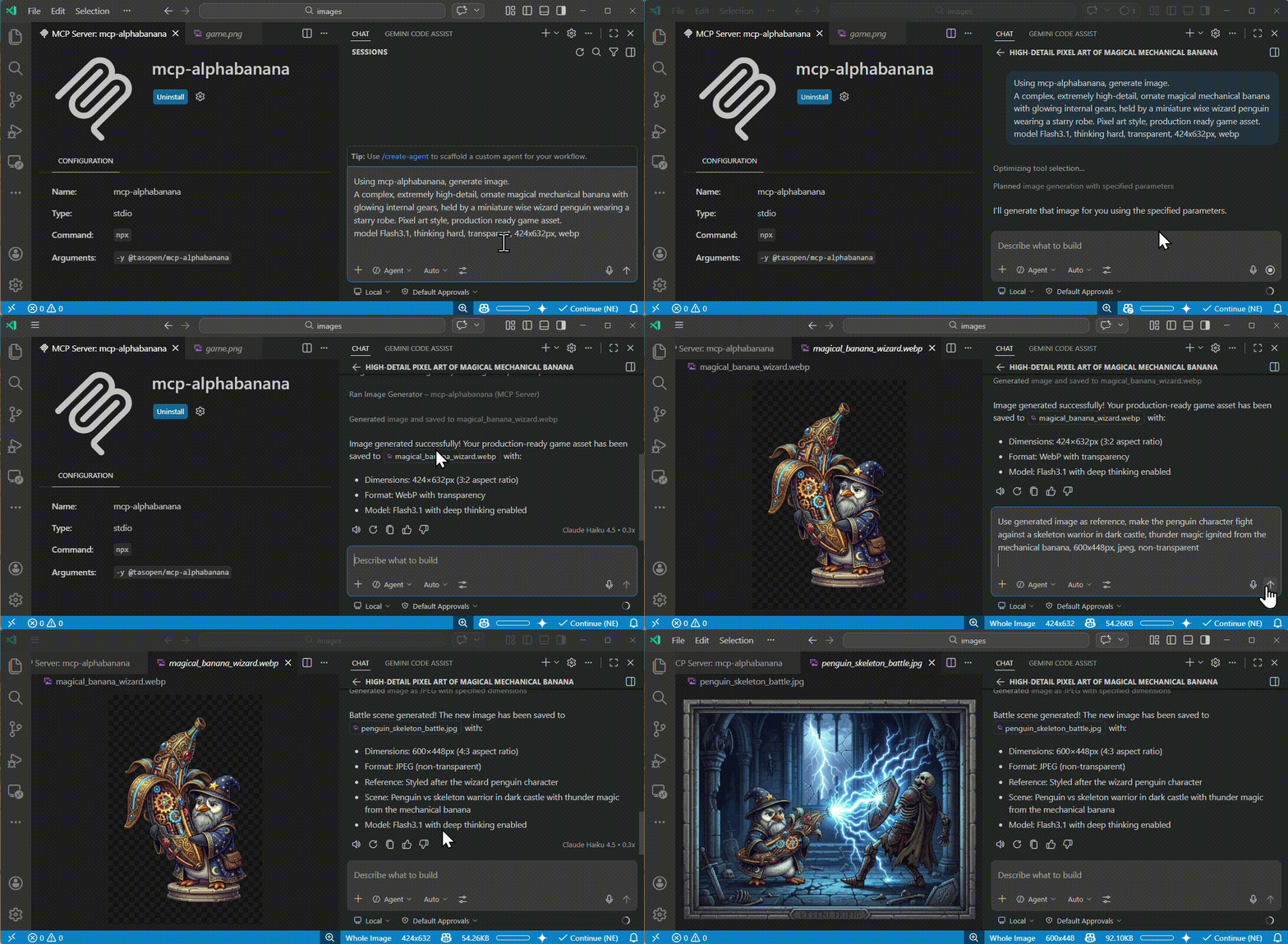
Run the MCP server with npx:
npx -y @tasopen/mcp-alphabananaOr add it to your MCP configuration:
{
  "mcp": {
    "servers": {
      "mcp-alphabanana": {
        "command": "npx",
        "args": ["-y", "@tasopen/mcp-alphabanana"],
        "env": {
          "GEMINI_API_KEY": "${env:GEMINI_API_KEY}"
        }
      }
    }
  }
}
Set GEMINI_API_KEY before starting the server.
For Claude Desktop,
Download mcp-alphabanana-latest.mcpb, then add it as Extension from Claude Desktop Settings. For Windows, Recommend add 'FileSystem' extension for better local file handling.
Related MCP server: nano-banana-claude
The Claude registry / MCPB package metadata is defined in manifest.json and ships with the static 512x512 icon at images/mcp-alphabanana.png.
Native sharp runtime packages are declared as optional dependencies so .mcpb installs can resolve the correct prebuilt binary on each supported platform without relying on postinstall hooks.
Stable MCPB URL: https://github.com/tasopen/mcp-alphabanana/releases/latest/download/mcp-alphabanana-latest.mcpb
Versioned MCPB URL pattern: https://github.com/tasopen/mcp-alphabanana/releases/download/vVERSION/mcp-alphabanana-VERSION.mcpb
Support: GitHub Issues
This repository provides an MCP server that enables AI agents to generate images using Google Gemini.
It can be used with MCP-compatible clients such as:
Claude Desktop
VS Code MCP
Cursor
Built with FastMCP 3 for a simplified codebase and flexible output options.
Glama MCP Server badge:
Generates images using Google Gemini with optional transparency, local reference images, grounding, and reasoning metadata.
For Claude Desktop, prefer outputType=file for medium or large images. base64 and combine responses consume Claude context and can hit the client's size limit. On Windows, use the FileSystem extension to choose a writable absolute outputPath and any local referenceImages paths.
Key parameters:
prompt (string): description of the image to generate
model: NanoBanana2.1 (default), Flash3.1 (deprecated), Lite3.1, Flash2.5, Pro3, plus aliases flash, pro
outputWidth and outputHeight: requested final image size in pixels in normal mode
noresize + aspectRatio + output_resolution: return Gemini native size without resizing
output_resolution: 1K, 2K, 4K
output_format: png, jpg, webp
outputType: file, base64, combine
outputPath: required when outputType is file or combine
transparent: enable transparent PNG/WebP post-processing
referenceImages: optional array of local reference image files
grounding_type and thinking_mode: advanced Gemini controls (thinking_mode: minimal / medium / high, default medium)
Input Model ID | Internal Model ID | Description |
|
| Default. Google Nano Banana 2.1. Best overall quality, prompt adherence, text rendering, and reference-image handling. 1K/2K/4K, up to 14 reference images. |
|
| Deprecated. Ultra-fast, supports Thinking/Grounding. Google shuts it down on October 29, 2026; requests are rejected from that date. Migrate to |
|
| Ultra-fast, cost-effective 1K-only model. No Search Grounding. |
|
| Legacy Flash. High stability. Low cost. 1K only. |
|
| High-fidelity Pro model. |
|
| Alias for the default model ( |
|
| Alias for |
Full parameter reference for the generate_image tool.
Parameter | Type | Default | Description |
| string | required | Description of the image to generate |
| string | required | Output filename (extension auto-added if missing) |
| enum |
|
|
| enum |
| Model: |
| string | auto |
|
| boolean |
| Skip post-generation resize and return Gemini native dimensions |
| enum | optional | Required when |
| integer | required unless | Final output width in pixels |
| integer | required unless | Final output height in pixels |
| enum |
|
|
| string | required for | Absolute output directory path |
| boolean |
| Transparent background (PNG/WebP only) |
| string or null |
| Color key override for transparency extraction |
| integer |
| Transparency color matching tolerance |
| enum |
|
|
| enum |
|
|
| enum |
|
|
| enum |
|
|
| boolean |
| Return model reasoning fields when metadata is enabled |
| boolean |
| Include grounding and reasoning metadata in JSON output |
| array |
| Up to 14 local reference files ( |
| boolean |
| Save intermediate debug artifacts |
Zero Watermarks: API-native clean images.
Thinking/Grounding Support: Higher prompt adherence and search-backed accuracy.
Production Ready: Supports transparent WebP and exact aspect ratios for web and game assets.
Nano Banana 2.1 default (gemini-nano-banana-2.1, 1K/2K/4K output)
Nano Banana 2 Lite (Lite3.1): ultra-fast, cost-effective 1K-only model for quick drafting and low-latency iteration
Advanced multi-image reasoning (up to 14 reference images)
Thinking/Grounding support (NanoBanana2.1, Flash3.1, Pro3)
Transparent PNG/WebP output (color-key post-processing, despill)
Multiple output formats: file, base64, or both
Flexible resize modes: crop, stretch, letterbox, contain
Multiple model tiers: NanoBanana2.1 (default), Flash3.1 (deprecated), Lite3.1, Flash2.5, Pro3, legacy aliases
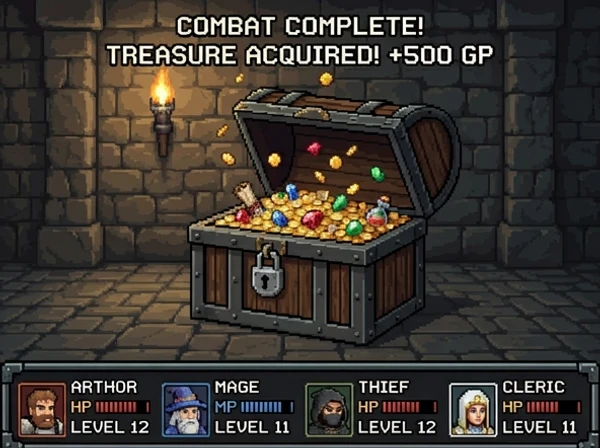
These sample outputs were generated with mcp-alphabanana and stored in images/examples.
Pixel art asset | Reference-image game scene | Photorealistic generation |
|
|
|
Configure the GEMINI_API_KEY in your MCP configuration (for example, mcp.json).
Examples:
Reference an OS environment variable from mcp.json:
{
  "env": {
    "GEMINI_API_KEY": "${env:GEMINI_API_KEY}"
  }
}
Provide the key directly in mcp.json:
{
  "env": {
    "GEMINI_API_KEY": "your_api_key_here"
  }
}Add to your VS Code settings (.vscode/settings.json or user settings), configuring the server env in mcp.json or via the VS Code MCP settings.
{
  "mcp": {
    "servers": {
      "mcp-alphabanana": {
        "command": "npx",
        "args": ["-y", "@tasopen/mcp-alphabanana"],
        "env": {
          "GEMINI_API_KEY": "${env:GEMINI_API_KEY}"
        }
      }
    }
  }
}
Optional: Set a custom fallback directory for write failures by adding MCP_FALLBACK_OUTPUT to the env object.
{
  "prompt": "A pixel art treasure chest, golden trim, wooden texture",
  "model": "NanoBanana2.1",
  "outputFileName": "chest",
  "outputType": "base64",
  "outputWidth": 64,
  "outputHeight": 64,
  "transparent": true
}{
"prompt": "A clean app icon with a banana mascot, flat graphic design",
"model": "NanoBanana2.1",
"outputFileName": "banana-icon-native",
"outputType": "base64",
"noresize": true,
"aspectRatio": "1:1",
"output_resolution": "1K",
"output_format": "png"
}This mode returns the Gemini native pixel size for the requested ratio and resolution. For example, 1:1 + 1K returns 1024x1024 without any resize pass. (0.5K was removed in v1.6.0.)
{
  "prompt": "A vertical, photorealistic travel poster advertising Magical Wings Day Tours. A joyful young couple flies high above a breathtaking European countryside at golden hour, holding hands as they soar through a partly cloudy sky. Below them are vineyards, villages, forests, a winding river, and a hilltop medieval castle. The poster uses large, elegant typography with the headline FLY THE COUNTRYSIDE at the top and Magical Wings Day Tours branding near the bottom.",
  "model": "NanoBanana2.1",
  "output_resolution": "1K",
  "outputFileName": "photoreal-travel-poster",
  "outputType": "file",
  "outputPath": "/path/to/output",
  "outputWidth": 848,
  "outputHeight": 1264,
  "output_format": "jpg",
  "thinking_mode": "high",
  "include_metadata": true
}{
"prompt": "A modern travel poster featuring today's weather and skyline highlights in Kuala Lumpur",
"model": "NanoBanana2.1",
"outputFileName": "kl_travel_poster",
"outputType": "base64",
"outputWidth": 1024,
"outputHeight": 1024,
"grounding_type": "text",
"thinking_mode": "high",
"include_metadata": true,
"include_thoughts": true
}This sample enables Google Search grounding and returns grounding and reasoning metadata in JSON.
{
  "prompt": "Use the reference image to create a game screen showing an opened treasure chest filled with coins and treasure, 8-bit dungeon crawler style, after-battle reward scene, dungeon corridor background, four-party status UI at the bottom",
  "model": "NanoBanana2.1",
  "output_resolution": "1K",
  "outputFileName": "reference-image-dungeon-loot",
  "outputType": "file",
  "outputPath": "/path/to/output",
  "outputWidth": 600,
  "outputHeight": 448,
  "output_format": "webp",
  "transparent": false,
  "referenceImages": [
    {
      "description": "Treasure chest style reference",
      "filePath": "/path/to/references/pixel-art-treasure-chest.png"
    }
  ]
}PNG: Full alpha, color-key + despill
WebP: Full alpha, better compression
JPEG: No transparency (falls back to solid background)
Nano Banana 2.1 does not provide native transparent output. When
transparent=trueis specified, mcp-alphabanana applies local post-processing to generate an alpha channel.
# Development mode with MCP CLI
npm run dev

# MCP Inspector (Web UI)
npm run inspect

# Build for production
npm run buildMIT
Generate image assets using Gemini AI with optional transparency and reference images.
[Claude Desktop Guidance]
Prefer outputType='file' for medium or large images. base64 and combine responses can exceed Claude Desktop's context limit.
On Claude Desktop for Windows, use the FileSystem extension to choose reference-image paths and a writable absolute outputPath before calling this tool.
Use base64 only for small previews or when the client explicitly needs inline image data.
[Model Guidance]
Flash3.1 (recommended): High quality, very fast, supports grounding and advanced features.
Lite3.1 (Nano Banana 2 Lite): Ultra-fast, cost-effective, 1K-only, no search grounding. Ideal for quick drafting and low-latency iteration.
Pro3: Higher fidelity, but more costly and slower.
Flash2.5: Legacy, maintained for compatibility. Does not support 0.5K, 2K, or 4K resolutions.
[Aspect Ratios] Gemini supports the following aspect ratios (model-dependent):
Common to all models: 1:1, 2:3, 3:2, 3:4, 4:3, 4:5, 5:4, 9:16, 16:9, 21:9
Flash3.1 only: 1:4, 4:1, 1:8, 8:1
Normal mode: provide outputWidth/outputHeight and the server will choose the closest Gemini aspect ratio and source resolution, then resize to the requested pixel size. No-resize mode: set noresize=true and provide aspectRatio plus output_resolution. The server will return Gemini's native pixel dimensions for that combination without post-generation resizing.
If you intentionally want to control resizing/cropping in normal mode, use the 'resizeMode' parameter: 'crop' (default, center crop), 'letterbox' (fit with padding), 'contain' (trim transparent margins then fit), or 'stretch' (distort to fit).
[IMPORTANT] Always preserve the user's prompt as-is, including language and nuance. Do not translate or summarize.
| Name | Required | Description | Default |
|---|---|---|---|
| debug | No | Debug mode: output intermediate processing images and prompt | |
| model | No | Model tier to use for generation (see tool description for details; "flash" and "pro" are aliases for Flash2.5 and Pro3; "Lite3.1" is the low-latency Nano Banana 2 Lite model, 1K-only, no grounding) | Flash3.1 |
| prompt | Yes | User-provided image prompt. Preserve the original wording and detail; do not summarize or translate. Only append transparency-related hints if needed. | |
| noresize | No | Skip post-generation resizing and return Gemini native dimensions directly. When true, provide aspectRatio and output_resolution instead of outputWidth/outputHeight. | |
| fringeMode | No | Fringe reduction mode: auto (size-based), crisp (binary alpha), hd (force-clear 1px boundary for large images). | auto |
| outputPath | No | Output directory path (MUST be an absolute path when outputType is file or combine). In Claude Desktop on Windows, use the FileSystem extension to choose or prepare a writable absolute path such as C:\temp. | |
| outputType | No | Output format: file=file only, base64=base64 only, combine=both. In Claude Desktop, prefer file for medium or large images to avoid context-size limits; use base64 only for small previews. | combine |
| resizeMode | No | Resize mode: crop=center crop, stretch=distort, letterbox=fit with padding, contain=trim transparent margins then fit | crop |
| aspectRatio | No | Gemini aspect ratio to use directly when noresize=true. Ignored in normal resize mode. | |
| outputWidth | No | Output image width in pixels. Required unless noresize=true. In normal mode, the image will be generated using the closest supported Gemini aspect ratio and resolution, then resized to this width. | |
| transparent | No | Request transparent background (PNG or WebP only). Background color is selected by histogram analysis. | |
| outputHeight | No | Output image height in pixels. Required unless noresize=true. In normal mode, the image will be generated using the closest supported Gemini aspect ratio and resolution, then resized to this height. | |
| output_format | No | Output format | png |
| thinking_mode | No | Thinking mode (3.1 only) | minimal |
| colorTolerance | No | Tolerance for color matching (0-255). Higher values are more permissive for transparent color selection and keying. | |
| grounding_type | No | Grounding tool usage (3.1 only) | none |
| outputFileName | Yes | Output filename (extension auto-added if missing) | |
| referenceImages | No | Reference images for style guidance (Flash2.5: max 3, others: max 14) | |
| include_metadata | No | Include grounding and reasoning metadata in JSON output (optional, may increase payload size). | |
| include_thoughts | No | Optional (default: false). Request thought fields from Gemini (3.1 only). Thought content is returned in MCP response only when include_metadata=true. | |
| transparentColor | No | Color to make transparent. Hex (e.g. #FF00FF). null defaults to #FF00FF when transparent=true. | |
| output_resolution | No | Gemini generation source resolution (optional in normal mode, required when noresize=true). In normal mode, the final image is resized to the requested pixel size after generation. |
Does the description disclose side effects, auth requirements, rate limits, or destructive behavior?
The description discloses key behaviors beyond annotations: it explains that the tool generates files on disk (outputPath), handles resizing and cropping, supports transparency, and has model-dependent features. Annotations already indicate destructiveHint=true and openWorldHint=true, so the description adds context about what gets created and modified. However, it does not explicitly warn about overwriting existing files, which would have earned a 5.
Agents need to know what a tool does to the world before calling it. Descriptions should go beyond structured annotations to explain consequences.
Is the description appropriately sized, front-loaded, and free of redundancy?
The description is long but well-structured with sections (Claude Desktop Guidance, Model Guidance, Aspect Ratios, IMPORTANT) and uses bullet points for readability. It front-loads the main purpose and then provides detailed guidance. While every sentence contributes value, some redundancy with schema descriptions could be trimmed slightly.
Shorter descriptions cost fewer tokens and are easier for agents to parse. Every sentence should earn its place.
Given the tool's complexity, does the description cover enough for an agent to succeed on first attempt?
Given the tool's complexity (22 parameters, multiple modes, platform specifics), the description is quite comprehensive. It covers purpose, usage guidelines, model comparisons, resize behavior, output types, and important notes. However, it lacks explicit details about error responses or rate limits, and there is no output schema, but the description compensates well for the tool's generative nature.
Complex tools with many parameters or behaviors need more documentation. Simple tools need less. This dimension scales expectations accordingly.
Does the description clarify parameter syntax, constraints, interactions, or defaults beyond what the schema provides?
Schema coverage is 100%, so parameters are already documented. The description adds value by grouping parameters logically (e.g., model selection, aspect ratios, resize modes) and providing context for platform-specific usage (e.g., referenceImages filePath on Windows). It explains the interaction between parameters like outputWidth/outputHeight and noresize, which goes beyond individual parameter descriptions.
Input schemas describe structure but not intent. Descriptions should explain non-obvious parameter relationships and valid value ranges.
Does the description clearly state what the tool does and how it differs from similar tools?
The description opens with 'Generate image assets using Gemini AI with optional transparency and reference images,' clearly stating the action, resource, and technology. It differentiates between different usage contexts (Claude Desktop, Windows, etc.) and provides model recommendations, ensuring the agent understands what the tool does and when to use which option.
Agents choose between tools based on descriptions. A clear purpose with a specific verb and resource helps agents select the right tool.
Does the description explain when to use this tool, when not to, or what alternatives exist?
The description includes explicit guidance on when to use different output types ('Prefer outputType='file' for medium or large images'), when to use noresize mode vs normal mode, and when to choose each model (Flash3.1 recommended, Lite3.1 for quick drafting, etc.). It also provides platform-specific usage instructions for Claude Desktop and Windows, giving clear context for tool selection.
Agents often have multiple tools that could apply. Explicit usage guidance like "use X instead of Y when Z" prevents misuse.
Recent tool additions, removals, and schema changes observed during successful MCP inspections.
v1.5.0generate_image14 fields changedInput schema / properties / aspectRatioAdded value: +{
+ "description": "Gemini aspect ratio to use directly when noresize=true. Ignored in normal resize mode.",
+ "enum": [
+ "1:1",
+ "2:3",
+ "3:2",
+ "3:4",
+ "4:3",
+ "4:5",
+ "5:4",
+ "9:16",
+ "16:9",
+ "21:9",
+ "1:4",
+ "4:1",
+ "1:8",
+ "8:1"
+ ],
+ "type": "string"
+}Input schema / properties / model / descriptionPrevious value: -"Model tier to use for generation (see tool description for details; \"flash\" and \"pro\" are aliases for Flash2.5 and Pro3)"New value: +"Model tier to use for generation (see tool description for details; \"flash\" and \"pro\" are aliases for Flash2.5 and Pro3; \"Lite3.1\" is the low-latency Nano Banana 2 Lite model, 1K-only, no grounding)"Input schema / properties / model / enumPrevious value: -[
- "Flash3.1",
- "Flash2.5",
- "Pro3",
- "flash",
- "pro"
-]New value: +[
+ "Flash3.1",
+ "Lite3.1",
+ "Flash2.5",
+ "Pro3",
+ "flash",
+ "pro"
+]Input schema / properties / noresizeAdded value: +{
+ "default": false,
+ "description": "Skip post-generation resizing and return Gemini native dimensions directly. When true, provide aspectRatio and output_resolution instead of outputWidth/outputHeight.",
+ "type": "boolean"
+}Input schema / properties / outputHeight / descriptionPrevious value: -"Output image height in pixels. The image will be generated using the closest supported Gemini aspect ratio and resolution, then resized to this height. To avoid cropping or padding, set width and height to match a supported aspect ratio (see tool description)."New value: +"Output image height in pixels. Required unless noresize=true. In normal mode, the image will be generated using the closest supported Gemini aspect ratio and resolution, then resized to this height."Input schema / properties / outputPath / descriptionPrevious value: -"Output directory path (MUST be an absolute path when outputType is file or combine)"New value: +"Output directory path (MUST be an absolute path when outputType is file or combine). In Claude Desktop on Windows, use the FileSystem extension to choose or prepare a writable absolute path such as C:\\temp."Input schema / properties / outputType / descriptionPrevious value: -"Output format: file=file only, base64=base64 only, combine=both"New value: +"Output format: file=file only, base64=base64 only, combine=both. In Claude Desktop, prefer file for medium or large images to avoid context-size limits; use base64 only for small previews."Input schema / properties / outputWidth / descriptionPrevious value: -"Output image width in pixels. The image will be generated using the closest supported Gemini aspect ratio and resolution, then resized to this width. To avoid cropping or padding, set width and height to match a supported aspect ratio (see tool description)."New value: +"Output image width in pixels. Required unless noresize=true. In normal mode, the image will be generated using the closest supported Gemini aspect ratio and resolution, then resized to this width."Input schema / properties / output_resolution / descriptionPrevious value: -"Gemini generation source resolution (optional; normally auto-calculated from pixel size. Set only to override. Final image is resized to requested pixel size.)"New value: +"Gemini generation source resolution (optional in normal mode, required when noresize=true). In normal mode, the final image is resized to the requested pixel size after generation."Input schema / properties / referenceImages / items / additionalPropertiesRemoved value: -falseInput schema / properties / referenceImages / items / properties / filePath / descriptionPrevious value: -"Absolute path to reference image file (.png, .jpg, .jpeg, .webp)"New value: +"Absolute path to reference image file (.png, .jpg, .jpeg, .webp). In Claude Desktop on Windows, use the FileSystem extension to locate the file and pass its Windows absolute path."Input schema / properties / transparentColor / anyOfAdded value: +[
+ {
+ "type": "string"
+ },
+ {
+ "type": "null"
+ }
+]Input schema / properties / transparentColor / typeRemoved value: -[
- "string",
- "null"
-]Input schema / requiredPrevious value: -[
- "prompt",
- "outputFileName",
- "outputWidth",
- "outputHeight"
-]New value: +[
+ "prompt",
+ "outputFileName"
+]v1.3.6generate_imageScored across 1 tool
With only one tool, there is no potential for confusion between tools. The single tool's purpose is clearly defined as generating images.
There is only one tool, so naming consistency is not applicable. The tool name 'generate_image' follows a clear verb_noun convention.
The server has a single tool, which is slightly thin but acceptable given the tool's complexity and the server's focused purpose of image generation. The tool includes many parameters and guidance, making it substantial.
The tool provides comprehensive image generation capabilities with support for multiple AI models, aspect ratios, output formats, and advanced options like no-resize and resize modes. It covers the full scope of image generation for the server's domain.
MCP server for Qwen Image 3 AI image generation
MCP server for NanoBanana AI image generation and editing
Focused MCP server for OpenAI image/audio generation (v2.0.0). Wraps endpoints via HAPI CLI.
MCP server for Google Veo AI video generation