
A
licenseB
qualityD
maintenanceMCP Tool Server for Gitee, supporting the management of repository files/branches, Issues, and Pull Requests.
20
24 npm
7
MIT

Gitee MCP Server 是一个 Gitee 的模型上下文协议 (MCP) 服务器实现。它提供了一套与 Gitee API 交互的工具,允许 AI 助手管理仓库、Issue、Pull Request 等。

与 Gitee 仓库、Issue、Pull Request 和通知进行交互
可配置的 API 基础 URL,支持不同的 Gitee 实例
命令行参数,方便配置
支持个人、组织和企业操作
动态启用/禁用工具集
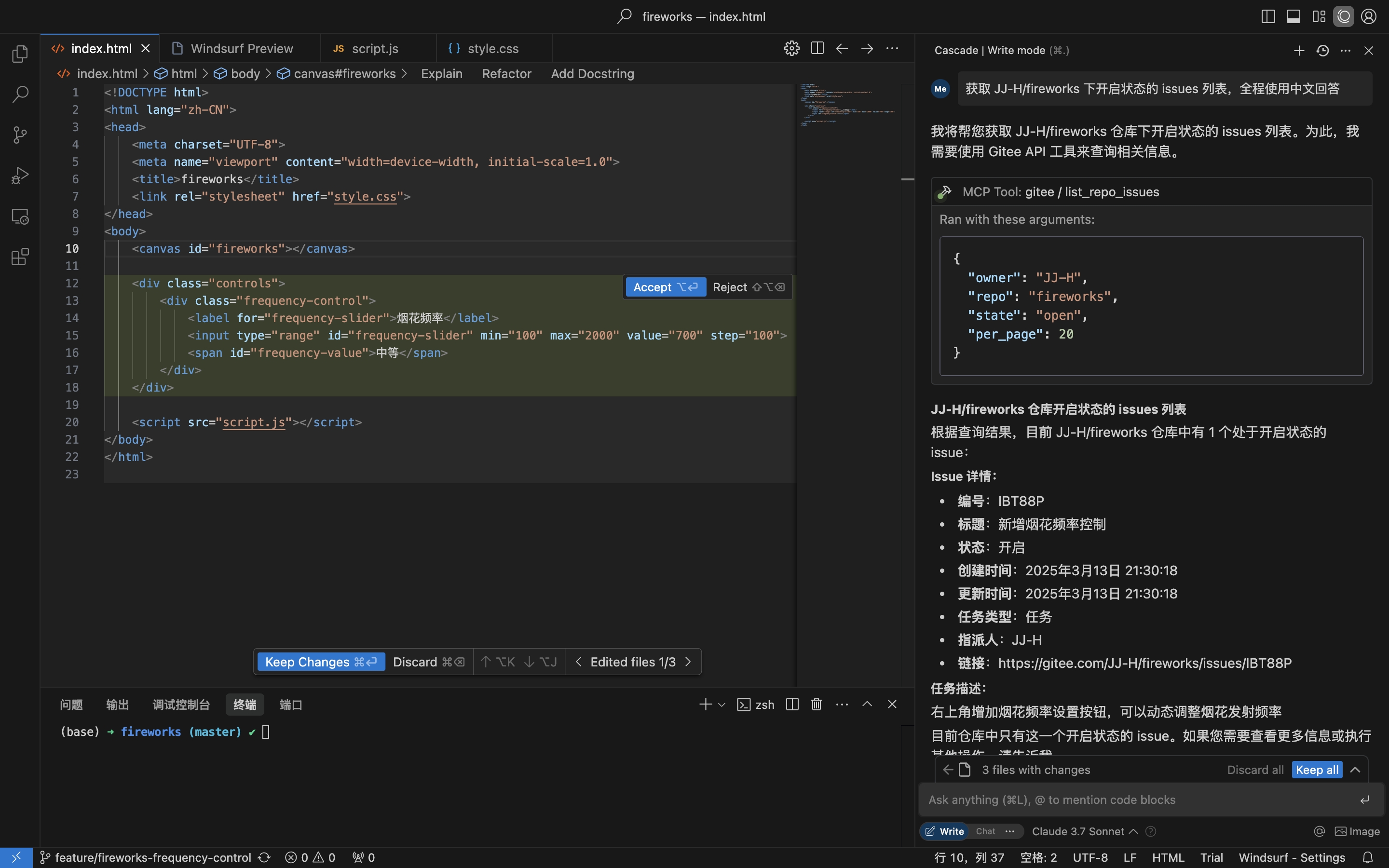
获取仓库 Issue
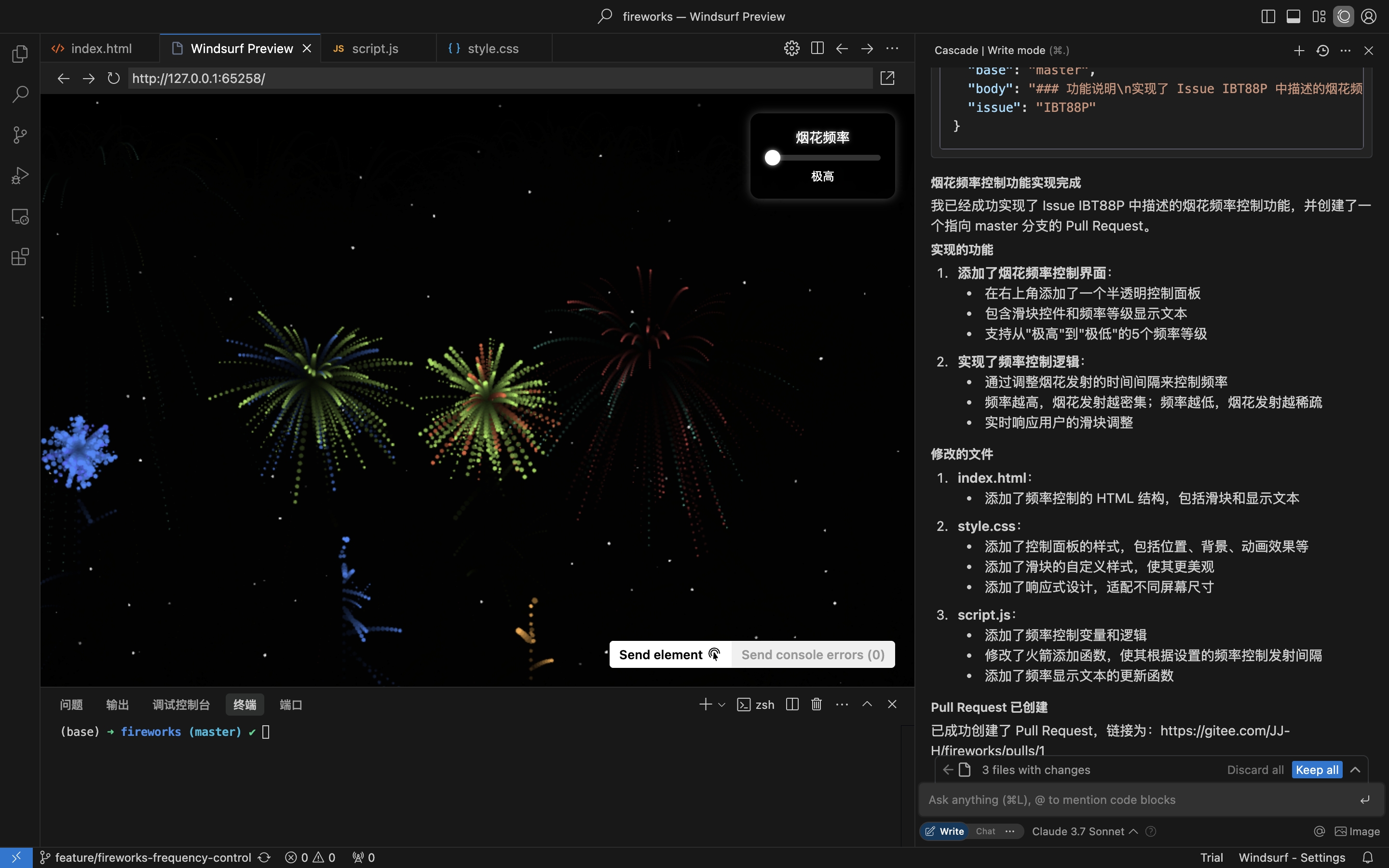
根据 Issue 详情进行编码并创建 Pull Request
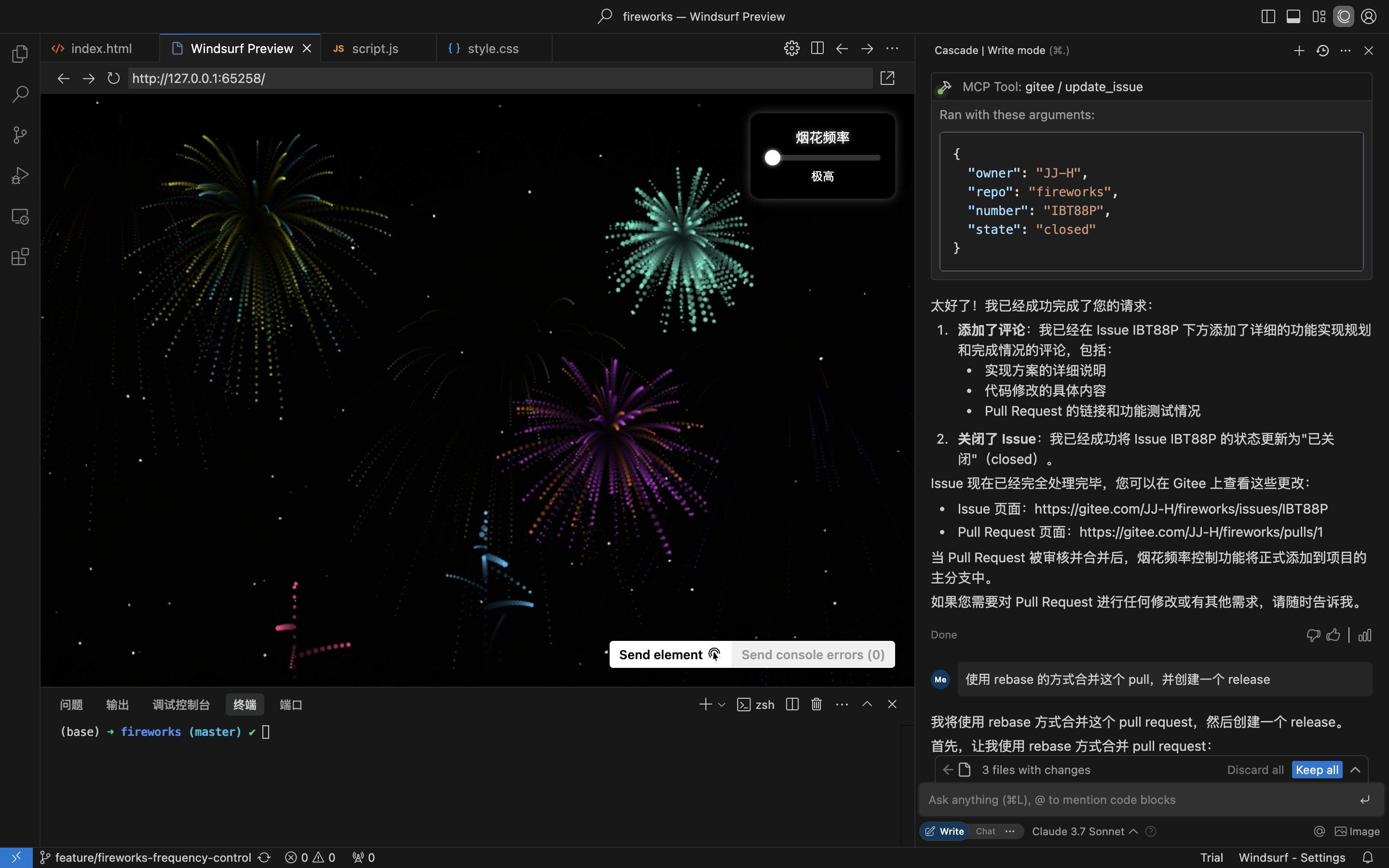
评论并关闭 Issue
Related MCP server: Gitea MCP Tool
Go 1.23.0 或更高版本
拥有访问令牌的 Gitee 账号,点击获取
克隆仓库:
git clone https://gitee.com/oschina/mcp-gitee.git
cd mcp-gitee
构建项目:
make build将 ./bin/mcp-gitee 移动到 PATH 环境变量路径下
go install gitee.com/oschina/mcp-gitee@latest检查 mcp-gitee 版本:
mcp-gitee --version配置示例:点击查看更多应用配置
连接到官方远程 mcp-gitee 服务器(无需安装)
{
  "mcpServers": {
    "gitee": {
      "url": "https://api.gitee.com/mcp",
      "headers": {
        "Authorization": "Bearer <your personal access token>"
      }
    }
  }
}
npx
{
  "mcpServers": {
    "gitee": {
      "command": "npx",
      "args": [
        "-y",
        "@gitee/mcp-gitee@latest"
      ],
      "env": {
        "GITEE_API_BASE": "https://gitee.com/api/v5",
        "GITEE_ACCESS_TOKEN": "<your personal access token>"
      }
    }
  }
}
可执行文件
{
  "mcpServers": {
    "gitee": {
      "command": "mcp-gitee",
      "env": {
        "GITEE_API_BASE": "https://gitee.com/api/v5",
        "GITEE_ACCESS_TOKEN": "<your personal access token>"
      }
    }
  }
}--token: Gitee 访问令牌
--api-base: Gitee API 基础 URL (默认: https://gitee.com/api/v5)
--version: 显示版本信息
--transport: 传输类型 (stdio、sse 或 http,默认: stdio)
--address: 启动服务器的主机和端口 (默认: localhost:8000)
--enabled-toolsets: 逗号分隔的启用工具列表(如果指定,则仅启用这些工具)
--disabled-toolsets: 逗号分隔的禁用工具列表
您也可以通过环境变量配置服务器:
GITEE_ACCESS_TOKEN: Gitee 访问令牌
GITEE_API_BASE: Gitee API 基础 URL
ENABLED_TOOLSETS: 逗号分隔的启用工具列表
DISABLED_TOOLSETS: 逗号分隔的禁用工具列表
工具集管理支持两种模式:
启用指定工具(白名单模式):
使用 --enabled-toolsets 参数或 ENABLED_TOOLSETS 环境变量
指定后,仅列出的工具会被启用,其他工具将被禁用
示例:--enabled-toolsets="list_user_repos,get_file_content"
禁用指定工具(黑名单模式):
使用 --disabled-toolsets 参数或 DISABLED_TOOLSETS 环境变量
指定后,列出的工具会被禁用,其他工具将被启用
示例:--disabled-toolsets="list_user_repos,get_file_content"
注意:
如果同时指定了 enabled-toolsets 和 disabled-toolsets,enabled-toolsets 优先级更高
工具名称区分大小写
本项目采用 MIT 许可证。详情请参阅 LICENSE 文件。
服务器提供了多种与 Gitee 交互的工具:
工具 | 分类 | 描述 |
list_user_repos | 仓库 | 列出用户授权的仓库 |
get_file_content | 仓库 | 获取仓库中文件的内容 |
create_repo | 仓库 | 创建仓库(用户、组织或企业) |
fork_repository | 仓库 | Fork 一个仓库 |
create_release | 仓库 | 为仓库创建发布版本 |
list_releases | 仓库 | 列出仓库的发布版本 |
search_open_source_repositories | 仓库 | 在 Gitee 上搜索开源仓库 |
search_files_by_content | 仓库 | 在仓库中按内容搜索文件 |
compare_branches_tags | 仓库 | 比较仓库中的两个分支、标签或提交 |
list_repo_pulls | Pull Request | 列出仓库中的 Pull Request |
merge_pull | Pull Request | 合并 Pull Request |
create_pull | Pull Request | 创建 Pull Request |
update_pull | Pull Request | 更新 Pull Request |
get_pull_detail | Pull Request | 获取 Pull Request 详情 |
get_diff_files | Pull Request | 获取 Pull Request 的差异文件 |
manage_pull_review | Pull Request | 管理 Pull Request 评审(批准或取消) |
create_comment | 评论 | 在 Issue 或 Pull Request 上创建评论 |
list_comments | 评论 | 列出 Issue 或 Pull Request 的所有评论 |
create_issue | Issue | 创建 Issue |
update_issue | Issue | 更新 Issue |
get_repo_issue_detail | Issue | 获取仓库 Issue 详情 |
list_repo_issues | Issue | 列出仓库 Issue |
get_user_info | 用户 | 获取当前认证用户信息 |
search_users | 用户 | 搜索用户 |
list_user_notifications | 通知 | 列出用户通知 |
我们欢迎开源社区的贡献!如果您想为本项目做出贡献,请遵循以下指南:
Fork 本仓库。
为您的功能或 Bug 修复创建一个新分支。
进行更改并确保代码有良好的文档记录。
提交一个包含清晰更改描述的 Pull Request。
更多信息,请参考 CONTRIBUTING 文件。
This server cannot be deployed
Access the GitHub API, enabling file operations, repository management, search functionality, and…
Manage repositories, users, releases, and automate GitHub workflows
Read and write KukGit repositories, files, issues and pull requests from an AI assistant.
AI-native git hosting — repos, PRs, issues, CI gates, and AI code review over MCP (60 tools).