
A
licenseB
qualityD
maintenanceMCP Tool Server for Gitee, supporting the management of repository files/branches, Issues, and Pull Requests.
20
24 npm
7
MIT

Gitee MCPサーバーは、Gitee向けのModel Context Protocol (MCP) サーバー実装です。GiteeのAPIと対話するためのツールセットを提供し、AIアシスタントがリポジトリ、Issue、プルリクエストなどを管理できるようにします。

Giteeのリポジトリ、Issue、プルリクエスト、通知との対話
さまざまなGiteeインスタンスをサポートする設定可能なAPIベースURL
簡単な設定のためのコマンドラインフラグ
個人、組織、エンタープライズ操作の両方をサポート
動的なツールセットの有効化/無効化
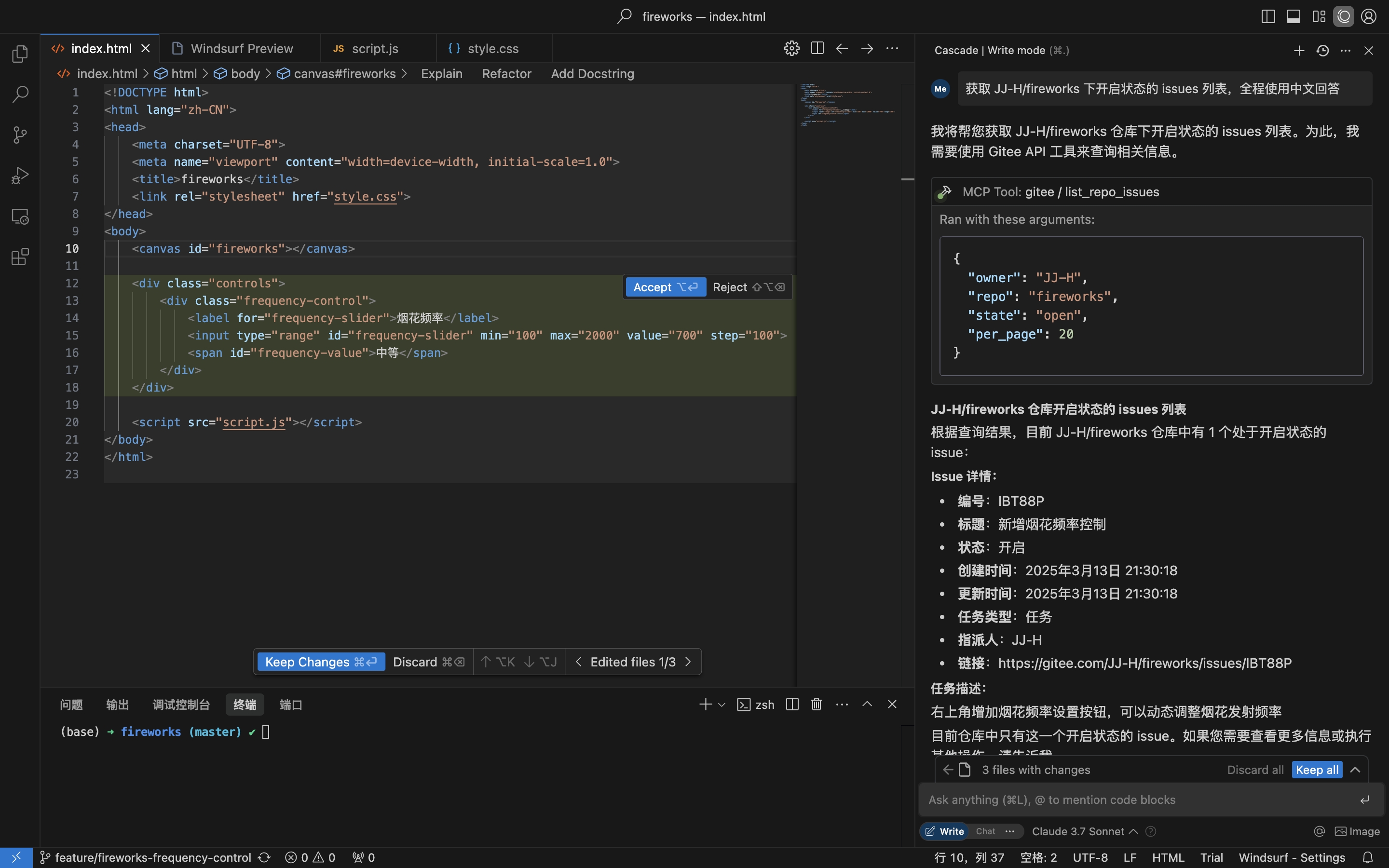
リポジトリのIssueを取得
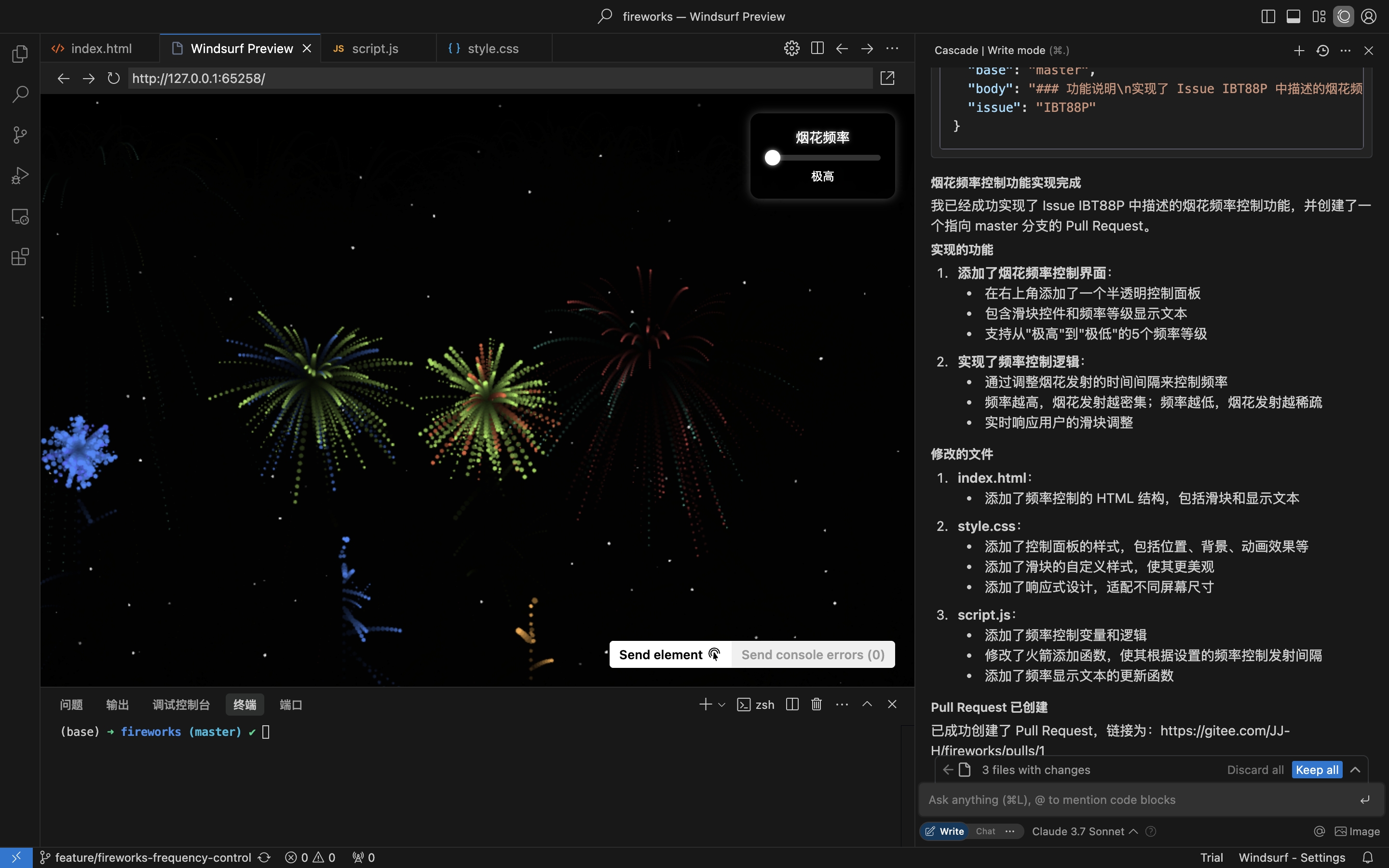
Issueの詳細に基づいてコーディングを行い、プルリクエストを作成
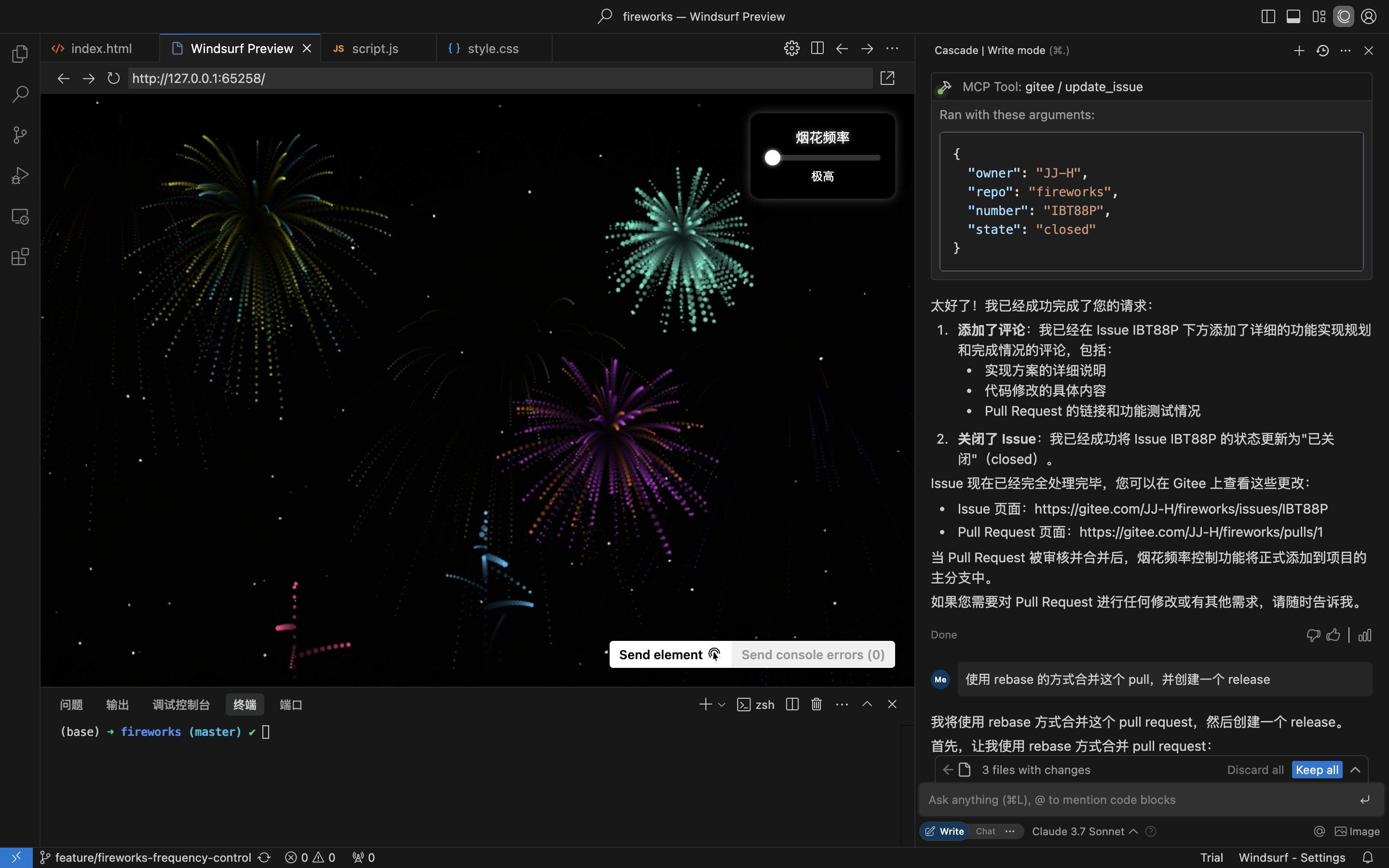
コメントしてIssueをクローズ
Related MCP server: Gitea MCP Tool
Go 1.23.0以上
アクセストークンを持つGiteeアカウント、取得はこちら
リポジトリをクローン:
git clone https://gitee.com/oschina/mcp-gitee.git
cd mcp-gitee
プロジェクトをビルド:
make build./bin/mcp-gitee を PATH 環境変数に追加してください
go install gitee.com/oschina/mcp-gitee@latestmcp-giteeのバージョンを確認:
mcp-gitee --version設定例: その他のアプリケーション設定を表示するにはクリック
公式のリモートmcp-giteeサーバーに接続 (インストール不要)
{
  "mcpServers": {
    "gitee": {
      "url": "https://api.gitee.com/mcp",
      "headers": {
        "Authorization": "Bearer <your personal access token>"
      }
    }
  }
}
npx
{
  "mcpServers": {
    "gitee": {
      "command": "npx",
      "args": [
        "-y",
        "@gitee/mcp-gitee@latest"
      ],
      "env": {
        "GITEE_API_BASE": "https://gitee.com/api/v5",
        "GITEE_ACCESS_TOKEN": "<your personal access token>"
      }
    }
  }
}
実行ファイル
{
  "mcpServers": {
    "gitee": {
      "command": "mcp-gitee",
      "env": {
        "GITEE_API_BASE": "https://gitee.com/api/v5",
        "GITEE_ACCESS_TOKEN": "<your personal access token>"
      }
    }
  }
}--token: Giteeアクセストークン
--api-base: Gitee APIベースURL (デフォルト: https://gitee.com/api/v5)
--version: バージョン情報を表示
--transport: トランスポートタイプ (stdio、sse、またはhttp、デフォルト: stdio)
--address: サーバーを起動するホストとポート (デフォルト: localhost:8000)
--enabled-toolsets: 有効にするツールをカンマ区切りで指定 (指定した場合、これらのツールのみが有効になります)
--disabled-toolsets: 無効にするツールをカンマ区切りで指定
環境変数を使用してサーバーを設定することもできます:
GITEE_ACCESS_TOKEN: Giteeアクセストークン
GITEE_API_BASE: Gitee APIベースURL
ENABLED_TOOLSETS: 有効にするツールをカンマ区切りで指定
DISABLED_TOOLSETS: 無効にするツールをカンマ区切りで指定
ツールセット管理は2つのモードをサポートしています:
指定したツールを有効にする (ホワイトリストモード):
--enabled-toolsets パラメータまたは ENABLED_TOOLSETS 環境変数を使用
指定後、リストされたツールのみが有効になり、その他は無効になります
例: --enabled-toolsets="list_user_repos,get_file_content"
指定したツールを無効にする (ブラックリストモード):
--disabled-toolsets パラメータまたは DISABLED_TOOLSETS 環境変数を使用
指定後、リストされたツールは無効になり、その他は有効になります
例: --disabled-toolsets="list_user_repos,get_file_content"
注意:
enabled-toolsets と disabled-toolsets の両方が指定された場合、enabled-toolsets が優先されます
ツール名はケースセンシティブです
このプロジェクトはMITライセンスの下でライセンスされています。詳細は LICENSE ファイルを参照してください。
サーバーはGiteeと対話するためのさまざまなツールを提供します:
ツール | カテゴリ | 説明 |
list_user_repos | リポジトリ | ユーザーが認可したリポジトリを一覧表示 |
get_file_content | リポジトリ | リポジトリ内のファイルの内容を取得 |
create_repo | リポジトリ | リポジトリを作成 (ユーザー、組織、またはエンタープライズ) |
fork_repository | リポジトリ | リポジトリをフォーク |
create_release | リポジトリ | リポジトリのリリースを作成 |
list_releases | リポジトリ | リポジトリのリリースを一覧表示 |
search_open_source_repositories | リポジトリ | Gitee上のオープンソースリポジトリを検索 |
search_files_by_content | リポジトリ | リポジトリ内のコンテンツでファイルを検索 |
compare_branches_tags | リポジトリ | リポジトリ内の2つのブランチ、タグ、またはコミットを比較 |
list_repo_pulls | プルリクエスト | リポジトリ内のプルリクエストを一覧表示 |
merge_pull | プルリクエスト | プルリクエストをマージ |
create_pull | プルリクエスト | プルリクエストを作成 |
update_pull | プルリクエスト | プルリクエストを更新 |
get_pull_detail | プルリクエスト | プルリクエストの詳細を取得 |
get_diff_files | プルリクエスト | プルリクエストの差分ファイルを取得 |
manage_pull_review | プルリクエスト | プルリクエストのレビューを管理 (承認またはキャンセル) |
create_comment | コメント | Issueまたはプルリクエストにコメントを作成 |
list_comments | コメント | Issueまたはプルリクエストの全コメントを一覧表示 |
create_issue | Issue | Issueを作成 |
update_issue | Issue | Issueを更新 |
get_repo_issue_detail | Issue | リポジトリのIssueの詳細を取得 |
list_repo_issues | Issue | リポジトリのIssueを一覧表示 |
get_user_info | ユーザー | 現在認証されているユーザー情報を取得 |
search_users | ユーザー | ユーザーを検索 |
list_user_notifications | 通知 | ユーザーの通知を一覧表示 |
オープンソースコミュニティからの貢献を歓迎します!このプロジェクトに貢献したい場合は、以下のガイドラインに従ってください:
リポジトリをフォークします。
機能またはバグ修正のための新しいブランチを作成します。
変更を加え、コードが十分に文書化されていることを確認します。
変更内容を明確に記述したプルリクエストを送信します。
詳細については、CONTRIBUTING ファイルを参照してください。
This server cannot be deployed
Access the GitHub API, enabling file operations, repository management, search functionality, and…
Manage repositories, users, releases, and automate GitHub workflows
Read and write KukGit repositories, files, issues and pull requests from an AI assistant.
AI-native git hosting — repos, PRs, issues, CI gates, and AI code review over MCP (60 tools).