
MCP Infra Lens
mcp-infra-lens
通过支持基准的 MCP 工具解释 SSH Linux 事件。





演示
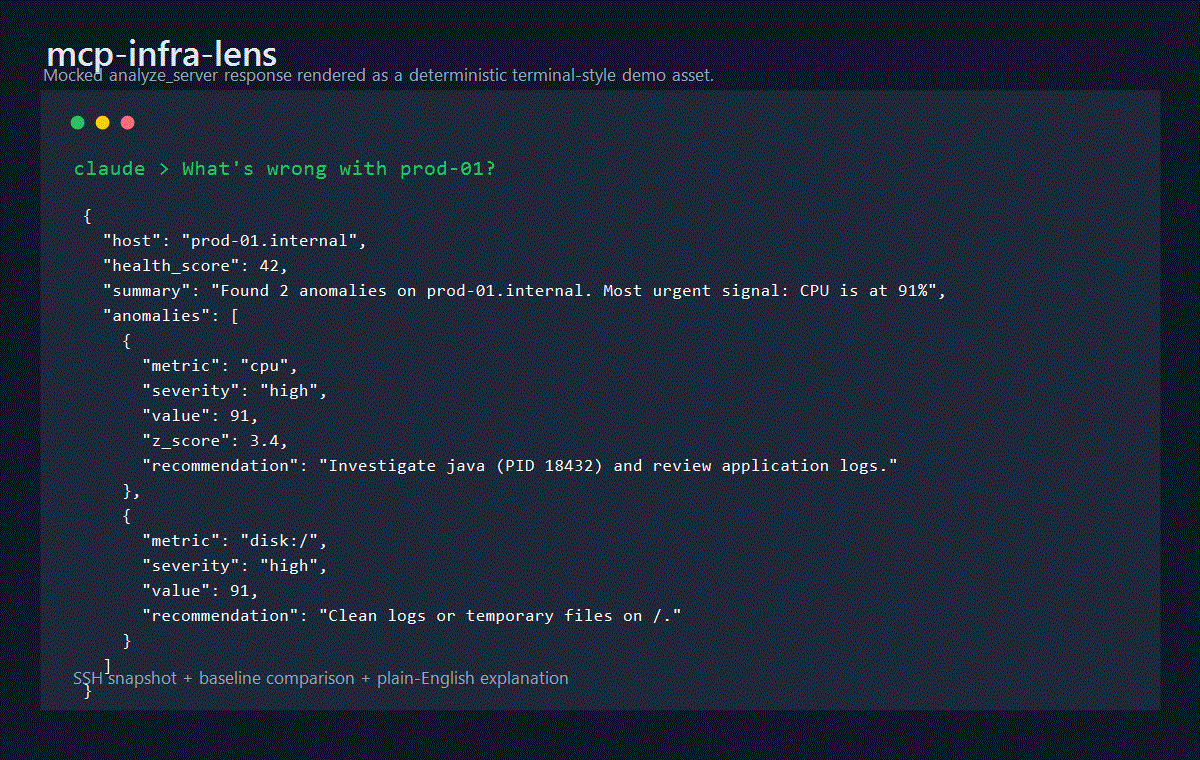
当 Claude 询问“prod-01 有什么问题?”时,analyze_server 的示例响应:
{
  "host": "prod-01.internal",
  "health_score": 42,
  "summary": "Found 2 anomalies on prod-01.internal. Most urgent signal: CPU is at 91% (3.4σ above baseline 28.2%). Load is 7.2/6.8/5.1. Top CPU consumer: java (87%).",
  "anomalies": [
    {
      "metric": "cpu",
      "severity": "high",
      "value": 91,
      "z_score": 3.4,
      "explanation": "CPU is at 91% (3.4σ above baseline 28.2%). Load is 7.2/6.8/5.1. Top CPU consumer: java (87%).",
      "recommendation": "Investigate java (PID 18432) and review application logs or scale-out options."
    },
    {
      "metric": "disk:/",
      "severity": "high",
      "value": 91,
      "explanation": "Disk / is 91% full (182GB/200GB).",
      "recommendation": "Run du -sh //* | sort -rh | head -20 and clean logs or temporary files."
    }
  ]
}
功能介绍
mcp-infra-lens 通过 SSH 连接到 Linux 主机,捕获实时基础设施快照,将其与最近记录的基准进行比较,并用通俗易懂的语言解释异常情况。
在不修改目标主机的情况下收集 CPU、内存、磁盘、网络、进程和操作系统数据
在 SQLite 中记录本地指标历史,用于基准测试、比较和趋势查询
在存在足够的基准样本后,使用 z-score 分析进行 CPU 异常检测
解释压力产生的可能原因,而不仅仅是原始指标值
支持通过
stdio和可流式传输的 HTTP 进行 MCP 通信
工作原理
flowchart TD
    A["Claude / Cursor / VS Code / Windsurf"] --> B["mcp-infra-lens"]
    B --> C["server-core.ts"]
    C --> D["collector.ts"]
    C --> E["analyzer.ts"]
    C --> F["baseline.ts + db.ts"]
    D --> G["ssh.ts"]
    G --> H["Linux host over SSH"]
    F --> I["SQLite history + baselines"]
analyze_server 现在会在请求的 duration_minutes 内执行实际的采样收集,计算收集窗口内的 CPU 和内存压力平均值,持久化生成的快照,然后针对选定的基准运行异常检测。
工具
工具 | 功能 | 关键参数 |
| 收集采样快照、存储并解释异常 |
|
| 捕获并存储当前时间点的指标,不进行分析 |
|
| 保存标记的健康状态样本以供将来比较 |
|
| 将当前状态与命名基准进行比较并解释差异 |
|
| 从 SQLite 返回历史 CPU、内存或负载点 |
|
快速入门
1. 通过 npx 运行
npx -y mcp-infra-lens如果您固定在 1.0.1 版本,请升级到 1.0.2 或更高版本,以避免 Node 24 原生安装失败:
npx -y mcp-infra-lens@latest2. Claude Desktop
已发布包:
{
  "mcpServers": {
    "infra-lens": {
      "command": "npx",
      "args": ["-y", "mcp-infra-lens"],
      "env": {
        "INFRA_LENS_DB": "/Users/you/.mcp-infra-lens/metrics.db"
      }
    }
  }
}
本地开发:
{
  "mcpServers": {
    "infra-lens": {
      "command": "node",
      "args": ["/absolute/path/to/mcp-infra-lens/dist/mcp.js"],
      "env": {
        "INFRA_LENS_DB": "/Users/you/.mcp-infra-lens/metrics.db"
      }
    }
  }
}
3. Docker
docker build -t mcp-infra-lens .
docker run --rm -it \
  -v "$HOME/.mcp-infra-lens:/home/appuser/.mcp-infra-lens" \
  mcp-infra-lens
配置
环境变量 | 默认值 | 描述 |
|
| SQLite 数据库路径。测试时使用 |
|
| HTTP 传输的绑定地址 |
|
| HTTP 传输的端口 |
健康评分
90-100: 健康,未检测到重大异常70-89: 轻微或孤立的压力40-69: 存在多个警告或正在进行重大问题0-39: 严重状况,需要紧急补救
推荐工作流程
在健康运行窗口期间记录
record_baseline样本。在发生事件或负载激增时使用
analyze_server。使用
compare_to_baseline以获得针对命名基准的更紧密的差异视图。使用
get_history查看趋势,并将默认快照与标记的基准会话分开。
身份验证
SSH 输入模式支持:
密码验证
内联私钥验证
加密密钥的可选密码短语支持
凭据字段在写入 stderr 之前会从结构化日志中脱敏。
安全说明
SSH 收集在目标主机上是只读的
SSH 凭据永远不会存储在 SQLite 中
主机密钥验证在 v1 中是宽松的,以实现兼容性;生产部署应限制出站网络访问,并计划在后续版本中强制执行严格的主机验证
HTTP 传输没有内置身份验证;在任何非本地部署中,请绑定到回环地址并将其置于经过身份验证的反向代理之后
请参阅 SECURITY.md 了解报告策略和存储数据范围。
集成
Claude Desktop
{
  "mcpServers": {
    "infra-lens": {
      "command": "npx",
      "args": ["-y", "mcp-infra-lens"],
      "env": {
        "INFRA_LENS_DB": "/Users/you/.mcp-infra-lens/metrics.db"
      }
    }
  }
}
Cursor IDE
{
  "mcpServers": {
    "infra-lens": {
      "command": "npx",
      "args": ["-y", "mcp-infra-lens"]
    }
  }
}
VS Code (MCP 扩展)
{
  "inputs": [],
  "servers": {
    "infra-lens": {
      "type": "stdio",
      "command": "npx",
      "args": ["-y", "mcp-infra-lens"]
    }
  }
}
Windsurf
{
  "mcpServers": {
    "infra-lens": {
      "command": "npx",
      "args": ["-y", "mcp-infra-lens"]
    }
  }
}
Docker (HTTP 传输)
docker run -d \
  -p 3000:3000 \
  -v $HOME/.mcp-infra-lens:/home/appuser/.mcp-infra-lens \
  ghcr.io/oaslananka/mcp-infra-lens:latest
然后配置您的 MCP 客户端以使用 http://localhost:3000。
Docker
捆绑的 Docker 镜像:
在单独的阶段构建 TypeScript 项目
在两个阶段中为容器架构重新构建
better-sqlite3以非 root 用户
appuser身份运行将 SQLite 数据存储在
/home/appuser/.mcp-infra-lens/metrics.db中
贡献
欢迎贡献。从 CONTRIBUTING.md 开始,然后使用:
docs/usage.md 获取工具示例
docs/architecture.md 获取组件映射
docs/testing.md 进行本地验证和发布检查
AGENTS.md,CLAUDE.md,GEMINI.md,.github/copilot-instructions.md和.agent/rules/repository.md获取特定于存储库的 AI 编码指导
运维 / CI 说明
azure-pipelines.yml是规范的 CI 流水线,现在在 Node 20 和 Node 22 上运行Quality阶段,发布 JUnit 和 Cobertura 工件,并在 Node 20 上执行基于 Docker 的 SSH 端到端覆盖测试.azure/pipelines/publish.yml仍然是手动 npm 发布流水线.azure/pipelines/mirror.yml仍然可用于存储库镜像工作流仅在本地预发布检查清单和 CI 都在 Node 20 上顺利通过后才发布
许可证
Tool Schema Changelog
Recent tool additions, removals, and schema changes observed during successful MCP inspections. Dates show when Glama detected each change.
5 tool updates
v1.0.1- First observed
analyze_server - First observed
compare_to_baseline - First observed
get_history - First observed
record_baseline - First observed
snapshot
TDQS
Tools are mostly distinct, though analyze_server and compare_to_baseline both perform explanatory analysis of deviations, which could cause brief hesitation. snapshot vs analyze_server clearly separates raw collection from analysis.
Four tools follow a clear verb_noun pattern (analyze_server, get_history, record_baseline, compare_to_baseline). snapshot stands alone without a verb prefix, though it functions as a verb in context—minor deviation but readable.
Five tools is ideal for this focused scope: baseline lifecycle (record, compare), historical retrieval, real-time analysis, and raw capture. Each serves a specific step in the monitoring workflow without bloat.
Covers the core monitoring lifecycle: establishing baselines, recording current state, historical lookup, and comparative analysis. Minor gaps exist (no list_baselines or delete_baseline), but agents can work around these.
Related MCP Connectors
Real-time infrastructure monitoring with metrics, logs, alerts, and ML-based anomaly detection.
- emisarOAuthdev.emisar
Let AI operate servers without SSH. Choose actions, approve risky changes, and audit every step.
Gain visibility into the performance, availability, and health of your apps and infrastructure.
Scoped, audited SSH exec, sessions, and SFTP on your saved servers without exposing credentials


Latest Blog Posts
- Who's Calling? MCP Hosts Are an Identity Blind Spot (And the Spec Knows It)By Om-Shree-0709 on .mcpAgent IdentityOAuth 2.1
- Your AI Chatbot Just Exposed Your CEO's Salary to an InternBy Om-Shree-0709 on .Agent IdentityMCP SecurityOAuth Delegation
- Why MCP Servers Need Execution Sandboxing (And Why Your Current Stack Isn't Enough)By Om-Shree-0709 on .Agentic AiPrompt InjectionWebAssembly
MCP directory API
We provide all the information about MCP servers via our MCP API.
curl -X GET 'https://glama.ai/api/mcp/v1/servers/oaslananka/mcp-infra-lens'
If you have feedback or need assistance with the MCP directory API, please join our Discord server