AbuseIPDB MCP 服务器
一个用于与 AbuseIPDB API 集成的模型上下文协议 (MCP) 服务器。直接从您的 AI 助手查询 IP 滥用报告并提交新报告。


📦 安装: uvx mcp-abuseipdb · pip install mcp-abuseipdb · PyPI
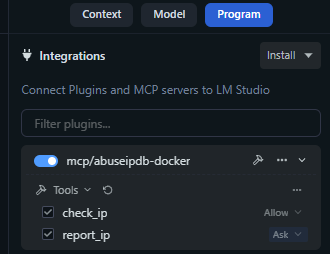
功能
🔍 检查 IP — 查询 AbuseIPDB 以获取任何 IPv4/IPv6 地址的滥用报告,并提供详细信息
🚨 上报 IP — 为恶意 IP 地址提交滥用报告
🚀 使用 uvx 免安装 — 通过 uvx mcp-abuseipdb 即时运行,无需设置
🌐 多种传输方式 — Stdio(默认)和流式 HTTP(MCP 规范 2025-03-26)
📦 PyPI 包 — 通过 pip install mcp-abuseipdb 安装
🐳 支持 Docker — 基于 Alpine 的轻量级容器
⚡ 异步/等待 (Async/Await) — 高性能异步操作
🗂️ 完整分类 — 完整的 1-23 分类映射,带有易读的名称
🔄 速率限制处理 — 针对 429 响应的自动重试信息
✅ 输入验证 — 强大的 IPv4/IPv6 和参数验证
🧹 简洁输出 — 针对 MCP 客户端优化的可读文本输出
Related MCP server: Threat Intelligence MCP Server
快速入门
使用 uvx(推荐)
最快的方法 — 无需克隆、无需安装、无需虚拟环境:
# Run directly (stdio transport)
ABUSEIPDB_API_KEY="your_api_key_here" uvx mcp-abuseipdb

# With HTTP transport
ABUSEIPDB_API_KEY="your_api_key_here" uvx mcp-abuseipdb --transport http --port 8000
先决条件: 必须安装 uv。
安装:pip install uv · curl -LsSf https://astral.sh/uv/install.sh | sh · Windows
使用 pip
pip install mcp-abuseipdb

export ABUSEIPDB_API_KEY="your_api_key_here"
mcp-abuseipdb
使用 Docker
docker build -t abuseipdb-mcp .
docker run -it --rm -e ABUSEIPDB_API_KEY="your_api_key_here" abuseipdb-mcp
实时演示
IP 信誉检查与高级分析
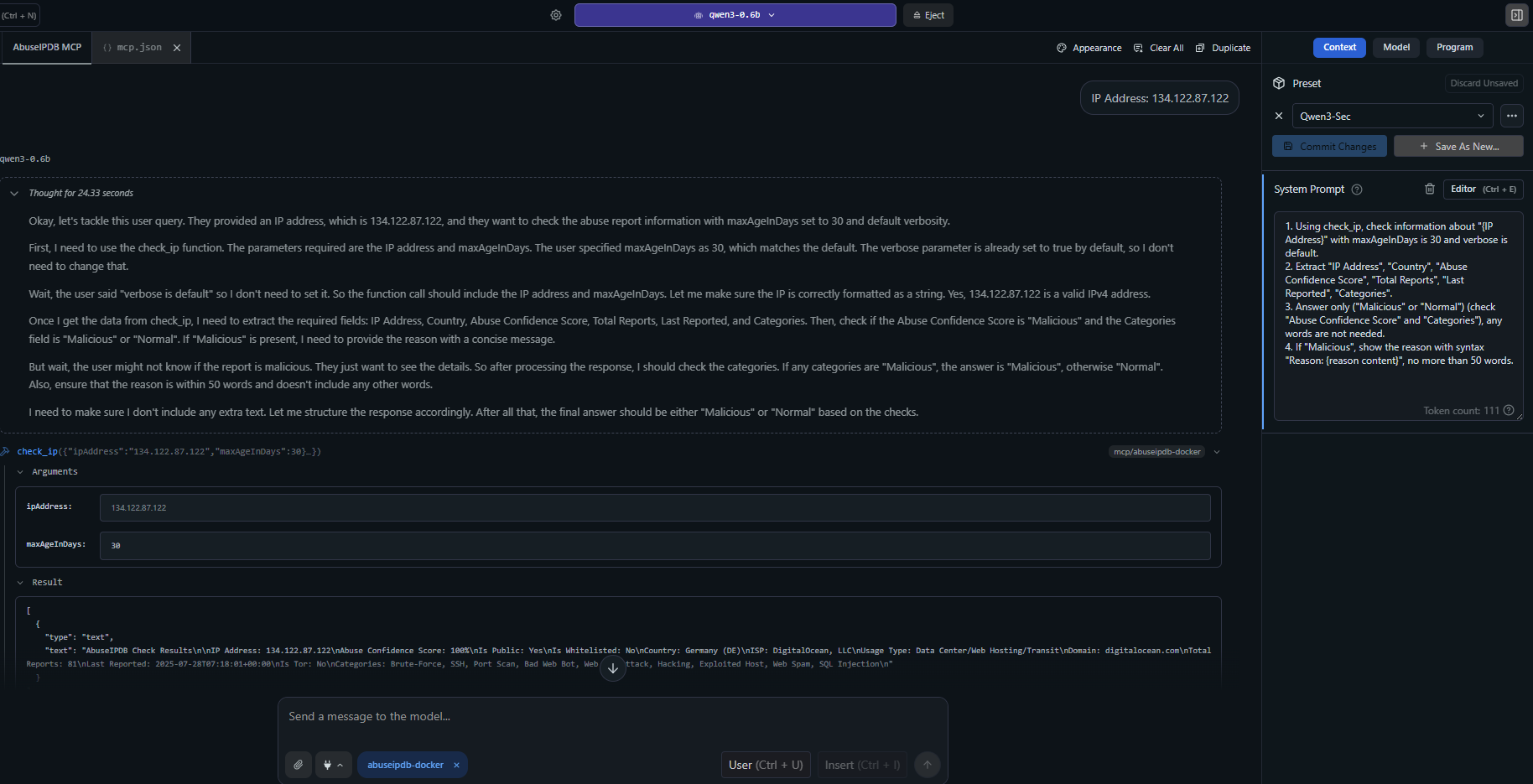
示例:check_ip 使用全面的滥用报告、分类、地理位置和威胁情报分析可疑 IP 地址。
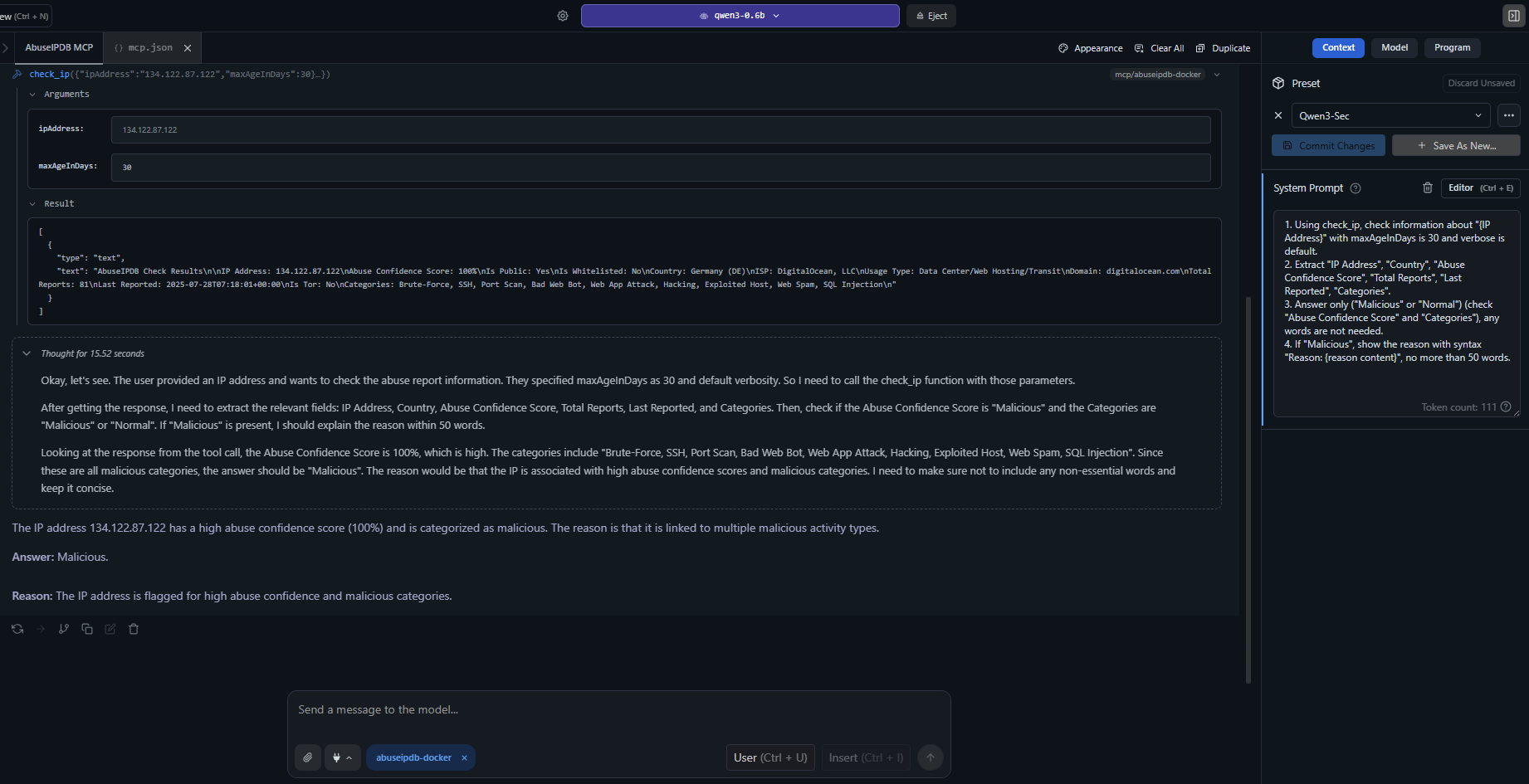
高级用法:详细的 IP 分析,包含详细报告、ISP 信息、滥用置信度评分和近期攻击模式。
MCP 客户端配置
Claude Desktop — uvx(推荐)
添加到 claude_desktop_config.json:
{
  "mcpServers": {
    "abuseipdb": {
      "command": "uvx",
      "args": ["mcp-abuseipdb"],
      "env": {
        "ABUSEIPDB_API_KEY": "your_api_key_here"
      }
    }
  }
}
Claude Desktop — 使用 HTTP 传输的 uvx
{
  "mcpServers": {
    "abuseipdb": {
      "command": "uvx",
      "args": ["mcp-abuseipdb", "--transport", "http", "--port", "8000"],
      "env": {
        "ABUSEIPDB_API_KEY": "your_api_key_here"
      }
    }
  }
}
远程服务器(流式 HTTP)
{
  "mcpServers": {
    "abuseipdb": {
      "url": "http://your-server:8000/mcp"
    }
  }
}
Docker (Stdio)
{
  "mcpServers": {
    "abuseipdb": {
      "command": "docker",
      "args": [
        "run", "-i", "--rm",
        "-e", "ABUSEIPDB_API_KEY=your_api_key_here",
        "abuseipdb-mcp"
      ]
    }
  }
}
Docker (流式 HTTP)
# Start container
docker run -d --rm \
  -e ABUSEIPDB_API_KEY="your_api_key_here" \
  -e MCP_TRANSPORT=http \
  -p 8000:8000 \
  abuseipdb-mcp
{
  "mcpServers": {
    "abuseipdb": {
      "url": "http://localhost:8000/mcp"
    }
  }
}
📁 更多配置示例:examples/mcp-client-configs.json
可用工具
1. check_ip
检查 IP 地址的滥用报告。
参数 | 类型 | 必需 | 默认 | 描述 |
ipAddress
| string | ✅ | — | 要检查的 IPv4 或 IPv6 地址 |
maxAgeInDays
| integer | — | 30 | 仅返回过去 x 天内的报告 (1-365) |
verbose
| boolean | — | true | 在响应中包含详细报告 |
输入示例:
{
  "ipAddress": "134.122.87.122",
  "maxAgeInDays": 30,
  "verbose": true
}
输出示例:
AbuseIPDB Check Results

IP Address: 134.122.87.122
Abuse Confidence Score: 75%
Is Public: Yes
Is Whitelisted: No
Country: United States (US)
ISP: DigitalOcean, LLC
Usage Type: Data Center/Web Hosting/Transit
Domain: digitalocean.com
Total Reports: 15
Categories: Brute-Force, SSH, Port Scan, Hacking
2. report_ip
向 AbuseIPDB 上报滥用 IP 地址。
参数 | 类型 | 必需 | 描述 |
ip
| string | ✅ | 要上报的 IPv4 或 IPv6 地址 |
categories
| string | ✅ | 以逗号分隔的分类 ID (例如 "18,22") |
comment
| string | — | 攻击的描述性文本(无个人身份信息) |
timestamp
| string | — | 攻击的 ISO 8601 时间戳 |
输入示例:
{
  "ip": "192.168.1.100",
  "categories": "18,22",
  "comment": "Multiple SSH brute force attempts detected",
  "timestamp": "2024-01-15T10:30:00Z"
}
滥用分类
ID | 分类 | ID | 分类 | ID | 分类 |
1 | DNS 篡改 | 9 | 开放代理 | 17 | 欺骗 |
2 | DNS 中毒 | 10 | 网络垃圾邮件 | 18 | 暴力破解 |
3 | 欺诈订单 | 11 | 电子邮件垃圾邮件 | 19 | 不良网络机器人 |
4 | DDoS 攻击 | 12 | 博客垃圾邮件 | 20 | 被利用的主机 |
5 | FTP 暴力破解 | 13 | VPN IP | 21 | Web 应用攻击 |
6 | 死亡之 Ping | 14 | 端口扫描 | 22 | SSH |
7 | 网络钓鱼 | 15 | 黑客攻击 | 23 | IoT 目标攻击 |
8 | VoIP 欺诈 | 16 | SQL 注入 | | |
传输类型
传输 | 用例 | 协议 |
stdio (默认) | 本地 MCP 客户端 (Claude Desktop 等) | 标准 I/O |
http | 远程访问、多客户端、云部署 | 流式 HTTP (MCP 规范 2025-03-26) |
运行服务器
# Stdio (default)
mcp-abuseipdb

# HTTP transport
mcp-abuseipdb --transport http

# HTTP with custom host/port
mcp-abuseipdb --transport http --host 127.0.0.1 --port 3000

# Via environment variables
MCP_TRANSPORT=http MCP_PORT=3000 mcp-abuseipdb
测试 HTTP 传输
mcp-abuseipdb --transport http --port 8000

curl -X POST http://localhost:8000/mcp \
  -H "Content-Type: application/json" \
  -H "Accept: application/json, text/event-stream" \
  -d '{"jsonrpc":"2.0","method":"initialize","id":1,"params":{"protocolVersion":"2025-03-26","capabilities":{},"clientInfo":{"name":"test","version":"1.0"}}}'
Docker 部署
构建与运行
docker build -t abuseipdb-mcp .
docker run -it --rm -e ABUSEIPDB_API_KEY="your_api_key_here" abuseipdb-mcp
Docker Compose
随附的 docker-compose.yml 提供了两个预配置的服务:
# Stdio service
ABUSEIPDB_API_KEY="your_key" docker compose --profile stdio up abuseipdb-mcp

# HTTP service (exposed on port 8000)
ABUSEIPDB_API_KEY="your_key" docker compose --profile http up abuseipdb-mcp-http
开发
本地设置
git clone https://github.com/n3r0-b1n4ry/mcp-abuseipdb.git
cd mcp-abuseipdb

python -m venv venv
source venv/bin/activate   # Linux/macOS
venv\Scripts\activate      # Windows

pip install -e .

export ABUSEIPDB_API_KEY="your_api_key_here"
mcp-abuseipdb
运行测试
python -m pytest test/test_server.py -v
构建与发布
python -m build
python -m twine upload dist/*
错误处理
错误 | 行为 |
速率限制 (429) | 返回重试持续时间和剩余配额 |
无效 API 密钥 | 清晰的身份验证错误消息 |
无效 IP 格式 | 带有有用消息的格式验证 |
API 错误 | 带有状态码的详细错误响应 |
网络问题 | 超时和连接错误处理 |
速率限制
计划 | 检查端点 | 上报端点 |
免费 | 1,000/天 | 100/天 |
基础 | 3,000/天 | 300/天 |
高级 | 10,000/天 | 1,000/天 |
企业 | 100,000/天 | 10,000/天 |
依赖项
项目结构
mcp-abuseipdb/
├── src/
│   ├── abuseipdb_mcp/              # Python package (uvx/pip)
│   │   ├── __init__.py
│   │   ├── server.py               # Entry point (package)
│   │   └── modules.py              # AbuseIPDBServer class
│   ├── server.py                   # Entry point (standalone)
│   └── modules.py                  # AbuseIPDBServer class (standalone)
├── config/
│   ├── mcp.json                    # MCP server config (stdio)
│   └── mcp-docker.json             # MCP Docker config
├── examples/
│   └── mcp-client-configs.json     # MCP client config examples
├── images/                         # Screenshots and demo images
├── pyproject.toml                  # Package metadata & build config
├── Dockerfile                      # Alpine-based container
├── docker-compose.yml              # Stdio + HTTP services
├── requirements.txt                # Legacy pip dependencies
├── LICENSE                         # MIT License
└── README.md
故障排除
问题 | 解决方案 |
API key required 错误
| 设置 ABUSEIPDB_API_KEY 环境变量 |
连接超时 | 检查网络连接和防火墙设置 |
超过速率限制 | 等待重试期或升级 AbuseIPDB 计划 |
无效 IP 格式 | 使用格式正确的 IPv4 或 IPv6 地址 |
找不到 uvx | 安装 uv: pip install uv 或查看 uv 文档 |
MCP 客户端无法连接 | 验证 claude_desktop_config.json 语法和路径 |
更新日志
v1.3.0
✅ uvx / PyPI 支持 — uvx mcp-abuseipdb 开箱即用
✅ pyproject.toml — 使用 hatchling 的现代 Python 打包
✅ 入口点 — 通过 [project.scripts] 的 mcp-abuseipdb CLI 命令
✅ 更新 Dockerfile — 使用 pip install . 和入口点
✅ 流式 HTTP 传输 — 符合 MCP 规范 2025-03-26
v1.2.0
贡献
Fork 本仓库
创建功能分支
进行更改
提交拉取请求
许可证
MIT 许可证 — 个人和商业用途免费。
为 MCP 社区用心制作 ❤️

